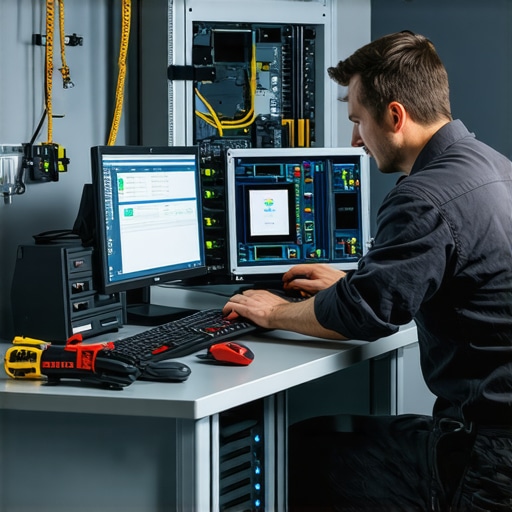
I remember the sinking feeling when I clicked on a file, and my screen froze. The panic set in. Had I just lost everything? That moment of helplessness taught me a vital lesson: when it comes to data and device health, preparation is everything. Over the years, I’ve learned that the right knowledge and quick action can save you from disaster. Today, I want to share those insights to help you navigate 2024 with confidence.
Why Data Loss Still Tops the Worry List
Despite all the tech advancements, data loss remains a common nightmare. It’s not just about accidental deletion; hardware failures, ransomware, and even simple glitches can wipe out years of work in seconds. I’ve seen small businesses and everyday users suffer because they weren’t ready. According to a recent study, 60% of small businesses experience some form of data loss annually, and only a fraction have proper recovery plans in place. That’s alarming, but also fixable.
If you’ve ever faced the dread of a corrupted hard drive or a broken laptop screen, you know exactly what I mean. The good news? I’ve been there, made those mistakes, and now I know exactly how to fix them efficiently. Whether it’s recovering critical files or repairing a damaged screen, knowing the right techniques and tools makes all the difference.
Have you ever lost important files because you weren’t prepared?
If so, you’re not alone. I once thought I could just rely on luck. Spoiler: it doesn’t work. One early mistake I made was not backing up my data regularly. That oversight cost me days of work and a lot of stress. Since then, I’ve adopted a simple but effective backup strategy, which I’ll share later. Trust me, being proactive beats scrambling to recover after the fact.
In this post, I’ll guide you through essential tips for data recovery and computer repairs that are practical, affordable, and proven to work in 2024. From choosing the best recovery solutions to fixing common hardware issues, these insights will help you stay ahead of the curve. Ready to keep your digital life safe? Let’s dive into the most crucial strategies you need right now.
Back Up Like a Pro
Start with a solid backup plan. I once lost hours of work because I relied solely on my local drive. Now, I use a combination of cloud storage and external drives, ensuring my data is safe even if hardware crashes. Use tools like [best data recovery solutions](https://computerrepairmasters.com/best-data-recovery-solutions-to-safeguard-your-files-in-2024) to set up automated backups and avoid panic moments.
Choose the Right Recovery Software
When files go missing or get corrupted, the key is quick action. I recommend trying [top data recovery solutions](https://computerrepairmasters.com/top-data-recovery-solutions-to-protect-critical-files-in-2024) that can scan and restore files efficiently. Remember, run recovery software from a different drive to prevent overwriting the lost data. In my experience, dedicated tools can recover most files if used promptly and correctly.
Perform Hardware Troubleshooting
Hardware issues can seem complex but often boil down to simple causes like loose connections or faulty components. I once fixed a laptop screen by reseating the display cable. For step-by-step guidance, check [laptop screen repair tips](https://computerrepairmasters.com/laptop-screen-repair-how-to-fix-common-issues-at-home). Always power down and disconnect power before opening your device, and handle components carefully to avoid static damage.
Diagnose Before You Dive
Identify whether the problem is software or hardware. For example, if your screen flickers or shows artifacts, it might be a failing graphics card or display cable. Use built-in diagnostics or boot into safe mode to isolate issues. I’ve learned that a quick hardware check can save hours of trial and error, especially if you’re not experienced with electronics.
Fix Common Laptop Screens Quickly
If your screen is cracked or unresponsive, consider a DIY replacement. Watch tutorials like [laptop screen replacement guide](https://computerrepairmasters.com/expert-laptop-screen-replacement-guide-for-quick-fixes-power-results-trust) to understand the process. Keep spare parts handy. I once replaced my own screen in under an hour, saving a lot on repair costs. Remember, proper tools and patience are your best allies here.
Maintain Your System for Reliability
Regular maintenance prevents many issues. Clean your vents, update drivers, and run antivirus scans. For professional advice on security, visit [managed IT strategies](https://computerrepairmasters.com/managed-it-strategies-to-keep-your-business-secure-in-2025). A well-maintained system is less prone to crashes and data loss, so schedule monthly checkups and keep backups current.
Know When to Call Experts
Some problems are beyond DIY fixes. If hardware damage is severe or data recovery proves tricky, don’t hesitate to contact professionals. I’ve learned that timely expert intervention can save your device and data. Reach out at [contact us](https://computerrepairmasters.com/contact-us) for trusted support and ensure your tech stays in top shape.
Many people believe that data recovery software can always retrieve lost files, but this is a misconception that can lead to costly mistakes. In reality, recovery success depends on several nuanced factors, including how quickly you act and the state of your storage device. Relying solely on popular recovery tools without understanding their limitations might give a false sense of security, leaving you unprepared for complex hardware failures or overwritten data. I’ve seen many cases where users tried to recover files themselves, only to worsen the damage, making professional intervention more difficult and expensive. For instance, using recovery software on a drive that has suffered physical damage can cause further harm, reducing the chances of successful restoration. It’s essential to recognize these nuances and know when to seek expert help, especially if your data is critical or irreplaceable. To improve your chances, always stop using a device immediately after data loss and consult reliable resources like data recovery strategies that outline best practices. Remember, not every data loss scenario is recoverable with DIY tools, and understanding this can save you time and money. Have you ever fallen into this trap? Let me know in the comments.
Invest in the Right Maintenance Tools
To truly keep your devices working efficiently, having the right tools at your fingertips is essential. I personally rely on a high-quality Phillips screwdriver set for opening laptops and desktops safely, along with anti-static wristbands to prevent electrostatic damage. For software, I swear by Macrium Reflect for creating reliable disk images. It allows me to clone my drives and restore systems quickly, which is invaluable during hardware failures or malware attacks. Additionally, CCleaner helps me maintain system performance by cleaning junk files and managing startup programs. Regular use of these tools prevents small issues from turning into major headaches.
Use Automated Monitoring and Alerts
Automation is a game-changer. I set up managed IT solutions that include real-time monitoring of hardware health and performance metrics. Tools like HWMonitor and CrystalDiskInfo give me instant insights into temperature fluctuations, disk health, and RAM usage. These alerts help me catch problems early—such as overheating or failing drives—so I can act before data loss or hardware breakdown occurs. Predictive maintenance saves both time and money, and it’s becoming more accessible with advances in AI-driven diagnostics.
How do I maintain device health over time?
Consistency is key. I schedule monthly checkups to update drivers, run malware scans, and clean physical components. For software updates, I use Driver Booster to keep all drivers current, reducing incompatibility issues. Periodic hardware cleaning, like dusting vents and reseating memory modules, prolongs component lifespan. Remember, a clean and well-maintained system runs cooler, faster, and more reliably. For critical systems, I also configure automated backups using top data recovery solutions to ensure I never lose essential files.
Scaling Your Maintenance Routine
As your setup grows, so should your maintenance strategies. Cloud-based monitoring tools like Datadog or Nagios can oversee multiple devices and servers from a single dashboard, making it easier to manage larger networks. Implementing a centralized management system streamlines updates, patches, and backups, especially for business environments. This scalability ensures your operations remain smooth, even as complexity increases. Remember, the goal isn’t just fixing problems when they happen but preventing them altogether.
Stay Ahead with Professional Support
Even with top tools and routines, some issues require expert intervention. I recommend establishing a relationship with a trusted IT provider who can step in during emergencies. For ongoing needs, managed IT strategies ensure your systems remain protected and optimized. Investing in professional support means fewer surprises and peace of mind, knowing your devices are in capable hands.
Don’t wait for a crisis—start integrating these tools and routines today. Try setting up automated health checks or creating a bootable recovery drive. Small, consistent actions will keep your devices running longer and more reliably, saving you time and stress in the long run.
Three Lessons That Changed My Approach to Data and Device Care
- Patience Beats Speed: Rushing into DIY repairs or recovery often worsens the situation. I learned to take a step back, diagnose carefully, and only then proceed, saving time and money in the long run.
- Backups Are Non-Negotiable: A single reliable backup can save your entire digital life. I now automate my backups and diversify storage options, which has become my safety net against unexpected failures.
- Know When to Call Professionals: While DIY fixes can be rewarding, some problems are best left to experts. Recognizing your limits helped me avoid costly mistakes and ensures critical data stays protected.
Tools and Resources That Elevate My Tech Game
- Macrium Reflect: I rely on this for creating exact disk images and quick restores, making hardware failures less disruptive. Its ease of use and reliability are unmatched.
- HWMonitor and CrystalDiskInfo: These monitoring tools provide real-time insights into hardware health, helping me catch issues early and prevent data loss.
- Expert Support: Establishing a relationship with a trusted IT professional has been invaluable, especially for severe hardware issues or complex recoveries. It’s an investment in peace of mind.
- Educational Content: I often visit troubleshooting guides and tutorials to stay updated on repairs and recovery techniques.
Push Yourself to Take Action and Keep Devices Healthy
Every small step you take today — whether setting up automated backups, monitoring hardware health, or learning basic repairs — builds resilience for tomorrow. Don’t wait for a crisis to act. Your digital safety and peace of mind depend on the proactive choices you make now. Start with one new habit this week, and watch your confidence grow. Remember, your devices are an extension of your life — treat them with care and respect, and they’ll serve you reliably for years to come.
What’s the first step you’re going to take towards better data safety or device maintenance? Share your plans below!
Reading through this post really hit home for me. Like many, I used to underestimate the importance of regular backups until I experienced a hard drive failure that wiped out months of work. Since then, I’ve adopted a multi-layered backup strategy, syncing cloud storage with external drives, which has given me peace of mind. What I’ve found particularly helpful is to schedule monthly checkups on my system’s health—simple things like updating drivers, running virus scans, and cleaning dust from vents. These small but consistent practices make a huge difference in keeping devices reliable. I do wonder, for those managing multiple devices in a small office, what’s your go-to automated monitoring setup? I’d love to hear about tools or workflows others are using to stay on top of device health without constantly micromanaging each one.