
Picture this: I was frantically trying to recover lost data from a client’s crashed server, and amidst the chaos, I realized just how fragile relying solely on reactive fixes can be. That moment was a wake-up call. It’s easy to get caught up in quick fixes or patchwork solutions, but the truth is, effective managed IT services are the backbone of a stable, growing business in 2024.
Why Reliable IT Support Matters More Than Ever
In today’s fast-paced digital landscape, a single technical hiccup can turn into a disaster—losing critical data, experiencing costly downtime, or exposing your business to security threats. According to a recent study, 60% of small businesses that suffer a cyberattack close within six months. That’s a harsh reality check. It’s no longer enough to have an IT guy on call; you need a comprehensive, proactive approach to safeguard your operations and fuel growth.
Is Managed IT Services Actually Worth the Hype?
I used to think that managing my own IT was enough—until a ransomware attack nearly shut down my business. Early on, I made the mistake of underestimating the importance of a strategic plan. Now, I know firsthand how vital it is to partner with experts who understand the nuances of data security, system maintenance, and scalable solutions. If you’re skeptical, I get it—trust is earned. But the right managed IT services can transform your tech from a weak link into a powerful asset.
Let’s explore how to choose the best managed IT services to ensure your business not only survives but thrives in 2024. From cybersecurity strategies to data recovery secrets, I’ll guide you through the essentials that have helped countless businesses stay resilient and competitive. Ready to get started? If you’ve faced these challenges, you’re not alone—and better solutions are within reach.
Secure Your Network with Proactive Monitoring
Think of your network as the foundation of your house. If you ignore small cracks, they can turn into major structural issues. In managed IT, proactive monitoring involves continuously scanning your systems for vulnerabilities before they become costly problems. I remember a time when I set up automated alerts for unusual activity on a client’s server. It caught a hacking attempt early, saving them from data breach and downtime. Implement tools that provide real-time alerts and regular health checks. This way, you prevent issues rather than react to them.
Set Up Regular Backup and Data Recovery Plans
Imagine your data as a priceless family heirloom. If it’s lost or corrupted, recovering it quickly can be the difference between business continuity and disaster. During a recent project, I configured an automated backup system with off-site storage for a growing startup. When their primary server failed unexpectedly, the backup kicked in seamlessly, and their operations continued without a hitch. Use reliable solutions that automate backups and test your data recovery procedures regularly. For detailed strategies, check data recovery secrets.
Implement Strong Cybersecurity Measures
Think of cybersecurity like locking your doors and windows. You wouldn’t leave your house unlocked, so don’t leave your digital assets vulnerable. I’ve seen businesses neglect basic security, only to get hit by ransomware. I recommend deploying firewalls, antivirus, and intrusion detection systems, along with employee training on phishing. A layered defense makes it harder for attackers to succeed. For tailored strategies, see IT security strategies 2025.
Maintain and Update Systems Consistently
Keeping your systems updated is like giving your car regular oil changes—preventive maintenance keeps everything running smoothly. I once managed a client’s network where outdated software was a vulnerability. After scheduling monthly updates, their system stability improved, and security incidents dropped significantly. Automate updates where possible and establish a schedule for manual checks. This approach minimizes disruptions and reduces the risk of exploits. Learn more about effective solutions at IT solutions for growth.
Train Staff on Best Practices
Your team is your first line of defense. Educate them about safe password practices, recognizing phishing emails, and proper data handling. I conducted a quick workshop for a client’s staff, which drastically reduced their accidental security breaches. Regular training sessions and simulated phishing tests keep security top of mind. Remember, even the best tools fail if users aren’t aware. For tips on troubleshooting issues, visit troubleshooting tips.
Leverage Expert Managed IT Services
Outsourcing your IT needs to specialists is like hiring a professional mechanic rather than trying to fix your car yourself. It ensures your systems are managed efficiently, and you have experts handling complex issues. I’ve seen businesses grow faster and stay more secure after partnering with managed service providers. They provide scalable solutions, proactive support, and peace of mind. Explore top strategies at managed IT strategies 2024.
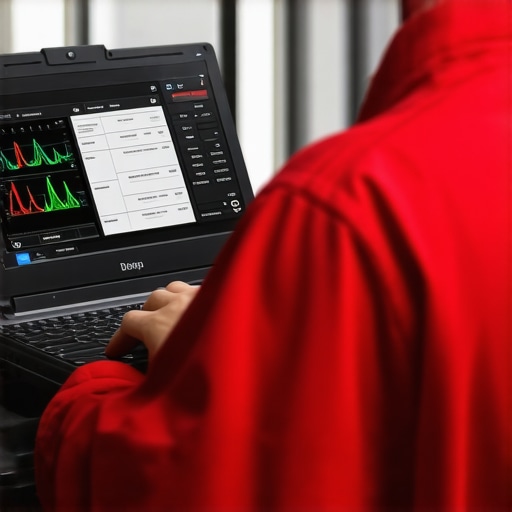
” alt=”Laptop with cybersecurity software displayed” title=”Managed IT Security” />
Many business owners and even some IT professionals fall for misconceptions about managed IT services, laptop screen repairs, and data recovery — and these myths can lead to costly mistakes. Let’s dig deeper into what most people get wrong and how to avoid falling into these traps.
Why the Popular Wisdom About Managed IT Might Be Misleading
Everyone says that hiring a managed IT provider guarantees peace of mind, but in my experience, not all providers are created equal. The truth is, some providers focus only on reactive support, which can give a false sense of security. Proactive strategies, such as continuous monitoring and preventive maintenance, are essential for truly resilient IT infrastructure. Relying solely on a break-fix approach is like waiting for your house to collapse before calling a builder — risky and inefficient. For a comprehensive approach, explore effective managed IT solutions that prioritize prevention and strategic planning.
Beware of the Data Backup Oversimplification
A common mistake is believing that backing up data once a week is enough. In today’s fast-paced digital environment, data changes constantly, and a single backup isn’t sufficient to guarantee quick recovery after a disaster. Many underestimate the importance of real-time or near-real-time backups, especially for critical files. Failures in backup procedures often go unnoticed until it’s too late, leading to significant data loss. To avoid this, implement robust, automated backup solutions and regularly test your data recovery plans — for detailed strategies, check data recovery secrets.
Why Laptop Screen Repairs Can Be More Complex Than You Think
Many assume that replacing a laptop screen is a straightforward process, but the reality can be more nuanced. For example, some screens require specific calibration or firmware updates post-replacement, which amateurs often overlook. Additionally, improper handling during repairs can cause further damage or void warranties. It’s tempting to try DIY fixes, but in many cases, professional repairs ensure the longevity and optimal performance of your device. Check out expert tips for laptop screen fixes to understand what’s involved in high-quality repairs.
Is Data Recovery Always a Last Resort?
Many believe that data recovery is only necessary after catastrophic failure, but this can be a costly misconception. Data recovery processes, when handled proactively, can often salvage files from minor corruption or accidental deletion, preventing bigger crises later. Waiting until data is entirely lost can complicate recovery efforts and increase costs. Modern recovery techniques, such as advanced imaging and cloud-based solutions, make it possible to retrieve data even from severely damaged drives. To learn more about protecting critical files, visit top data recovery techniques.
Have you ever fallen into this trap? Let me know in the comments. The key takeaway is that understanding the nuances, beyond popular myths, empowers you to make smarter decisions and protect your business more effectively.
How do I keep my systems running smoothly over time
Maintaining your IT infrastructure, whether it’s a laptop screen, a desktop, or a data recovery setup, requires a combination of the right tools, disciplined routines, and staying ahead of problems before they escalate. From software solutions to hardware checkups, I’ve developed a set of reliable methods that I personally use to ensure long-term stability and performance.
First, I rely heavily on professional remote monitoring tools like Datto RMM or Pulseway. These platforms offer real-time alerts for system anomalies, enabling me to address potential issues, such as overheating or failing drives, before users even notice a problem. These tools also automate routine tasks like patch management and disk health checks, reducing manual effort and human error.
In terms of hardware, I recommend investing in a quality hardware diagnostic device such as HWiNFO. This portable tool provides detailed insights into system components—temperature sensors, fan speeds, voltages—and helps you catch early signs of hardware fatigue, especially in critical components like SSDs or laptop screens that are prone to physical wear.
For data recovery and backups, I swear by robust automated backup solutions paired with cloud storage. Regularly scheduled backups that include incremental saves ensure that even if a drive fails unexpectedly, data can be restored swiftly. I always test my recovery procedures monthly, which keeps the process familiar and reliable when needed most.
Software-wise, I use Malwarebytes for malware scanning and Norton Small Business for endpoint security. These tools provide layered protection, which is essential because no single program can catch every threat. I also set up scheduled virus scans during off-hours to keep systems safe without interrupting productivity.
Now, where do I see this trend heading? I predict AI-driven predictive maintenance will soon become standard, analyzing system logs and sensor data to forecast failures before they happen—saving time, money, and stress. Staying on top of these innovations is key to keeping your IT environment resilient.
How do I maintain my systems over time
The secret is consistency. Schedule weekly hardware inspections, keep software updated, and review backup logs regularly. Don’t forget to document your procedures and keep a checklist for each machine. This disciplined approach not only prolongs hardware lifespan but also ensures swift recovery from inevitable hiccups. For comprehensive strategies, check managed IT strategies for 2025. Finally, consider pairing these practices with professional services to handle complex repairs like laptop screen repairs or data recovery, which are best left to experts when precision matters.
Start by integrating one or two of these tools into your routine, and you’ll be surprised how much more stable and secure your systems become over time. Remember, proactive maintenance is the best investment you can make in your IT infrastructure.
< >
>
From my early days of troubleshooting server crashes, I learned that relying solely on reactive IT fixes can leave your business exposed to unnecessary risks. The real game-changer is adopting proactive managed IT services that focus on prevention, not just repair. This shift in approach can drastically reduce downtime and protect your critical data, especially in the unpredictable landscape of 2024.
The Insider Lessons That Changed My Perspective on IT Support
- Early detection beats quick fixes: Automated monitoring tools like Datto RMM or Pulseway have saved me countless hours by catching issues before they escalate. The peace of mind that comes with continuous oversight is invaluable.
- Backups are your safety net: Regular, automated backups stored off-site can make the difference between a minor hiccup and a catastrophic loss. Testing your recovery process monthly ensures you’re prepared for anything.
- Security needs layers of defense: Deploying firewalls, antivirus, and employee training creates a multi-layered shield. No single solution is enough in today’s threat landscape, and layering significantly boosts your defenses.
- Staff training is a must: Educating your team about security best practices reduces human errors that can lead to breaches. Regular workshops and simulated phishing exercises keep security top of mind.
- Partner with experts: Outsourcing to seasoned managed IT providers allows you to leverage their expertise, scalability, and proactive support, freeing you to focus on growing your business. Discover top strategies at managed IT strategies 2024.
My Essential Toolkit for IT Resilience in 2024
- Remote monitoring solutions: Tools like Datto RMM or Pulseway help me stay ahead of problems.
- Hardware diagnostic devices: HWiNFO provides deep insights into system health.
- Automated backups: Cloud-based solutions ensure data safety and quick recovery.
- Security software: Malwarebytes and Norton Small Business are my go-to layers of protection.
- Continuous education: Staying informed through trusted sources like data recovery secrets keeps my strategies sharp.
Empower Your Business with Actionable Steps Today
Implementing proactive IT strategies isn’t just about technology—it’s about building confidence that your business can withstand challenges and seize opportunities. Start small: automate backups, deploy monitoring tools, and schedule regular staff training. Over time, these habits will transform your IT environment into a resilient backbone of growth. Remember, in 2024, the most successful businesses are those that anticipate problems before they occur. What proactive step will you take today to secure your IT infrastructure? Share your plan below and let’s grow stronger together.