Just last week, I was frantically trying to finish a project when my laptop suddenly froze. No warning, no previous signs—just a dead screen and a sinking feeling of panic. I realized then that I had been neglecting some fundamental maintenance tactics that could have prevented that stressful moment. That lightbulb moment made me think: are most people aware of the simple yet overlooked tips that can drastically improve their computer’s speed and reliability in 2024?
Why Optimizing Your Computer Maintenance is More Critical Than Ever
In the fast-paced world of today, your computer isn’t just a device—it’s the backbone of your productivity, your creative pursuits, and even your security. The truth is, most issues stem from neglecting basic upkeep. Over time, dust, outdated drivers, and cluttered disks can slow your system to a crawl or worse, cause unexpected crashes. This isn’t just inconvenient; it can mean data loss, missed deadlines, or compromised security—especially if you’re running a business.
Take my personal experience, for example. I once ignored routine laptop troubleshooting tips, assuming my device was just old. That mistake cost me time and effort, and I learned the hard way how much smoother things run when you stay proactive. Like many, I had underestimated just how critical regular maintenance is—until I paid the price. Now, with the right approach, I avoid those headaches and keep my system running like clockwork.
Are You Wasting Time on Basic Fixes That Could Be Prevented?
A common mistake I made early on was relying solely on quick fixes like restarting or deleting files without understanding the root causes. These bandaid solutions might seem effective at first, but they don’t address underlying issues that could escalate if left unchecked. Staying informed about data recovery secrets and repair strategies helps me troubleshoot efficiently and prevent problems before they snowball.
So, in this guide, I’ll share personal insights and proven tips that will make your computer faster, more reliable, and ready to handle whatever 2024 throws at it. Whether you’re a casual user or managing a business, these strategies are designed to save you time, money, and stress. Ready to get started? Let’s dive into the essential maintenance steps that can transform your tech experience.
Tackle Dust and Clutter Head-On
Start with a thorough cleaning of your hardware components. Power down your device, open it carefully, and use compressed air to blow out dust from fans, vents, and ports. I once ignored this step, which led to overheating and CPU throttling. Once I learned to clean my laptop every six months, it ran cooler and faster, preventing unexpected shutdowns. Regular cleaning is like giving your car a tune-up—essential for longevity and efficiency.
Update Drivers and Software Regularly
Think of your drivers as the communication channels between your hardware and operating system. Outdated drivers are like old roads causing traffic jams. Set up automatic updates or manually check for driver updates once a month. I manually downloaded the latest graphics driver for my gaming laptop, which improved frame rates and reduced lag—big wins for my workflow and leisure. New software versions often fix bugs and close security gaps, keeping your system resilient.
Optimize Storage and Clean Up Files
Cluttered disks slow down your system’s response time. Use built-in tools like Disk Cleanup for Windows or Storage Management for Mac to remove temporary files, old downloads, and unused applications. I once realized my hard drive was 90% full, causing sluggish performance. After pruning unnecessary files, boot times halved, and apps launched instantly. Consider moving large files to external drives or cloud storage, freeing up space and improving access speed.
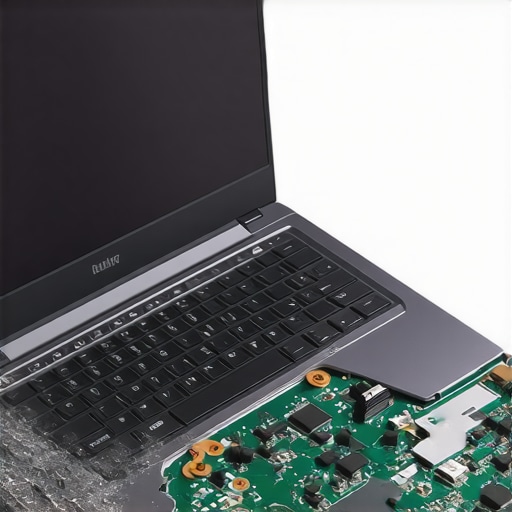
Insert a detailed image showing a step-by-step cleaning process of a laptop’s interior, emphasizing dust removal from fans and vents to illustrate maintenance practices effectively.
Run System Checks and Repairs
Utilize tools like Windows’ System File Checker (sfc /scannow) or Mac’s Disk Utility to detect and repair corrupted files or disk errors. In my experience, running these tools once a quarter caught minor issues before they became major problems. Set a calendar reminder to perform these checks routinely—think of it as a health scan for your computer that prevents future crises.
Implement Data Backup Strategies
In a world where data is gold, backing up isn’t optional. Use reliable backup solutions that automate the process—cloud services, external drives, or both. I learned this the hard way during a hard drive failure; having recent backups saved me weeks of stress. Regular backups act as your safety net, ensuring you can recover all critical files swiftly, especially when facing hardware failure or malware attacks.
Monitor System Performance and Security
Use built-in or third-party tools to monitor CPU, RAM, and network activity. Look for unusual spikes that could indicate malware or background processes slowing down your PC. I installed a lightweight monitoring app and detected a suspicious process draining resources, which turned out to be malware. Removing it restored my system’s speed and security, highlighting the importance of vigilance. Regularly updating your security software and scanning your system shields your data against evolving threats.
Many assume that managed IT services and data recovery are straightforward solutions, but beneath the surface lie nuances that can make or break your IT resilience. Contrary to popular belief, relying solely on generic maintenance routines often leads to overlooked vulnerabilities. For instance, deploying a one-size-fits-all backup plan without tailoring it to your specific data landscape can leave critical files exposed during disasters. This is where understanding the nuance becomes critical: as I recently learned from examining top data recovery solutions, customized strategies are essential for safeguarding vital information.
A common myth is that regular hardware cleaning or software updates alone suffice for system stability. However, neglecting the complexities of network security and real-time threat monitoring can create gaps that hackers exploit. Advanced cybersecurity measures, integrated with managed IT strategies, actually provide a much stronger shield. You can read more about these comprehensive approaches in our detailed guide on managed IT strategies for 2025.
Let’s address an often-missed pitfall: the assumption that data recovery is merely about restoring lost files. In reality, it involves understanding the underlying causes of data loss—be it hardware failure, malware attacks, or accidental deletion—and implementing prevention alongside recovery. Failing to recognize this can lead organizations to repeatedly fall into the same trap, wasting time and resources.
From my experience, one of the biggest pitfalls is not aligning recovery solutions with specific business needs. For example, critical files require rapid, reliable solutions that can minimize downtime, which is why I advocate for comprehensive data recovery strategies tailored for different data types and operational demands. Overlooking such nuances can dramatically undermine your data resilience.
How about the misconception that DIY repairs are always sufficient? Many believe they can fix laptop screens or recover files without professional help. While minor issues can sometimes be tackled at home, advanced repairs—like laptop screen fixes or deep data recovery—often require specialized tools and expertise. Attempting these without proper knowledge can cause further damage, increasing costs and delays.
In particular, addressing laptop screen problems at home is tricky. From cracked glass to internal LCD failures, the nuances of each issue demand targeted approaches. For insight into effective solutions, check out our expert tips for reliable repairs.
Lastly, many overlook the importance of proactive monitoring and continuous strategy updates. Just as cybersecurity evolves, so does the landscape of hardware and software vulnerabilities. An outdated strategy can become a liability. Regularly reviewing and adjusting your managed IT plan ensures resilience against Emerging threats, aligning with the latest best practices.
So, let’s recognize the complexity under the surface of managed IT and data recovery. Do you have a story about a hidden pitfall in your tech journey? Share your experience in the comments, and let’s keep the discussion going to prevent others from making the same mistakes.
Reliable Maintenance Tools for Long-Term Performance
One of my top recommendations for maintaining system health is CrystalDiskInfo. I personally use it to monitor my SSD and HDD temperatures and health status efficiently. It provides instant insights into drive SMART data, helping me catch early signs of failure before data loss occurs. Regularly checking disk health with this tool allows for proactive replacements, ensuring minimal downtime and avoiding sudden crashes.
For system cleanup, I depend on CCleaner. Instead of generic cleaning, I configure it to target temp files, registry residues, and residuals from uninstalled applications. This customized approach maximizes speed without risking essential files. Combining such tools with scheduled scans ensures my system remains clutter-free and responsive, optimizing long-term performance.
Streamlining Data Recovery and Backup Strategies
When it comes to protecting critical data, I swear by Veeam Backup & Replication—a solution I’ve personally integrated into my workflow. Its seamless automation of backups to cloud or external drives makes the recovery process painless during emergencies. In fact, implementing a 3-2-1 backup rule—three copies, two media types, one off-site—has saved me countless times when hardware failed unexpectedly.
To maintain this over time, I set weekly backup schedules and regularly test recovery processes. This preparation ensures that if data corruption or hardware issues arise, I can restore systems swiftly without extensive downtime. For small businesses or casual users, exploring cloud backup services that offer versioning and encryption simplifies ongoing maintenance, as detailed in our comprehensive data recovery strategies.
Tools That Adapt with Your Growing Needs
Scaling your IT maintenance is about choosing flexible tools that evolve along with your system. I’ve found SolarWinds RMM invaluable for remotely monitoring multiple devices, applying patches, and automating routine checks. Its dashboards provide a real-time overview, so I can identify anomalies before they escalate. Plus, its scripting capabilities allow the automation of repetitive maintenance tasks, saving countless hours over the years.
As technology advances, I predict tools will become increasingly AI-driven, providing predictive analytics for hardware failures and security breaches. Staying ahead means adopting solutions that integrate these features now, such as managed IT services that leverage automation and AI, ensuring your systems remain resilient without constant manual intervention.
How do I maintain my tools over time?
Regular updates and audits are critical. I schedule bi-monthly reviews of all software to ensure it’s up-to-date, capable of handling emerging threats. Also, I keep detailed logs of maintenance activities—this not only helps troubleshoot issues but informs future upgrades. Don’t forget to read vendor documentation periodically; understanding new features can significantly boost your maintenance efficiency. For example, I recommend reviewing expert data recovery tips to optimize your recovery plans continually. Take this proactive approach: dedicate an hour each month to system health assessments and update your toolkit accordingly. Small investments in maintenance go a long way in ensuring your long-term system stability and performance.
What I Wish I Knew When I Started Managing My Tech
One of the biggest realizations I’ve had is that proper maintenance isn’t just about quick fixes—it’s about cultivating a proactive mindset. I used to wait for issues to arise before taking action, which often led to more complex problems. Embracing regular check-ups, like scheduled disk health scans and system updates, transformed my approach and saved me countless hours and headaches.
Another lesson learned the hard way was the power of context-aware solutions. Not all tools fit every scenario—what works for a home PC may not suffice for a business network. Tailoring strategies, such as customizing data recovery plans or selecting the right managed IT services, has made a real difference in my efficiency and peace of mind.
I’ve also discovered that simplicity is key. Overcomplicating maintenance routines can lead to neglect. Instead, setting up straightforward automation—for example, automatic backups or scheduled scans—ensures consistency without added stress, making system resilience an ongoing habit rather than a burden.
Lastly, the importance of understanding the underlying architecture cannot be overstated. Knowing how your hardware and software components interact helps you diagnose issues faster and choose effective solutions. For deeper insights, exploring comprehensive resources like our guide on managed IT strategies for 2025 offers extra context and guidance.
Tools That Keep My Systems Running Smoothly
Reliable tools are the backbone of good maintenance. I trust CrystalDiskInfo for monitoring disk health because it provides real-time SMART data, alerting me to potential failures before they happen. This proactive step has kept my data safe and my workflow uninterrupted.
For system cleanup, CCleaner remains my go-to. By customizing its cleaning algorithms to target unnecessary temp and residual files, I maintain optimal speed without risking vital data. Routine automated scans, scheduled weekly, keep clutter at bay effortlessly.
Backing up data with Veeam Backup & Replication has been a game changer. Its seamless automation and support for multi-platform backups ensure I can restore critical files swiftly. Regularly testing recovery processes, inspired by insights from our data recovery solutions guide, keeps me prepared for any disaster.
Monitoring system performance is also vital. I use SolarWinds RMM to remotely oversee multiple devices, catching anomalies early. As I expand my tech ecosystem, AI-driven solutions are on my radar, promising even smarter insights, and I recommend staying updated with top managed IT services for this evolution.
Seizing Control and Elevating Your Approach
Remember, the journey toward resilient systems isn’t about perfection but continuous improvement. Each step—be it adopting smarter tools, automating routine checks, or deepening your understanding—builds toward a more dependable tech environment. If you’ve faced unexpected hardware failures or data mishaps, consider how tailored strategies and consistent maintenance could have mitigated those issues. Dive into resources like our essential data recovery strategies to enhance your preparedness.
Your proactive efforts today will produce a more secure, efficient, and stress-free tech experience tomorrow. Start small, stay consistent, and remember—every problem you prevent now makes future challenges less daunting.
What’s Your Next Step in Elevating System Reliability?
Are you ready to reassess your current maintenance routines or explore new tools? Share your plans or experiences in the comments below—let’s learn from each other and keep our systems running strong and secure.