
It hit me unexpectedly, late at night. My computer froze, a dreaded blue screen flashing ominously. I stared in panic as my latest project, half-finished, vanished into thin air. That sinking feeling of helplessness? I’ve been there more times than I care to admit. It was a stark realization that even with all my tech know-how, I was vulnerable—frustrating and costly moments that could have been prevented.
Now, here’s the truth: in today’s digital landscape, safeguarding your business data isn’t just a good idea—it’s an absolute necessity. If you’ve ever lost critical files or feared a cyber attack could cripple your operations, you’re not alone. The good news? There are proven strategies to protect yourself before catastrophe strikes.
Why Securing Data Should Be Your Top Priority in 2024
The world of business IT is evolving rapidly. Cyber threats are becoming more sophisticated, and data loss can cost thousands—or even cripple your entire company. Early on, I made a costly mistake by neglecting regular backups, thinking my system was resilient enough. That oversight nearly cost me my reputation and hundreds of hours of work.
Research indicates that 60% of small businesses that suffer a cyber attack close within six months, highlighting the urgency to get ahead of these threats. Reliable managed IT services can make all the difference, providing proactive protection and rapid response when issues arise. If you want to stay competitive and secure your future, understanding how to implement these solutions is crucial.
Is Managed IT Services Really Worth the Investment?
Many entrepreneurs hesitate at the thought of outsourcing their IT security, questioning whether it’s worth the expense. I was skeptical initially too. I thought I could handle problems myself, but the reality proved otherwise. A small oversight or missed update can be enough for a breach, and without proper expertise, you might never even realize you’re at risk until it’s too late.
Trust me, proper managed IT strategies are an investment in peace of mind. They help identify vulnerabilities before they become disasters, ensuring your data, and ultimately your business, stays secure. If you’re curious, I’ve compiled some insights on effective strategies [here](https://computerrepairmasters.com/managed-it-strategies-to-keep-your-business-secure-in-2025) for safeguarding your operations.
Let’s explore the concrete steps you can take to fortify your defenses and keep your business data safe in 2024. Because the earlier you act, the less you’ll fear losing everything in an instant.
The foundation of data protection is a robust backup plan. I remember a time when I lost hours of work because I hadn’t configured an automated backup. To avoid this, implement automated backups using cloud solutions or external drives. Regularly verify that backups run successfully and store copies off-site to prevent loss from local disasters. Think of backups as insurance policies for your digital assets—crucial for quick recovery after hardware failures or ransomware attacks.
Version control isn’t just for developers. For business documents and important files, enable versioning in your backup solution. This allows you to revert to previous file states if corruption occurs or if malicious modifications happen. During a recent client project, I activated file versioning, which saved hours of rework after a ransomware attack encrypted our files. Continuous versioning acts like a time machine, giving you the power to undo harmful changes.
Hardware issues can be as abrupt as a lightning strike. Regular hardware diagnostics help identify failing components early. I suggest scheduling biannual tests—tools like SMART diagnostics or professional hardware health checks can predict disk failures. If a laptop’s hard drive shows signs of deterioration, replace it promptly before data loss occurs. For critical systems, consider RAID configurations that mirror data across multiple drives, akin to having multiple safes in a vault, reducing the risk of total data loss.
A malfunctioning laptop screen can halt your workflow instantly. When faced with a flickering or black display, avoid panic. Use online guides such as troubleshooting tips or consult experts if needed. I’ve personally replaced screens at home, which involved carefully disassembling the device—using proper tools and safety precautions. Sometimes, surface cracks need a quick repair, while other times, a full screen replacement is necessary. Recognize when to DIY and when to seek professional help by reading comprehensive repair guides.
Limiting who can access sensitive data prevents internal breaches. Use multi-factor authentication (MFA) on all critical accounts. I learned this the hard way after a colleague’s compromised password led to a small data leak. Enforce least privilege principles—employees should only have access to what they need. Regularly review user permissions through tools like Active Directory or cloud management platforms. This minimizes the attack surface and controls potential vulnerabilities effectively.
Endpoints like laptops and mobile devices are prime targets for cyber threats. Managed IT services provide continuous monitoring, antivirus updates, and threat detection. During my experience with managed IT solutions, clients noticed fewer virus incidents and faster incident response times. Outsourcing these small but crucial tasks ensures your endpoint defenses evolve alongside emerging threats, saving your internal resources and enhancing security.
Manual checks are error-prone and inefficient. Automate updates for firewalls, antivirus software, and intrusion detection systems. Set alerts for suspicious activities and review logs regularly. I once missed a subtle pattern in the logs of a client’s system, which turned out to be an ongoing breach. Using automated monitoring tools, similar to a security guard patrolling your premises, keeps threats in check without constant manual oversight.
The weakest link in data security is often human error. Regular training sessions on phishing, password management, and safe browsing can significantly reduce risks. I include simulated phishing exercises that help staff recognize malicious emails. A well-informed team acts as the first line of defense, preventing many attacks before they reach your systems. Remember, technology alone can’t solve all problems; informed users are your best asset.
Many assume that data recovery is a straightforward process—simply run a recovery software, and your files will be back. But the truth is, there’s a lot more nuance involved, and overlooking these subtleties can cost you dearly. For instance, many rely solely on DIY tools, believing that all files can be restored perfectly. In reality, improper attempts can overwrite data, making recovery impossible. Recognize that each data loss scenario is unique; factors like the type of corruption, hardware condition, and time elapsed can significantly influence the success rate. Consulting with an expert—like those at expert data recovery services—can prevent costly mistakes.
When it comes to computer repairs, especially hardware issues like a failing laptop screen, many focus only on the visible problem. However, advanced diagnostics often reveal underlying issues—think degraded connectors or failing graphics cards—that, if unaddressed, can cause recurring problems. This is why quick fixes often lead to repeat visits, and factoring in comprehensive evaluations can save time and money in the long run. Learn about common laptop screen repair tricks here, but remember, some problems demand professional intervention.
A common myth is that managed IT services are only necessary for large enterprises. In reality, small and medium businesses benefit immensely from proactive management—preventing issues before they disrupt operations. Overlooking this can lead to unforeseen downtime and data breaches. As I emphasize in strategies for 2025, the nuanced approach of continuous monitoring and tailored protection is essential for modern security.
Now, here’s an advanced question for the seasoned tech enthusiast: How do modern data recovery tools differentiate themselves when handling SSDs versus HDDs, considering their distinct data overwrite patterns? Recent studies indicate that SSDs require specialized recovery techniques due to their unique wear-leveling algorithms, which can complicate the process. For this, collaborating with specialists is crucial, especially when quick turnaround and high success rates matter. For deeper insights, check out data recovery secrets that reveal lesser-known nuances.
Understanding these complexities helps you avoid the pitfall of oversimplification. The next time you face a tech issue, remember: assessing the full scope, consulting experts, and recognizing the intricacies can mean the difference between a quick fix and a costly mistake. Have you ever fallen into this trap? Let me know in the comments, and stay vigilant!Maintaining your computer and managing repairs require specific tools and software that can streamline troubleshooting and ensure long-term reliability. One of my go-to hardware tools is the anti-static wrist strap, which prevents static damage during hardware repairs—a small device that saves hours and prevents costly mistakes. For software, I highly recommend CrystalDiskInfo for SSD and HDD health monitoring; it provides real-time diagnostics that help me catch impending drive failures before they become disasters. When troubleshooting display issues, I rely on Remote Desktop tools, enabling me to diagnose and resolve laptop screen problems from afar, saving time and reducing downtime. For data recovery, I prefer professional-grade solutions like R-Studio, which can recover data from both HDDs and SSDs, particularly important given the unique access patterns of SSDs, as highlighted by technical documentation from Kroll Ontrack. Regularly updating my toolkit with these specialized utilities ensures I stay prepared for any sudden failure or repair job. Looking ahead, this trend towards integrated hardware-software diagnostics is only going to expand, making repairs faster and more precise. To stay ahead, I encourage you to try using CrystalDiskInfo regularly—set it to run auto-scans weekly to catch issues early. How do I maintain my tools over time? I keep my software updated, calibrate hardware tools periodically, and revisit repair procedures to incorporate new industry best practices, such as those outlined in the Data Recovery Secrets guide. Remember, the right tools are your first line of defense against unexpected failures—invest in them wisely, and your machines will thank you. 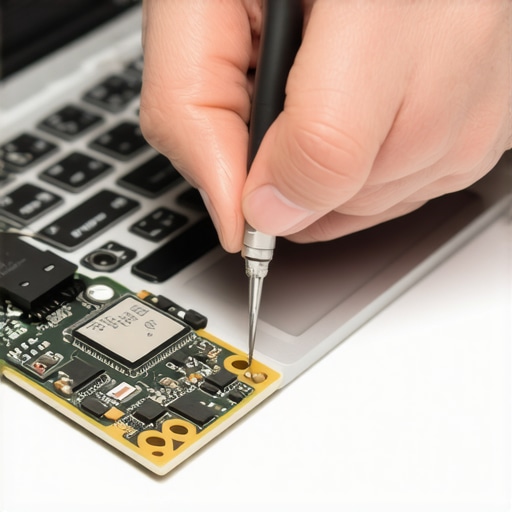
What I Didn’t Expect to Learn About Data Recovery
One of the hardest lessons I learned was that not all data recovery methods are created equal—some give false hope, wasting precious time and resources. I realized that understanding the specific type of storage device, like SSDs versus HDDs, demands tailored recovery approaches, which many overlook. The importance of preventive care, like regular diagnostics and backups, became crystal clear after multiple near-misses that could have been avoided with proactive habits.
Another insight was recognizing how human error often underpins security breaches, emphasizing continuous training and awareness. Overconfidence in DIY fixes can backfire; I found that consulting experts like those at expert data recovery services often saves far more than attempting inexperienced repairs. Lastly, mastering the tools—hardware testers, diagnostic software, and repair guides—turned out to be as vital as knowing when to call in professionals.
Tools and Resources That Changed My Approach
My essential toolkit now includes CrystalDiskInfo for early detection of drive issues, which I trust for its accuracy and ease of use. For hardware diagnostics, I rely on SMART diagnostics to spot impending failures before they happen. When it comes to data recovery, solutions like R-Studio offer the versatility to handle complex cases, especially with SSDs, aligning with the technical nuances I’ve learned.
Books such as “Data Recovery Secrets” have deepened my understanding of best practices and common pitfalls. For ongoing education, websites like top computer repair tips keep me updated on the latest techniques and tools. Having a go-to contact for specialized recovery or repair needs has been invaluable, as it ensures I deliver reliable solutions without unnecessary delay.
Seize the Power—Your Turn Starts Now
Remember, becoming proficient in data recovery, computer repair, and managed IT isn’t just about tools or techniques; it’s about building confidence and a proactive mindset. Every challenge is an opportunity to grow smarter about safeguarding your digital assets. Whether you’re troubleshooting a laptop screen or devising a comprehensive backup plan, take that first step today—knowledge and preparation are your best defenses. So, what’s the one challenge you’re currently facing that you’re ready to conquer? Share below and let’s learn together!