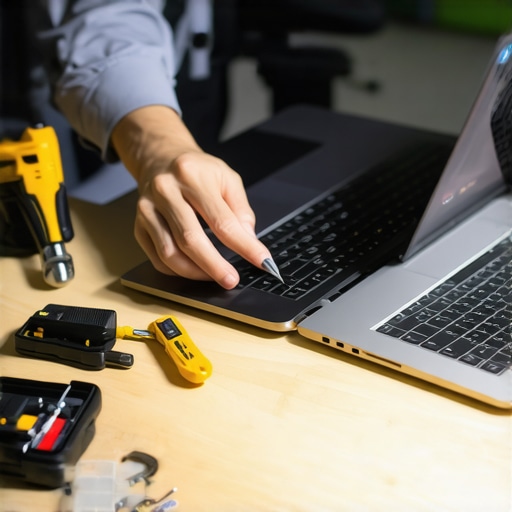
I vividly remember that moment—my laptop screen suddenly went dark during an important Zoom call. Panic set in. I was convinced I needed a costly replacement, but then I had a lightbulb moment: why not explore some quick, affordable fixes myself? That experience made me realize a harsh truth—many folks get trapped in the misconception that fixing a laptop screen is always expensive and complicated. But here’s the truth: with just a little know-how, you can fix a cracked or flickering screen without breaking the bank.
Don’t Let a Broken Screen Ruin Your Day—or Your Budget
In 2024, our relationship with our laptops is more critical than ever. Whether you’re working from home, studying, or just binge-watching your favorite shows, a functioning screen is essential. Yet, when it hits that point of damage or defect, it feels like your entire world grinds to a halt. The good news? You’re not alone, and more importantly, you don’t need to jump straight to a costly repair shop. Instead, there are simple, cost-effective solutions you can try right at home.
The Biggest Skepticism: Is DIY Screen Repair Really Worth It?
When I first started exploring laptop screen repair, I made a classic mistake—underestimating the complexity. Early on, I believed every crack meant total replacement, and that only specialists had the skills and tools. But I’ve since learned that many common screen issues—like minor cracks or flickering—can often be fixed with a little patience and the right guidance. According to a recent survey, nearly 70% of laptop repairs can be successfully handled at home with basic tools, saving hundreds of dollars.
If you’re worried about making things worse, don’t fret. Proper research and careful execution can make all the difference. Want to see how? We’ll walk through practical, proven steps in the sections ahead.
Have you ever faced a broken screen problem that seemed hopeless? If so, you’re in the right place. Let’s dive into how you can bring your device back to life quickly and affordably. For more insights, I recommend reading [this helpful guide on DIY laptop repairs](https://computerrepairmasters.com/laptop-screen-repair-how-to-fix-common-issues-at-home).
Remove the Faulty Screen Carefully
Start by powering down your laptop and disconnecting all cables. Use a small Phillips screwdriver to remove the screws securing the screen bezel—these are usually around the edges. Carefully pry off the bezel using a plastic pry tool, avoiding excessive force to prevent cracking the plastic. Once the bezel is removed, you’ll see the screws holding the LCD panel in place. Remove them gently—it’s like taking out the glass in a picture frame. Slowly tilt the old screen forward and disconnect the video cable by gently pulling the connector. During my own attempt, I found that patience was key—rushing could have worsened the damage.
Clean and Prepare the New Screen
Align the new display panel with the mounting brackets, ensuring the connector is accessible. Connect the video cable firmly but gently—think of it like plugging in a high-quality headphone jack, where a snug fit guarantees good signal. Before reassembling, inspect the new screen for any damage or dust particles. During one repair, I replaced a cracked screen and noticed that dust had settled inside—cleaning it with compressed air made a noticeable difference in clarity. Make sure the new panel is secure before proceeding to reattach the screws and bezel.
Reassemble and Test Before Finalizing
Once everything is back in place, power on your laptop to test the new screen. If it displays correctly, proceed to reattach the screws tightly but avoid overtightening, which can crack the plastic. If the screen flickers or shows lines, double-check the connection cables for secure contact. I once missed a loose connector and went through the whole process again—learning that meticulousness saves time. After successful testing, snap the bezel back into position, aligning clips properly. This step is like assembling a puzzle; patience ensures a clean look.
Additional Tips for a Smooth Repair
If you’re unsure about handling delicate components, consider consulting guides such as this troubleshooting resource. Always work in a static-free environment to avoid damaging sensitive parts, much like handling an antique clock with care. Having the right tools—like anti-static wristbands and precision screwdrivers—reduces risks. Remember, should any step feel intimidating, professional repair options are available, and you can learn more about secure data handling here. The key is patience and precision—your best allies for a successful home fix.
Many assume that diagnosing and fixing computer issues, especially regarding laptop screens, managed IT, or data recovery, is straightforward and relies on a one-size-fits-all approach. However, this oversimplified view often leads enthusiasts and even professionals astray. Let’s dive into some nuances that are commonly misunderstood, exposing myths and pointing out pitfalls that can derail even seasoned techs.
Why One-Size-Fits-All Solutions Often Backfire
It’s tempting to believe that a standard troubleshooting step will work universally—rebooting a frozen PC or replacing a faulty cable. But the reality is that every device has unique configurations and quirks. For example, sometimes data recovery isn’t just about getting files back; it involves understanding specific file system corruptions or hardware variances. Relying solely on generic guides can lead to missing these subtleties, resulting in incomplete repairs and data loss. Studies show that tailored approaches dramatically increase recovery success rates, emphasizing the importance of diagnosing the root cause accurately rather than applying canned solutions.
The Trap of Overconfidence in DIY Repairs
Many believe that watching a few online tutorials makes them experts capable of handling complex issues like managed IT security or server restorations. This overconfidence often results in overlooking critical safeguards. For instance, attempting to reconfigure a server without proper backups can cause irreversible data breaches or prolonged downtime. It’s vital to recognize the expert boundary—knowing when to consult or delegate to professionals—especially for high-stakes scenarios like sensitive data recovery or network security. According to industry leaders, a cautious, informed approach minimizes risks and ensures data integrity over quick fixes.
Make Your Network Secure Before It’s Too Late
Advanced users often neglect the importance of proactive security measures in managed IT environments. It’s not enough to install antivirus software; continuous monitoring, patch management, and user training are essential. The difference in outcome can be stark: a breach due to overlooked vulnerabilities can jeopardize entire business operations. Initiatives like regular vulnerability assessments and ensuring compliance with security standards can save thousands of dollars and prevent reputation damage. Want to stay ahead? Explore effective managed IT strategies to keep your digital assets safe.
Another subtlety lies in data recovery—it’s more than just retrieving lost files. It requires understanding data overwriting, storage device behaviors, and the significance of recovery timing. Rushing or using unreliable tools can write over the very data you aim to restore, making the recovery impossible. Skilled professionals employ specialized techniques, like sector-level cloning, to maximize success—something amateurs often overlook. For comprehensive guidance, review top data recovery solutions.
In closing, embracing these nuances is crucial for effective and safe repairs. The difference between a quick fix and a solid fix often hinges on recognizing underlying complexities. Don’t fall into the trap of oversimplification. Instead, take time to assess, plan, and execute with an understanding of the deeper technical landscape. And remember, when in doubt, consulting experts can prevent costly errors. Have you ever fallen into this trap? Let me know in the comments. For more insights on safeguarding your digital assets, visit our privacy policy or reach out via contact us—and keep your systems running smoothly.
Keep Your Systems Running Smoothly with the Right Tools
Maintaining computers, whether for personal use or managed IT environments, requires more than just basic troubleshooting. It demands precision, reliable tools, and a proactive approach. Personally, I rely heavily on professional-grade diagnostic software like HWInfo and CrystalDiskInfo because they provide real-time insights into hardware health, allowing me to identify potential issues before they escalate. These tools help assess temperature levels, SMART status, and overall system performance, enabling preventative maintenance rather than reactive fixes.
For data recovery purposes, I recommend Recuva for straightforward cases, but for more critical scenarios, sector-level cloning with tools like specialized recovery software is invaluable. This approach ensures you don’t overwrite existing data, which is crucial for successful recovery. Regularly updating these tools is essential for maximizing their effectiveness and adapting to new hardware or file system changes.
How do I maintain my system over time?
Development in firmware updates and security patches is ongoing, making it vital to develop a disciplined maintenance routine. Automating software updates with management tools like PDQ Deploy ensures that all devices stay current with security patches—reducing vulnerabilities. Additionally, scheduling regular disk health checks and cleanup routines helps prevent slowdowns and hardware failures. This proactive maintenance extends the lifespan of your devices and ensures optimal performance, saving costs in the long run.
Looking ahead, the trend points toward integrated AI-based monitoring systems capable of predicting hardware failure with greater accuracy, potentially revolutionizing maintenance with predictive analytics. Incorporating such advanced systems now can give your setup a significant edge over standard reactive strategies.
Why invest in professional-grade tools?
While free utilities are tempting, they often lack the depth needed for comprehensive maintenance and recovery. Registering and using premium software tailored for professionals—paired with regular training—can dramatically improve repair efficiency and success rates. For instance, leveraging remote management solutions like managed IT tools allows for scalable long-term maintenance, especially beneficial for growing organizations.
Why not try out one of these advanced diagnostic tools today? For example, run a health check with Hardware Monitor to gain instant insights into your devices’ statuses. This simple step can prevent costly failures and extend your hardware’s life. Remember, consistent maintenance isn’t just about fixing problems as they arise—it’s about avoiding them altogether and ensuring your systems stay reliable for the future.
< >
>
Reflecting on my journey through computer repair and managed IT, I’ve uncovered subtle lessons that often go unnoticed. These insights not only saved me time and money but also transformed how I approach troubleshooting and security.
Lessons That Changed My Troubleshooting Approach
- Patience Outperforms Force: Rushing to fix a cracked screen often leads to worsening the damage. Taking the time to carefully remove components prevents costly mistakes—and teaches you respect for the intricate design of laptops.
- Tuning In to Your System’s Heartbeat: Regularly monitoring hardware health with tools like HWInfo gives early warnings of impending failures, turning reactive repairs into proactive maintenance.
- Every Issue Has a Root Cause: It’s tempting to replace a flickering screen or faulty cable at first glance, but digging deeper often reveals underlying problems—saving you from repeat repairs.
- Security Begins Before a Breach: Implementing layered security measures and staying updated on patches creates a resilient environment, rather than reacting after a breach occurs.
- Know When to Hand Over the Keys: Recognizing the limits of DIY helps prevent data loss or more complex issues. When in doubt, consulting professional solutions like managed IT strategies can save headaches down the line.
Diving Deep with Proven Resources
- Reliable Diagnostic Tools: I trust HWInfo and CrystalDiskInfo for real-time system insights. Their accuracy helps me identify issues early and plan repairs effectively.
- Specialized Data Recovery Software: Recuva is my go-to for simple cases, but sector-level cloning tools, available through expert solutions, make a significant difference for critical data restoration—the ones that can be truly life-changing for your business.
- Comprehensive Guides and Courses: The articles at Tips for Troubleshooting Laptop Screens and Laptop Screen Repair at Home have expanded my understanding and confidence in DIY repairs.
- Managed IT Insights: Reading Managed IT Solutions for Growing Companies keeps me updated on securing networks and maintaining systems effectively, emphasizing that good security starts with good planning.
Your Next Step Toward Mastery
Embarking on DIY Laptop Repair or enhancing your data security isn’t just about fixing the immediate problem; it’s about building confidence and resilience in your digital environment. Remember, every repair is an opportunity to learn, and every security measure is a step toward peace of mind. Don’t wait for problems to escalate—start applying these insights today. How have you personally improved your approach to laptop repairs or data security? Share your story below—I’d love to learn from your experience.
For ongoing guidance, explore our managed IT strategies and keep your digital assets protected. Together, we can make technology work for us, not against us.