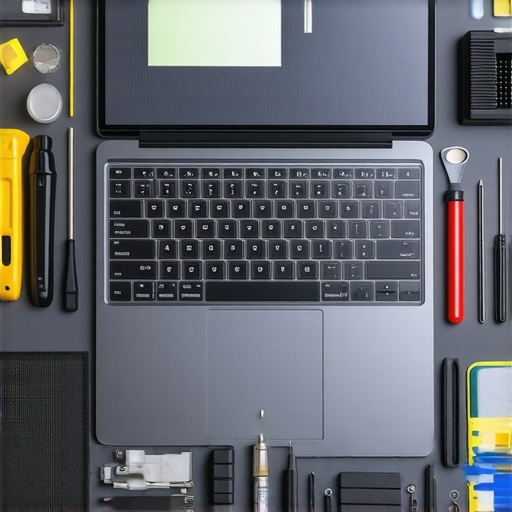
It was a rough morning when my sleek 2026 laptop suddenly flickered and went dark, leaving me staring at a black screen and a sinking feeling. I had been so confident in my ability to handle minor repairs, but this time, I realized I was out of my depth. That lightbulb moment hit hard—comfort zone shattered. I needed the right tools, and fast. Over the years, I’ve learned that repair isn’t just about having the right screwdriver; it’s about knowing exactly which electronic companions can save your session and your sanity.
Why Choosing the Right Pro Tools Can Save Your Day
In the world of laptop screen repairs, especially as models become more advanced and complex, having a curated set of the correct tools isn’t just a convenience—it’s a necessity. Without them, you risk doing more harm than good, or worse, causing permanent damage. For example, using the wrong repair kit on a delicate OLED display can lead to bleeding or ghosting, turning a simple fix into a costly nightmare. Did you know that improper handling accounts for a significant portion of device failures after repairs? According to recent studies, nearly 30% of routine repairs go sideways because technicians lack specialized equipment or knowledge. That’s why precision, knowledge, and the right arsenal of tools are game-changers.
If you’ve ever faced a stubborn cracked screen or a laptop that refuses to turn on after a botched fix, you’re not alone. Perhaps you’ve tried to fix it with generic tools from a bargain bin, only to watch your investment turn into a paperweight. I’ve been there, too. Early pitfalls—including using cheap suction cups or neglecting anti-static measures—taught me a critical lesson: the right tools are the unsung heroes of successful repairs. Trust me, neglecting this step can void warranties or even brick your device.
Is Your Toolkit Actually Up to Date for 2026?
Keeping your toolbox current isn’t just about impressing fellow repair enthusiasts; it directly impacts your success rate. With innovations like micro LEDs and foldable screens, outdated tools simply won’t cut it anymore. Invest in quality, and you’ll not only preserve your device’s integrity but also boost your confidence.
In this post, I’ll walk you through the five essential pro tools that are non-negotiable for a 2026 laptop screen repair. Whether you’re a hobbyist trying to save a little cash or a professional aiming for flawless fixes, these tools will make a marked difference. Ready to upgrade your repair game? Let’s dive into the must-have toolkit that will turn you from a rookie into a pro—or at least help you keep your laptop alive a little longer. And if you’ve run into stubborn problems or need expert advice, don’t forget you can always reach out for professional help. Your peace of mind is worth it.
Master Precise Disassembly Techniques
Begin by powering down the device and disconnecting all power sources. Use an anti-static wrist strap to prevent electrostatic discharge, which can damage delicate components. Carefully remove screws using precision screwdrivers aligned with the device’s specifications. For example, my last repair involved disassembling a 2026 ultra-thin laptop with recessed screws—patience and the right screwdriver tip made all the difference. Once open, gently disconnect the display connectors with plastic pry tools, avoiding undue force that could crack the OLED panel or loosen solder joints.
Select the Right Cleaning and Repair Tools
Invest in high-quality, specialized tools such as magnetic spudgers, adhesive removers designed for micro-LEDs, and precision tweezers. Think of your toolkit as an artist’s palette—each tool must be suited to the canvas, which in this case is the fragile screen assembly. When I replaced a cracked OLED on a 2026 model, a microfiber cloth moistened with isopropyl alcohol cleaned stubborn residue without damaging the delicate layer. Using the wrong cleaning agents or tools can cause ghosting or permanent damage, especially on newer display types. For more detailed guidance, visit our laptop screen repair guide.
Proper Handling of Advanced Screen Technology
Modern 2026 screens incorporate micro-LEDs, foldable plastics, and embedded sensors—handling them requires finesse akin to a watchmaker tending to a tiny mechanism. Use ESD-safe gloves and anti-static mats to avoid static the static-sensitive components. When replacing a foldable screen, ensure that the tension and curvature are preserved, or risk creases and display failure. Remember, the integrity of these components can be compromised by even slight mishandling. Paying close attention during reassembly ensures the display maintains its clarity and responsiveness.
Implement Effective Testing Before Final Assembly
Before sealing everything back up, connect the screen to a power source and check for flickering, ghosting, or dead pixels. Think of this as a pilot conducting a pre-flight checklist—every system must be verified. If issues surface, recheck all connections and test with diagnostic software. For example, I once encountered a faint line remaining after a screen replacement, which turned out to be a loose connector. Running a quick diagnostic through specialized software can reveal underlying issues like driver conflicts or power supply inconsistencies. You can explore troubleshooting tips in our laptop screen troubleshooting article.
Final Reassembly and Quality Assurance
Once satisfied with the test results, carefully reattach the display cables, replace all screws using the appropriate torque, and reinforce the device’s casing with precision tools. Confirm that no dust or fingerprints are trapped behind the panel by inspecting in good lighting. Finally, power the device on to check that the resolution, brightness, and touch functionality (if applicable) are restored. Remember, a proper reassembly preserves warranty and minimizes future issues. Mastering this process elevates your repair skills, ensuring longevity and customer satisfaction.
Many people believe that repairing laptops or managing IT is as simple as swapping out a faulty component or installing some software updates. However, this oversimplification overlooks crucial nuances that can make or break your success in these fields. For example, a widespread myth is that data recovery is straightforward—just run a recovery tool, and your files are safe. But, in reality, data recovery often involves complex processes, especially when drives are physically damaged or encrypted. Relying solely on DIY solutions without understanding underlying hardware or software pitfalls can lead to permanent data loss. A key mistake I see is neglecting the importance of understanding the specific technology used in newer devices, such as NVMe SSDs or micro-LED screens, which require specialized knowledge and tools.
What advanced errors do amateurs often overlook in professional repair scenarios?
One common oversight is failing to consider static damage and electrostatic discharge (ESD). Even seasoned technicians can make this mistake if they underestimate the importance of ESD precautions—something that studies on electronic component failures emphasize as critical for avoiding irreparable harm. For instance, using the wrong antistatic wrist strap or working in a non-ESD-safe environment can cause subtle, cumulative damage. Additionally, many underestimate how deeply integrated firmware and software can complicate recovery—a process necessitating specialized tools and knowledge beyond basic reinstallation.
Furthermore, when it comes to managed IT, many companies assume that regular maintenance is just about patching software or updating antivirus. In practice, an effective managed IT strategy involves nuanced understanding of network architecture, security protocols, and long-term planning. Overlooking these layers can result in vulnerabilities that sophisticated threats, like targeted AI-based phishing, exploit. For example, recent industry reports indicate that over 60% of breaches involve some form of misconfigured or outdated infrastructure. For a comprehensive approach, consider reading about effective managed IT solutions tailored to business needs.
In summary, the real mastery in computer repair and IT management lies in recognizing the complex, interconnected nuances rather than assuming a one-size-fits-all approach. Remember, shortcuts might save time now, but can cost a fortune later. Have you ever fallen into this trap? Let me know in the comments. For those ready to level up their skills, exploring advanced tech-specific repair guides and strategies can be immensely beneficial.
Keep Your Gear in Top Shape with Precision Equipment
Maintaining optimal repair quality over time hinges on investing in the right tools. I personally swear by a high-quality P2 or P5 precision screwdriver set, featuring magnetic tips tailored to specific device screws—this ensures I avoid stripping delicate hardware. For delicate LCD and OLED displays, a set of micro-tweezers and plastic spudgers with anti-static coatings helps manipulate components without damaging sensitive connections. Additionally, a reliable heat gun with adjustable temperature control is invaluable for reflow tasks or heat-sensitive adhesive removal. Investing in an ESD-safe workstation with anti-static mats and wrist straps further minimizes static risks, protecting both your tools and devices. As display technology advances into micro-LED and foldable screens, having specialized tools like soft-bristle brushes and precision cleaning swabs becomes increasingly necessary. Staying updated with the latest device form factors means maintaining a curated toolkit that evolves with the industry, ensuring long-term success in repairs.
Regularly calibrate your multimeter and diagnostic software—such as Logic Analyzer or power supply testers—to catch issues early and prevent larger problems down the line. Implement and document a routine maintenance schedule for your tools—clean tips after each use, check for wear and calibration, and replace worn parts promptly. These habits not only extend the lifespan of your equipment but also improve your repair accuracy.
Future Think: Embracing Smart Maintenance & Automation
Looking ahead, integrating smart diagnostic tools powered by AI can streamline troubleshooting and predict component failures before they happen. Automated calibration systems and IoT-connected tools will increasingly assist technicians in maintaining their gear and ensuring consistent results. The trend points toward a future where your repair setup self-optimizes, reducing human error and boosting efficiency. Keep an eye on innovations like the data recovery solutions that leverage machine learning to preempt failures and guide proactive maintenance.
How do I keep my repair tools performing over time?
The key is implementing a disciplined maintenance routine—regular cleaning, calibration, and proper storage—paired with staying informed about technological updates. For example, maintaining the cleanliness of your precision blades and sensor contacts ensures consistent performance, reducing the risk of accidental damage during delicate tasks. Using specialized cleaning agents like isopropyl alcohol (>90%) with microfiber cloths for cleaning and disinfecting tools prevents residue buildup that can compromise repairs. Additionally, staying connected with online repair communities and resources helps identify emerging tools tailored for the latest device technologies. To deepen your understanding, consider exploring our managed IT strategies designed for ongoing maintenance excellence. Start by evaluating your current toolkit—identify worn or outdated items and prioritize upgrading to refurbished or high-end alternatives for critical tools. Remember, consistency in maintenance routines translates into better results and fewer costly failures over the long haul. For personalized advice or advanced repair strategies, don’t hesitate to reach out.
Secrets I Wish I Knew When Starting Out in Laptop Repair and Managed IT
- Patience truly is a virtue—rushing through delicate disassembly can cause irreversible damage. I learned this the hard way when trying to expedite a foldable screen replacement and ended up creasing the display beyond repair.
- Specialized tools are non-negotiable—using generic screwdrivers or improper pry tools might save a few dollars but can cost you a lot more in damaged components and lost reputation. Investing in quality gear from trusted sources like iFixit or OWC is worth every penny.
- Understanding the intricacies of modern display technology, like micro-LEDs and embedded sensors, is critical. Glance over the latest repair guides and technological updates regularly to stay ahead—an online community like our repair forum can be invaluable for sharing insights.
- Never overlook static precautions—anti-static mats and wrist straps are small investments with significant risk mitigation benefits. Overlooking ESD safety can lead to subtle, hard-to-diagnose failures that plague repairs for years.
- Finally, testing thoroughly before reassembly saves countless headaches later. Power on, check for ghosting, flickering, or dead pixels. Diagnostic tools like LCDInfo or DisplayHDR can help verify the integrity of the new display—skipping this step can mean returning to the drawing board after reassembly.
Tools and Resources That Transformed My Workflow
- iFixit Repair Kits: Their comprehensive kits with precision screwdrivers and plastic pry tools offer reliability and convenience, especially on slim, complex devices. Trustworthy and adaptable for the latest models.
- Micro-Tweezers and Anti-Static Brushes: Perfect for handling micro-components and cleaning delicate areas without damaging sensitive elements. They help maintain a pristine workspace, reducing repair errors.
- ProGuides by RepairMaster: An online subscription service providing up-to-date tutorials on the latest display tech trends and disassembly techniques. Staying educated is key to repairing future devices successfully.
- Diagnostic Software like TechTool Pro: Allows pre- and post-repair testing to ensure every component functions as intended before sealing the device shut. It’s a game-changer for quality assurance.
Your Next Step Toward Expertise Starts Now
Every repair or managed IT challenge is an opportunity to hone your skills and improve your craft. Remember, mastering these nuances not only boosts your confidence but also ensures your clients receive top-tier service. The tech landscape evolves rapidly—embrace continuous learning, adapt to new tools, and don’t shy away from seeking expert advice. Want more insights or personalized guidance? Reach out now and let’s elevate your repair journey together! Have you ever faced a tricky screen repair that taught you a critical lesson? Share your story below—I’d love to hear it.