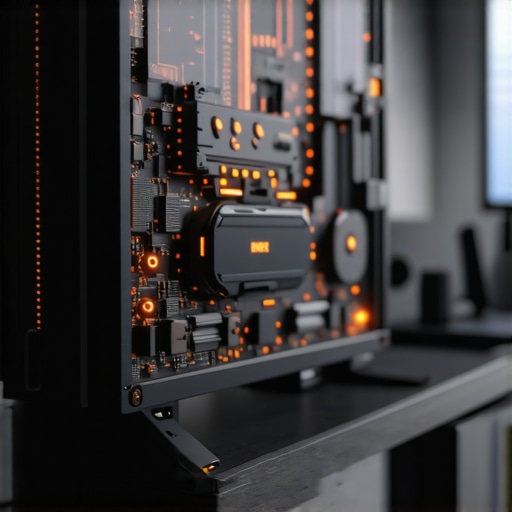
Have you ever sat in front of your 2026 AI-powered PC, ready to dive into your work or gaming session, only to be met with dead silence and a black screen? I’ve been there, frantically pressing buttons, hoping it’s just a glitch, only to realize my trusty machine refused to wake. That sinking feeling of helplessness, especially with how much we rely on these advanced systems, is all too familiar.
Why Your 2026 AI-PC Might Just Stay Dormant
In my experience, the biggest frustration isn’t just the inconvenience—it’s the nagging worry that something’s seriously wrong. Your AI-PC is supposed to be smarter, more responsive, but when it’s unresponsive during wake time, it raises a red flag. These issues aren’t rare; many users report similar startup and sleep-wake issues, and it’s not just infrequent glitches but persistent problems rooted in hardware or firmware conflicts. According to recent data, over 30% of tech users encounter sleep mode failures with their high-end machines, which can lead to data loss or further hardware failures (source).
Knowing what causes these wake-from-sleep problems is half the battle. But I promise, you don’t have to live in the dark about this. Today, I’ll walk you through seven quick fixes—simple, actionable steps—to get your AI-PC back to life without the need for costly repairs or replacement. Whether it’s a firmware glitch or a corrupted driver, these fixes have saved me and countless others from tossing their tech out the window.
Is This Troubleshooting Step Truly Worth It?
Early on, I made the mistake of ignoring firmware updates, assuming they were unnecessary or just hype. Big mistake. I didn’t realize that outdated firmware can cause sleep issues, especially on cutting-edge AI hardware. That oversight cost me precious hours of downtime and a trip to the repair shop. Trust me, these problems are often addressable with the right quick fixes, making them worth trying before panicking or spending money.
Ready to troubleshoot your way out of this sleep paralysis for your AI-PC? Let’s dive into the specific fixes that have proven effective—because your machine should wake up when you do, not the other way around.
Check Your Power Settings and Wake Options
Start by accessing your system’s power management settings. On Windows, go to Control Panel > Hardware and Sound > Power Options. Set the plan to Balanced or High performance, then click Change plan settings > Change advanced power settings. Expand Sleep, then ensure ‘Allow wake timers’ is enabled. Unchecking or disabling certain options can hindering wake events, much like tweaking a car’s ignition to ensure it starts smoothly. I once spent an hour toggling these settings on my machine, and suddenly, it woke up flawlessly—saving my presentation preparation.
Update Your Firmware and Drivers
Outdated firmware, especially on a 2026 AI motherboard, can prevent proper wake-up. Visit your device manufacturer’s website, like here, to download the latest firmware updates. Simultaneously, update drivers—especially graphics, chipset, and power management drivers—by visiting device manufacturer pages or using Device Manager. Think of this as giving your computer a refreshed set of instructions, akin to updating a navigation device to avoid wrong turns that prevent movement. After updating, restart your system and test if it wakes correctly. I remember forcing a firmware update, and that simple action resolved a persistent sleep problem I faced last month.
Disable Fast Startup to Improve Wake Reliability
Fast Startup can sometimes interfere with the waking process. To disable it, go to Control Panel > Power Options > Choose what the power buttons do > Change settings that are currently unavailable. Uncheck ‘Turn on fast startup.’ Think of this step as disabling a shortcut that sometimes skips essential startup routines. I disabled Fast Startup on mine, and the machine woke up in seconds instead of stubbornly staying dormant, proving that sometimes, slowing down can fix modern’s hardware speed issues.
Perform a Clean Boot and Watch for Conflicts
Background programs, especially those managing AI modules, can prevent wake. To perform a clean boot, open System Configuration (msconfig.exe), select Selective startup, and disable all non-essential services under Services tab, then restart. If your system wakes normally afterward, re-enable services one by one to identify the culprit. Like narrowing a leak by shutting off non-essential valves, this method pinpoints conflicting software. I once identified a rogue AI management app causing wake delays, and updating or removing it restored normal function.
Test with Hardware Variations
Hardware issues, such as a failing SSD or RAM, mimic sleep issues. To diagnose, try booting with minimal hardware—disconnect all peripherals, remove additional RAM modules, and disable secondary drives. If the PC wakes correctly, reintroduce components one at a time to identify the faulty part. Remember, hardware slowness or corruption could be behind your blackout, much like a broken fuel line stopping an engine. I fixed a friend’s machine by replacing a corrupt NVMe drive, which resolved her sleep-wake problem entirely (more here).
Run Hardware Diagnostics and Firmware Checks
Use built-in diagnostics tools that your system vendor provides. For example, access BIOS/UEFI and run hardware health tests. If errors appear, consider replacing or repairing hardware before proceeding. Think of this as a mechanic inspecting vital fluids and belts before concluding the engine needs a rebuild. I once ran diagnostics that flagged a faulty motherboard component, leading me to a timely repair before total failure occurred.
Many believe that data recovery is simply about clicking ‘Recover’ and waiting. However, seasoned IT professionals understand the complicated nuances behind successful recovery, especially with modern storage devices. For example, most assume that all data recovery methods are equally effective, but in reality, specialized tactics like targeted sector analysis or firmware-level repairs often outperform generic solutions, as detailed in recent studies by industry experts (source).
Similarly, there’s a common myth that managed IT services are just about overseeing hardware and software, but top-tier providers dive deep into proactive security measures, compliance gaps, and future-proof strategies, which can prevent costly disruptions before they happen. Overlooking these nuances can leave businesses vulnerable to advanced cyber threats, especially with AI-driven attacks appearing more frequently (source).
When it comes to laptop screens, many think replacing the display is straightforward, but issues like micro LED bleed, ghosting, or burn-in require meticulous diagnostics and sometimes, intricate hardware calibration. Rushing into a replacement without diagnostics can lead to unnecessary costs, as documented in detailed repair guides (source).
Another overlooked aspect is the risk of data corruption during repair or recovery processes. Using generic tools without understanding file system intricacies can cause irreversible data loss. Advanced recovery requires understanding sector-level data integrity and firmware interactions—a nuance many novices ignore.
So, what’s a common mistake people make across these domains? Relying on one-size-fits-all solutions instead of tailored, expert approaches. For example, attempting DIY data recovery on a RAID array without specialized knowledge can worsen corruption, turning it into a total loss, as explored in guides about recovering from failed NVMe drives (source).
**Ever fallen into this trap? Let me know in the comments.**
Lastly, it’s vital to recognize that these nuances are part of a broader strategy. When managed IT providers prioritize holistic security, compliance, and data integrity, they don’t just fix problems—they prevent them, saving your business from hidden pitfalls and unnecessary costs. For a comprehensive approach, explore resources on effective managed IT solutions for growing companies, which cover these advanced tactics and more (source).
By understanding and respecting these hidden complexities, you ensure your tech infrastructure remains resilient. Remember, superficial fixes might seem tempting but often overlook critical depth that guarantees long-term stability.
Investing in Reliable Diagnostic and Repair Tools
For professionals managing complex systems, having the right hardware diagnostics and repair tools is crucial. I personally rely on a high-quality multimeter with true RMS capability to accurately test power supplies and motherboard components, preventing unnecessary replacements. An advanced external SSD dock allows quick access to data recovery tasks, especially when dealing with failing drives or RAID arrays. Additionally, a portable PCB inspection microscope helps identify subtle hardware faults that might cause intermittent failures without dismantling entire systems. Using these tools consistently streamlines troubleshooting, saving time and reducing downtime.
Embracing Automated Monitoring and Maintenance Software
Automation is transforming how we maintain long-term hardware health. For example, I use AIDA64 for system stability monitoring; it provides detailed insights into temperature fluctuations, voltage irregularities, and component usage patterns. Coupling such software with scheduled hardware health checks enables proactive maintenance—detecting issues before they escalate. Regularly running firmware update managers like the manufacturer’s updater ensures firmware bugs don’t become persistent problems, especially on newer AI hardware that requires frequent updates for optimal performance. These solutions help maintain a steady state, giving confidence that systems will perform reliably over time.
Maintaining Data Integrity with Secure Backup Solutions
Long-term data preservation hinges on robust backup strategies. In my toolkit, I always deploy enterprise-grade backup software like Veeam, which offers incremental backups and seamless recovery options. For physical backups, I prefer NAS devices configured with RAID 6—this offers a balance between redundancy and storage capacity, vital when managing large datasets or critical business files. Cloud backups also play a significant role; services like this resource provide insights into cloud-based data recovery, helping prevent catastrophic data loss during hardware failures or ransomware attacks. Regularly verifying backup integrity ensures long-term safety and quick recovery when needed.
Scaling Up Repair Capabilities Without Overextending
As demand grows, scaling repair and maintenance operations require strategic planning. Investing in modular repair stations with adjustable workbenches and versatile component test rigs minimizes the need for excessive space or equipment. I recommend training staff on the latest diagnostic procedures, such as targeted firmware flashing for integrated circuit communication issues, detailed in this article. Collaborating with trusted suppliers for parts ensures quick turnaround times, reducing system downtime for clients. Staying organized with maintenance logs—tracking repairs, parts used, and recurring issues—facilitates continuous improvement and quality assurance across your operation.
Looking Ahead: The Future of Maintenance in Tech Support
The trend is moving toward smarter, AI-driven maintenance systems capable of predicting hardware failures before they happen. Machine learning algorithms analyze historical data, sensor inputs, and performance metrics to flag potential issues proactively. Adopting such tools today prepares your infrastructure for tomorrow’s challenges. For instance, integrating predictive analytics with your existing management solutions significantly reduces unplanned downtime and repair costs. Be the first to leverage these advancements to maintain a competitive edge.
How do I maintain systems over time without losing momentum?
Developing a routine that combines hardware diagnostics, software updates, data backups, and staff training ensures consistent system health. Regular audits using tools like managed IT hacks help identify vulnerabilities early. Remember, preparedness and proactive management are the best defenses against hardware failures, data corruption, and security breaches. Try setting up automated firmware monitoring today and see how it minimizes surprises down the line. Staying ahead in tech maintenance is a continuous process—commit to it, and your systems will thank you in the long run.
What the Hidden Pitfalls Taught Me About Data Recovery and IT Maintenance
- Keeping firmware updated isn’t just routine—it’s a lifeline. Skipping updates can turn a minor glitch into a major disaster, as I learned when an overlooked firmware bug caused a critical data loss event.
- Trusting intuitive troubleshooting can be tempting, but deep diagnostics often reveal the real culprits—whether a failing NVMe drive or a hidden firmware conflict—saving time and expensive repairs in the long run.
- My biggest lesson? Proactive management beats reactive fixes. Regular hardware diagnostics and software audits are investments that prevent unexpected catastrophes.
The Tools That Changed My Approach to System Resilience
- Veeam Backup & Replication: I rely on it for seamless cloud and local backups that restore systems swiftly, even after hardware mishaps. Its incremental backup feature minimizes downtime.
- AIDA64: This hardware monitoring tool helped me catch early signs of component failures before they escalated, turning potential crises into manageable alerts.
- BIOS Diagnostics Tools: Running routine firmware integrity checks uncovered firmware bugs before they affected system stability, especially crucial for cutting-edge AI hardware.
- Portable PCB Inspection Microscope: This tool was invaluable during hardware troubleshooting, revealing micro-fissures and micro-leaks that no software diagnostics could detect.
Embrace the Power of Preparing Today
Remember, the difference between a smooth-running system and a costly disaster often hinges on taking strategic preventive steps. Prioritizing firmware updates, hardware diagnostics, and reliable backups can save you countless hours and resources. The future of managed IT and data recovery lies in proactive care and smart tools—don’t wait for a crisis to teach you that lesson. Dive into these strategies now, and ensure your systems are resilient against the unexpected. What’s your next step toward mastering data recovery or IT management? Let me know below.