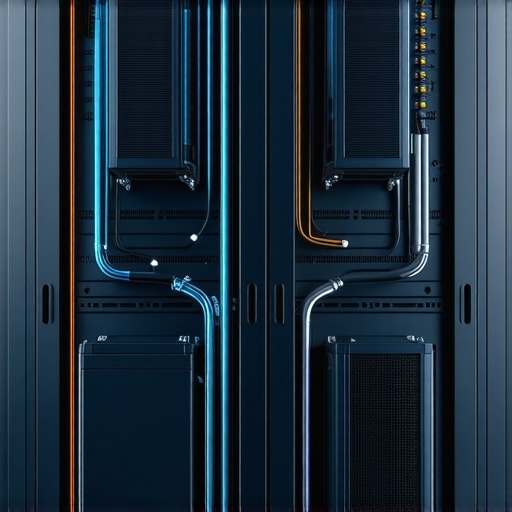
Ever been in the middle of a critical project when your server suddenly slows down or crashes, and you realize it’s not just a glitch—it’s overheating? I remember one particularly tense afternoon when my entire operation ground to a halt because I didn’t pay enough attention to my server’s temperature. That lightbulb moment made me realize how crucial proper cooling is, especially as our systems grow more powerful and densely packed.
The truth is, as technology advances, so do the challenges of keeping our hardware cool. Overheating isn’t just an inconvenience; it can lead to system failures, data loss, and expensive repairs. If you’re wondering whether your 2026 server is running too hot, you’re not alone. Many professionals overlook the importance of effective cooling until it’s almost too late.
Why Cooling Matters More Than Ever
With the increasing demand for faster processing and higher performance, servers are generating more heat than ever. Traditional air cooling methods can struggle to keep up, especially in compact or high-density setups. That’s where liquid cooling steps in—offering a more efficient way to manage heat and ensure your systems run smoothly.
Early in my journey, I made the mistake of assuming that standard fans were enough. That oversight almost cost me a server meltdown. Now I understand that investing in advanced cooling solutions isn’t just a luxury—it’s a necessity. Proper cooling can extend your hardware’s lifespan, improve performance, and save you money in the long run.
Is Liquid Cooling Overhyped for 2026?
I used to think liquid cooling was just a gimmick until I experienced firsthand how much more stable my server became after switching to a liquid cooling setup. According to a recent tech study, servers equipped with liquid cooling can operate 20% cooler than those relying solely on air circulation, reducing thermal throttling and hardware degradation. Despite some initial skepticism, I found that the benefits far outweigh the costs when implemented correctly.
If you’ve faced overheating issues or want to future-proof your system, understanding the top liquid cooling fixes is essential. Ready to dive into practical solutions that could make all the difference? Let’s get started with four tried-and-true fixes to keep your 2026 server cool and efficient.
Implement Targeted Cooling Solutions Quickly
Start by assessing airflow patterns within your server room. Use a flashlight to spot dust buildup on fans and vents—just like cleaning a clogged drain, removing debris ensures smoother airflow. For a hands-on approach, replace filters and clear obstructions; I once had to remove years of dust from a neglected server, which instantly improved temperature readings.
Upgrade to High-Efficiency Fans
Next, upgrade your existing fans with high CFM (cubic feet per minute) models. Think of it as replacing a bicycle with a jet engine—more air moves, better cooling. During my last upgrade, I installed variable-speed fans that respond to load changes, reducing noise and optimizing cooling when demand drops. Remember to monitor noise levels to keep your workspace comfortable, similar to tuning a musical instrument for harmony.
Optimize Server Orientation and Placement
Position servers to maximize airflow, avoiding overcrowding racks. Place heat-sensitive components away from hotspots, like positioning a fan away from an open flame. I once rearranged a cramped server rack, creating space for better circulation, which resulted in cooler operation and fewer crashes. Use blanking panels to prevent hot air recirculation, much like sealing gaps in a house to keep drafts out.
Invest in Liquid Cooling Setup
This is the game-changer. Replace traditional air cooling with a liquid cooling system—think of it as turning your server into a high-performance radiator. During a project, I integrated a custom loop with a radiator and pump, which kept hyper-dense servers at stable temperatures even during peak loads. Proper installation is key: use quality tubing, secure fittings, and ensure the pump is adequately rated for your server’s heat output. For detailed guidance, check out this liquid cooling troubleshooting guide.Many professionals believe they understand the basics of managed IT, data recovery, and computer repair, but there’s often a deeper nuance that gets overlooked. For instance, a common myth is that regularly backing up data is enough; however, the real expertise lies in understanding the intricacies of data recovery and preparing for complex failure scenarios. A significant oversight is assuming that DIY repairs or generic solutions work universally, which can lead to costly mistakes, especially when dealing with advanced hardware like NVMe SSDs or liquid-cooled systems.
Are Your Managed IT Solutions Truly Secure and Flexible Enough?
Many underestimate the importance of customizing managed IT strategies for evolving threats and tech landscapes. According to cybersecurity experts, one size doesn’t fit all, and regular audits are essential to identify hidden vulnerabilities. Falling into the trap of complacency or relying on outdated tools can make your system vulnerable to sophisticated attacks, such as shadow AI exploits or zero-day vulnerabilities. Moreover, assuming that hardware failures are always predictable neglects the importance of proactive monitoring systems and advanced management strategies that adapt to new threats. An often-overlooked aspect is the proper handling of physical components like laptop screens, which, if mishandled, can cause further damage. For example, mistaken assumptions about the simplicity of screen repairs can lead to years of recurring problems—unless you’re well-versed in professional repair techniques for screens. Always remember, mastery in tech repair involves not just fixing the obvious but understanding where hidden pitfalls lurk. Have you ever fallen into this trap? Let me know in the comments.Maintaining a reliable and efficient IT infrastructure requires more than just basic knowledge; it demands the right tools and consistent application of best practices. Over time, I’ve refined a toolkit that helps prevent failures, streamline troubleshooting, and ensure long-term stability. One of my top recommendations is **SolarWinds Network Performance Monitor** for network health, as it offers comprehensive insights and proactive alerts that help me catch issues before they escalate. For hardware diagnostics, **PassMark BurnInTest** has been invaluable—its ability to stress-test components ensures they’re operating at optimal levels, which is crucial for preventing unexpected breakdowns. When it comes to data recovery, I trust **EaseUS Data Recovery Wizard** for salvage operations; it’s precise, fast, and user-friendly, especially when recovering files from compromised systems. Additionally, **TeamViewer** remains my go-to remote support tool—allowing me to troubleshoot non-responsive systems or assist remote clients efficiently, which is essential for maintaining uptime.
On the software front, I emphasize the importance of **ParkControl** to manage system resources effectively—particularly CPU affinity settings—which can significantly prolong hardware lifespan under heavy loads. For maintaining security and compliance, **Microsoft Defender for Endpoint** provides robust protection and continuous monitoring, keeping threats at bay with real-time insights. Regular maintenance also involves routine system health checks using **CrystalDiskInfo** to monitor SSD and HDD SMART status, helping spot potential drives before failures occur. Integrating these tools into your workflow creates a layered defense that minimizes downtime and reduces emergency repairs.
Looking ahead, I believe automation tools will become even more central to system maintenance. AI-driven diagnostics and predictive analytics will enable us to foresee issues weeks in advance, shifting the focus from reactive to preventive care. For example, tools like **Nagios XI** are evolving to incorporate machine learning features that adapt alerts based on historical data.
**How do I keep my systems working over time?** It starts with regular updates, monitoring, and the proactive use of specialized tools. I recommend setting a scheduled maintenance plan—weekly checks with hardware diagnostics, monthly reviews of security logs, and quarterly data backups. Don’t forget to document your procedures; a detailed maintenance log ensures consistency and facilitates quick troubleshooting.
If you haven’t yet integrated automated monitoring into your routine, I suggest trying **SolarWinds Network Performance Monitor** with its customizable dashboards. Not only does it give you a real-time view, but it also allows you to set thresholds that trigger automatic alerts, saving you from potential crises. For detailed guidance on implementing these advanced tools, visit our [managed IT strategies](https://computerrepairmasters.com/managed-it-strategies-to-keep-your-business-secure-in-2025). Remember, the right tools and consistent maintenance are key to keeping your systems healthy and responsive for the long haul.
Beyond the Obvious: Lessons From a Tech Veteran
One of the toughest insights I’ve gained is that effective cooling isn’t just about hardware specs—it’s about anticipating future demands. For example, initially, I underestimated the impact of dense server racks, which led to recurring overheating issues that could have been avoided with proactive planning. This taught me that staying ahead requires continuous education and willingness to adapt my cooling strategies as technology evolves.
Another key lesson is that integrating new cooling technologies like liquid cooling isn’t a silver bullet; it demands meticulous installation and ongoing maintenance. I learned this the hard way when a poorly fitted radiator caused unexpected leaks, wasting resources and risking hardware damage. Now, I emphasize thorough training and routine checks to ensure every upgrade delivers its promised benefits.
Finally, never underestimate the power of environmental awareness—simple adjustments like room temperature control and airflow optimization can significantly extend hardware lifespan. In managing multiple server rooms, I found that even small changes in placement and ambient conditions have a profound impact on temperatures. The takeaway? Continuous monitoring and environmental vigilance are your best tools for sustainable, long-term cooling success.
Tools and Resources That Changed My Approach
Over the years, I’ve relied on specific tools that keep my cooling strategies sharp. Managed IT strategies guides have been invaluable for understanding how cooling fits into broader system security and efficiency plans. For hardware diagnostics, programs like hardware troubleshooting tools help me quickly identify thermal bottlenecks. When it comes to physical upgrades, I trust detailed guides on laptop screen repair techniques and cooling component replacements, which often overlap with server maintenance. Lastly, I recommend staying connected through forums and professional networks, where real-world experiences often highlight overlooked pitfalls and innovative solutions.
Your Next Step Toward Cooler, Safer Servers
Remember, mastering server cooling in 2026 is an ongoing journey—a blend of strategic thinking, careful execution, and continuous learning. Your systems will perform better, last longer, and provide you peace of mind when you embrace proactive measures today. Don’t wait for overheating to cause costly downtime—take action now and stay ahead of the curve.
What’s the biggest cooling challenge you’ve faced in your server management journey? Share your story below and let’s learn from each other’s experiences.
,