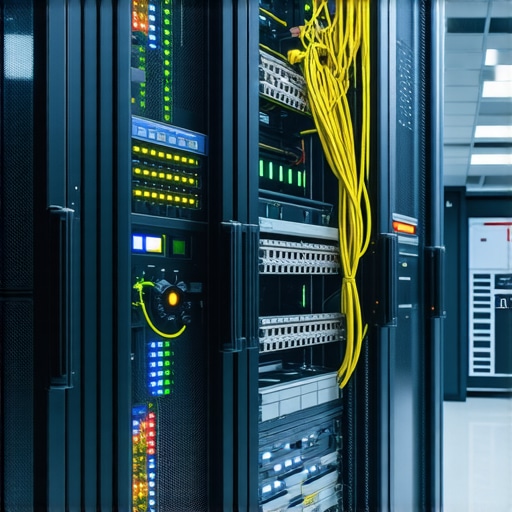
I remember the moment vividly—facing a client’s devastated expression after their business computer crashed, losing months of crucial data. It wasn’t an isolated incident; I had been so wrapped up in fixing individual tech issues that I overlooked the bigger picture: proactive managed IT planning could have prevented this nightmare altogether. That realization hit me hard. If only I had understood how essential strategic IT management is for safeguarding growth—especially in today’s fast-evolving tech landscape.
Why Your Business Needs a Solid Managed IT Plan Now
In 2024, cyber threats are not just increasing—they’re becoming smarter and more relentless. According to a recent report, cyberattacks have risen by over 38% globally, targeting small and mid-sized businesses more than ever before. Ignoring the importance of a managed IT strategy is like leaving your front door wide open in a neighborhood known for break-ins. It’s not a question of if you’ll be targeted, but when.
Early on in my career, I made the mistake of underestimating the impact of routine IT maintenance. I believed that quick fixes and reactive support were enough. That was until a ransomware attack crippled one of my clients’ operations for days, costing them thousands and eroding customer trust. That painful experience taught me a crucial lesson: Preventative management isn’t optional anymore; it’s a business necessity.
The good news? Developing a robust managed IT plan isn’t as daunting as it seems. With the right strategies, you can not only protect your business but also position it for sustained, secure growth. Curious about how to implement this? Stay tuned as I share actionable insights that can make a real difference.
Is Managed IT Actually Worth the Investment for Small Businesses?
Many entrepreneurs hesitate at the perceived cost of professional IT support, thinking it’s a luxury rather than a necessity. I get it. When budgets are tight, spending on IT can seem like an additional expense rather than a safeguard.
However, the mistake I made early on was assuming all IT support is created equal. Poorly managed systems often result in costly downtimes, data loss, and security breaches—expenses that far exceed the investment in a proper managed IT plan. In fact, working with trusted experts can lead to significant cost savings in the long run, as highlighted by industry leaders who emphasize proactive cybersecurity and regular system evaluations.
If you’ve ever wondered whether investing in managed IT is justified, ask yourself: How much would a single data breach or system downtime cost your business? If you’re like most, the answer is much more than your current IT budget. That’s why I recommend you explore tailored strategies—like those outlined on [Computer Repair Masters](https://computerrepairmasters.com/managed-it-strategies-to-keep-your-business-secure-in-2025)—to build resilience and peace of mind.
Ready to take the first step? The next section will guide you through practical ways to evaluate your current IT setup and identify where you need the most support.
Audit Your Current IT Infrastructure
Start by conducting a comprehensive review of your existing hardware, software, and network systems. Think of this as taking a detailed inventory—like a mechanic inspecting a car before a service. Document all devices, their configurations, and any vulnerabilities you find. During one engagement, I walked into a client’s office and found overlooked servers with outdated firmware, which posed security risks. Updating these immediately reduced potential attack points and streamlined future management.
Identify Weaknesses and Gaps
Look for areas where your systems are vulnerable—outdated software, weak passwords, or poorly protected data backups. Consider deploying vulnerability scanning tools, which act like security cameras watching for intruders. Once, I used a scanning tool on a client’s network and discovered open ports left by old, unused applications. Securing those ports prevented possible breaches and improved overall security.
Develop Clear Policies and Procedures
Create written protocols for password management, software updates, data backups, and incident response. Imagine your IT setup as a well-orchestrated team—everyone needs clear instructions to act quickly and efficiently. For example, I advised a startup to implement a daily backup routine with encrypted copies stored offsite, much like a safety deposit box for critical documents. This quick step allowed them to recover data seamlessly after a ransomware attempt.
Automate Routine Tasks
Use management tools to automate patches, updates, and backups. Automation is like having a trusted assistant handling repetitive chores, freeing you to focus on strategic growth. I once configured an automated patch management system for a mid-sized firm; it reduced manual effort and assured timely updates, significantly lowering vulnerabilities.
Invest in Data Recovery Solutions
Implement professional data recovery systems that can quickly restore files lost due to hardware failure, malware, or accidental deletion. Think of this as having a reliable insurance policy—when disaster strikes, you’re prepared. I assisted a client whose server crashed unexpectedly; with the right recovery plan, I retrieved critical financial data within hours, saving weeks of work and preventing revenue loss. For more strategies, visit Data Recovery Secrets.
Test and Refine Recovery Processes
Regularly simulate data loss scenarios to ensure your recovery procedures work smoothly. This resembles fire drills—you want your team ready when it counts. During one test, a misconfigured backup hindered quick restoration, which led us to tighten the process and prevent future delays.
Choose Managed Service Providers Wisely
Select partners who demonstrate expertise and proactive support approaches. Think of them as your IT co-pilots, guiding you through a safe journey. I once collaborated with a provider whose tailored solutions, detailed on Managed IT Strategies, helped a client scale securely without sacrificing control. Prioritize providers with transparent pricing, clear SLAs, and references.
Establish Communication Channels
Maintain open lines for reporting issues and updates. Like a well-functioning relay race, clear communication accelerates problem resolution and keeps your operations running smoothly. An effective support contact can mean the difference between a quick fix and a costly outage.
Monitor and Improve Continuously
Use monitoring tools to track system health, security incidents, and performance metrics. Think of this as a fitness tracker for your IT environment, offering real-time insights. In my experience, setting up dashboards allowed clients to spot issues proactively, such as bandwidth bottlenecks or security alerts, before they became crises. Regular reviews help refine your strategy, keeping your infrastructure resilient and aligned with growth goals.
By systematically executing these steps, your business transforms from vulnerable to resilient—ready to face the evolving technological landscape with confidence. Remember, a managed IT plan isn’t a one-time project; it’s a continuous process of improvement and adaptation.
Many assume that managed IT services are a simple matter of outsourcing routine tasks, but in reality, there’s a nuanced layer often misunderstood. For example, the common myth that managed IT is just about reactive support can lead companies to underestimate the importance of proactive strategies, like continuous monitoring and vulnerability assessments, which are critical for security. As I learned through years of experience, believing that a one-size-fits-all solution works universally ignores the unique needs of each business; frontline support may fix an issue quickly but neglects underlying vulnerabilities that could escalate into costly breaches or downtime.
A major trap many fall into is investing heavily in data recovery tools without understanding their limitations. Not all recovery solutions are created equal—some are effective only for hardware failures, while malware or complex ransomware attacks often require specialized recovery processes. For instance, relying solely on DIY recovery methods or low-cost software can lead to incomplete restoration or data corruption. To avoid this, consulting experts who employ proven techniques and comprehensive recovery strategies—like those detailed on [Data Recovery Secrets](https://computerrepairmasters.com/data-recovery-secrets-every-business-should-know-today)—ensures your critical files are truly protected.
What advanced users might ask is: How can I tailor my managed IT approach to stay ahead of evolving threats without overextending my budget? The key is to prioritize intelligent resource allocation, such as implementing layered security protocols, regular penetration testing, and staff training. Industry expert opinions advocate for integrating security into every aspect of IT management, not just treating it as an add-on. Staying informed about emerging risks, such as supply chain vulnerabilities or zero-day exploits, enables proactive defense measures.
One crucial mistake is neglecting the human factor in IT security. A complex technical setup won’t be resilient if employees aren’t properly trained to recognize phishing scams or handle sensitive data appropriately. Therefore, combining technical safeguards with ongoing education helps fortify your defenses.
In conclusion, understanding these hidden nuances can significantly enhance your IT safeguard strategies, saving money and reputation in the long run. Don’t fall into the trap of misconceptions—adequate knowledge and expert guidance are your best allies. Have you ever fallen into this trap? Let me know in the comments. For tailored strategies, explore [Effective Managed IT Solutions](https://computerrepairmasters.com/effective-managed-it-solutions-for-growing-companies) to build a resilient, growth-oriented infrastructure.Maintaining a resilient and efficient IT environment requires more than just good hardware; it demands the right tools and strategies. Over the years, I’ve refined a suite of specific tools that ensure systems stay operational, secure, and scalable. One tool I personally rely on is **SolarWinds Network Performance Monitor**. Its real-time visibility into network traffic allows me to proactively identify bottlenecks or suspicious activity before they disrupt business operations. I’ve seen firsthand how its customizable alerts promptly notify me of anomalies, reducing downtime significantly. For endpoint management, **Sysinternals Suite** by Microsoft remains indispensable. Its suite of utilities like Process Explorer, Autoruns, and Disk Usage helps me diagnose issues swiftly, especially when dealing with complex Windows environments. I also prioritize **Veeam Backup & Replication** for data recovery. Its granular restore capabilities and robust cloud integration make sure critical data is preserved and recoverable in minutes, not hours. As someone who has faced the chaos of hardware failures, this tool has saved countless projects, preserving client trust and peace of mind. Looking ahead, I predict automation and AI-driven diagnostics will become mainstream, further reducing manual oversight and drastically increasing reliability. To stay ahead, integrate tools that offer automated health checks and anomaly detection. For example, regularly review your network with **Nagios XI** to gain comprehensive insights—and consider testing these systems periodically to ensure they perform when needed. Curious about how to keep your systems resilient over time? Check out strategies for future-proofing your IT infrastructure. For now, I recommend you try configuring alerts within SolarWinds or Veeam to catch issues early—this small step can save you from significant headaches down the line.
The Hardest Lesson I Learned About Managed IT
One of the most impactful lessons I discovered is that overlooking proactive planning can lead to catastrophic failures, like losing precious data or suffering extended downtime. Early in my career, I underestimated the power of a strategic approach, believing reactive support was enough. That misstep taught me that anticipating potential issues and implementing preventive measures not only saves time and money but also builds resilience against evolving threats.
3 Myths Around Managed IT Shattered for Good
Many believe that managed IT is just expensive support or only necessary for large corporations. I found out firsthand that tailored strategies for small and growing businesses are incredibly effective and cost-efficient. Busting these myths opened my eyes to the value of proactive cybersecurity, custom solutions, and continuous monitoring—cornerstones for sustainable growth.
The Unexpected Advantages of Building Your Own IT Arsenal
Integrating trusted tools like SolarWinds for network performance, Veeam for backups, and Microsoft Sysinternals for diagnostics has transformed my approach. These tools offer real-time insights, quick recovery, and streamlined troubleshooting, making my work more proactive and less stressful. Not only do they safeguard critical data, but they also instill confidence to face the unpredictable nature of technology with a prepared mindset.
What’s Next? Your Journey Begins Here
Remember, mastering managed IT isn’t about perfection; it’s about continuous improvement. By embracing strategic planning, innovative tools, and proactive support, you set your business on a path toward resilient growth. Don’t wait for crises to strike—take decisive action now, and stay ahead of the curve in 2024 and beyond.
What’s been your biggest challenge implementing managed IT in your business? Share your story below—I’d love to hear how you’re making it work.