
Ever had that sinking feeling when your laptop screen flickers and then goes completely black? Or worse, when critical business data vanishes into thin air after a ransomware attack? I’ve been there—trust me, those moments are nerve-wracking. I remember the panic of losing vital files and the frantic scramble to recover data, often realizing too late that a robust managed IT strategy could have made all the difference. That lightbulb moment led me to dive deep into the top strategies for business security in 2024, and I want to share what I’ve learned with you.
Why Business Security Should Be Your Top Priority Now
Cyber threats are evolving faster than ever, and small- to medium-sized businesses are increasingly targeted. According to a recent report by Cybersecurity Ventures, cybercrime damages will cost the world $10.5 trillion annually by 2025—up from $3 trillion in 2015. That’s a staggering increase, and it underscores why having a solid managed IT plan isn’t just optional; it’s essential. When your business data is at risk, so is your reputation, customer trust, and future growth.
But here’s the thing: many business owners still believe that security is a one-and-done setup or that their existing IT systems are enough. I used to think that way, too. I made the mistake early on of neglecting regular updates and neglecting to implement layered security measures. That oversight almost cost me big time. Now, I understand that comprehensive strategies—like proactive threat monitoring, data backups, and employee training—are the backbone of reliable security. If you’ve faced a scare or just want to safeguard your business for the long haul, keep reading. We’re going to explore proven managed IT strategies that can make your business resilient in 2024 and beyond.
Is Managed IT Really Worth the Investment?
This is the biggest hesitation I hear from business owners. Honestly, I get it. It can seem like an extra expense when budgets are tight. But let me tell you, the cost of a single data breach or system downtime far exceeds what you’d spend on good managed IT services. Plus, a strategic approach not only protects you but also streamlines operations, boosts productivity, and sets you up for sustainable growth. Curious about how to make your IT work harder for you? Check out this guide on managed IT strategies for 2025.
So, if you’re ready to stop playing catch-up and start proactively defending your business, let’s dive into the practical steps that can transform your approach to cybersecurity and operational reliability in 2024. Whether it’s data recovery, hardware maintenance, or employee training, these strategies are your best bet for peace of mind and growth.
Set Up Robust Data Backup Systems
The first step I took was implementing a reliable data backup system. Think of it like having a spare tire in your trunk; you hope you never need it, but when a flat happens, you’re grateful it’s there. I chose to automate daily backups to an off-site cloud service, ensuring my critical files weren’t just stored locally. This way, even if my hardware failed or was compromised, I could restore everything quickly. For detailed strategies, check out this guide on data recovery strategies.
Implement Layered Security Measures
Next, I layered my defenses. Imagine a castle with multiple walls—if one is breached, others still stand. I started with strong firewalls and antivirus programs, then added intrusion detection systems, and enforced strict access controls. Employee training became a crucial part of this process. I held regular sessions to teach staff about phishing scams and safe browsing habits. Remember, a human firewall is just as important as your technical ones. For more insights, visit top managed IT services for security.
Schedule Regular Maintenance and Updates
Outdated software is like a door left unlocked; it invites trouble. I set up automatic updates for all systems and scheduled monthly maintenance. This included checking hardware health, updating security patches, and cleaning dust from physical components. I once ignored a firmware update, which led to a system crash during a critical project. The fix was messy, but it taught me the importance of regular upkeep. For tips on hardware health, see laptop screen replacement tips.
Leverage Data Recovery Expertise
When disaster strikes, quick recovery is vital. I learned to act fast by consulting with professional data recovery services. For example, my hard drive crashed unexpectedly, and I feared losing vital client data. I contacted a specialist and followed their advice on avoiding further damage. They used advanced techniques to recover my files intact, saving my business from a costly setback. To understand the process better, explore expert data recovery solutions.
Monitor Systems Continuously
Finally, I set up proactive monitoring tools. Think of this as having security cameras watching over your property 24/7. These tools alert you immediately if suspicious activity occurs, allowing swift action. I used software that tracked network traffic and flagged anomalies, giving me peace of mind. Regular monitoring helps catch threats early, preventing major breaches. For more on effective monitoring, see managed IT solutions for growth.
Many business owners believe that managed IT services are just a cost-effective way to offload their tech responsibilities, but the reality is far more nuanced. The common myth that managed IT is a one-size-fits-all solution often leads to overlooked risks and missed opportunities for advanced security. In truth, effective managed IT requires a tailored approach, ongoing optimization, and deep understanding of your unique business environment. For instance, many underestimate the importance of regular security audits and proactive threat hunting, which are critical in today’s fast-evolving cyber landscape. According to cybersecurity expert Bruce Schneier, complacency is the biggest vulnerability in any security system—meaning that a static approach can leave you exposed despite seemingly robust defenses. To truly leverage managed IT, you must view it as a strategic partner that adapts with your growth and threat landscape, not just a vendor providing reactive support. It’s also crucial to avoid the trap of over-relying on quick fixes for hardware or software issues. Many think that replacing a laptop screen or performing quick data recovery is straightforward, but without understanding the underlying causes—like hardware degradation or malware infiltration—you risk recurring problems. For example, a simple laptop screen repair can mask deeper issues such as a failing GPU or corrupt drivers, which if left unaddressed, could lead to more costly repairs down the line. Check out this guide on laptop screen repair to understand the nuances involved. Similarly, data recovery isn’t just about retrieving lost files; it’s about understanding the cause of data loss and implementing strategies to prevent future incidents. Many assume that data recovery tools alone are sufficient, but without proper backups and security measures, you’re playing a dangerous game. Professional data recovery experts emphasize that early intervention and comprehensive diagnostics are key to salvaging critical information—see this article on data recovery secrets for more insights. Now, for those who are curious about advanced questions, consider: How does understanding the specific failure modes of hardware influence the success rate of data recovery? The answer lies in the detailed analysis of hardware components and failure patterns, which can dramatically improve recovery outcomes. Experts in the industry show that tailored recovery techniques based on thorough diagnostics are more successful than generic solutions. So, the next time you face a hardware or data issue, remember that superficial fixes might only be a band-aid. Deep diagnostics, proactive strategies, and ongoing education are your best defenses. Have you ever fallen into this trap? Let me know in the comments.
Maintaining your computer’s performance over time requires a combination of the right tools and consistent practices. From hardware diagnostics to software management, I rely on specific solutions that have proven effective in my experience, and I recommend them for anyone looking to keep their systems reliable. One of my go-to tools is CrystalDiskInfo. I use it regularly to monitor my SSDs and HDDs because it provides real-time health status, SMART attributes, and temperature readings. Catching early signs of drive degradation helps me avoid unexpected failures and data loss. For instance, I check my drives weekly to spot any warning signs, allowing preemptive replacements or backups. This proactive approach is crucial because hardware issues often escalate quickly if ignored.
On the software side, I swear by Macrium Reflect Free for backups. Automated, scheduled backups are essential, but having a reliable imaging solution like Macrium ensures I can restore my entire system or individual files swiftly. I set up full disk images every two weeks and keep incremental backups in between. This strategy minimizes downtime during hardware failures or malware infections. Additionally, I leverage Recuva for quick data recovery of accidentally deleted files. It’s simple to use and effective, especially when combined with my regular backups. Remember, having a solid backup plan is your best defense against ransomware, hardware failure, or accidental deletion. For comprehensive recovery strategies, check out this detailed guide.
Keeping your system updated is also vital. I automate Windows updates and ensure all drivers are current using manufacturer-specific tools like Dell SupportAssist or Lenovo Vantage. Regular hardware diagnostics should be part of your routine—tools like HWiNFO provide detailed reports on temperatures, voltages, and hardware status, helping identify potential issues early. When I notice abnormal temperature fluctuations or voltage drops, I investigate further to prevent overheating or component failure. 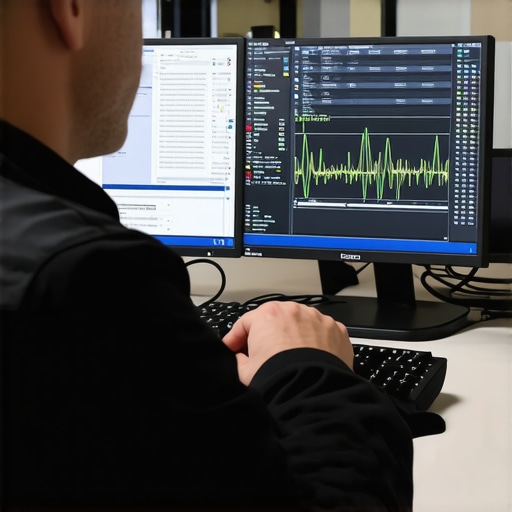
Looking ahead, I believe the trend will shift increasingly toward AI-powered maintenance tools that can predict failures before they happen, based on pattern recognition and system logs. Staying ahead will mean adopting these intelligent solutions as they mature. How do I maintain my system over time? I emphasize routine hardware checks, automated backups, and staying updated with the latest firmware and drivers. Also, I keep an emergency toolkit handy, including a USB boot drive with diagnostic utilities like Ultimate Boot CD or Hiren’s BootCD. These tools help troubleshoot and repair even when Windows won’t boot, making them invaluable for quick fixes.
Finally, I encourage you to try implementing scheduled hardware diagnostics with tools like HWiNFO and set up automated backups with Macrium Reflect. These practices have saved me countless hours and headaches. Remember, proactive maintenance is the key to long-term system health. For more tips on efficient computer repair and data security, visit this resource.
What I Wish I Knew About Data Recovery and Managed IT Before Burning Hours Fixing Issues
One of the toughest lessons I learned was the importance of proactive monitoring. Waiting until a system crashes or data is lost is costly and stressful. Now, I set up continuous system health checks that caught potential failures early, saving my business from downtime and expensive repairs. This experience taught me that prevention beats cure every time.
The Hidden Power of Layered Security That Changed My Approach
Initially, I relied solely on basic antivirus tools. But cyber threats evolved faster than I expected. Incorporating multi-layered defenses, including intrusion detection, strict access controls, and regular staff training, created a robust shield. It’s like building multiple walls around your castle—if one falls, others stand strong. This layered approach is vital for real security in 2024.
Real Growth Comes from Tailored Managed IT Strategies
Many small businesses underestimate the value of customized IT solutions. I learned that generic support isn’t enough; growth requires strategies aligned with your unique needs. Regular security audits, tailored backup plans, and adaptive monitoring are what keep your business resilient. For insights on creating a strategy that works for your business, I recommend exploring these managed IT solutions.
Curated Resources for Your IT and Data Recovery Journey
Over time, I found a few tools that truly changed the game. CrystalDiskInfo helps me monitor drive health, preventing surprises. For backups, I trust Macrium Reflect Free—it’s reliable and easy to automate. When data is lost, Recuva often recovers my files swiftly. And for hardware diagnostics, HWiNFO keeps me ahead of potential issues. These tools form a solid foundation for maintaining reliable systems in 2024.
Keep Moving Forward and Stay Resilient
The future of managed IT and data recovery is exciting, especially with AI-driven predictive tools on the horizon. But the core remains proactive maintenance, tailored strategies, and continuous learning. Don’t wait for disaster—invest in your system health today, and watch your business grow stronger. Ready to take the next step? Share your experiences or ask questions below—let’s build a more secure future together.