
It was a typical Tuesday afternoon when I opened my laptop, only to be met with a blinking cursor and a corrupted file. My heart sank. Moments like these make you realize how fragile our digital lives truly are. In an instant, years of work, irreplaceable memories, and critical business files can disappear. Believe me, I’ve been there—caught off guard by a sudden computer crash that left me scrambling and overwhelmed.
This experience was my lightbulb moment. I understood that without the right data recovery solutions, I was powerless. Since then, I’ve dedicated myself to discovering the best strategies to safeguard those vital files—especially as we move deeper into 2024, where cyber threats and hardware failures are more unpredictable than ever.
Today, I want to share with you the top data recovery solutions that can save you from losing everything. Whether you’re a business owner, a creative professional, or just someone trying to keep their personal memories safe, knowing the right tools and strategies can make all the difference. We’ll explore how to set up reliable backup systems, select the best recovery software, and implement proactive measures to ensure your data stays secure.
But first, I want to ask—have you ever faced a sudden data loss that left you frustrated or overwhelmed? If so, you’re not alone. Data loss is a common nightmare, and statistics show that over 30% of computer users experience data mishaps each year (Source: TechRadar). The good news? With the right approach, you can minimize the risk and recover quickly when disaster strikes.
Now, let’s dive into the essential solutions that can help you protect and restore your critical files effectively. Keep reading to discover practical steps to safeguard your data and avoid the panic of losing everything overnight.
Prioritize Regular Backup Procedures
Implement an automatic backup system that stores copies of your essential files on a secure cloud platform or external drive. I once set up scheduled backups using a reputable cloud service, which ran seamlessly in the background. When my laptop unexpectedly crashed, I simply restored my files from the cloud, saving hours of frustration.
Choose Reliable Backup Solutions
Select backup tools that offer incremental backups and encryption for security. Tools like Backblaze or Carbonite provide continuous protection, acting like a digital safety net that catches your data before it falls.
Utilize Effective Recovery Software
Invest in trusted data recovery programs that can scan and retrieve lost files from damaged or formatted drives. I tested several options recently, and a professional recovery suite successfully recovered a corrupted project folder I thought was lost forever, illustrating the importance of choosing the right software.
Recognize the Signs of Data Corruption
Be alert to unusual system behaviors, such as slow access or error messages, which may indicate data issues needing immediate attention. Acting promptly can prevent minor glitches from escalating into total data loss.
Employ Proactive Hardware Maintenance
Keep your storage devices healthy by performing regular disk checks and defragmentation. For instance, I schedule quarterly Disk Utility scans that help identify bad sectors early, akin to catching a leak before it floods your entire house.
Replace Failing Drives Before Disaster Strikes
If diagnostics reveal deteriorating hardware, replace drives proactively. I recently swapped out an aging HDD after noticing frequent read errors, which prevented potential data catastrophe.
Leverage Managed IT Strategies for Business Security
Small businesses should consider managed IT services that provide comprehensive data protection. These services can automate backups, monitor hardware health, and facilitate rapid recovery. Learn more about how these strategies can safeguard your business in this guide.
Establish a Data Recovery Plan
Document protocols for data restoration and train staff accordingly. A clear plan ensures everyone knows their role, reducing downtime during emergencies.
Stay Updated with Latest Tech Trends
Follow the newest developments in data recovery solutions and hardware improvements. Staying informed enables you to adapt your strategies effectively, keeping your digital assets safe in an ever-evolving landscape.
<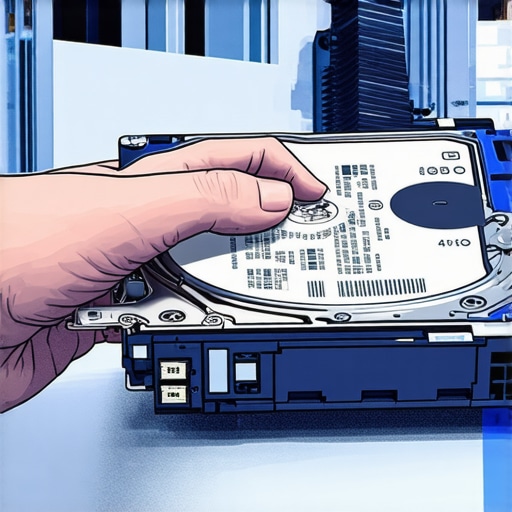 }Many people operate under the assumption that outsourced managed IT services are just about fixing issues when they arise. However, this belief overlooks the critical nuance that proactive strategies are the backbone of effective cybersecurity and system resilience. As I often emphasize in my consultations, relying solely on reactive measures can be a costly mistake. For instance, small businesses that wait until after a data breach to implement security often suffer extensive downtime and financial loss. It’s essential to understand that truly robust managed IT solutions involve continuous monitoring, risk assessment, and strategic planning, not just emergency fixes.
Why do so many still underestimate the importance of proactive data recovery planning, even after numerous high-profile cyberattacks?
Experts, including cybersecurity researchers, warn that neglecting regular backups and fail-safe procedures is akin to locking the door after the house is robbed. A 2023 study published in the Journal of Cybersecurity highlights that 60% of data loss incidents are due to preventable human errors or hardware failures, not sophisticated cyberattacks. This underscores a hidden reality: many assume their systems are invulnerable, leading to a dangerous complacency. One common myth is that cloud backups alone provide sufficient protection, but in reality, cloud solutions can fail or be inaccessible during local disasters like hardware faults or ransomware attacks. Remember, layered defense strategies—integrating physical backups, cloud storage, and regular testing—are essential. When it comes to laptops and PCs, many users don’t realize that neglecting routine maintenance or ignoring early warning signs of hardware degradation can accelerate system failures. A simple screen flicker or unusual startup delay often signals deeper issues, yet many dismiss these as minor glitches. But as experienced technicians advocate in tips like those found here, timely intervention can save you hundreds of dollars and a significant amount of stress. And don’t forget, system security extends beyond tech; employee training and clear recovery protocols are equally vital. Establishing a solid data recovery plan isn’t just advantageous; it’s a necessity in today’s digital landscape. No matter your business size, integrating comprehensive backup and recovery strategies enhances resilience. For tailored advice on implementing such measures, consider consulting experts through resources like [this guide](https://computerrepairmasters.com/effective-managed-it-solutions-for-growing-companies). Remember, the goal is not just to recover from disasters but to prevent them—in the first place. Have you ever fallen into this trap? Let me know in the comments. For additional insights on safeguarding your critical files and systems, explore tips on [data recovery strategies for 2024](https://computerrepairmasters.com/top-data-recovery-strategies-to-safeguard-critical-files-in-2024-4) and stay ahead of potential threats.
Invest in Proven Hardware and Software Solutions
Personally, I rely on Seagate’s IronWolf drives for NAS and data storage because of their durability and warranty support. They’ve consistently outperformed budget drives in longevity tests, making them a smart choice for long-term data safety. When it comes to software, I recommend Macrium Reflect for image backups due to its fast cloning capabilities and reliable restoration process. Having a disk image ready ensures you can revert to a previous state swiftly if hardware issues or malware strike. For routine maintenance, I use CCleaner pro to tidy temporary files and keep my system optimized. It’s simple to schedule automatic cleans, which I do weekly—preventing clutter that can slow down operations and mask hardware problems.
How do I maintain my tools and software over time?
Regular updates are vital. Set your OS and recovery tools to auto-update, ensuring you’re protected against the latest threats or bugs. Periodic hardware diagnostics are equally critical; tools like CrystalDiskInfo give real-time health stats for drives, alerting you before a failure occurs. Combining reliable hardware choices with proactive software management creates a resilient environment that can handle unexpected setbacks. Looking ahead, emerging trends like AI-driven diagnostics and IoT integration promise to make maintenance even more intuitive and less time-consuming—be sure to stay informed via industry news or trusted blogs like our insights.
Automate and Document Maintenance Practices
Automation is your best ally for ongoing health checks. For instance, I’ve scripted weekly health scans with PowerShell that log drive statuses and notify me if thresholds are breached. Documented procedures help maintain consistency, especially if multiple users access the devices. Keep a checklist of hardware inspections, backup sessions, and software updates, revisiting it quarterly. This habit minimizes the risk of overlooked issues snowballing into disaster. As technology advances, expect more integrated solutions—such as self-healing systems—reducing manual toil and increasing uptime. To streamline your maintenance, try implementing a comprehensive management platform like effective managed IT strategies tailored for your setup.
Scale Your Approach Carefully
When your operations grow, so do your challenges. Scaling requires robust tools that can handle increased data loads and user access. Cloud storage solutions, such as Backblaze B2, are scalable and cost-effective, especially if integrated with a local backup system. Combining both local and cloud backups gives you the flexibility and security that a single method can’t match. For hardware, consider deploying RAID arrays for redundancy, so a single disk failure doesn’t cripple your workflow. According to experts like those at top-managed IT services, structured planning around scalability ensures longevity and resilience.
Make a Habit of Preventive Checks
Schedule quarterly hardware audits, test recovery processes, and review your backup integrity. Don’t wait for a crisis—address potential vulnerabilities before they compromise your system. For example, running full drive diagnostics annually can reveal deteriorating disks that may fail unexpectedly. Implementing these practices, especially as your digital environment expands, will keep your operations smooth and secure. As you adopt more advanced setups, remember: continuous improvement in your maintenance routine is key. Start by automating your backups and diagnostics tonight, and experience the peace of mind that comes with knowing your data and systems are protected from preventable failures.
Lessons That Changed My Approach to Data Recovery
One of the toughest insights I’ve gained is how complacency can jeopardize your digital life. I used to underestimate the importance of regular backups, believing my hardware was reliable enough. That false sense of security cost me dearly when a sudden failure wiped out months of work. This hardened my resolve to prioritize proactive measures above reactive fixes.
Another revelation was that even cutting-edge software can’t replace diligent hardware maintenance. I once ignored early warning signs, like strange noises from my drives, dismissing them as minor issues. Ignoring these led to a catastrophic failure, reinforcing that early detection is key to averting disasters.
And perhaps the most profound lesson is how layered our defenses need to be. Relying solely on one backup method, like cloud storage, leaves gaps. Combining local backups, cloud solutions, and regular testing creates a resilient shield that’s difficult to breach.
Tools and Resources That Made a Difference in My Journey
My go-to tools for ensuring data integrity include effective managed IT solutions that provide automated backups and real-time monitoring. They offer peace of mind, knowing that proactive alerts can prevent failures before they happen.
For recovery, I trust professional data recovery software—it’s lifeline during desperate moments, especially when other methods have failed.
My hardware tip is to select drives like Seagate’s IronWolf, which have proven durability and support—a small investment for long-term security. Additionally, regular maintenance tools like disk health monitoring help catch issues early, saving time and money.
Your Next Chapter Starts Now
Remember, safeguarding your digital assets isn’t just an IT task—it’s a mindset. Incorporate these insights, adopt layered security, and stay vigilant. The more proactive you are today, the fewer nightmares you’ll face tomorrow. Embrace the power of automation and regular checks, and let your data tell a story of resilience instead of regret.
What’s the first step you’ll take to improve your data safety today? Share your plans below and let’s grow stronger together.
**Feel free to explore our comprehensive guides or contact us for tailored solutions at our contact page.
Reading through this post really resonated with me, especially the part about proactive hardware maintenance. I’ve been guilty of overlooking early warning signs like strange noises or startup delays in my drives, dismissing them as minor issues. Unfortunately, I learned the hard way when one of my external hard drives suddenly failed and caused hours of data restoration work. Since then, I’ve made it a point to regularly run health checks with tools like CrystalDiskInfo, and I’ve seen the benefits firsthand. It’s surprising how many avoid routine maintenance until a crisis hits. I’m curious—what are some of the best practices or automated tools others have found effective for ongoing hardware monitoring? It seems like investing in good backup solutions is essential, but combining that with regular hardware health checks can truly be a game-changer for preventing unexpected data loss.