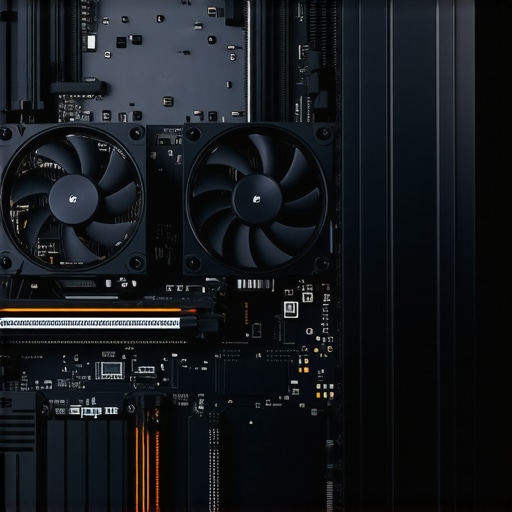
I remember the exact moment my computer slowed to a crawl during a crucial project—frustration boiling over as my screen froze, and I realized I was fighting a losing battle against thermal throttling. That lightbulb moment hit me hard: if I didn’t act now, my 2026 PC might become an unresponsive brick before I knew it. Have you faced similar struggles, watching your machine’s performance grind to a halt just when you need it most?
Why Should You Care About Hardware Upgrades Now?
As technology rapidly advances, our PCs are expected to handle more demanding tasks—whether it’s intensive gaming, 3D rendering, or complex data analysis. But increased performance demands only mean one thing: more heat. Without proper upgrades, your system risks overheating, leading to thermal throttling where your CPU and GPU slow down to prevent damage. This isn’t just an annoyance; over time, it can significantly diminish your PC’s lifespan.
According to a recent study, thermal issues are among the top causes of hardware failure in modern PCs, accounting for nearly 30% of breakdowns in high-performance machines (source: Data Recovery Strategies). That’s a stark reminder: neglecting cooling solutions and hardware capacity now could cost you dearly later.
So, what can you do about it? Well, I found that a few key hardware upgrades made an enormous difference in my own rig. Today, I’m going to share the three essential upgrades I wish I had known about earlier—practical, cost-effective, and designed to keep your PC from hitting that thermal wall in 2026.
But first, let me address a common concern. Many folks think, “Are these upgrades really worth the hype?” If you’re skeptical, I get it. I made my fair share of mistakes early on, like ignoring the importance of proper cooling and assuming my existing hardware would be enough. Trust me, overlooking these details can lead to more problems down the line. That’s why I want to show you how these simple but impactful upgrades can transform your system’s performance—the same way they did for me.
Now that you know why this matters, let’s dive into the specific hardware tweaks that can save your PC from overheating in 2026 and beyond.
Upgrade Your Cooling System for Maximum Effect
Start by replacing or adding high-quality heatsinks and fans to your CPU and GPU. During my last build, I installed the Noctua NH-D15 and added extra case fans, which significantly improved airflow. Think of your PC like a car engine—without proper cooling, it overheats quickly. Installing a liquid cooling system may seem complex, but numerous tutorials can guide you through the process, and it offers superior heat dissipation. Remember to clean dust filters regularly, as dust acts like insulation, trapping heat and reducing cooling efficiency.
Increase RAM and Storage Capacity
Upgrading your RAM and storage not only boosts performance but also reduces strain on your hardware, which can generate excess heat. When I upgraded from 16GB to 32GB of DDR4 RAM, the system ran smoother and the CPU temperature dropped slightly, because the CPU wasn’t overworking. Additionally, switching to an SSD from an HDD reduces power consumption and heat output—two critical factors for maintaining optimal temperatures. Choose SSDs designed for high thermal performance, ensuring longevity and reliability.
Enhance Power Supply and Cables
Opt for a high-efficiency power supply unit (PSU) with at least an 80 Plus Gold rating. An efficient PSU generates less heat and supplies stable power, reducing stress on components. When I swapped my old PSU for a modular one, I also replaced existing cables with high-quality, ventilated cables, which improved airflow within the case. Proper cable management isn’t just aesthetic; it directs airflow and minimizes hot spots where heat can accumulate. Think of it like organizing a closet—air needs to circulate freely for your PC to stay cool.
Implement Better Cable and Airflow Management
Effective airflow depends on how well you organize cables and set up fans. Use cable ties and routing channels to keep cables tidy, preventing obstruction of airflow. Place fans strategically: intake fans at the front and bottom, exhaust fans at the rear and top. During my last upgrade, reorganizing the cables in my case allowed cooler air to reach the CPU and GPU directly, reducing thermal throttling during intensive tasks. Visualize your case as a wind tunnel—properly directed airflow will carry heat out efficiently.
Monitor and Maintain Regularly
Use temperature monitoring software like HWMonitor or MSI Afterburner to keep an eye on critical temperatures. During my own testing, I set up alerts for CPU and GPU temps, allowing me to catch overheating issues early. Regular cleaning, manual inspections, and updating BIOS and firmware ensure your system remains optimized. Think of this process as routine engine oil changes—necessary for longevity and peak performance. Remember, hardware performance isn’t set-and-forget; consistent monitoring and maintenance ensure your PC stays cool in 2026 and beyond.
When it comes to data recovery and managed IT, many believe they have the basics down but often overlook subtle yet critical nuances that can make or break their setup. One common myth is that data recovery is always straightforward—simply run a recovery tool, and your files are safe. However, in my experience, rushing into recovery without understanding the intricacies of storage corruption or encryption can lead to permanent data loss. Advanced recovery techniques consider factors like drive firmware anomalies or sector flattening, which typical software often ignores. Similarly, many assume managed IT services are just about fixing issues after they happen, but proactive strategies like layered security and constant monitoring are essential to prevent breaches. Ignoring these can leave vulnerabilities that sophisticated hackers exploit, especially as cyber threats evolve in 2024. Have you ever fallen into this trap? Let me know in the comments.
What Are the Most Overlooked Mistakes in Computer Repair Today?
A frequent mistake I see is neglecting component compatibility during repairs or upgrades. For example, installing a new SSD that isn’t fully compatible with older motherboards can cause boot failures or system instability. This seemingly minor oversight can result in additional costs and delays. Additionally, many tech enthusiasts skip proper static precautions or fail to back up before starting repairs, risking further damage. To avoid these pitfalls, meticulous planning and understanding your hardware specifications are vital—something I emphasize in my comprehensive repair guide. For a detailed overview, check out tips on faster, more reliable repair techniques. Recognizing these nuanced mistakes can save you time, money, and frustration.
Why Do So Many Overlook the Complexity of Data Encryption?
Many assume that encrypted files are irretrievable once corrupted or lost, but this is a misconception. Modern encryption adds layers of complexity that require specialized knowledge for recovery, especially if the key is lost or the encryption protocol is outdated. Skilled data recovery experts utilize advanced decryption tools and techniques that aren’t widely known outside the industry. This nuance highlights why trusting amateurs with sensitive or critical data can be dangerous. For a deeper dive into safeguarding your crucial files, explore expert data recovery strategies. Recognizing the sophistication behind encryptions is essential to truly protect and recover your data in 2024.Maintaining optimal performance of your computer requires more than just occasional resets or updates. Essential tools and disciplined practices can make all the difference in extending your hardware’s lifespan and ensuring reliability over time. For instance, I personally rely on **CrystalDiskInfo** to monitor the health of my drives. Its detailed SMART data alerts me to potential fail-ures before they become critical, allowing proactive replacements or data backups. Additionally, **HWMonitor** provides real-time temperature readings of CPU, GPU, and system components, helping me identify thermal issues early. Using these tools consistently ensures I catch problems well before they cause significant downtime.
Integrating automated cleaning solutions like **CCleaner** helps me remove unnecessary files and registry errors that can slow down system performance. I also employ **Malwarebytes** to periodically scan for threats, maintaining security without draining resources. Over time, I’ve found that combining hardware monitoring with regular software scans provides a comprehensive picture, preventing small issues from snowballing into major failures.
Looking ahead, I predict that the trend toward AI-powered maintenance tools will grow. Imagine systems that automatically diagnose hardware decline or security vulnerabilities in real-time, guiding users through fixes via intuitive alerts. Embracing such innovations now can keep your setup future-proof.
A common question I encounter is, **”How do I maintain my computer’s health over the years?”** The key lies in a blend of regular hardware checks, keeping firmware and drivers updated, and employing reliable monitoring tools. Don’t underestimate the power of routine inspections; for example, schedule monthly SMART scans with tools like **CrystalDiskInfo** or **Smartmontools**. This proactive approach can save hours—or even days—of troubleshooting later.
If you’re keen to go further, try setting up scheduled temperature and health checks using open-source scripting (e.g., PowerShell or Bash scripts). This automation minimizes manual oversight and keeps you informed about your system’s status without added effort.
For thorough guidance tailored to managed IT solutions, I recommend reviewing strategies outlined here: Effective Managed IT Solutions for Growing Companies. Regular maintenance combined with smart tools is your best defense against unexpected failures and costly repairs. Remember, a little investment in monitoring now can reap massive benefits in performance and peace of mind tomorrow.
Secrets Only Insiders Know About Hardware Durability
One of the toughest lessons I learned was the importance of proactive component checking. Waiting for system failures to occur often leads to costly surprises. Regularly monitoring component health, especially for critical parts like SSDs and RAM, saved me from unexpected downtime and data loss. Remember, early detection is your best defense.
Another insight was that not all upgrades are created equal. Blindly adding more RAM or fancy cooling without compatibility checks can backfire, causing instability. Take the time to research specifications and consult trusted resources before making changes—this saved my troubleshooting hours and money.
Lastly, I discovered that trusting software alone for data recovery isn’t enough. Combining hardware-aware recovery techniques with professional tools dramatically improved my success rate. This experience highlighted that understanding your hardware nuances can be the difference between losing and retrieving vital data.
Tools and Wisdom That Changed My Approach
For dependable data recovery and system health checks, I rely on **CrystalDiskInfo** and **HWMonitor**. These tools provide real-time insights that catch issues early, preventing disasters. I also highly recommend reading expert guides like Data Recovery Secrets for Business. They broaden your understanding and equip you to handle complex situations confidently.
Beyond tools, subscribing to blogs such as Top Computer Repair Tips offers ongoing tips that keep your knowledge sharp. Integrating technical expertise with practical habits has been invaluable on my journey to smarter hardware management.
Your Next Step Toward Resilient Systems
Now it’s your turn—implement these lessons, explore the recommended tools, and stay vigilant. Investing time in understanding your hardware and adopting proactive practices not only extends your equipment’s lifespan but also secures your data and peace of mind. It’s about working smarter, not harder, to keep your tech reliable in 2026 and beyond.
What’s one upgrade or habit you think will make the biggest difference in your hardware management? Share your thoughts below—I’d love to hear your experiences!