

I remember the moment vividly. My laptop screen suddenly went limp, wobbling with every tug on the hinge. Panic set in—I knew I was flirting dangerously close to a costly display repair. That lightbulb moment made me realize: if I didn’t act swiftly, I might be staring at a shattered screen sooner than I thought. And honestly, that scare taught me more than any tutorial ever could.
Why Ignoring Hinge Damage Can Cost You Big
Understanding why hinge issues matter is crucial. Your laptop’s hinges aren’t just about opening and closing; they’re the backbone holding your screen steady. A compromised hinge can twist, crack, or even snap, risking internal damage and expensive repairs. The sad truth? Many folks dismiss the wobble or squeak until it’s too late.
Have You Faced This Problem Too?
If your screen feels a little loose or you’re noticing uneven movement, you’re not alone. I’ve been there, and I can tell you—it’s a warning sign. Early action can save you hundreds. Don’t wait until that tiny crack blossoms into a full-on display catastrophe.
According to a study by PCMag, over 35% of laptop repairs involve hinge or display replacement, often preventable with timely maintenance. Recognizing signs early can keep your device functioning smoothly longer.
Now, let’s dive into why fixing those hinges before they break your screen is not just advisable but essential. Stay with me—I’ll walk you through straightforward steps to reinforce your laptop’s weakest joint before disaster strikes.
Secure Your Hinges: Step-by-Step Guide
Start by powering off your laptop and disconnecting all cables to ensure safety. Use a small Phillips screwdriver to carefully remove the screws securing the bottom panel. Gently pry open the casing using a plastic pry tool to avoid damaging the shell. Once open, locate the hinges—these are connected to the chassis and the display assembly. Carefully inspect for any visible damage or looseness.
Replace or Tighten the Hinges
If hinges are loose, consider tightening the existing screws. If they are cracked or broken, replace them with new hinges suitable for your laptop model. To replace, unscrew the broken hinge carefully and remove it from the assembly. Align the new hinge precisely and secure it with screws. Ensure all screws are tightened firmly but not over-tightened, which could cause stress on the plastic components.
Reassemble and Test
Reassemble the device in reverse order, ensuring all connectors are properly reattached. Power on your laptop and test the hinge movement—open and close gently, checking for wobble or resistance. Doing this periodically can prevent further damage and keep your display stable. To better understand the process, visit this detailed guide for visuals and more tips.
Prevent Future Damage with Reinforcement
Applying a hinge reinforcement tape or a small amount of epoxy to the hinge can add extra stability. Imagine it like adding a shock absorber to a car; it absorbs stress instead of transferring it to fragile parts. When doing this, be cautious to avoid excess glue or tape that might interfere with opening or closing. Regularly checking your hinges and avoiding excessive force can extend your device’s lifespan significantly. For professional assistance or if you’re unsure about DIY repairs, reaching out via our contact page is a wise step.
Many users believe that replacing a cracked laptop screen or performing basic data recovery is straightforward, but the reality is far more nuanced. For instance, a common myth is that professional repairs always mean high costs and long wait times. In my experience, **careful planning and understanding specific hardware intricacies** can dramatically reduce both expenses and downtime. Incorrect assumptions about compatibility or repair procedures often lead to costly mistakes, emphasizing the importance of **reliable sources and expert consultation**.
One hidden trap many fall into is neglecting the importance of backing up data before attempting repairs. This oversight can transform a simple fix into a data loss nightmare. According to a study by TechRepublic, nearly 60% of data recovery cases involve preventable errors, such as improper shutdowns or exposure to elements during DIY repairs.
Why do so many people overlook the complexities of managed IT and data recovery? Understanding the nuances is critical, especially when considering advanced threats like firmware attacks or hardware encryption barriers. These issues require not just basic troubleshooting but **deep technical knowledge** and sometimes specialized tools. For example, tackling firmware-level malware often necessitates **precise recovery procedures** that go beyond standard practices. Failing to recognize these subtleties can lead to persistent vulnerabilities or permanent hardware damage.
Additionally, the assumption that all data recovery software is equally effective can be misleading. Cheap or generic tools might seem appealing but often lack the **robustness required to handle complex issues like corrupted sectors or encrypted drives**. Investing in reputable solutions or consulting professionals can save time and safeguard sensitive information. For insights into data recovery secrets every business should know today, visit this resource.
Similarly, people often underestimate the importance of a **well-managed IT strategy**. A common misconception is that reactive support suffices, but proactive measures—such as routine audits, security patches, and hardware monitoring—can prevent many failures before they happen. Skills in identifying subtle signs of hardware fatigue or firmware inconsistencies are **crucial for avoiding surprises**. Learn more about effective managed IT solutions for growing companies at this link.
Finally, misconceptions about the cost and scope of repairs often lead users to attempt DIY fixes with inadequate understanding. For example, trying to replace a broken hinge without proper tools or knowledge can cause further internal damage, increasing repair costs exponentially. Always consider consulting a professional, or at least thoroughly reviewing detailed guides like this resource, to avoid common pitfalls and protect your investment.
Have you ever fallen into this trap? Let me know in the comments. Remember, understanding the subtleties behind laptop repair, managed IT, and data recovery not only saves you money but also ensures your equipment remains reliable and secure over the long term.
Equip Yourself for Reliable Maintenance
Staying on top of your laptop’s health requires precision tools and effective software. Personally, I rely on a high-quality Phillips screwdriver set with magnetic tips; this ensures that I don’t strip tiny screws during disassembly. For testing electrical components, a digital multimeter like the Fluke 117 is invaluable, offering accurate readings without damaging delicate circuits. When it comes to cleaning and reapplying thermal paste, I recommend precision brushes and Arctic MX-4 thermal compound—these help maintain optimal cooling performance, which is critical for hardware longevity. Regularly using compressed air cans such as Dust-Off helps keep internal fans and vents free from dust buildup, preventing overheating that can cause internal damage over time.
The Software Stack That Keeps My System Running Smoothly
For monitoring system health, I stick with CrystalDiskInfo to keep an eye on SSD and HDD status, catching early signs of drive failure before data loss occurs. It’s simple to interpret and helps prioritize backups or replacements. Regarding data recovery, I use ReclaiMe Data Recovery Software—I’ve found it effective in retrieving files from damaged or formatted drives, especially when combined with robust backup solutions. For malware scans and system cleaning, Malwarebytes Premium provides proactive protection without slowing down my system, ensuring my data stays safe. Securing remote access with NordVPN enhances privacy when managing my devices remotely, especially important for those who manage multiple machines or involve third-party support.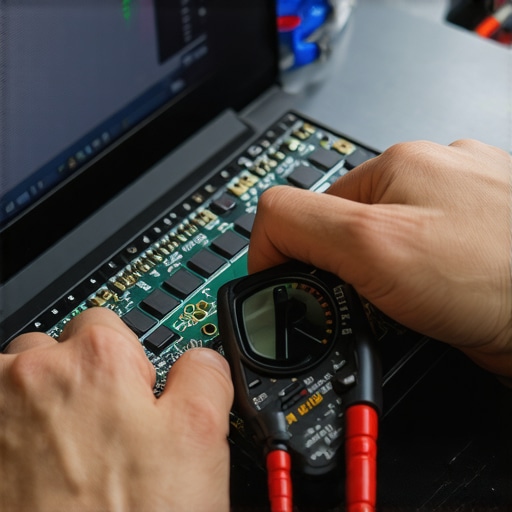
Looking ahead, trends suggest integrating AI-powered diagnostics into repair tools, enabling even faster identification of hardware issues. Predictive maintenance, driven by machine learning, will likely become standard, allowing users to address problems proactively rather than reactively. For your own peace of mind, try implementing a system health dashboard that consolidates real-time data from these tools. Not only does this streamline maintenance but it also extends your device’s lifespan, saving time and money in the long run. To dive deeper into managing your devices efficiently, check out this guide on managed IT strategies.
Lessons I Didn’t Expect to Learn About Laptop Life Cycles
- Sometimes, ignoring small wobbling or squeaks is the first step toward costly repairs; catching these early is a game-changer.
- Reinforcing hinges with simple tools or adhesives can extend your device’s life longer than you’d think—prevention truly beats cure.
- DIY repairs demand patience and respect for internal components; rushing can turn a fix into a catastrophe.
- Your data’s safety hinges (pun intended) on backing up before diving into hardware fixes—oversights here can be devastating.
Tools and Resources I Trust for Laptop Longevity
- Crucial Toolkit: A set of precision screwdrivers with magnetic tips—trust me, quality tools make a huge difference in avoiding damage.
- Software Magic: CrystalDiskInfo helps me detect early signs of disk failure, allowing proactive replacements—it’s like having a health monitor for your drive.
- Educational Guides: The detailed step-by-step guide on fixing hinge damage saves me time and gives confidence during DIY projects.
- Professional Support: When in doubt, reaching out through contact us ensures expert eyes prevent costly mistakes.
Your Next Step Toward Peace of Mind
The journey of maintaining your laptop’s health—physically and digitally—is ongoing. Embracing proactive care, learning from real-world experiences, and leveraging trusted tools can dramatically reduce surprises down the road. Remember, a little preventive effort now can save time, money, and stress later. Don’t let small issues become big disasters—take charge today, and keep your device running smoothly for years to come. Want to share your repair stories or ask questions? Drop a comment below and let’s grow smarter together.