

I remember the sinking feeling when my business network experienced a sudden slowdown, and I watched critical data flicker on my screen. It made me realize that I had been neglecting one essential security measure—installing a dedicated hardware firewall. That moment was a lightbulb, illuminating just how vulnerable a small business can be without proper defenses. You’re probably wondering, “Is investing in a hardware firewall really necessary for my office?” Well, today, I’m here to share my experience and show you why this small step can make a massive difference.
The Hidden Cost of Not Having a Hardware Firewall
Are software solutions enough or just fooling ourselves?
Many small business owners rely solely on software-based security, believing that antivirus programs and basic network protections will keep hackers at bay. But in my early days, I learned the hard way that software alone isn’t enough. I made the mistake of thinking my Wi-Fi network was secure enough—until one day, I noticed unusual activity and data transfer anomalies. It turned out that hackers had bypassed my software defenses, exploiting unsecured network points.
Implementing a dedicated hardware firewall transformed my security posture. Unlike software, a hardware firewall acts as a physical barrier, filtering traffic at the network’s entry point. This means suspicious traffic is stopped right at the door, before it reaches your computers or servers. Not only does this reduce the workload on your endpoints, but it also provides an extra layer of protection against sophisticated attacks.
According to a report by Cybersecurity Ventures, cybercrime damages are predicted to hit $10.5 trillion annually by 2025, emphasizing the increasing danger for small businesses that often overlook comprehensive security. Without a hardware firewall, you’re more vulnerable to ransomware, phishing, and data breaches—risks that can cripple your operations.
Are you uncertain if your current setup is enough? If you’ve faced network slowdowns, unexplained data leaks, or just want peace of mind, it might be time to consider a hardware firewall. The investment can save you from potential disasters and hefty recovery costs.
In the next sections, I’ll walk you through the tangible benefits of adding a hardware firewall to your office network and how to choose the right device for your needs. Ready to take your security seriously? Let’s dive in.
Set Your Security Goals Clearly
Begin by defining what you need protection from. Are you primarily worried about external threats, or do you want to prevent internal misuse? Having clear objectives will guide your choice and configuration of the hardware firewall, making the setup process more streamlined. I learned this the hard way when I installed a too-basic model, only to find it didn’t block sophisticated threats. So, before purchasing, list your security priorities to avoid wasting time and money.
Research and Choose the Right Hardware Firewall
Compare models based on features like throughput, VPN support, and user management. For example, I initially bought a low-tier device that slowed my network without providing adequate security. I switched after realizing that a higher-end device offered intrusion detection and better management controls. Use reviews, expert opinions, and your specific network size as decision factors. For customized advice, check out the managed IT strategies to keep your business secure in 2025.
Connect and Physically Install the Device
Place the firewall at the network’s entry point — typically between your modem and your router. Connect it via Ethernet, ensuring a secure, wired connection. Think of it as installing a security gate at your office entrance; it has to be accessible but also well-protected. During my setup, I initially connected it incorrectly, causing network outages until I reversed the cables. Carefully follow the installation manual and double-check your connections to avoid downtime.
Configure Basic Settings With Precision
Access the device’s web interface through a browser. Change default passwords immediately to prevent unauthorized access. Set rules that specify what traffic is allowed or blocked—think of it as programming your security guard to recognize friend from foe. I tailored rules to block all incoming traffic except necessary services like VPNs, which enhanced my security without disrupting workflow. Remember, default settings are often too open, so customize to fit your environment precisely.
Implement Secure VPN Connections for Remote Work
VPN support is critical if employees access your network remotely. Configure VPN policies in your firewall to ensure encrypted and authenticated connections, much like assigning secure gates to trusted personnel. I set up VPN access for remote staff, which prevented potential eavesdroppers from intercepting data. This step ensures your remote workforces operate safely outside your office walls. For seamless integration, consult guides on secure remote team configurations.
Test Your Setup Rigorously
Run vulnerability scans and simulate attacks to identify weaknesses. Use tools like Nessus or OpenVAS to test your defenses. When I tested my new firewall, I discovered a rule misconfiguration that left an open port, which a quick reconfiguration fixed. Regular testing helps catch issues early before they become crises. Document tests and adjust rules accordingly, maintaining an effective security posture.
Monitor and Adjust Regularly
Set up logs to monitor traffic patterns and security incidents. Use alerts for suspicious activities, which enable rapid responses—think of it as having a security camera system that alerts you to intruders. I implemented automated alerts, which allowed me to react promptly to attempted intrusions. Keep reviewing logs and update firewall rules to adapt to evolving threats. Continual adjustment ensures your security measures stay effective against new attack vectors.
Leveraging External Expertise for Optimization
Consult professional managed IT services to fine-tune your firewall settings and security protocols. If you’re unsure about complex configurations or updates, experts can help prevent missteps. I engaged a managed IT provider who optimized my setup and provided ongoing support, reducing vulnerabilities. For detailed guidance, consider exploring effective managed IT solutions for growing companies, ensuring your network remains resilient as your business expands.
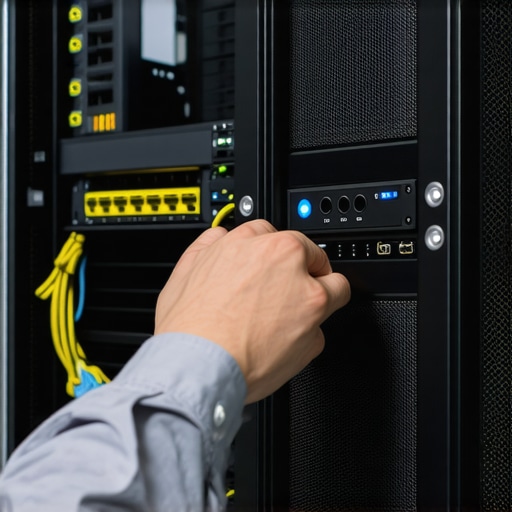 Many assume that managing IT services or repairing devices is simply about fixing problems as they appear. However, experts know that the real nuances lie in understanding hidden pitfalls and misconceptions. For instance, a common myth is that regular backups alone guarantee data safety. In reality, without verifying the integrity of those backups, you’re just hoping for the best—a dangerous gamble highlighted in detailed studies on data recovery strategies. When it comes to managed IT, many believe that hiring external providers means relinquishing control. But proficient companies implement proactive monitoring and tailored security protocols, vastly reducing vulnerabilities, a fact supported by recent industry surveys.
A notable trap in computer repairs is attempting DIY fixes on complex issues like screens with horizontal lines or flickering, which can lead to further damage. For example, fixing a laptop screen without proper tools or knowledge might seem straightforward but often worsens the problem, as explained in guides on professional repair techniques. Additionally, misconceptions about data recovery can be costly; some think software solutions can retrieve all lost files, but in many cases, hardware malfunctions require specialized recovery services that require expertise and delicate handling.
For the advanced user asking, “How can I ensure my data recovery plan is truly effective?” the answer involves regular testing of backups and understanding the limitations of various recovery methods. According to cybersecurity experts, without periodic validation, backups might be corrupted or incomplete, giving a false sense of security. Incorporating robust recovery testing, setting up redundant backups, and understanding the nuances of storage media are essential steps towards reliable data management.
By demystifying these common misconceptions and recognizing the sophisticated layers of IT management and device repair, businesses can avoid costly errors. Always remember, rushing into fixes or trusting superficial solutions often backfires. For a comprehensive approach, consider consulting with experts or adopting proven strategies outlined in resources like [managed IT strategies for 2025](https://computerrepairmasters.com/managed-it-strategies-to-keep-your-business-secure-in-2025). Have you ever fallen into this trap? Let me know in the comments.Maintaining a stable and secure IT environment requires more than just choosing the right hardware; it involves implementing precise tools and methods that ensure longevity and efficiency. In my experience, investing in high-quality diagnostic software like **HWInfo** allows me to monitor system health in real-time. This utility provides detailed insights into temperatures, voltages, and component statuses, helping me catch potential issues before they escalate. I personally rely on **Acronis Cyber Protect** for backups because it combines reliable imaging with proactive threat detection, which is essential for minimizing data loss risks. As trends shift towards AI-driven management solutions, I predict a future where integrated automation will handle routine maintenance, freeing up time for strategic planning.
How do I maintain consistent performance over time?
Regularly updating your monitoring and maintenance tools is critical. Schedule weekly system scans with tools like **Malwarebytes Premium** to detect emerging threats swiftly. Additionally, keeping firmware and drivers current, such as BIOS updates from your motherboard manufacturer, ensures hardware compatibility and stability. I’ve found that setting automated alerts for temperature spikes or unusual network activity allows quick responses, preserving my systems’ health. Incorporating remote monitoring solutions like **Datadog** provides centralized dashboards, enabling me to oversee multiple systems seamlessly. This proactive approach helps prevent unexpected failures and prolongs device lifespan.
Optimize your repair and data recovery process
When dealing with hard drives or malfunctioning laptops, having the right tools can save time and money. I frequently use **CrystalDiskInfo** for quick diagnostics of storage drives, which helps determine if a drive is failing before data becomes irretrievable. For more complex recovery needs, I turn to **EaseUS Data Recovery Wizard**, a reliable software that can often retrieve files from corrupt or formatted drives without professional intervention. Remember, early detection is key; visiting https://computerrepairmasters.com/data-recovery-secrets-every-business-should-know-today can provide critical insights into effective recovery strategies. I urge you to try the technique of regular drive health checks—adding this habit could be the difference between a minor hiccup and a major data disaster.
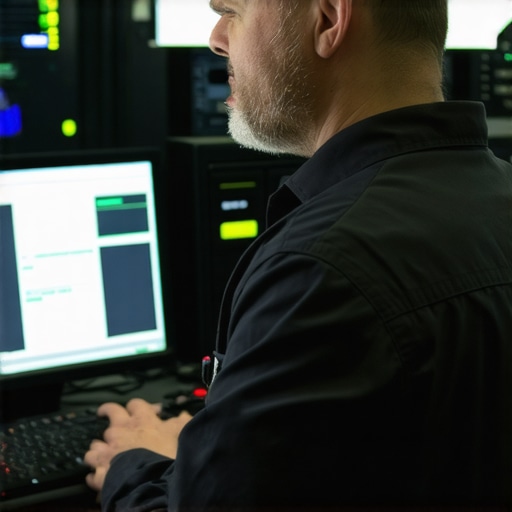
Image prompt: A professional technician monitoring computer hardware health using advanced diagnostic software, with servers and screens in the background. Title: “Pro Tools for Sustained IT Performance”. Alt: “IT technician using diagnostic tools to monitor server health”. />
What I Wish I’d Known When Starting Out
One of the hardest lessons I learned was that relying solely on software for security is like closing your eyes in a storm. Installing a dedicated hardware firewall was a game-changer for me—it’s a tangible barrier that your software just can’t replicate. Also, I underestimated how quickly threats evolve; regular testing and updates are your best defense. If any of this sounds familiar, I encourage you to review your current setup and consider adding that extra layer of protection.
The Toolbox That Saved My Business
Over the years, I’ve found certain tools invaluable in maintaining a resilient network. For instance, effective managed IT solutions keep my defenses strong without endless manual oversight. Tools like data recovery guides have helped me bounce back quickly when accidents happen, and they can do the same for you. Trust me, investing in the right resources safeguards your hard-earned work.
Your Next Step Toward Security Confidence
Every small business deserves peace of mind, knowing their data and network are protected. If you’re unsure about your current defenses, no shame in reaching out for professional advice—sometimes a fresh pair of eyes makes all the difference. Remember, proactive measures today prevent crises tomorrow. So, why not take a moment to assess your security posture now? Your future self will thank you for it.