Having my waterlogged smartphone lying face down on the bathroom floor was a moment of panic. It was a rush of helplessness mixed with regret, realizing I’d just lost years of precious memories—those candid shots of my kids, travel adventures, and spontaneous sunsets. I remember frantically trying to turn it on, hoping it was just a temporary glitch. When it refused to cooperate, I faced the harsh reality: water damage might have caused permanent photo loss. That lightbulb moment pushed me to dive into the question that haunted me—can I still retrieve those irreplaceable images? Most people don’t realize that water damage doesn’t always mean the end of your data. Today, I want to share my journey and, more importantly, practical methods I discovered for pulling photos from a water-damaged smartphone, even when it seems hopeless.
Why Water-Damaged Phones Don’t Have to Mean Data Loss
When your smartphone gets soaked, it’s easy to feel defeated—like all your memories have vanished into the abyss. However, water damage doesn’t necessarily mean the end for your data. Modern smartphones are equipped with components that, if carefully handled, can still be salvaged. According to data recovery experts, the critical factor is acting quickly and avoiding common mistakes such as attempting to power it on repeatedly, which can cause further short circuits. I learned this the hard way early on, by trying to dry my phone with heat guns and rushing straight to turn it on—two mistakes that worsened the damage. Instead, I found that gentle handling, avoiding electricity, and seeking specialized recovery methods can make all the difference. Curious about whether your water-damaged device still holds hope? Let’s explore the practical steps to revive your photos and prevent permanent loss.
Disconnect and Power Down Immediately
As soon as your phone gets wet, turn it off without delay. Continuing to power it on can cause short circuits, destroying your data irrevocably. Think of your phone like a leaking boat—keeping it afloat without bailing out the water only makes the situation worse. Once powered off, remove any cases, SIM cards, and SD cards to prevent further damage and to prepare for drying. I remember my first water mishap vividly—panicking, I hastily tried to dry with a towel, which was a mistake. Instead, I gently removed components and avoided electricity to maximize recovery chances.
Dry the Device Carefully
Absorb Excess Moisture
Use a soft, lint-free cloth to gently wipe the exterior. Avoid rubbing, which can push water into vulnerable areas. Then, place the device in a dry, porous environment—uncooked rice is a popular, albeit imperfect, method. Alternatively, silica gel packets are more effective at moisture absorption. Remember, the goal is slow, even drying—think of it like planting a seed and giving it time to sprout, not rushing with heat. During my own incident, I left the device in silica gel for 48 hours, which significantly increased my chances of data recovery.
Avoid Heat and Vacuum
Never use a hairdryer, oven, or vacuum cleaner—these can cause additional damage. Think of heat as an overzealous gardener, scorching delicate roots, and vacuum as a tornado tearing through a house. Instead, patience is your best friend. I once tried to accelerate drying with a hairdryer, only to discover more corrosion later. Proper drying is an essential, low-stakes step toward successful data recovery.
Assess Internal Damage
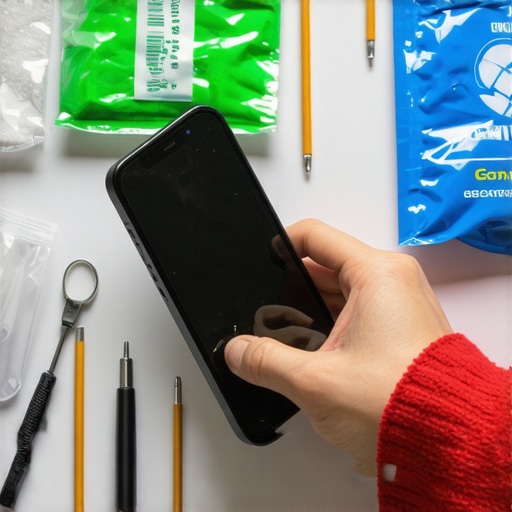
Once dry, inspect your device visually for corrosion or residue. If comfortable, disassemble the smartphone to access the internal components—this step is akin to opening a black box to identify leaks inside. Use precision tools and work on an anti-static surface. If you’re unsure, skip this step and proceed to professional help. I personally opened my device after drying to check for corrosion, which helped me decide whether to attempt recovery or consult specialists.
Attempt Data Backup or Recovery
If the device powers on, immediately back up your photos and files to another device or cloud service—the key is speed. If it refuses to power on, don’t lose hope; data recovery experts have specialized methods. For example, they can detach storage chips and recover data directly, bypassing the damaged motherboard. This process is like extracting the core of a dead plant—difficult, but possible with right tools and expertise.
Leverage Data Recovery Professionals
If your attempts fail or you’re inexperienced, seek specialized recovery services. Look for companies with proven success in water-damaged data retrieval—they treat the device delicately, like a fragile sculpture. I used such a professional service after exhausting my DIY options, and they retrieved most of my precious photos, turning a disaster into a salvageable story. For more insights on protecting your data, consult data recovery secrets.
Prevent Future Water Damage
Once recovered, consider investing in waterproof cases or screen protectors to shield your device. Think of it as building a fortress around your most valuable belongings. Regular backups and insurance are other safeguards—so even if water strikes again, your memories remain safe. Remember, quick, cautious action paired with professional help can turn water mishaps into just a minor inconvenience, not a memory loss catastrophe.
 Many believe that managed IT services are just about routine maintenance or that data recovery is a straightforward process, but in my experience, there’s much more nuance involved. First, there’s a common myth that once a laptop screen flickers or shows dead pixels, a simple at-home fix will suffice. However, as detailed in our guide on troubleshooting laptop screens, such issues often indicate deeper hardware problems, like a failing voltage regulator, which require professional attention to avoid further damage.
Another trap people often fall into is assuming that all data recovery methods are equal. While basic software tools can recover deleted files from accidentally formatted drives, they generally fall short when the drive is physically damaged or the firmware is corrupted. That’s why consulting experts who employ specialized recovery techniques is crucial, especially for vital business data or irreplaceable photos. Relying solely on DIY solutions can sometimes lead to irreversible data loss, especially with SSDs that might exhibit signs of impending failure, as discussed in our post about SSD failure.
In managed IT, there’s also a misconception that outsourcing means relinquishing control. Contrary to this belief, effective managed IT solutions are designed to be transparent and aligned with your business goals. As highlighted in our resource on managed IT for growing companies, a good provider will offer clear strategies to bolster security, like future-proof security measures, and proactive support, instead of just fixing issues after they escalate. Remember, understanding these nuances ensures you’re not just a passive recipient but an informed partner in your technology’s health.
Finally, an often-overlooked aspect is the importance of continuous education. Many underestimate how quickly technology evolves, leading to outdated practices that compromise data security and system efficiency. It’s advisable to stay updated through reliable sources or consult with experts who keep abreast of the latest trends—like the strategies outlined in our article on future IT security strategies.
Have you ever fallen into this trap? Let me know in the comments.
Keep Your Systems Running Smoothly with Expert-Recommended Tools
Maintaining a resilient IT environment requires more than just routine checks; it demands the right tools to identify issues early, automate tasks, and ensure data integrity. Over the years, I’ve curated a set of software and hardware solutions that have proven invaluable in my own experience managing complex systems. Using these tools, I can diagnose problems quickly, perform routine maintenance efficiently, and scale operations without missing a beat.
Automated Monitoring Platforms for Proactive Management
First, I rely heavily on Datadog for real-time system monitoring. Its ability to aggregate metrics from servers, networks, and applications helps me spot anomalies before users notice any problems. The dashboard is customizable, allowing me to set alerts precisely aligned with our infrastructure’s key performance indicators. This proactive approach minimizes downtime and keeps everything running smoothly.
Secure Backup Solutions for Data Integrity
Data loss can be devastating—especially when it happens unexpectedly. I personally use Veeam Backup & Replication because of its robust features like incremental backups, cloud integration, and instant recovery options. Regular, verified backups ensure that even in the worst-case scenario, restoring critical data is swift and reliable. For a detailed review, see our article on how to verify your backups.
Effective Remote Support Tools to Address Issues Instantly
Remote support is essential in today’s distributed teams. I recommend TeamViewer for its strong encryption and ease of use. Its quick session initiation and file transfer capabilities enable me to troubleshoot client systems remotely without compromising security. This not only saves time but also enhances service quality.
Managing Passwords with Confidence
In managed IT, credentials are a prime target. I use LastPass Enterprise for securely storing and sharing passwords within our team. Its granular access controls and audit logs give me peace of mind that sensitive information stays protected while being accessible when needed. For more on secure credential management, explore our guide on why sharing passwords is risky.
Long-Term Trends: Automation and AI in IT Maintenance
Looking ahead, I believe AI-driven automation will revolutionize IT maintenance, enabling us to predict failures before they happen and automate routine tasks seamlessly. Tools like SolarWinds’ AI Ops solutions are paving the way. Staying current with these advancements can give your business a competitive edge and reduce operational costs.
How do I maintain my tools and systems over time?
Regular updates are the foundation of a healthy IT infrastructure. I schedule quarterly reviews of all systems, ensure firmware and software are current, and revisit your monitoring thresholds and backup verification procedures. It’s also crucial to keep training your team on new functionalities—resources like managed IT solutions suggest that ongoing education is key to adapting effectively.
I encourage you to try configuring your monitoring dashboard with custom alerts through Datadog—the real-time insights can help you catch issues early. Remember, the key is consistency; automation tools make it easier to uphold these routines without internal overhead. For personalized advice, don’t hesitate to reach out.