

One afternoon, I remember sitting at my desk, staring at a mountain of invoices. A new IT consultant had been recommended to us, promising to overhaul our entire network to boost security and efficiency. Excited, I signed the contract without digging deeper. Weeks later, our systems were more vulnerable than ever, and my budget had mysteriously ballooned. That lightbulb moment hit hard: trusting the wrong IT expert can cost you far more than just money—it endangers your entire business.
Why You Need to Become an Expert in Recognizing Genuine IT Professionals
In the fast-paced world of business, the last thing you want is to hand over your hard-earned cash to someone who isn’t who they claim to be. The truth is, not everyone with a shiny website and a LinkedIn profile is a vetted tech whiz. The stakes are high—improperly vetted IT consultants can leave your network exposed, introduce malware, or inflate your bills with unnecessary services. By learning how to spot the red flags early, you protect your business and ensure you’re investing in expertise that truly benefits you.
Is It Really Worth the Hassle to Vet Your IT Consultant?
Initially, I thought a quick online search or taking their word at face value was enough. I figured, “They’re professionals, right?” But that mistake cost me dearly. According to a report from the Better Business Bureau, nearly 60% of small businesses encounter issues with unvetted service providers, leading to security breaches or unexpected costs. The key is asking the right questions and looking for concrete proof of experience and legitimacy. With just a little homework, you could save yourself from a costly nightmare.
If you’ve ever faced the dilemma of trusting a new IT provider without proper due diligence, you’re not alone. But the good news is, I’m here to help you avoid that pitfall. Over the next sections, I’ll walk you through practical tips to identify a trustworthy IT consultant before signing any agreements. Trust me, it’s worth the effort to ensure your business is in safe hands and avoid repeating my mistake. For those ready to take proactive steps now, you might want to check out [our managed IT solutions](https://computerrepairmasters.com/effective-managed-it-solutions-for-growing-companies) for peace of mind or [discover signs of hidden fees](https://computerrepairmasters.com/how-to-spot-managed-it-fees-hiding-in-the-fine-print) that could be lurking in your contracts.
Start with Clear Requirements
Before even reaching out to potential IT consultants, determine your specific needs. Are you looking for network security, data recovery, or hardware replacement? Clear requirements help filter candidates and set expectations. I once listed my network’s existing vulnerabilities and desired improvements on a simple spreadsheet, which made discussions more concrete and avoided vague promises.
Check Credentials and Experience
Verify certifications such as CompTIA Security+, Cisco CCNA, or Microsoft Certified Solutions Expert. Also, ask for case studies or references from previous clients. I once skipped this step and hired a firm based solely on their website, only to face delayed projects and unfulfilled promises. Ensuring authentic credentials saves time and money.
Assess Communication Skills and Transparency
Observe how promptly and clearly they respond to your inquiries. A trustworthy IT professional explains technical issues in simple terms and provides transparent pricing. During a quick call, I noticed a consultant was evasive about costs, which later revealed hidden charges—an alarm bell for poor integrity. Prioritize clear communication to avoid surprises later.
Request a Technical Audit or Trial
Ask for a preliminary audit or a trial period. It’s like test-driving a car before buying. I once engaged a consultant for a short-term assessment of our Wi-Fi network, which uncovered vulnerabilities that they swiftly addressed. This step offers insight into their expertise and work ethic without a long-term commitment.
Evaluate Service Level Agreements (SLAs)
Scrutinize SLAs for response times, support scope, and accountability. A detailed SLA acts as a safety net, defining expectations. I learned the hard way when an SLA lacked response time guarantees, causing delays during a critical outage. Well-defined SLAs help ensure reliable support when emergencies arise.
Conduct Due Diligence on Business Legitimacy
Review business licenses, insurance coverage, and online reputation. Use your instincts—if something feels off, trust it. I once discovered a fake SSL certificate and unverified entity just before finalizing a contract, saving my business from potential security breaches. This step affirms the provider’s professionalism and accountability.
Utilize Internal Resources or Trusted Networks
Leverage recommendations from industry peers or trusted partners. Personal referrals often lead to more reliable hires. I reached out to a local business association, which connected me with a seasoned IT firm known for transparency. Personal networks help filter out scams and unqualified providers.
Follow Up and Monitor Regularly
Once hired, establish ongoing evaluation routines. Regular audits, feedback sessions, and performance reviews keep the relationship healthy. I learned that periodically reviewing IT support effectiveness prevented complacency and maintained optimal security levels.
Many assume that managed IT services are a one-size-fits-all solution, but in my experience, there’s a crucial nuance often overlooked: the risk of complacency in standardized approaches. For example, relying solely on automated data recovery tools without understanding the nuances of different storage devices can lead to incomplete recovery or data loss. While software scans are powerful, they are not foolproof, especially with failing drives where physical issues dominate. A common myth is that all laptops with cracked screens simply need a replacement, but some issues like digitizer faults or connection problems can sometimes be fixed with targeted repairs, saving time and money.
What advanced signs indicate that your hardware issues demand more than surface-level fixes?
In complex cases, superficial repairs might temporarily fix the visible problem but fail to address underlying causes, such as motherboard corrosion or firmware corruption. Experts recommend a thorough diagnostic process, including inspecting internal components and running specialized tests. According to recent industry studies, roughly 30% of data losses occur due to overlooked hardware faults that mimic software errors, emphasizing the importance of in-depth analysis before proceeding.
Beware of the trap where quick fixes seem tempting but may compromise long-term reliability. For instance, sealing a laptop’s broken screen with tape might seem cost-effective initially; however, it can trap moisture and cause further damage. This is why professional repairs often involve replacing components like diaphragms or protective layers, which safeguard the device’s integrity. When it comes to managed IT, superficial monitoring service levels can hide deeper vulnerabilities—like outdated firmware, unpatched vulnerabilities, or misconfigured security policies—that only emerge during detailed audits. To avoid these pitfalls, always insist on comprehensive assessments and avoid settling for generic solutions.
If you want to ensure your business remains resilient, consider consulting experienced professionals who perform deep diagnostics tailored to your unique setup. For example, they might perform routine data recovery checks or hardware inspections before issues escalate. Check out our [effective managed IT solutions](https://computerrepairmasters.com/effective-managed-it-solutions-for-growing-companies) to learn how proactive strategies can preempt problems. Have you ever fallen into this trap? Let me know in the comments.
Invest in Reliable Hardware Monitoring Tools
To ensure your systems stay operational, I rely heavily on hardware monitoring solutions like PRTG Network Monitor. This software provides real-time insights into server health, network traffic, and device temperatures, enabling me to catch potential failures before they become crises. For example, setting up alerts for temperature spikes on critical servers helps prevent overheating failures, saving downtime and repair costs. Leveraging such tools is vital for proactive maintenance, and I recommend integrating them into your routine for long-term stability.
Automate Regular Backups and Data Checks
One mistake many make is neglecting to automate backups properly. I use Veeam Backup & Replication to create scheduled, verifiable backups of all client data. This software not only automates the process but also verifies backup integrity, ensuring you can recover data swiftly if hardware fails or a breach occurs. Additionally, periodic test restores—part of my protocol—verify that backups are functional. Automation reduces human error and guarantees data safety, which is essential for long-term resilience. For more, consider reading our guide on data recovery secrets.
Keep Software Updated with Managed Solutions
Staying current with software patches and updates is crucial. I utilize managed IT solutions to handle this continuously, preventing vulnerabilities from outdated systems. Our managed services automatically apply critical patches during off-peak hours, avoiding interruption. This approach ensures that security holes are closed quickly, and system performance remains optimal. As technology evolves, so do the threats; thus, automated, consistent updates are a must for sustained reliability.
Tools to Easy Hardware Repairs and Diagnostics
Physical hardware issues are inevitable, especially with laptops and desktops. I recommend tools like the Wiha Electronics Repair Kit, which contains precision screwdrivers, spudgers, and anti-static mats—ideal for delicate repairs such as replacing laptop screens or fixing internal components. Pair this with diagnostic software like HWiNFO to identify failing components, temperature anomalies, or voltage irregularities. Having the right tools and know-how enables quick fixes that extend hardware lifespan and minimize downtime. For instance, if your laptop screen flickers, troubleshooting with these tools can pinpoint whether it’s a loose connector or a faulty backlight, saving you from costly replacements.
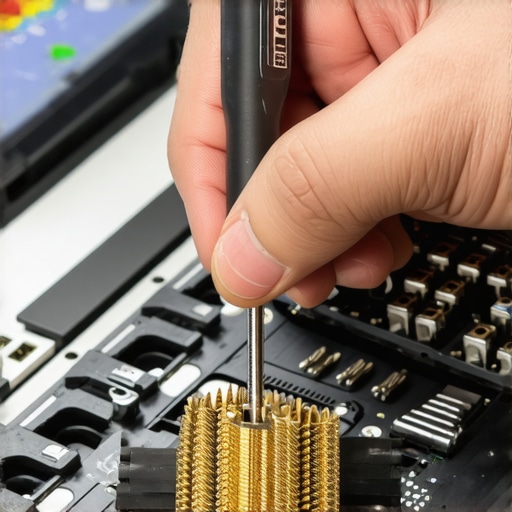
Incorporate regular checkups into your maintenance schedule to keep your hardware and software performing at their best. Remember, automation and proper tooling are your best allies for efficiency—embrace them to stay ahead of failures. For more detailed strategies, do not hesitate to reach out.
The Hard-Earned Lessons That Changed My Approach to IT
One of the most impactful lessons I learned was that trusting the wrong tech support can set your business back by months or even years. I once hired an IT consultant based solely on a flashy website, only to discover later they lacked real credentials, leading to security vulnerabilities and costly delays. This experience underscored the importance of verifying expertise beyond surface-level impressions.
Another critical insight was realizing that hardware issues often masquerade as software glitches. Rushing into quick fixes—like replacing a cracked screen without proper diagnostics—can sometimes do more harm than good. Investing in the right diagnostic tools and understanding hardware behavior helped me save both time and money, and it emphasized that a cautious, analytical approach always pays off.
I also discovered that comprehensive service agreements and regular monitoring are vital. A vague SLA can leave you unprotected during emergencies, so scrutinizing response times and support scope helps set clear expectations. Regularly reviewing system health and maintaining open communication channels prevents small issues from escalating into crises. These lessons are the backbone of resilient IT management, especially for growing businesses.
My Toolbox for Building a Secure Digital Environment
Over the years, I’ve come to rely on a curated set of tools that keep my systems safe and efficient:
- PRTG Network Monitor: For real-time hardware health checks, preventing unexpected failures by early detection of anomalies.
- Data Recovery Secrets guide: Essential for understanding how to safeguard your data against hardware and cyber threats.
- Veeam Backup & Replication: Automates backups and verifies their integrity, ensuring business continuity even in worst-case scenarios.
- Managed IT solutions: Helping me stay current with patches, updates, and security policies without manual effort.
These resources form the core of my proactive strategy—making sure that I can handle hardware hiccups, cyber threats, and routine maintenance with confidence. Don’t wait for crises; invest in the right tools today to future-proof your operations.
Seize the Moment to Fortify Your Tech Future
Remember, mastering managed IT, computer repair, and data recovery isn’t just about fixing problems—it’s about cultivating resilience and confidence. Every step you take towards education and strategic planning pays dividends in security, efficiency, and peace of mind. Start now by assessing your current vulnerabilities and implementing preventive measures. The effort will protect you more than you realize and empower your business to grow sustainably. Are you ready to take bold steps toward smarter IT management? Share your thoughts below—your journey begins with the first move!