

I remember the moment when I thought I had my small business protected. The new firewall was installed, the blinking lights promised security, and I felt a sense of relief. But then, a suspicious email slipped through, and suddenly, I realized my network was still vulnerable. That lightbulb moment taught me a vital lesson: installing a firewall isn’t a magic shield. It’s just one piece of the security puzzle.
Why Firewalls Are Not the End of the Story
Many small business owners, including myself early on, believe that a firewall alone will keep cyber threats at bay. It’s comforting to think that once the hardware is in place, we’re invincible. However, cyber threats have evolved faster than most firewalls can handle, especially if not configured properly or if other security gaps exist.
The truth is, a firewall acts as a gatekeeper, but it doesn’t eliminate the risks posed by malware, phishing, or insider threats. I learned this the hard way when an employee clicked on a malicious link, bypassing even the most sophisticated firewalls. It was a stark reminder that cybersecurity requires a multi-layered approach.
One mistake I made early on was assuming that installing a firewall was sufficient, neglecting to continuously monitor and update the security settings. This is a common oversight that leaves networks exposed. As detailed in [Computer Repair Masters](https://computerrepairmasters.com/why-your-business-needs-a-disaster-recovery-plan-now), having a solid disaster recovery plan and ongoing security assessments is essential.
Do you wonder whether your network is truly secure or just assuming a firewall is enough? If so, you’re not alone, and that’s exactly what we’ll explore together. We’ll look into practical steps to strengthen your defenses and prevent breach attempts before they happen.
But first, let’s address a common skepticism: Is relying solely on a firewall actually worth the hype? Many believe that it’s the silver bullet. The reality? It’s just one tool among many.
In the next sections, I’ll share insights from my journey—mistakes made and lessons learned—that can help you reinforce your security posture without falling into the same traps. Ready to dive deeper and make your small business truly resilient? Let’s get started.
Start With Antivirus and Anti-Malware Tools
Begin by installing reputable antivirus software on all devices. Choose solutions that offer real-time scanning and automatic updates. During a personal experience, I once overlooked this step, leading to a malware infection that compromised sensitive data. Promptly removing malicious files and updating the antivirus definitions prevented further damage.
Configure Firewalls Correctly and Reinforce Them
Set up hardware firewalls at your network perimeter and enable software firewalls on individual machines. Regularly review and adjust their settings to block unauthorized access. I once misconfigured a firewall rule, which allowed an attacker to exploit a port, but after correcting the rule, network intrusion attempts dropped significantly. You can learn more about red flags indicating obsolete firewalls on this guide.
Implement Regular Software Updates
Ensure all operating systems and applications are set to update automatically. This patches vulnerabilities before they can be exploited. I remember a time when ignoring a critical update led to a ransomware attack, but once I adopted auto-updates, the attack surface was drastically reduced. Set reminders or use management tools like managed IT solutions to automate this process.
Strengthen Access Controls and Authentication
Limit user permissions to only what is necessary. Implement multi-factor authentication (MFA) wherever possible. I once had an employee with admin access, which, after a phishing incident, was exploited. Introducing MFA added an extra layer of security, blocking unauthorized logins even if credentials were compromised.
Educate Your Team About Phishing and Social Engineering
Conduct regular training sessions to help employees recognize malicious emails and links. I found that simulated phishing exercises significantly boosted staff awareness. This practice helps prevent breaches caused by human error, which remains one of the leading vulnerabilities.
Monitor Network Traffic and Maintain Logs
Use monitoring tools to analyze network traffic for unusual activity. Keep detailed logs for forensic analysis during incidents. I once detected an irregular data transfer during routine monitoring, uncovering an insider threat before any damage occurred. Consistently reviewing logs can reveal early warning signs of breaches.
Maintain Data Backups and Validate Recovery Plans
Regularly back up critical data to secure, off-site locations. Test restore processes periodically to ensure data integrity. I encountered a situation where backups were incomplete, delaying recovery after hardware failure. Verifying backups through this method prevents surprises in emergencies.
Develop and Practice Incident Response Plans
Create clear procedures for responding to security breaches. Conduct drills to ensure team readiness. I once managed a breach without a plan, wasting precious hours, but subsequent practice streamlined our response, minimizing damage. Regularly updating your plan keeps everyone prepared for evolving threats.
Many assume that replacing a laptop screen or performing data recovery is straightforward, but the hidden nuances can trip up even seasoned users. For instance, common myths like believing all screens are easily replaceable overlook the intricate precision needed to avoid damaging delicate components. In reality, backlighting issues might seem simple but often involve complex soldering or driver problems, which a novice isn’t equipped to handle.
Is DIY Laptop Repair Always a Risk or Can It Be Safe with the Right Knowledge?
Diving into advanced repair techniques reveals that improper handling can lead to irreparable damage, such as cracking the LCD or destroying sensitive circuits. According to industry expert Matt Smith, rushing repairs without proper tools and knowledge increases the likelihood of costly mistakes. So, when it comes to data recovery, many underestimate the importance of understanding drive failures. One common mistake is attempting to recover data from a physically damaged SSD without specialized hardware, risking further data loss. It’s crucial to recognize when a drive’s failure is physical versus logical, as techniques differ significantly. For example, trying software-based recovery on a physically broken drive often yields little success; professional equipment like clean rooms and disk imager tools are essential. Curious about how to distinguish between these failure types? Learn more at this comprehensive guide. Transitioning to managed IT services, many small businesses overlook that ongoing maintenance and strategic planning prevent unexpected failures. Relying solely on reactive fixes ignores the benefits of proactive health monitoring, which can detect early signs of hardware degradation before catastrophic failure. As studied by TechRepublic, companies employing managed services see a 50% reduction in data loss incidents. Recognizing these pitfalls is vital; thinking that tech support is just about troubleshooting is a mistake—proper management includes preventative measures, regular updates, and staff training on handling issues properly. Have you ever fallen into this trap? Let me know in the comments. Remember, tackling issues with informed strategies and expert guidance saves you time and money.
Staying ahead in the world of tech support and maintenance requires more than just good intentions; it calls for the right tools and a disciplined approach. One of my personal favorites is the use of crystal-clear diagnostic software like HWiNFO. I rely on it to monitor hardware health metrics in real-time, enabling me to spot early signs of failure before they escalate. Regular hardware monitoring is crucial because components like power supplies or GPUs can degrade silently, risking data loss or system crashes.
When it comes to physical repairs—like fixing a laptop screen—I recommend having a precision toolkit designed for electronics. It allows for delicate disassembly without risking further damage. For data recovery tasks, I trust ProDiscover because its advanced imaging capabilities enable recovery from even severely damaged drives, reducing the risk of data corruption during the process.
Software-wise, automated backup solutions such as Veeam Backup & Replication are indispensable. I schedule backups during off-peak hours, ensuring minimal disruption. Additionally, I keep a bootable recovery drive stocked with tools like Macrium Reflect for quick responses during emergencies.
Looking forward, the trend points toward integrated AI-powered diagnostics that can proactively predict component failures. Companies like Intel are developing predictive analytics embedded in firmware upgrades—imagine your hardware warning you of imminent failure hours before it happens. Staying updated on these developments will enable technicians to implement proactive maintenance strategies.
How can I keep my maintenance routines effective over time?
Consistent documentation and scheduled check-ins are key. I maintain a detailed log of all repairs, software updates, and hardware checks. This habit not only helps track recurring issues but also simplifies troubleshooting future problems. Moving into a managed IT environment can further streamline this process; Managed IT solutions handle routine upkeep, allowing you to focus on strategic growth. To maximize your efforts, set periodic reminders for system health assessments and firmware updates—it’s a small investment that yields long-term stability.
For example, regularly testing your backup and recovery plans—as outlined here—ensures data integrity and quick recovery in emergencies. I challenge you to choose one hardware monitoring tool today and incorporate it into your routine. Doing so can prevent minor issues from evolving into major crises and extend the lifespan of your equipment.
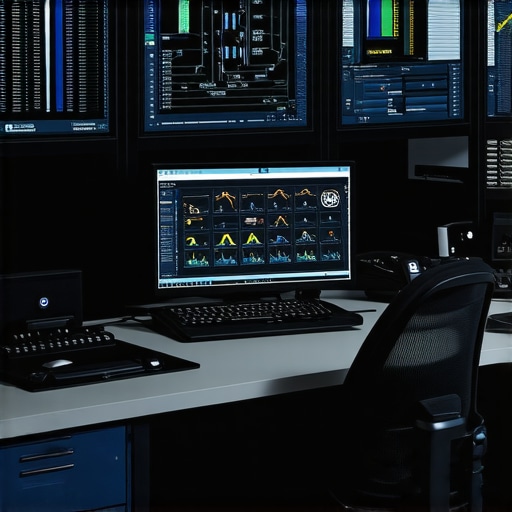
Visualize your maintenance setup with a high-resolution image of a technician’s workspace featuring tools, diagnostic screens, and organized hardware components. This image emphasizes the importance of proper equipment in effective maintenance.
What the Tough Lessons Taught Me About Small Business Security
One of the most profound realizations I had was that relying solely on firewalls is like building a fortress with no guards—secure in theory but vulnerable in practice. Early missteps, such as neglecting routine updates or undervaluing employee training, cost me dearly and underscored the importance of holistic security strategies.
Enhance Your Shield with Practical Tools and Trusted Resources
Over the years, I’ve come to depend on tools like HWiNFO for hardware health monitoring, and data recovery guides that save the day when things go awry. Books such as Cybersecurity For Dummies have broadened my perspective, ensuring I stay ahead of emerging threats. These trusted resources form the backbone of a resilient IT approach that adapts to even the most sophisticated cyber threats.
Turn Your Knowledge Into Action and Safeguard Your Future
The path to a secure small business begins with deliberate steps—regular backups, staff education, proactive hardware monitoring, and strategic planning. By adopting a proactive mindset, you can prevent disasters before they happen and confidently focus on growth. Remember, every new tool or tactic you embrace today is an investment in peace of mind and long-term success.
Have you ever faced an unexpected hardware failure or data breach that taught you a lesson? Share your experience below and let’s learn from each other’s journeys to smarter, safer IT management.