

I remember the moment vividly: I was in the middle of an important project, laptop humming along when suddenly, a strange clicking noise started emanating from the hard drive. My heart sank. I knew that sound all too well—it’s the unmistakable prelude to a potential data disaster. That day, I learned the hard way just how costly ignoring that persistent clicking could be. What seemed like a minor inconvenience threatened to turn into a complete data loss, but I managed to turn it around—by facing the issue head-on rather than delaying repairs. Today, I want to share what I discovered from my experience and how delaying that decision can actually cost you more than you realize.
The Danger Lurking in the Sound of a Clicking Drive
When your hard drive starts clicking, it’s easy to dismiss it as a minor glitch or a sign of an aging component. But in reality, that telltale sound often indicates a severe internal failure – a sign that your data is at risk. The problem? Many users, including myself early on, tend to put off addressing the issue, reasoning that “one more day” won’t matter. However, this delay can accelerate damage and make recovery much more difficult. The truth is, your hard drive’s clicking noise is a cry for help—ignoring it might lead to sudden failure and irreversible data loss.
Is It Really Worth the Rush to Repair?
My mistake was underestimating how quickly a failing drive can deteriorate. I thought I could get around to it tomorrow, but that “one more day” turned into a week. When I finally acted, the data recovery process was costly and uncertain. According to recent studies, about 140,000 hard drives fail globally every year, and many of those failures could be mitigated if issues are addressed early on (source). This experience taught me an invaluable lesson: immediate action can be the difference between salvaging your files or losing everything.
Assess the Symptoms Immediately
When you hear your hard drive clicking, stop using your computer. Continuing to operate can worsen internal damage. Remove the power source and, if possible, disconnect the drive to prevent further harm.
Prioritize Data Recovery
Before attempting repairs, secure your vital data. Use data recovery tools like data recovery software to clone or backup your files onto a safe location. This step is crucial; if the drive fails, these backups might be your only salvation.
Diagnose the Connection
Check the drive’s connection to your computer. Loose or damaged cables can mimic clicking sounds. Replace SATA or power cables to rule out simple connectivity issues. For external drives, try connecting through different ports or even another computer to eliminate port problems.
Harness Professional Tools and Expertise
For more complex issues, don’t gamble through trial-and-error. Engage professional data recovery services equipped with advanced diagnostic equipment. Avoid DIY repairs on a failing drive, as improper handling can permanently ruin data.
Implement Preventive Measures
Once recovered, evaluate your storage solutions. Incorporate regular backups via cloud services or external drives. Consider replacing aging drives before they reach critical failure states, ensuring minimal disruption and data loss. Regularly monitor drive health using SMART tools to catch issues early.
Manage Your Storage Environment
Ensure your workspace has proper ventilation and stable power supply to prevent overheating or power surges, which can accelerate hardware failure. Physical shocks and vibrations can also cause mechanical damage; keep drives stationary and protected.
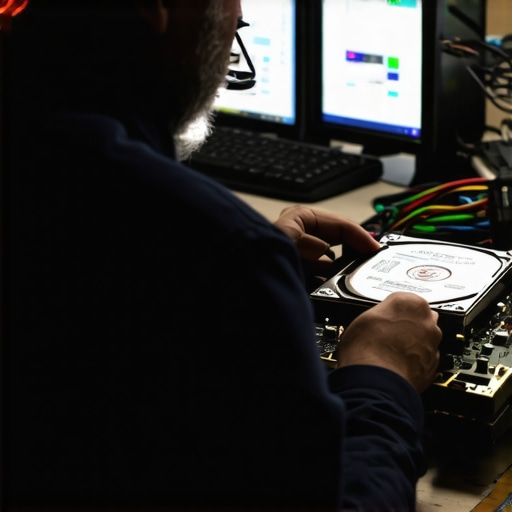
Addressing a clicking hard drive requires swift action and careful handling. By assessing symptoms promptly, backing up vital data, and leveraging professional help, you can often recover important files and prolong your drive’s life. Remember, prevention is always better than cure—regular maintenance and monitoring can save you from future data crises.
Many assume that troubleshooting laptop screens or managing IT is straightforward, but beneath the surface lie nuanced pitfalls that can undermine your efforts. A common myth is that replacing a laptop screen DIY-style guarantees a perfect fix; in reality, rushed or incorrect DIY repairs often cause further damage, making professional guidance essential. For example, improper handling of delicate ribbon cables during screen replacements can lead to worse issues—something experienced technicians understand deeply, as detailed in our guide on DIY laptop screen repair.
When it comes to managed IT, many small business owners believe that annual contracts suffice, overlooking the importance of continuous proactive monitoring. Effective managed IT strategies require ongoing adjustments to stay ahead of emerging threats. Neglecting this can leave your infrastructure vulnerable to breaches, a risk that cybersecurity experts emphasize as a critical concern.
In data recovery, there’s a misconception that software alone can save all lost files. While recovery tools are powerful, relying solely on them without understanding their limitations risks permanent data loss—especially if the drive is physically damaged. As highlighted in data recovery insights, combining professional hardware diagnostics with software solutions vastly improves outcomes.
The nuanced aspect many overlook is the importance of environment and handling in hardware repair and data recovery. For instance, static electricity or dust can silently sabotage delicate internal components, a detail often dismissed by amateurs. Paying attention to proper grounding and workspace cleanliness can prevent costly mistakes. To avoid such pitfalls, check out our troubleshooting tips for laptop issues.
Curiously, few realize that digital storage equipment, including external drives and SSDs, can develop subtle faults long before outright failure—caused by minor electrical fluctuations or firmware glitches. Detecting these early requires sophisticated monitoring and understanding the hidden signs beyond simple error messages, as discussed in hard drive warning signs. Proactive assessments allow for timely data migration, avoiding crisis scenarios.
Ultimately, the key is to treat these tasks not as superficial fixes but as complex processes requiring expertise, attention, and cautious handling. Cutting corners might seem tempting, but the cost—both financial and in data—can be devastating. So, are you falling for common misconceptions? Share your experiences or questions in the comments, and let’s dig deeper together.
Investing in the Right Equipment and Software
Maintaining optimal performance for your laptop and IT infrastructure requires more than routine checks; it demands the use of reliable tools tailored to your needs. Personally, I swear by CrystalDiskInfo for drive health monitoring because it provides real-time SMART data, allowing me to anticipate failures before they happen. Regularly checking SMART attributes helps me schedule timely replacements, avoiding unexpected downtime.
For hardware diagnostics, I rely on MemTest86 to test RAM stability. In my experience, this tool uncovers subtle memory issues that can cause system crashes or data corruption, issues that are often overlooked during casual troubleshooting. Running MemTest86 periodically—even on healthy systems—can preempt critical failures and save time and money in the long run.
Controlling dust and airflow inside your machine is crucial. I use compressed air in conjunction with a static-free brush to clean vents and fans. Yet, I only do this after turning off and unplugging the device, and I ensure to hold fans stationary while cleaning to avoid damage. This routine preserves cooling efficiency, which directly impacts hardware longevity.
Employing Management Tools for Long-Term Success
For managed IT environments, tools like SolarWinds RMM or Atera enable proactive monitoring of multiple endpoints. These platforms automatically generate alerts about drive failures, software vulnerabilities, and unusual activity. I recommend integrating such management solutions to get a bird’s-eye view of your network and prevent issues from escalating.
Additionally, for backups, I prefer Veeam Backup & Replication because of its reliability and granular restore options. Having dual copies—local and cloud—protects against data loss from hardware failure, theft, or natural disasters. Regular testing of backups is vital; I ensure to restore a few files periodically to verify integrity, preventing surprises during critical emergencies.
Preparing for Future Trends in Hardware and Software
Looking ahead, I predict that AI-powered diagnostics will become standard in hardware management software, offering predictive maintenance insights with greater accuracy. This evolution will reduce downtime even further, making maintenance more proactive. Staying updated on these advancements and incorporating them into your toolkit will keep your systems resilient and efficient.
How Do I Maintain Equipment and Systems Over Time?
To keep hardware in peak condition over the long haul, I recommend establishing a quarterly maintenance routine that includes checking SMART data, cleaning vents, updating firmware, and testing backups. Automating some of these tasks with management tools can save time and reduce human error. Remember, consistent monitoring combined with proactive replacements dramatically extends device lifespan and performance.
For example, regularly reviewing drive health logs via tools like CrystalDiskInfo or professional diagnostics can catch impending failures early, allowing for scheduled replacements during maintenance windows. This approach minimizes user disruption and keeps data safe. For more detailed procedures, visit our troubleshooting guides.
Finally, never underestimate the power of staying informed about emergent threats and hardware updates. Subscribing to vendor alerts and participating in online communities can offer timely insights. Practice these habits consistently, and your systems will not only perform better but will be less vulnerable over time. Check out our managed IT solutions for comprehensive strategies that combine tools, automation, and expert support—now and into the future.
The Little Lessons That Changed My Approach
One of the most valuable insights I gained was realizing that dismissing early warning signs, like a flickering or dimming screen, often leads to costly repairs or data loss. Acting swiftly—not waiting—can save not just money, but also invaluable time and data.
I’ve also learned that DIY repairs, while tempting, carry risks that can outweigh the benefits. Knowing when to call in the professionals—especially for delicate tasks like replacing a laptop screen—is crucial. Investing in professional service often preserves hardware integrity and ensures data safety.
Lastly, I discovered that continuous monitoring tools and regular backups are your best allies. They serve as the early warning system and safety net, respectively, preventing small issues from becoming catastrophic.
Tools and Resources That Truly Changed My Game
For me, CrystalDiskInfo has been indispensable for monitoring drive health, allowing me to catch impending failures early. I trust it because it provides clear SMART data that I can interpret easily, even without deep technical expertise. Remember, knowledge is power—staying informed with reliable tools like this empowers you to act before disaster strikes.
When it comes to professional repairs, I recommend services like trusted repair guides and certified technicians. They understand the intricacies of delicate components and can prevent further damage that DIY attempts might cause.
Additionally, managing your IT infrastructure proactively with platforms like managed IT solutions ensures that vulnerabilities are identified and addressed in real-time, rather than after a crisis. Investment in these tools is an investment in peace of mind.
Seize the Moment and Take Charge
It’s easy to postpone tough decisions when faced with hardware issues or IT challenges, but the truth is, proactive management transforms potential crises into manageable hiccups. Remember, your data and hardware are your digital assets—protect them with intentional care and smart solutions. If you’re ready to elevate your approach to laptop and data health, start today.
What’s the first step you’ll take to better safeguard your digital workspace? Share your plans or questions below, and let’s support each other in mastering these essential skills.