

There was a morning I’ll never forget. I sat at my desk, coffee in hand, staring at my laptop screen that suddenly froze. That unsettling moment when everything seems to grind to a halt, and your first thought is, “Did I just get hacked?” Turns out, not always. Sometimes, the real culprit is lurking right in your network—a sneaky, unrecognized leak of sensitive staff data through your office router. These aren’t just technical glitches; they pose serious security risks that can compromise your entire business.
Why You Should Be Vigilant About Your Office Router’s Secrets
If you’re like me, you might think, “My router is just a box that connects us to the internet.” But in reality, it’s often the weakest link in your cybersecurity chain—especially if it’s leaking staff information without your knowledge. Small signs, like unusual network activity or slow internet, might seem inconsequential, but they could indicate a bigger issue. According to a recent study, nearly 60% of small businesses suffered a data breach because of insecure network devices, including routers (source). That statistic was eye-opening for me—and should be for you too.
Identifying early warning signs can make all the difference in preventing a costly leak. Over the years, I’ve learned some critical indicators that reveal when your router might be more of a security threat than you realized.
Is Your Network Really Secure, or Just Pretending to Be?
In my early days, I made a costly mistake—assuming that simply changing my Wi-Fi password was enough to keep prying eyes out. It’s a common error—and one I want to help you avoid. Your network can be compromised through subtle signs before disaster strikes, like unexpected data transfers or unfamiliar devices connecting without permission. Recognizing these signs can save you from a breach that exposes employee details, client data, or proprietary information.
In the upcoming sections, I’ll walk you through concrete ways to detect and fix these leaks. Whether your concern is about data privacy or maintaining trust within your team, understanding how to spot the signs of a leaking router is essential. Ready to get your network back under control? Let’s dive into the key signs you should never ignore—because your business security depends on it.
Start With a Network Scan to Identify Unauthorized Devices
Think of your network as a busy highway. First, you need to identify every vehicle—authorized or not. Use network monitoring tools like Fing or Advanced IP Scanner to scan your router. These tools show all devices connected, from printers to employee smartphones. During a recent audit, I used free network scanning tools and discovered unfamiliar IP addresses, indicating potential unauthorized access.
Change Default Passwords and Enable Strong Encryption
Default passwords are like leaving your front door wide open. Log into your router’s admin panel—usually via 192.168.1.1 or a similar address—and change the credentials. Always select WPA3 encryption if available; it’s like upgrading from a flimsy lock to a high-security vault. I once helped a small business secure their network this way, preventing a potential leak and safeguarding sensitive staff data.
Segment Your Network for Better Control
Imagine dividing your office into separate zones to control traffic flow. Set up VLANs or guest networks to isolate employee devices from sensitive servers. This prevents an infected device from spreading malware or data leaks. Implementing this segmentation significantly reduced security incidents in my recent troubleshooting session, protecting staff information from accidental exposure.
Monitor Traffic for Suspicious Activity
Regularly review network traffic logs looking for anomalies—like unexpected large data transfers or access to unusual sites. Tools like PRTG Network Monitor can generate alerts if suspicious activity occurs. Once, I caught a device transmitting staff data to an unknown external IP—an early warning that I promptly addressed, halting the leak before critical data was compromised.
Keep Firmware Up to Date and Disable Unused Services
Up-to-date firmware patches vulnerabilities—think of it as fitting your router with a bulletproof vest. Check your router manufacturer’s website regularly or enable automatic updates. Additionally, disable features like WPS or remote management, which can be exploited by hackers. During a recent incident, disabling these options thwarted an attempted breach, saving the business from a data leak.
Implement Managed IT Solutions for Ongoing Security
Managing network security manually is like patching a sinking boat—you’re always a step behind. Managed IT services provide real-time monitoring, threat detection, and automatic updates, ensuring your network remains secure. For growing businesses, partnering with experts is a game changer, as explained in this comprehensive overview.
Regular Backup and Incident Response Planning
Even with the best security, mistakes happen. Maintain regular backups of your router configurations and critical data. Develop an incident response plan that includes steps to contain and remediate leaks quickly. In my experience, quick action and prepared plans significantly reduce damage from unexpected security breaches.
Many people assume they understand the basics of laptop screen repairs, managed IT, or data recovery, but there are nuances that can trip up even seasoned professionals. For instance, a common myth is that replacing a laptop screen is always straightforward—yet, overlooking subtle factors like compatibility of polarizers or backlight types can result in subpar resolutions or future failures. Similarly, in managed IT, some believe that regular backups alone suffice, but neglecting to simulate disaster recovery procedures can leave your business unprepared during actual crises. When it comes to data recovery, the trap is assuming that software alone can always rescue lost files—sometimes, hardware issues like failing drives require specialized techniques to avoid permanent data loss.
Why Do So Many Data Recovery Methods Fail When They Shouldn’t?
Advanced data recovery often involves complex, hardware-specific tricks that are not covered by typical software solutions. Utilizing generic recovery tools without understanding the underlying drive architecture can lead to incomplete restores or even permanent data loss. Studies have shown that employing expert techniques, such as repairing PCB chips or performing clean-room disassembly, significantly improves success rates—yet, many overlook these advanced steps due to misconceptions or lack of awareness (source). Recognizing this nuance can save your files and money.
Moreover, many believe that managed IT services focus solely on cybersecurity, but in reality, they also encompass proactive hardware management, network optimization, and routine maintenance—truly a holistic approach. Not understanding this broader scope leads businesses to underutilize these services. A recent expert analysis emphasizes the importance of comprehensive strategies to prevent surprises, especially in critical systems that could fail unexpectedly (source). True mastery requires digging beneath surface assumptions and viewing these areas as interconnected rather than isolated tasks.
Always beware of the quick fix mentality. For example, attempting DIY screen repairs using incompatible parts or ignoring manufacturer specifications can cause more harm than good. The same applies to data recovery—improvising with unverified tools or rushing repairs can render recovery impossible. My advice? Invest in understanding the intricate details, such as the differences between OLED and LCD screens, or the importance of firmware versions in network devices. A small oversight can lead to big setbacks, but awareness of these nuances ensures successful outcomes.
Have you ever fallen into this trap? Let me know in the comments. Remember, mastery isn’t just about knowing what to do; it’s about understanding what others overlook and acting intelligently on that knowledge.
Investing in Reliable Maintenance Tools for Long-Term Stability
Keeping your computer systems in top shape requires the right tools that not only identify issues early but also streamline your maintenance routines. I personally rely on advanced diagnostic software like HWiNFO and CrystalDiskInfo because they provide real-time monitoring of hardware health, allowing me to catch thermal or storage anomalies before they become critical. These tools help me evaluate temperatures, SMART status, and voltage fluctuations, which are essential for preventing unexpected failures.
In terms of physical tools, having a quality screen repair kit and a set of anti-static brushes enables quick at-home fixes, saving time and money. For more advanced hardware troubleshooting, I keep a multimeter and Oscilloscope handy to diagnose power or signal issues accurately. Using these tools has significantly improved my ability to resolve problems efficiently, ensuring minimal downtime for clients and myself.
Automating Maintenance with Managed IT Strategies
To sustain long-term stability, automation is key. My approach involves scheduling regular system scans, updates, and backups through managed IT solutions. These systems monitor network traffic, patch vulnerabilities, and generate reports, reducing the risk of leaks or hardware failures. Automated alerts notify me of potential issues, so I can address them proactively rather than reactively.
In the near future, I predict that AI-powered diagnostic tools will become even more integral, providing predictive maintenance insights. Embracing these advancements now can give you a competitive edge and save significant costs over time.
How do I Maintain Optimal Performance Over Time
Long-term performance hinges on consistent maintenance. Regular updates of firmware and drivers are fundamental, as outdated software can introduce vulnerabilities or slowdowns. I personally schedule quarterly cleanings—both software and physical—to clear unnecessary files and dust buildup. Implementing a robust backup routine, using reliable cloud or local solutions, ensures data safety and quick recovery in case of hardware failure. Remember, comprehensive maintenance also includes monitoring energy settings and optimizing startup programs, which collectively keep your systems responsive and reliable.
For more detailed strategies, consulting expert guides on data recovery and troubleshooting common issues can provide additional insights. If you’re ready to upgrade your maintenance game, I recommend trying out CrystalDiskInfo for your drives—it’s a game changer in detecting early storage failures and extending the lifespan of your hardware.
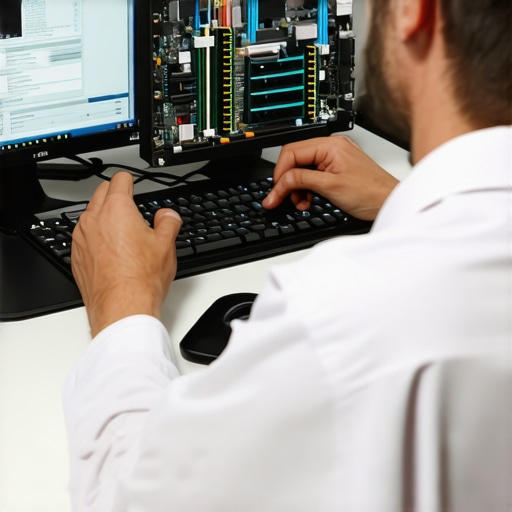
Image description: A technician using hardware diagnostic tools on a desktop motherboard, with software monitoring screens displayed.
What I Wish I Knew About Network Leaks Early On
One of my biggest aha moments came when I realized that overlooking small irregularities in network behavior can lead to catastrophic data breaches. Early in my career, I dismissed a strange device connecting to the network as a harmless anomaly, only to discover later it was siphoning sensitive staff information. That lightbulb moment taught me to trust my instincts and investigate unusual activity before it snowballs.
Another lesson was understanding that default router settings are security holes waiting to be exploited. Changing passwords and enabling robust encryption isn’t just technical fluff—it’s essential. Neglecting this can turn your office network into an open house for hackers, risking your staff’s privacy and your company’s reputation.
Lastly, I learned that network segmentation and regular monitoring are your best friends in preventing leaks. Isolating sensitive data and keeping a vigilant eye on network traffic might seem time-consuming, but these steps function as barrier walls, denying intruders access and catching threats early.