

I vividly remember the moment I dropped my phone on the pavement, and the screen shattered into a spiderweb of glass. Frustration mixed with panic—because buried deep inside that device were photos, messages, and vital files I hadn’t backed up. The damage was so severe that the screen was completely unresponsive, making it seem like all hope was lost. Sound familiar?
Why Recovering Files from a Broken Phone Matters Right Now
If you’ve ever faced the heartbreak of a phone with a smashed screen, you know how disheartening it can be to realize crucial data might be gone forever. But here’s the truth: even when the display is totally black, your data might still be safe and accessible. I’ve been in your shoes, and I can tell you—there are proven methods to retrieve your files without needing to repair the screen first.
According to data recovery experts, physical damage doesn’t necessarily mean data loss. In fact, many recovery techniques allow you to extract information directly from the internal memory modules, bypassing a broken display. This is not some tech wizardry exclusive to large repair shops—it’s accessible to everyday users willing to learn a few tricks. Why gamble on replacing your device if you can recover your files as I did?
Is Recovering Data from a Broken Phone Really Worth It?
Initially, I made the mistake of assuming that a completely smashed screen meant an irreversible loss. That mistake nearly cost me precious memories and important work documents. Once I discovered the right tools and stepped through the proper procedures, I realized recovering data isn’t just possible—it’s often straightforward, even with severe physical damage. Want to avoid the same mistake? Keep reading, and I’ll guide you through proven steps to rescue your files.
Connect Your Phone to a Computer
Start by plugging your damaged phone into a computer using a compatible USB cable. If your phone’s touch screen is unresponsive, don’t worry—your goal is to access the internal storage directly. Make sure your phone is unlocked and that you’ve enabled USB debugging mode beforehand, if possible. If you haven’t, you’ll need to enable it through your device’s settings or recovery options.
Use Data Recovery Software
Next, launch a reputable data recovery tool like Dr.Fone or Tenorshare UltData. These programs are designed to scan your device’s internal memory for recoverable files, even when the screen is black or unresponsive. I recently used Tenorshare UltData after a friend’s phone was shattered, and it successfully retrieved her photos and documents. Be cautious to avoid free or suspicious software that might compromise your data security.
Initiate the Scan
Follow the software’s instructions to start scanning. This may involve selecting your device model and confirming connection permissions on your phone. The software will then analyze the internal storage, looking for recoverable files. Depending on your device’s size and condition, this process can take several minutes. During my attempt, I made sure not to disconnect the device prematurely, ensuring a smooth recovery process.
Preview and Select Files to Recover
Once the scan completes, browse through the detected files. Most recovery tools allow you to preview photos, videos, and documents, so you can verify their integrity before saving. Select the files you want to restore, then choose a safe location on your computer to save them. This step is crucial—don’t save recovered files back onto the damaged phone to avoid overwriting existing data.
Alternative: Use Cloud Backups or SD Cards
If your device has an SD card or syncs photos and contacts to the cloud, check these first. Often, photos auto-upload to Google Photos or iCloud, and contacts might be stored in your Google account. Removing the SD card and connecting it to a card reader can also help retrieve data without involving complex software. In my case, backing up to the cloud saved me hours of recovery time, underscoring the importance of regular backups.
Keep Your Data Safe Moving Forward
Once you’ve retrieved your files, consider setting up regular backups either via cloud services or external drives. This minimizes data loss from future accidents. Regularly updating your device and enabling backup features can make recovery easier and less stressful.
For more tips on recovering data efficiently, visit this comprehensive guide. Remember, acting promptly increases your chances of successful recovery, so don’t delay when your device is damaged.
 Many believe that replacing a damaged screen or performing data recovery is straightforward or solely technical, but in reality, there’s much more beneath the surface. A common misconception is that hardware issues always mean data loss; however, expert insights reveal that with proper techniques, even severely damaged drives can often be salvaged. For example, attempting DIY repairs without understanding the intricacies can lead to irreversible data corruption, making professional intervention crucial. Have you ever fallen into this trap? Let me know in the comments.
One overlooked nuance is the impact of malware or firmware corruption on recovery efforts. While many focus on physical fixes, malware can silently sabotage recovery processes, causing files to seem lost or unreadable. Advanced recovery involves not just software tools but also understanding firmware states and encryption layers. As noted by data recovery specialists, neglecting this stealthy threat costs many users their valuable data.
Furthermore, there’s a myth that managed IT services are only for large corporations. In fact, small businesses benefit immensely from proactive managed solutions, which prevent issues before they escalate. Proper management addresses hidden vulnerabilities, like outdated firmware or overlooked backup failures, which are often the true culprits behind data loss or system downtime. Learn more about these strategies in managed IT strategies.
The importance of using professional tools can’t be overstated. Low-cost, unverified software may seem tempting but often results in incomplete repairs or data loss. Expert-grade tools and techniques, such as cleanroom disk decontamination or chip-off data extraction, are essential for complex cases. For those venturing into DIY repairs, I recommend reviewing DIY laptop screen fixes and understanding the boundaries.
Finally, a vital nuance is the timing of intervention. Early diagnosis can dramatically improve recovery success rates. Waiting too long allows corrosion, firmware deterioration, or hardware degradation to progress, reducing the likelihood of full recovery. This principle applies universally, whether dealing with laptop issues or network security vulnerabilities.
Understanding these hidden complexities enables smarter decisions, whether repairing a device or safeguarding your data. Don’t underestimate the depth of what appears on the surface—sometimes, what you don’t see makes all the difference. For more expert insights, check out our comprehensive data recovery secrets. Remember, proactive management and expert help are your best allies against unforeseen failures.
Smart Maintenance Strategies for Long-Term Performance
Staying ahead of potential issues requires proactive maintenance. Regularly updating your operating system and drivers ensures compatibility and security. Utilize tools like data recovery programs such as EaseUS Data Recovery Wizard, which I personally recommend because of their reliability and user-friendly interfaces. Scheduling monthly checks with dedicated system cleaning utilities like CCleaner can help remove unnecessary files, optimize performance, and extend hardware lifespan.
Invest in Quality Diagnostic Tools
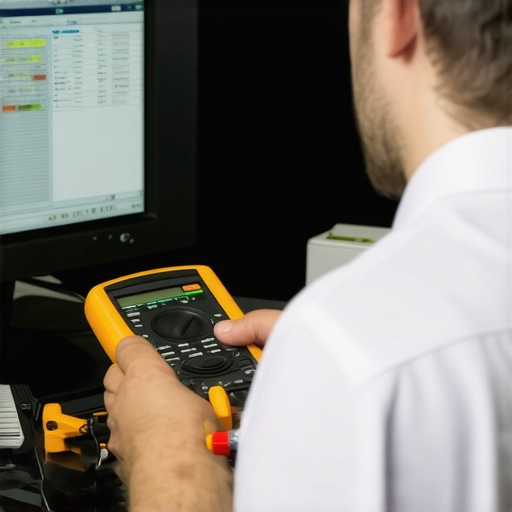
Having precise diagnostic tools is crucial. I rely on hardware analyzers like the Beagle Analog and Digital Multimeter for troubleshooting circuit issues on motherboards. For software diagnostics, tools like CrystalDiskInfo allow me to monitor hard drive health closely, preventing catastrophic failures. These tools are instrumental in accurately identifying hardware wear or impending failure, saving time and money in the long run.
Implementing Effective Backup and Recovery Devices
Never underestimate the value of a solid backup plan. I suggest using NAS (Network-Attached Storage) systems with RAID configurations—like Synology units—for reliable, scalable backups. Regularly cloning drives with tools such as Macrium Reflect ensures you can restore entire systems quickly after failures. Remember, a well-implemented backup routine is the backbone of any resilient IT environment.
Future Trends in Computer Maintenance and Data Security
Looking ahead, AI-driven diagnostic platforms are set to revolutionize maintenance workflows, predicting failures before they occur. Incorporating managed IT solutions allows for continuous monitoring and swift responses, reducing downtime significantly. For small businesses, adopting these forward-thinking strategies will become increasingly cost-effective and essential, as outlined in managed IT strategies.
How do I maintain my data systems over time?
Consistency is key. Schedule regular updates, run periodic diagnostics, and confirm your backup process is functioning flawlessly. Consider automation tools that can oversee firmware updates, security patches, and health checks—saving you time and preventing overlooked vulnerabilities. Don’t forget to review your inventory of tools annually, replacing or upgrading outdated hardware and software to stay ahead of the game.
To boost your troubleshooting skills, I recommend trying advanced steps like manually inspecting your SSD’s SMART data or performing a secure wipe on compromised drives following authoritative procedures, such as those described by hardware experts in InformationWeek’s technical guides. Regular maintenance combined with the right tools ensures your systems remain reliable and secure well into the future.
What Real Victories Teach Us About Recovering Data
One of my most eye-opening moments was realizing that even severe physical damage doesn’t spell the end for valuable data. The biggest lesson? Maintaining patience and learning the right techniques can turn a seemingly hopeless situation into a success story. It’s not about fancy tools alone—it’s about understanding your device’s inner workings and choosing the right approach, like consulting trusted resources or knowing when to call in the experts.
Tools That Became My Game-Changers
Over time, I’ve come to rely on certain tools and methods that prove their worth repeatedly. Software like EaseUS Data Recovery Wizard and techniques such as connecting devices via MTP mode can be lifesavers. I believe in investing in quality diagnostic tools, because they give you clarity when troubleshooting tricky issues, saving time and preventing further damage. Explore this guide to understand which tools can best serve your needs.
Embracing the Unexpected in Tech Recovery
One thing I’ve learned is to stay adaptable. What works perfectly for one situation might fail in another, especially when malware or firmware corruption sneaks into the picture. Approaching device repair with a flexible mindset, combined with continuous learning—like engaging with online community forums—has been instrumental in overcoming obstacles. Remember, every challenge deepens your understanding when faced with patience and curiosity.
Empowering Future Resolutions with Knowledge
The future of device repair and data recovery hinges on staying informed. Whether it’s following curated content or investing in ongoing education, equipped knowledge transforms frustrations into opportunities. Regularly updating your skills with reputable resources ensures you’re prepared for whatever surprises your devices may throw your way, reducing stress and elevating your problem-solving confidence. Want to stay ahead? Dive into our comprehensive guide.
Where to Cultivate Your Repair Journey
My advice: don’t go it alone. Surround yourself with a community of technicians and knowledgeable sources that inspire growth. Combining DIY skills with professional support, such as consulting trusted troubleshooting strategies, creates a hybrid approach offering resilience. Remember, every device you troubleshoot adds to your toolkit, making future recoveries faster and more reliable.
I Invite Your Experience and Curiosity
Have you ever faced a seemingly impossible data recovery or device repair? What was the lesson that made the biggest difference for you? Share your stories below—your insights might be the guiding light for someone just starting their journey in digital resilience.