

Ever tried to unscrew a stubborn, stripped screw on your laptop—only to realize you’re now wrestling with a tiny, spinning nightmare? I remember the first time I faced this tech frustration; my heart sank as I turned my screwdriver and watched the screw head flatten further. It’s a moment that can make even seasoned DIYers feel helpless, but here’s the truth: you’re not alone, and there are proven tricks to turn that frustration into success.
Why Stripped Screws Can Ruin Your Day—and Your Laptop
Stripped screws aren’t just a minor annoyance—they can complicate your repair process, risk damaging delicate components, and extend your frustration well beyond what’s necessary. Whether you’re replacing a battery, upgrading RAM, or just trying to clean the fans, these tiny fasteners can be real obstacles. The good news? With a little know-how, you can salvage the situation without turning your laptop into a leaning tower of Pisa. The key is understanding the root of the problem and applying the right technique.
Is It Really Worth obsessing Over Small Screws?
Many beginners might dismiss these tiny fasteners as trivial, but neglecting proper removal methods can lead to costly repairs or permanent damage. Early on, I made the mistake of forcing a screw out with a worn-out screwdriver, which only made the situation worse. From that experience, I learned that patience, the right tools, and sometimes a bit of creativity can make all the difference. And if you’re feeling unsure, consult expert guides such as this article on data recovery techniques for tips that might be just what you need.
So, if you’ve ever found yourself cursing at a tiny, stubborn screw, don’t worry—you’re about to discover some proven strategies that can save your device and your sanity. Let’s get into the nitty-gritty, starting with understanding what causes these screws to strip in the first place.
Apply Gentle Heat to Loosen the Grip
When a screw head is stripped, it often becomes tighter due to metal expansion. Using a heat gun or a hairdryer set to high, gently warm the screw area for about 30 seconds. This causes the metal to expand slightly, making it easier to turn. I remember the first time I used a hairdryer to free an embedded screw in my laptop; the warmth loosened the rust and grime, allowing my screwdriver to grip better. Remember, avoid excessive heat to prevent damaging nearby components.
Use the Right Tools for Better Grip
Pick the Correct Screwdriver Size
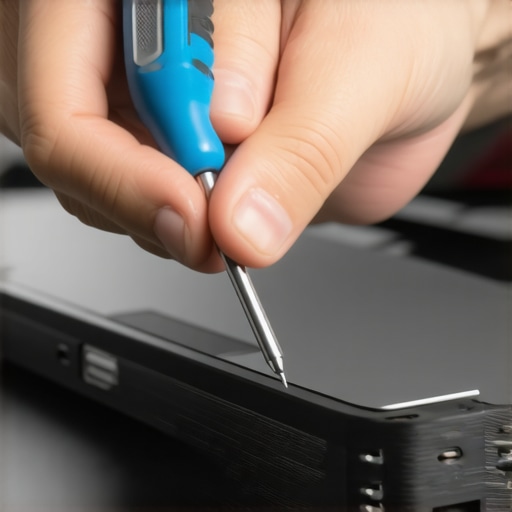
Select a screwdriver precisely fitting the screw’s head. A mismatched size tears the slots, worsening the problem. For tiny laptop screws, a precision Phillips or Torx screwdriver is essential. I once tried using a big screwdriver on a tiny screw—ended up stripping it further. Invest in a quality precision screwdriver set; it pays off when you encounter stubborn screws.
Employ Rubber Bands for Extra Traction
Place a small piece of rubber band over the stripped screw head, then press the screwdriver into the rubber. The rubber fills gaps and provides extra grip. In a tricky situation, I pressed a thick rubber band onto a stripped Phillips screw and turned slowly—after a few attempts, it turned free without damage.
Explore Alternative Tools and Techniques
Try Pliers for Hard-to-Turn Screws
If the screw protrudes, grip the head with fine-pointed needle-nose pliers and turn gently. This method bypasses the damaged slot altogether. Once, I used pliers to extract a stubborn screw, avoiding further damage to my delicate laptop frame.
Use a Screw Extractor Kit
If all else fails, a screw extractor provides a specialized grip for stripped screws. Drill a small hole into the screw head using the tool’s guidance, then insert the extractor and turn counter-clockwise. This method is a game-changer for severely damaged fasteners—I’ve successfully rescued multiple broken screws with a quality extractor kit.
Prevent Future Stripping
Work slowly and with proper illumination. Applying too much force or using the wrong screwdriver leads to stripping. When reassembling, ensure screws are snug but not over-tightened, reducing the risk of damage next time.
If despite all efforts you can’t remove the screw or worry about damaging your device, consider seeking professional support. You can contact experts at this page for safe, efficient assistance.
Practice Makes Perfect
Handling tiny screws requires patience and the right approach. Over time, you’ll become more confident in applying heat, selecting tools, and employing alternative methods to tackle even the most stubborn fasteners. Remember, each successful removal boosts your skills and saves money—no need to replace entire components over a minor screw mishap.
Many people entering the world of tech repairs or data recovery operate under assumptions that, while widespread, can lead to costly mistakes. One prevalent myth is that DIY solutions or free tools are always sufficient for critical issues. In reality, relying solely on these can worsen the problem, especially if you’re unaware of the pitfalls involved. Skilled technicians understand that dynamic factors like hardware variability and system configurations demand tailored approaches, not cookie-cutter fixes. For instance, attempting data recovery without proper tools or expertise can cause irreversible data loss. It’s essential to recognize when professional intervention is necessary, which might include examining advanced data recovery techniques that go beyond basic software.
What about the belief that all screens are equally easy to replace?
This is a dangerous oversimplification. While it’s tempting to think that a cracked or flickering laptop display is just a matter of swapping out a panel, the reality requires nuanced understanding of model-specific assembly, adhesive types, and calibration processes. A misstep in disassembly can lead to further damage, such as damaging the LCD connector or causing alignment issues. Professionals leverage specialized tools and knowledge, as detailed in comprehensive repair guides, to ensure a seamless replacement. To avoid unnecessary damage, consider consulting certified technicians or detailed tutorials designed for your specific device.
Why does assuming managed IT is just about tech support often backfire?
Many businesses see managed IT services as only reactive problem-solving. However, the true value lies in proactive strategies to prevent costly downtime, security breaches, and compliance issues. Neglecting this broader perspective can leave organizations vulnerable to sophisticated cyber threats, which evolve faster than most realize. For example, recent studies highlight that up to 70% of breaches exploit overlooked vulnerabilities in overlooked systems. Advanced managed IT strategies include continuous monitoring, threat intelligence, and strategic planning—elements often misunderstood or underutilized. Engaging with experts through resources like comprehensive managed solutions can be a game changer for your security posture.
Remember, misconceptions can be costly in tech repairs and data recovery. Recognizing the limits of DIY or superficial solutions and understanding the nuanced processes that professionals employ helps safeguard your data, devices, and business continuity. Do you ever fall into these traps? Share your experiences in the comments and learn from others’ mistakes.
Prioritize Quality Tools for Seamless Repairs
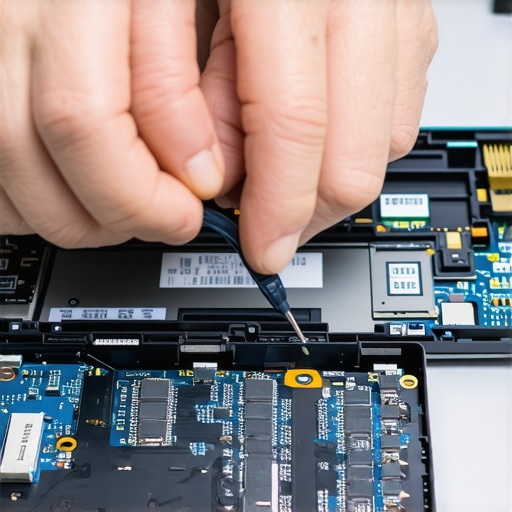
Investing in high-quality, precision screwdrivers is fundamental to maintaining your devices effectively. I personally prefer Wiha precision screwdriver sets because their magnetic tips and ergonomic handles reduce slipping and fatigue during long repair sessions. These tools allow me to work confidently on even the tiniest screws without causing further damage. Additionally, a reliable data recovery toolkit is indispensable for safeguarding important files before any repair or upgrade.
Keep Software Up-to-Date for Long-Term Stability
Regularly updating your operating system and diagnostic software, like Ultimate Boot CD, ensures compatibility with new hardware and patches security vulnerabilities. I set automatic updates to minimize oversight and routinely run malware scans with trusted tools such as Malwarebytes Premium. Over time, these practices significantly reduce unexpected failures and improve overall system resilience.
Establish Routine Maintenance Practices
Scheduling monthly checks, such as cleaning dust from vents and applying thermal paste to CPU heatsinks, prevents overheating and component degradation. For physically cleaning laptops, I recommend using compressed air cans wisely—avoiding high-pressure bursts that can damage fans—as detailed in this comprehensive guide. Coupling hardware maintenance with software updates creates a stable environment for your devices to perform at their best over the years.
Mastering Scaling and Future-proofing
As your needs grow, consider upgrading RAM and storage with reputable components like Samsung EVO SSDs for faster performance and durability. Think ahead: implementing robust managed IT strategies now sets the stage for scalability and security in the future. Staying proactive with preventative measures minimizes downtime and maximizes efficiency, saving money and reducing stress in the long run.
How Do I Keep My Systems Running Over Time?
One effective way is to regularly analyze system logs with tools like Event Viewer or software such as Nagios. These help identify emerging issues before they escalate. Also, scheduling periodic hardware stress tests can reveal early signs of component failure, allowing timely replacements. Never underestimate the power of maintaining good organizational practices—labeling cables, organizing backups, and keeping a maintenance journal can make troubleshooting much faster and easier. For comprehensive support or to address complex issues, reach out to professionals through our contact page and let experts guide you toward more sustainable solutions.
While the tools and techniques are crucial, the most valuable lessons often come from personal experience and reflection. Here are some of the hardest lessons I learned about computer repair, data recovery, laptop screens, and managed IT — lessons that transformed my approach and could save you time and money.
- Patience Trumps Force Every Time: Rushing to remove a stubborn screw often leads to stripping or damaging components. Taking a slow, deliberate approach is more effective than brute strength, especially when dealing with delicate laptop internals.
- Invest in Quality Tools: Cheap screwdrivers and makeshift tools might save money upfront, but they can cause costly damage down the road. Trusting reliable, precision tools like Wiha sets has been a game-changer in my repairs.
- Know When to Seek Professional Help: Not every issue is DIY-friendly. If a screw is deeply stripped or a component seems fragile, consulting experts through resources like this contact page can prevent further harm and ensure proper recovery.
- Understanding Hardware Variability is Key: No two laptops are exactly alike. Reading model-specific repair guides such as this step-by-step guide helps tailor your approach and avoid unnecessary mistakes.
- Regular Maintenance Pays Dividends: Preventative practices like cleaning dust and updating firmware reduce the likelihood of encountering stubborn screws or hardware failures, keeping your devices running smoothly longer.
My Essential Toolkit for Laptop Repairs and Data Recovery
Having trusted tools makes all the difference. I personally rely on a reliable data recovery toolkit that combines hardware and software solutions to safeguard files effectively. A quality data recovery guide also helps me navigate unexpected disasters, ensuring minimal downtime and peace of mind.
Empower Your Tech Journey Today
Learning to tackle stubborn screws and avoid common pitfalls in laptop repair is both a skill and an empowering experience. Every successful fix boosts confidence and saves money, proving that patience and the right knowledge are your best allies. Remember, when in doubt, professional support is just a click away, and continuous learning keeps you ahead of problems.
Have you faced a tricky screw or hardware challenge that seemed insurmountable? Share your story below, and let’s learn from each other’s experiences!