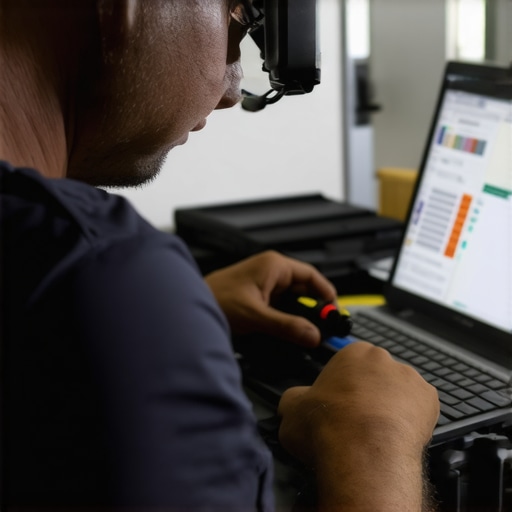
I remember the exact moment I realized how badly I’d messed up my laptop screen. I was rushing to finish an urgent project, and in my haste, I grabbed a cloth straight from my desk drawer—dirty, rough, and definitely not meant for delicate screens. When I finally looked up at my display, I was greeted with a dull, scratched mess instead of the crisp clarity I depended on. That frustrating experience was my wake-up call. It made me realize that keeping our screens pristine isn’t just about aesthetics—it’s about preserving the lifespan of our devices and ensuring our work remains sharp and professional.
Why Protecting Your Screen Matters More Than You Think
Our laptop screens are delicate windows to our digital world. Yet, many of us ignore the importance of proper cleaning habits until it’s too late. Scratches not only mar the display’s appearance but can also cause permanent damage that leads to costly repairs or replacements. Plus, a scratched or dirty screen can strain your eyes and reduce productivity, especially during those long work sessions or binge-watching marathons.
Concern That Many Share: Is It Really Possible to Keep My Screen Scratch-Free?
Let’s face it—most of us assume that once a scratch appears, it’s there for good. I used to think the same until I learned that the method and tools we choose are critical. Early on, I made the mistake of using paper towels and household glass cleaners, which only worsened the situation. That mistake made me trust some simple strategies that truly work, and now I want to share them with you. Protecting your screen isn’t about luck; it’s about smart habits and proper care.
Now, are you ready to discover how to keep your display spotless without risking a single scratch? Let’s dive into the proven techniques I swear by—techniques that save money, time, and headaches.
**
**
Implement Gentle Cleaning Techniques
First, always power off your device to prevent accidental taps or damage. Use a microfiber cloth—think of it as a soft, eco-friendly feather duster—to gently wipe the screen in a circular motion. Avoid household cleaners; instead, lightly dampen the cloth with distilled water or a dedicated screen cleaner. This approach is like giving your display a soothing spa treatment, removing dust and fingerprints without abrasion.
Choose the Right Cleaning Supplies
Invest in cleaning products specifically designed for screens. These are formulated to dissolve oils and dirt without harming delicate coatings. When cleaning, never spray liquids directly onto the screen; instead, apply them to the cloth. Think of this as watering a delicate plant—precise and gentle for optimal health.
Handle Screen Repairs Carefully
If your display has scratches or cracks, avoid DIY fixes that promise quick solutions. Instead, consult professionals and consider lens or screen replacements. For minor scratches, some users report success with specialized repair kits, but caution is advised. Remember, quick fixes can sometimes worsen damage, much like patching a leaky pipe with duct tape instead of proper plumbing.
Preventative Measures Make a Difference
Use a screen protector—think of it as a shield armor—for your display. It absorbs scratches and minor impacts, extending the lifespan of your screen much like a bumper guard on a bicycle. Regularly update your device’s software to optimize performance and prevent security threats that could compromise your hardware’s integrity.
Manage External Risks
Be cautious around sharp objects, food, and liquids. Keep devices on stable surfaces, away from edges. During travel, store your laptop in a padded bag, akin to a work of art, to cushion against shocks. Implementing these simple habits is comparable to driving carefully—reducing the risk of accidents drastically.
Seek Professional Assistance When Needed
For persistent issues like flickering screens or unresponsive displays, contact a skilled technician. They possess the tools and expertise to diagnose and repair hardware problems. Think of them as the mechanics that keep your vehicle running smoothly—preventing breakdowns before they escalate. You can reach out through the contact page for expert support.
Stay Informed and Updated
Keep yourself educated on the latest repair techniques and protective accessories. Reading guides from reputable sources can help you spot early signs of trouble, much like a seasoned sailor reading the weather forecast before heading out to sea. Regular maintenance and awareness ensure your screen remains clear and functional.
Many believe that repairing a laptop or recovering data is straightforward, but the reality is far more nuanced. A widespread myth is that DIY solutions, like using generic cleaning sprays or cheap replacement parts, can fix complex issues without professional help. In truth, such approaches often exacerbate problems, leading to costly repairs or permanent data loss. Skilled technicians understand the intricacies of hardware compatibility and software compatibility, ensuring repairs are both safe and effective. For instance, attempting a DIY laptop screen repair might seem tempting, but improper handling can damage the delicate internal connections, ultimately necessitating full replacement.
Another common misconception revolves around data recovery. Many assume that simply formatting a drive or using free recovery tools will always restore lost files. However, this overlooks the complexities of modern storage devices, especially SSDs, where overwritten data may be unrecoverable. According to industry expert data recovery specialists, professional recovery involves specialized equipment and techniques tailored to the specific storage medium, which free utilities can’t match.
What Advanced Users Often Misjudge
Advanced users sometimes fall into the trap of undervaluing the importance of managed IT solutions. They might believe that in-house DIY management suffices, but neglecting cybersecurity and proactive maintenance can leave critical vulnerabilities. Managed IT isn’t just about troubleshooting; it’s about implementing strategic defenses to prevent issues before they happen. For growing companies, leveraging Effective Managed IT solutions can be a game-changer, providing peace of mind and allowing focus on core business activities.
Similarly, during hardware upgrades or repairs, neglecting compatibility nuances—like firmware versions or driver compatibility—can lead to unexpected failures. Overlooking such details is a common mistake even among experienced technicians. Regularly updating and verifying system components is essential to avoid pitfalls that might cause downtime or data corruption. Consulting professionals through services like expert support can help navigate these complexities efficiently.
Now that we’ve uncovered some misconceptions, it’s clear that understanding the deeper technical nuances can save time and money. Are you guilty of any of these mistakes? Let me know in the comments. Remember, the devil’s in the details when it comes to computer repair and data recovery.
Keeping Your Systems Running Smoothly
Effective maintenance hinges on the right tools and disciplined routines. I personally rely on a mix of professional-grade hardware and software to ensure longevity and performance. For hardware diagnostics, I trust HWiNFO because it provides comprehensive real-time monitoring of system health, giving me early warnings about overheating or failing components. On the software side, using Macrium Reflect has been invaluable for creating reliable, incremental backups that can restore entire systems in minutes, minimizing downtime during unforeseen issues.
Investing in Quality Tools
While free utilities are tempting, professional-grade tools like Spyder5PRO for color calibration or a high-quality multimeter for hardware checks can prevent minor issues from escalating. These investments save hours in troubleshooting and can identify problems before they turn into costly repairs.
Long-Term Benefits of Proper Maintenance
Regularly updating firmware and drivers—using manufacturer-specific tools like Dell’s SupportAssist—keeps systems compatible and secure. Additionally, establishing a routine schedule for hardware cleaning, software updates, and data backup not only prolongs device lifespan but also boosts productivity. Think of maintenance as strategic armor, safeguarding your investment against future failures.
Planning for Scalability and Growth
As your operation expands, consider managed IT services, which can adapt to increasing demands. For example, these services provide proactive monitoring and automated updates, reducing manual oversight and preventing potential vulnerabilities. Implementing remote management tools like TeamViewer or AnyDesk makes troubleshooting across multiple devices efficient, especially when scaling remotely or managing multiple sites.
Prioritizing Data Recovery Readiness
Data is often the most vulnerable asset. I recommend keeping diagnostic tools such as specialized data recovery software handy, like Recuva or Stellar Data Recovery, but always in conjunction with professional services. Remember, attempting recovery without proper tools can cause irreparable damage. Additionally, keeping redundant backups, using both local and cloud storage—like Backblaze or Google Drive—ensures data integrity even when hardware fails.
How do I maintain my systems over time?
Creating a schedule for regular diagnostics, updates, and backups is critical. Automate firmware updates where possible, and periodically run hardware checks to catch early warning signs. For instance, scheduling monthly disk health scans using tools like CrystalDiskInfo can prevent surprise failures. If you’re unsure about the best practices, consulting with professionals, such as through experts, can establish a tailored maintenance plan that evolves with your needs.
Moving forward, I predict maintenance routines will increasingly incorporate AI-driven diagnostics, allowing for predictive alerts before failures occur. Embracing these innovations today will prepare you for the more automated, self-healing systems of tomorrow. Don’t wait for a disaster—try implementing a comprehensive backup and diagnostics routine this week, and experience peace of mind knowing your hardware and data are protected.
Optimizing your maintenance toolkit can save you from costly repairs and data loss. Imagine having a system that alerts you to potential hardware failures days before they happen—this is where predictive analytics in managed IT truly shines. For an in-depth understanding of advanced recovery techniques, check out industry expert data recovery secrets that can help you stay prepared.
What I Wish I Knew When Fixing My First Laptop Screen
Trusting the wrong cleaning tools taught me that patience and quality tools are worth the investment—saving me from costly repairs later.
My biggest lesson was understanding that DIY fixes can sometimes cause more harm than good; professional help isn’t just a luxury, it’s often necessary.
Realizing that proactive prevention, like using screen protectors and proper cleaning habits, can extend your device’s life more than I initially thought.
The hard truth: Data recovery isn’t a one-size-fits-all process, and rushing can make things worse. Knowing when to call in experts can be a game-changer.
Embracing continuous learning about the latest repair kits and recovery tools can empower you to handle unexpected issues confidently.
My Top Picks for Keeping Your Systems Healthy
HWiNFO: For all-in-one hardware monitoring—I’ve found early warnings save me from surprises.
Macrium Reflect: Reliable backups that let me restore my system swiftly after mishaps.
Recuva and Stellar Data Recovery: When disaster strikes, these tools have recovered critical files more times than I can count.
SupportAssist from Dell: For automatic firmware updates and system health checks—keeps my hardware in top shape.
This Is Your Moment to Take Charge of Your Tech
Investing time in proper maintenance and understanding the subtle nuances of repair and data recovery can dramatically reduce frustration and expenses. Remember, the more informed and proactive you are, the more resilient your systems become. Today’s small steps—like scheduling regular backups or applying a screen protector—are the foundations of long-term digital health. Your laptop and data are valuable assets—treat them with respect, care, and a little expert guidance. Ready to make smarter choices? Dive into the resources I’ve shared and transform your approach to computer care today.
What’s the biggest challenge you’ve faced when trying to fix or recover your device? Share your story below—I’d love to hear your experiences!