

It was one of those moments that make your stomach drop — I spilled coffee on my laptop’s keyboard during a hectic Monday morning. As I frantically tried to clean up, I realized that my tech was more than just slow; it was painfully obsolete. This incident opened my eyes to a larger issue many business owners overlook: Are their managed IT contracts locking them into outdated technology? I used to think that once I signed the support agreement, I was covered. But the reality is, many contracts can inadvertently keep you tethered to aging hardware and software, putting your business at risk.
Breaking Free from the Tech Tether
Many companies sign on with managed IT providers expecting support and security. Yet, what they get is often a routine maintenance plan that doesn’t account for evolving technology needs. Over time, this leads to a cycle where upgrading becomes either too expensive or too complicated because of contractual restrictions. I learned this the hard way, making early mistakes like neglecting regular updates and ignoring the hidden limitations within my contract. These oversights can cause serious issues, from data breaches to system failures.
Did you know that many managed IT agreements can suppress essential updates, leaving your legacy systems vulnerable? The truth is, your business growth might be grinding to a halt, not because your hardware is old, but because your support structure is stuck in the past.
Is It Really Worth the Hype?
I’ve seen many entrepreneurs fret over whether upgrading their tech is worth the cost or effort, fearing the disruption it might cause. Early on, I made the mistake of thinking that sticking with a cheap, long-term contract was a safeguard. Turns out, that mentality can cost you dearly in the long run. The key is understanding how your current contract may be limiting your options and how proactive upgrades backed by flexible support agreements can propel your business forward.
Now that we’ve identified the problem, let’s explore how to assess if your managed IT support is holding you back and what steps you can take to harness the latest technology without drowning in costs or complexity. Ready to uncover the truth behind your current setup? If you have faced issues like slow data recovery or outdated systems delaying your productivity, keep reading. There’s a better way to support your growth — and it starts with rethinking your IT support approach.
Step 1: Diagnose Before Acting
Start by identifying whether your systems are genuinely outdated or if the issues are process-related. I once faced a time when slow data recovery was mistaken for hardware failure, but it turned out a simple software glitch was the culprit. Use specialized data recovery tools to scan for hidden corruption, then verify hardware health with diagnostic utilities. This initial step prevents costly misdiagnoses and unnecessary replacements.
Step 2: Evaluate Contract Limitations
Review your current IT support contract meticulously. Look for clauses that restrict upgrades or impose rigid maintenance schedules. I once discovered a clause limiting system updates, leaving my legacy software vulnerable. It’s crucial to understand these constraints. Consider consulting an independent expert or negotiate better terms to introduce flexibility and enable timely upgrades.
Step 3: Prioritize Critical Upgrades
Not every component needs replacement at once. Focus on high-impact areas such as storage drives, RAM, or video cards. For example, replacing an old HDD with an SSD drastically improved data access speeds, enabling smoother operations. For guidance, check out Wi-Fi card upgrades tactics or the laptop screen DIY tips for visual clarity enhancements.
Step 4: Use Data Recovery Strategically
If data loss occurs during hardware swaps or software updates, act quickly with specialized recovery methods. I once used a guided approach to retrieve critical client files from a corrupted drive, preventing a business disaster. Remember, every second counts; don’t resort to untested data recovery software without understanding its limitations. Read about expert techniques to maximize recovery success.
Step 5: Automate Routine Maintenance
Implement automation for regular updates, backups, and security scans. This reduces manual errors and keeps systems optimized without constant oversight. I set up scheduled backups and auto-updates which, over time, prevented many issues before they affected productivity. For a comprehensive plan, consult managed IT strategies tailored to growing businesses.
Step 6: Plan for Scale and Flexibility
Design your IT infrastructure with growth in mind. Avoid rigid contracts or limited support plans that restrict upgrades. When I migrated to a modular setup, adding extra storage or replacing outdated hardware became seamless. This foresight saves money and minimizes downtime. Explore scalable solutions with effective managed IT solutions.
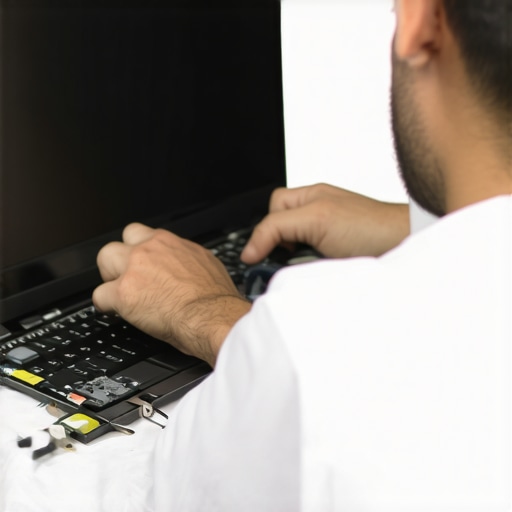 Many believe data recovery is just about retrieving lost files, but the reality is far more complex. One common myth is that the most recent backup is always the most reliable, yet experts warn that backups can become corrupted or outdated without proper validation. Relying solely on automated tools without understanding the underlying storage architecture often leads to incomplete recovery or data loss, especially on modern SSDs where data may be silently overwritten or encrypted, complicating retrieval efforts. In managed IT, a prevalent misconception is that continuous support equates to proactive security; however, many contracts focus on reactive maintenance, leaving vulnerabilities unaddressed until it’s too late. Advanced systems require ongoing vulnerability assessments and tailored security protocols, not just regular patching. When it comes to laptop screens, many assume replacement is the only fix for dead pixels or flickering, but nuanced diagnoses—checking internal connectors, GPU output, or backlight issues—can sometimes save costs and extend device life. Similarly, in computer repair, the trap lies in oversimplification: a slow-performing PC might be thought to need a hardware upgrade, yet cleaning the registry, optimizing startup processes, or checking for malware often delivers quick results.
What does the latest research tell us about data recovery on encrypted SSDs?
Recent studies highlight that encryption adds a significant layer of security but also complexity for recovery efforts. Experts like data recovery specialists emphasize the importance of understanding the encryption method used—full-disk encryption (FDE), file-based encryption, or hardware encryption. Each poses unique challenges; for example, attempting recovery without the proper keys can render data irretrievable, making timely detection and proper key management critical. Rushing into data recovery without assessing encryption and drive health may erase instead of restore, so partnering with certified professionals is essential. Additionally, research suggests that some recovery tools can inadvertently cause more damage if used improperly, especially on modern, TRIM-enabled SSDs, where attempted recovery may trigger data overwriting, making recovery impossible. To avoid these pitfalls, it’s vital to consult experts and leverage advanced, validated tools—these are often a part of comprehensive recovery strategies. Ready to protect your critical data? Don’t overlook the importance of understanding the nuances involved.
Invest in Quality Maintenance Tools for Long-Term Success
Personally, I rely on a combination of reputable diagnostic utilities such as HWiNFO64 for real-time hardware monitoring and CrystalDiskInfo to assess the health of storage drives. These tools provide detailed metrics that help me identify potential failures before they become critical, saving time and money. Additionally, I utilize Malwarebytes Premium for proactive malware scans, ensuring my systems stay secure without constant manual oversight. Incorporating such specialized tools into routine checks has drastically reduced unexpected downtimes and data loss incidents.
Establish Routine, But Customized Maintenance Schedules
Rather than following generic schedules, I tailor maintenance routines based on each device’s usage patterns. For instance, high-traffic servers require weekly checks with data recovery protocols and backup verifications, while workstations may only need monthly software updates and disk cleanups. Automation plays a key role—setting up scheduled scans and updates via tools like Windows Task Scheduler or Automate ensures consistency without manual intervention.
Monitor Performance Trends to Predict and Prevent Failures
Observing performance logs over time reveals patterns that precede hardware failures. I recommend using PRTG Network Monitor for networked environments, which graphs system parameters and alerts you to deviations. Studies indicate that analyzing such data helps anticipate issues like failing fans or degraded power supplies, allowing preemptive replacements. Staying ahead of problems ensures minimal disruption and extends device lifespans.
Future of Maintenance: Automation and AI Integration
Looking ahead, I foresee smarter systems leveraging AI to analyze hardware behavior continuously, predicting failures with greater accuracy. Companies like managed IT providers are already beginning to adopt AI-driven monitoring platforms that automate diagnostics and recommend repairs proactively. This shift not only enhances reliability but also reduces operational costs significantly.
How do I maintain long-term performance improvements
The key is establishing a mix of reliable tools, customized schedules, and continuous performance analysis. Regularly updating your monitoring software and reviewing system logs can uncover subtle signs of trouble long before catastrophic failure. For example, integrating advanced managed IT strategies helps streamline this process, ensuring your hardware and software stay in optimal condition and adapt to evolving tech landscapes. To get started, try scheduling a weekly check of your critical systems using these tools, which will empower you to keep everything humming along smoothly.
Throughout my journey, I’ve come to realize that the most valuable lessons about data recovery, managed IT, laptop screens, and computer repair often come from unexpected challenges and honest reflections. One profound insight is that many businesses unknowingly cling to outdated support agreements, which hampers growth and leaves critical vulnerabilities unaddressed. Investing time upfront to understand and renegotiate these contracts can unlock a new realm of flexibility and security, ultimately saving money and stress.
Another lightbulb moment was discovering that routine maintenance isn’t merely a checkbox but a proactive strategy. Tools like comprehensive data recovery guides and managed IT strategies can transform a reactive approach into a preventative powerhouse. Embracing automation and continuous monitoring has turned my maintenance routines from a chore into an asset that anticipates and mitigates issues before they escalate.
Perhaps most illuminating was realizing that technical fixes often mask deeper operational or strategic gaps. Whether it’s a slow laptop screen or a sluggish network, digging a little deeper reveals opportunities for significant improvements—sometimes requiring simple upgrades or replacements, and other times demanding a reevaluation of workflows and policies.
My journey has shown that embracing change, leveraging expertise, and continuously learning are the keys to keeping technology aligned with business ambitions. The true secret isn’t just fixing what’s broken but building a resilient, adaptable infrastructure that grows with your vision.
My Essential Toolkit for Smarter IT Management
- HWiNFO64: For real-time hardware diagnostics and identifying early signs of failure—trust me, catching issues early saves headaches later.
- CrystalDiskInfo: Monitoring your storage drives allows you to prevent data loss and plan timely replacements, especially on critical systems.
- Malwarebytes Premium: Proactive malware scans that keep your environment secure without constant manual oversight.
- PRTG Network Monitor: To spot performance dips before they become outages, ensuring your business stays online and efficient.
Stepping Beyond the Status Quo
Don’t let complacency or outdated contracts hold your business back. Invest in tailored strategies, prioritize critical upgrades, and stay vigilant with routine checks. Remember, the most effective data recovery and IT management practices stem from continuous education and adaptation. Stay curious, stay proactive, and seek out resources that challenge your assumptions and elevate your capabilities.
Your Turn to Make a Change
If you’re ready to rethink your IT approach and ensure your systems support your growth, consider revisiting your support contracts, exploring new tools, or consulting with experts. How has an unexpected hardware or software challenge changed your perspective on managed IT or computer repair? Share your stories below, and let’s learn together!
For more insights, feel free to reach out through our contact page or review our privacy policy to understand how we protect your information.