

I remember the sinking feeling all too well—passing by my desk and noticing another new gadget from my IT support team that I didn’t ask for or really need. It’s a familiar scene for many small business owners and home office workers alike. Every few months, there’s a new recommendation: an upgraded graphics card, a fancy server, or the latest high-end router. Honestly, I used to think that was just how IT support worked—constantly pushing for the newest, shiniest hardware.
But here’s the lightbulb moment: after lots of wasted money and unnecessary upgrades, I started questioning whether these suggestions were genuinely beneficial or merely padding someone’s sales pipeline. And I bet many of you are caught in the same cycle, frustrated by hardware suggestions that don’t improve your workflow but drain your budget.
Today, I want to peel back the curtain on why your IT support might be pushing hardware that isn’t critical for your operations—and more importantly, how you can take control and make smarter decisions.
Don’t Fall for the Hardware Hype: Making Smarter Tech Choices
Many support providers have incentives—either commissions or partnership agreements—that motivate them to recommend certain products. While some suggestions may genuinely match your needs, others are just unnecessary upgrades or even outdated advice clinging to ‘the latest tech’ mentality. Do you know whether your hardware truly needs an upgrade, or if it’s just being sold to you?
Early in my business journey, I made the mistake of blindly trusting my IT guy’s suggestions without proper research. That oversight led to an expensive NAS device I barely used and a matte display upgrade that just didn’t improve productivity. Had I taken a step back and evaluated the actual benefits versus the hype, I could’ve saved hundreds. You can check out more about making effective IT investments at a resource like [this guide on managed IT solutions](https://computerrepairmasters.com/effective-managed-it-solutions-for-growing-companies).
The key is to understand your real needs. Do you require faster storage, or just more capacity? Is your current network hampering your daily tasks, or does it just seem slow because of background apps? Getting clear answers will empower you to ask the right questions and avoid buying tech for tech’s sake.
Testing your current setup’s performance and matching it to your business demands can help. Need help assessing if your hardware is holding you back? Check out [this guide to data recovery after accidental deletion](https://computerrepairmasters.com/ultimate-guide-to-data-recovery-after-accidental-deletion) for practical tips that also highlight the importance of appropriate hardware—without unnecessary upgrades.
Before rushing into the upgrade cycle, pause and evaluate. Are these hardware recommendations truly fitting your needs, or are they just sponsored pitches? Being informed puts you in the driver’s seat.
Have you faced ongoing hardware pushiness from your IT support? I’d love to hear your stories—drop a comment below or reach out through [our contact page](https://computerrepairmasters.com/contact-us). In the next section, we’ll explore how to spot when an upgrade is genuinely necessary versus when it’s just a sales tactic.
Assess Your Needs Before Buying
Start by evaluating your current hardware’s performance. Use tools like data recovery guides or system benchmarks to understand whether your equipment genuinely hampers productivity. For example, I once ran a quick speed test on my old laptop before considering upgrades; it revealed I only needed minor RAM improvements instead of a full replacement.
Identify the Bottlenecks
Pinpoint specific slowdowns—are they caused by storage, RAM, or network issues? Think of your system as a highway: if traffic congestion is at a particular point, upgrading all lanes isn’t necessary. Instead, fixing that choke point makes the biggest difference. Use troubleshooting techniques to isolate these issues efficiently.
Distinguish Between Critical and Sales Tactics
Ask your support team: “Is this upgrade aligned with my operational needs or just a sales pitch?” Familiarize yourself with common tactics—like suggesting SSD upgrades for machines that only perform basic tasks. Remember, not every shiny new SSD or graphics card improves workflow. Analogous to replacing a car’s turbocharger when all you needed was a tune-up.
Implement a Testing Phase
Before purchasing new hardware, simulate the upgrade. For instance, use compatible tools to clone your existing setup onto a spare drive or partition to test performance impacts. This hands-on approach saved me from buying a costly graphics card that didn’t benefit my specific work tasks.
Leverage Managed IT Strategies
Working with a managed IT provider can help you prioritize upgrades based on genuine needs versus sales pitches. They can also advise on cost-effective solutions, allowing you to avoid impulsive spending. For example, I shifted from reactive hardware replacement to proactive problem management, which cut costs and improved reliability.
Maintain Regular Performance Checks
Schedule periodic performance reviews using free tools or professional assessments. Think of it as a car service: keeping everything in optimal condition prevents unnecessary breakdowns. This practice ensures hardware upgrades are truly warranted, not just trendy.
Protect Data During Hardware Changes
When upgrading, always back up critical data. Use reputable tools, such as data recovery tools, to safeguard against accidental loss. I once lost a day’s work because I didn’t back up before swapping out my HDD, but a quick restore saved the day.
Stay Informed on Latest Tech Trends
Follow industry updates via trusted sources. Being aware of emerging solutions helps you make informed decisions, ensuring investments are future-proof rather than impulsive. For instance, understanding that SSD technology has matured allowed me to delay replacing my HDD multiple times.
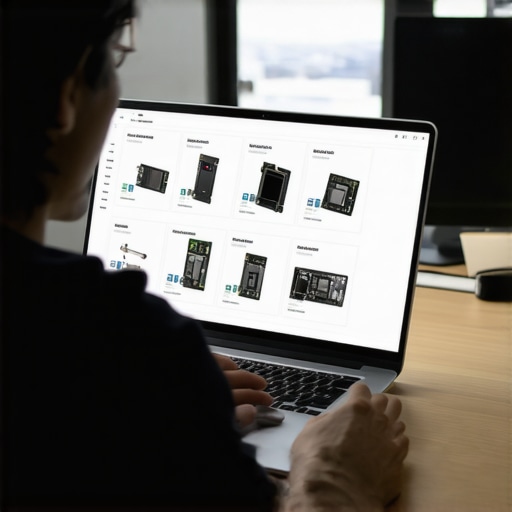 Many small business owners and home users believe they understand their tech fully, but in reality, there are overlooked nuances that can trip you up. For example, a common misconception about laptop screens is that replacing the panel always restores perfect display quality. Actually, issues like backlight bleeding or internal connector damage often require more precise troubleshooting, which is why consulting specialized guides such as [laptop screen repair tips](https://computerrepairmasters.com/laptop-screen-repair-how-to-fix-common-issues-at-home) can save you money and frustration.
In data recovery, many assume that simply buying a recovery software guarantees success. However, the truth, backed by experts at [data recovery secrets](https://computerrepairmasters.com/data-recovery-secrets-every-business-should-know-today), is that understanding the specific failure mode—like physical damage vs. logical corruption—is crucial for effective restoration. Relying solely on generic tools without diagnosing the root cause often leads to further data loss.
When it comes to managed IT services, a widespread myth is that outsourcing means losing control or racketing costs. Conversely, expert insights from [effective managed IT solutions](https://computerrepairmasters.com/effective-managed-it-solutions-for-growing-companies) reveal that a strategic approach enhances security and operational efficiency, especially when tailored to your unique environment. The false belief that all providers are interchangeable can cause you to overlook providers who offer proactive monitoring and customized solutions.
So, how do these misconceptions impact your decision-making? The trap lies in oversimplification—believing that a quick fix or popular solution applies universally. The reality is that every scenario requires nuanced evaluation, whether it’s diagnosing your laptop display issue, choosing the right data recovery method, or selecting a managed IT partner. For instance, misjudging a hardware fault as software-related can lead to unnecessary replacements, wasting resources.
Making smarter choices depends on recognizing these subtleties. Always dig deeper into the root causes and verify claims, especially when high stakes like data or security are involved. For example, proactive management plans like those described at [managed IT solutions streamlining operations](https://computerrepairmasters.com/managed-it-solutions-streamlining-operations-for-small-businesses) ensure that you’re not just reacting to crises but preventing them.
Have you ever fallen into this trap? Let me know in the comments. Being aware of these hidden nuances helps you avoid costly mistakes and empowers you to make informed decisions for your tech needs.Maintaining a reliable and efficient tech setup isn’t just about replacing hardware at the first sign of trouble; it’s about choosing the right tools and practices that ensure long-term performance. From managing your data recovery needs to keeping your laptop screens in top condition, I’ve honed a set of specific tools that I personally use and recommend for consistent results.
First, for proactive data management, I rely heavily on comprehensive data recovery solutions. When accidental deletions or drive failures occur, having a reliable tool like EaseUS Data Recovery Wizard or Stellar Data Recovery can make all the difference. I prefer Stellar because of its user-friendly interface and deep scan capabilities, which have saved me—and clients—time and money when retrieving lost files.
For managing hardware longevity, especially for laptops, regular inspection of the internal components is crucial. I use a combination of thermal monitoring tools like HWMonitor and physical cleaning techniques outlined in DIY laptop screen maintenance guides. These tools help me prevent overheating, which is a common cause of system instability and component failure.
When it comes to maintaining network health and preventing slowdowns, I use network analyzers such as Wireshark. This specific tool allows me to identify bottlenecks caused by rogue devices or misconfigured settings, ensuring that your managed IT infrastructure remains healthy. Speaking of managed IT, engaging with a strategy like this professional approach ensures that tools are aligned with your goals, reducing downtime and optimizing performance.
For long-term hardware health, I swear by SSD health monitoring tools like CrystalDiskInfo, which give real-time insights into drive conditions. This proactive monitoring is essential for preventing data loss and understanding when a drive is nearing failure. The process is backed by experts in solid-state storage management, emphasizing the importance of early detection.
Lastly, I recommend always having an external backup system that integrates seamlessly with these tools, because no matter how robust your hardware is, disasters can happen. I suggest a combination of cloud services and local NAS units, based on your specific needs.
Looking ahead, I believe the trend will shift even more toward automation with AI-driven monitoring tools that can predict failures before they happen, saving time and resources.
**How do I maintain my tools over time?** Regular software updates, routine calibration, and periodic review of your hardware’s health status are the most effective strategies. Make sure to schedule monthly check-ins—think of it as a health appointment for your tech.
Before you go, try setting up an automated SMART monitoring system for your drives; it’s an advanced tip that minimizes surprises and maximizes uptime. Integrating these tools and practices will save you from panic moments and keep your systems humming smoothly. For more detailed guidance, don’t hesitate to reach out via our contact page.
The Hardest Lesson I Learned About laptop screen,data recovery,managed IT,computer repair
Early in my journey, I realized that many solutions touted as the best are often overhyped. For instance, I replaced a laptop screen simply because it looked dull—only to find out the issue was just a loose internal connector. This taught me the importance of thorough diagnosis rather than rushing into costly repairs or upgrades, saving both money and time.
3 Myths About laptop screen,data recovery,managed IT,computer repair That Held Me Back
One big misconception was that all data recovery tools work equally well—that was false. After experimenting, I learned that understanding the failure mode, like logical corruption versus physical damage, is essential for recovery success. Similarly, I used to believe that managed IT providers are merely cost centers; now I see them as strategic partners that can transform your tech approach if chosen wisely.
What Experts Won’t Tell You About laptop screen,data recovery,managed IT,computer repair
Most professionals keep quiet about the importance of proactive maintenance. For example, monitoring your SSD health regularly with tools like CrystalDiskInfo can prevent surprises. Plus, many overlook the value of routine backups; having a verified, reliable backup system saves countless headaches, especially when disaster strikes unexpectedly. These insights, gleaned from hands-on experience and trusted sources, can make all the difference in managing your tech infrastructure effectively.
My Essential Toolkit for laptop screen,data recovery,managed IT
For managing hardware longevity, I swear by tools like HWMonitor and Stellar Data Recovery, which I trust because of their proven track record and user-friendly interfaces. When diagnosing tricky issues, Wireshark helps me identify network bottlenecks, ensuring my managed IT infrastructure runs smoothly. For physical repairs and routine cleanings, guides on DIY laptop screen fixes have been invaluable, saving me money while sharpening my skills.
Your Turn to Try
Taking control of your laptop screen repairs, data recovery, and IT strategies might seem daunting, but start small—regularly monitor your hardware, back up diligently, and question automatic suggestions. Remember, informed decisions lead to better results and peace of mind. The real power lies in understanding your equipment and trusting your judgment over hype.
What’s the biggest misconception you’ve encountered about computer repairs or data recovery? Share your experiences below—I’d love to hear your story!