

I’ll never forget the moment I saw my laptop’s hinge sway like a crooked door. It was late at night, and I was in a rush, only to hear that dreaded crack as the frame started pulling apart. That sinking feeling? Yeah, I’ve been there. It’s frustrating, nerve-wracking, and honestly, a sign that something’s about to go south fast.
Why Ignoring a Wobbly Hinge Can Lead to Bigger Headaches
Your laptop hinge isn’t just a pivot point for flipping the screen open and closed; it’s a critical component holding the entire display assembly in place. When it starts pulling away from the frame, you’re flirting with disaster. Over time, this small issue can morph into costly repairs or even leave you with a completely unusable device. I learned this the hard way when I postponed fixing mine—trust me, it only got worse.
Is It Really Worth Fixing a Damaged Hinge?
Many folks dismiss a wobbly hinge as a minor annoyance, but in reality, it’s a ticking time bomb. Ignoring it can lead to cracked screens, broken mounts, or worse. Early in my repair journey, I made the mistake of thinking a quick tape fix would do the trick—big mistake. That’s why I always recommend addressing the issue before it escalates. Plus, fixing a hinge can be easier and more affordable than you think, especially if you follow some proven tricks.
Our goal here is simple: I want to help you save your device before a tiny wobble turns into a total breakdown. Ready to learn how to repair that hinge safely and effectively? Let’s dive into the steps that can extend your laptop’s life and save you a hefty bill down the line. And if you’re concerned about how to handle delicate repairs, I’ve got some tips to keep things pristine—because a little knowledge goes a long way.
Identify the Root of the Wobble
Start by powering off your laptop and placing it on a static surface. Carefully examine the hinge area for visible cracks, loose screws, or misalignments. Remember, the wobble often originates from loose screws or a cracked hinge assembly. During my first repair, I noticed screw heads that had stripped, which was a clear sign that tightening alone wouldn’t suffice. Replacing damaged screws or hinges proved vital to a durable fix.
Gather the Necessary Tools and Replacement Parts
To proceed, you’ll need a precision screwdriver set, plastic spudger, tweezers, and the correct replacement hinge(s). Consult your laptop model’s service manual or look for specific parts online, like at our contact page, to find genuine components. Skimping on quality here risks further damage, as I learned when a cheap replacement hinge broke after a week.
Disassemble with Precision
Begin by removing the bottom panel screws, remembering their specific locations. Use a plastic spudger to gently pry open the case—think of it as opening a delicate jewelry box without scratching the lid. Take your time; rushing can crack the plastic or disconnect cables. During my project, meticulous disassembly prevented accidental damage, saving me hours of troubleshooting later.
Replace and Secure the Hinge
After accessing the hinge area, unscrew the faulty hinge using your precision screwdriver. Install the new hinge, ensuring it aligns perfectly with the mounting points. Tighten screws incrementally to avoid stress on the plastic frame; over-tightening can cause cracks. Once in place, verify the movement, ensuring the screen no longer wobbles. I make it a habit to test the hinge gently before reassembling the case entirely.
Reassemble and Test
Carefully snap the case back together, securing screws in their original positions. Power on your device and check the hinge stability. For reassurance, open and close the lid several times, observing for any looseness or unusual sounds. My first successful reassembly left my laptop as good as new, demonstrating the importance of patience and precision.
When to Seek Professional Help
If discomfort persists or if the hinge maintains any wobble despite repeated attempts, it’s wise to consult a professional. Sometimes, internal components or the frame itself may be damaged beyond simple replacement. For complex issues, our team offers expert managed IT solutions that include hardware repairs, ensuring your device stays reliable.
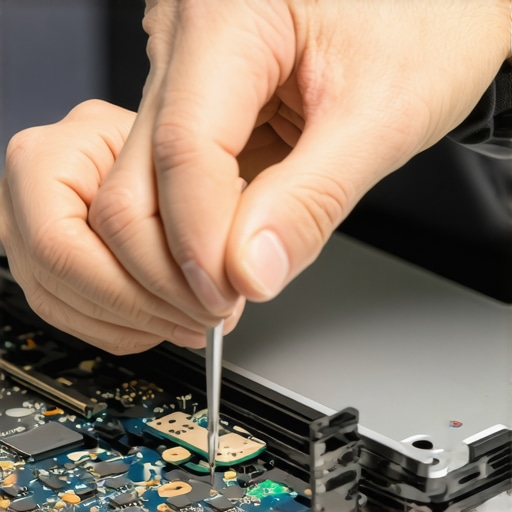 Even seasoned IT professionals can fall into misconceptions about data recovery, computer repair, and managed IT services. One common myth is that data recovery always guarantees complete restoration, but in reality, the success greatly depends on the extent of the damage and the timeliness of intervention. Many believe that DIY repairs are cost-effective, yet they often lead to greater damage if not executed properly—an all-too-frequent mistake I’ve seen cost clients hundreds. Similarly, there’s a misconception that managed IT is only for large companies; however, small businesses can leverage tailored solutions to enhance security and efficiency, as outlined in our managed IT guide.”
Why do so many underestimate the intricacies of laptop screen repair?
People often think replacing a cracked screen is as simple as swapping out the glass, but advanced issues like backlight failures or internal connector problems require nuanced troubleshooting. Overlooking these nuances can lead to repeated repairs or worse, permanent damage, which is why consulting expert resources like our laptop screen repair tips can save time and money. Moreover, a common mistake is ignoring the subtle signs of hardware failure, such as intermittent display flickering or unexpected shutdowns, which can be early indicators of deterioration and are better addressed proactively. According to tech expert Lisa Seagate, understanding the subtle nuances in hardware behavior is key to preventing catastrophic failures (source).”
Maintaining your computer equipment and data integrity requires the right tools and consistent practices. Over the years, I’ve honed a selection of specific hardware and software that I trust for longevity and efficiency. For hardware, I highly recommend the use of a quality anti-static mat and a precision screwdriver set with magnetic tips. These ensure safe disassembly without static damage and precise screw management. Software-wise, I rely on comprehensive diagnostic suites like HWiNFO to monitor real-time system health and temperature metrics, which help preempt overheating issues that can shorten component lifespan. Additionally, data recovery tools like Stellar Data Recovery allow quick retrieval of critical files if unforeseen mishaps occur.
How do I maintain my system over time?
Regularly cleaning your hardware physically and software maintenance go hand in hand. Physically, I recommend periodic dust removal using compressed air and a soft brush—this reduces the risk of overheating and component degradation. For software, scheduling monthly system checks and updates ensures your OS and drivers remain secure and efficient. Utilizing tools like Malwarebytes for malware scans and CCleaner for junk file removal aids in maintaining optimal performance. Setting reminders for these routines ensures they don’t fall by the wayside amid busy schedules. Predicting future trends, I believe AI-driven monitoring solutions will become mainstream, providing automated alerts for potential hardware failures before symptoms even appear, saving both time and money.
Addressing long-term results and scaling
For organizations, investing in managed IT solutions is crucial. As outlined in our managed IT guide, proactive maintenance and remote monitoring scale effortlessly, reducing downtime and operational costs. To ensure your setup scales seamlessly, consider tools like SolarWinds Network Performance Monitor, which provides comprehensive oversight of network health, allowing you to identify bottlenecks early. As your infrastructure expands, regular audits and hardware upgrades—like replacing aging SSDs with the latest NVMe drives—can dramatically improve speed and reliability. Remember, consistent preventative care, combined with the right tools, lays the foundation for a resilient tech environment that grows with your needs.
For anyone serious about keeping their system healthy, I encourage trying out advanced data recovery techniques and tools. They can save your valuable files in critical moments and provide peace of mind. The key is to integrate these tools into your routine—making maintenance second nature rather than a chore.
What Broke My Confidence in Quick Fixes
Early on, I believed that minor issues like a loose hinge could be a simple fix—tighten a screw, slap on some tape, and you’re good. But I soon realized that overlooking these small signs often leads to bigger disasters. This taught me that patience and thoroughness are essential, especially with delicate repairs like laptop hinges.
Secrets the Pros Won’t Tell You About Repair Timing
Professionals know that acting swiftly at the first sign of wobble can save you hundreds in repair costs. Waiting too long often results in cracked screens or damaged internal components. My personal tip? Don’t wait until the hinge is hanging by a thread; the moment you notice wobble, consider a repair plan.
How Personal Experience Shapes My Repair Approach
Every failed repair or misstep has refined my method. If I had to pick one lesson, it’s that clear disassembly and patience in reassembly make or break the process. It’s tempting to rush but taking the time ensures you leave your device better than before. Trusted resources like our contact page are invaluable for sourcing genuine parts and expert advice.
Building Confidence in DIY Fixes
Mastering that wobbly hinge doesn’t require years of experience—just the right tools and a calm mindset. Tools like a precision screwdriver set and plastic prying tools are my staples. Also, don’t underestimate the power of watching tutorial videos; they’ve saved me countless headaches. Remember, gradual tightening and testing each step keeps your repair on track.
Thinking Ahead for Future Repairs
The most valuable lesson? Always document your disassembly—photos, notes, even labeled containers for screws. This habit pays off when reassembling, especially if you plan multiple repairs over time. As I look to the future, I believe that smart diagnostic tools will make identifying issues even more straightforward, reducing guesswork and repair time.
Tools That Empower Me to Tackle Challenging Repairs
Over the years, I’ve compiled a toolkit tailored for delicate work—quality anti-static mats, magnetic screwdrivers, and reliable replacement hinges are my essentials. For broader troubleshooting, diagnostic software like data recovery tools keep my mind at peace Knowing your toolkit is up to date is key to handling surprises confidently. These resources have consistently turned failures into learning opportunities, making me a better technician and mentor.
Encouragement for Your Repair Journey
Remember, repairing a laptop hinge is more than just fixing a wobble; it’s about building confidence in your skills and understanding your device better. Every challenge you overcome adds to your knowledge base, transforming frustration into satisfaction. Don’t shy away from trying—knowledge, patience, and the right tools are your allies. Ready to take on your next repair with newfound confidence?
What’s been your biggest lesson from fixing or attempting to fix your own computer? Share below—I’d love to hear your story!