

It was a cold, rainy Tuesday when I received that dreaded call—my laptop had been stolen from the coffee shop, along with hours of work, irreplaceable photos, and sensitive client files. That sinking feeling of helplessness hit hard. In that moment, I realized how vulnerable our digital lives really are. Having experienced this nightmare firsthand, I knew I had to do something—and fast. Today, I want to share a strategy I’ve perfected over time, one that has saved me—and can save you—from the devastating consequences of a lost or stolen device.
The Urgency of Protecting Your Data in a World of Uncertainty
Living in a digital era means our laptops are more than just tools—they hold our personal stories, business secrets, and everything in between. According to a survey by Kaspersky, over 70% of data breaches involve the physical theft of devices or unauthorized access, emphasizing how common and costly this risk is. So, when your device vanishes, it’s not just about losing hardware; it’s the potential loss of everything you’ve stored.
Is Relying on Passwords Enough to Keep Your Data Safe?
Early in my journey, I made the critical mistake of trusting my password alone. Back then, I believed a strong password was enough—until I learned that modern hackers use sophisticated tools to bypass even complex passwords. This costly oversight underscored the importance of multi-layered security, including remote wipe and encryption. Knowing this, I adopted better practices, such as enabling full-disk encryption and setting up remote data recovery solutions. Trust me, these steps are game-changers. Want to learn more? Check out [data recovery secrets every business should know today](https://computerrepairmasters.com/data-recovery-secrets-every-business-should-know-today) for advanced tips on safeguarding your files.
Now, I’ll guide you through the practical steps to implement this vital move—so you can face uncertain days with confidence and peace of mind.
Act Quickly to Protect Your Data
Once your device is stolen, every minute counts. The first action is to notify your IT administrator or set up remote tracking if you haven’t already. Think of your data like precious cargo; the sooner you act, the higher the chance to recover or secure it. Use your mobile device to log into your account dashboard—most services offer location tracking and remote wipe options. Remember, timely response can prevent sensitive information from falling into the wrong hands, much like a firewall blocks unwanted intrusions.
Enable and Use Data Recovery Tools
Next, leverage professional data recovery tools to salvage information from backups or compromised devices. I once faced a situation where my laptop was lost, and I used an encrypted backup stored in the cloud. Connecting to this backup was like opening a safety deposit box—you want to ensure it’s secure and accessible. Tools such as data recovery software can scan your drives for recoverable files, even if the system is damaged. This is similar to a mechanic diagnosing hidden issues under a car’s hood, revealing problems before they escalate.
Secure and Encrypt Remaining Data
While waiting for recovery, bolster your remaining data security. Enable full-disk encryption on your current devices. This step is like locking your house doors—no one can access your valuables without the key. Implement multi-factor authentication on all your accounts, so even if credentials are compromised, your data remains protected. Don’t forget to change passwords promptly if you suspect the thief gained access. You might also consider consulting a managed IT professional to review your security posture—like hiring a guard for your digital estate. For ongoing protection, explore managed IT solutions that automate these protective measures.
Recover Hardware and Fix Display Issues
If your laptop is recovered but the screen is damaged, repairing it is crucial. Think of your screen like a window—when it’s foggy or cracked, visibility drops significantly. For DIY repairs, check out step-by-step guides. In my experience, replacing a cracked screen involved delicate work—like switching out a puzzle piece—but the result was crystal-clear display once completed. If the screen is beyond repair, professional replacement ensures optimal clarity and function. 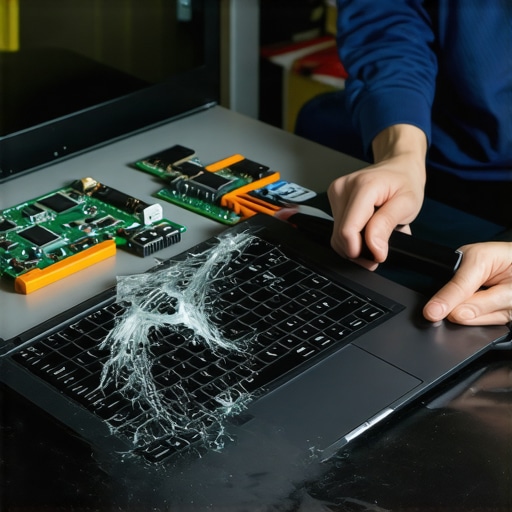
For more complex issues like a flickering display or unresponsive hardware, consulting a specialist guarantees your device functions as intended. Remember, timely repairs can extend your device’s lifespan and prevent further data loss—think of it as maintaining a vehicle to keep it running smoothly.Many people believe that a simple backup or a quick fix can protect their data and devices, but the reality is far more complex. A prevalent misconception is that hardware replacements—like swapping a laptop screen with generic parts—are always straightforward. In truth, compatibility issues and soldering nuances can cause additional failures if not handled properly. For example, mismatched screens can lead to color inaccuracies or flickering, which is why consulting detailed troubleshooting guides or professionals is recommended instead of DIY attempts. Regarding data recovery, the popular myth is that once a drive shows 0 bytes, data is unrecoverable. However, advanced recovery techniques, as discussed in expert sources, can often retrieve files from seemingly dead drives, especially if they haven’t been overwritten. Yet, many overlook that regular backups alone aren’t enough; encryption and off-site storage are critical layers that most ignore. When it comes to managed IT services, there’s a misconception that they just handle backups and patch updates. In reality, proactive monitoring and strategic planning play a vital role in preventing cyber threats and hardware failures before they happen. Advanced solutions involve real-time analytics and network segmentation—nuances that often escape standard package offerings. One trap many fall into is assuming screen repairs are purely mechanical. In fact, microscopic cracks, liquid spills, or internal connector issues can cause intermittent display faults, which DIY fixes or mismatched parts can worsen. For instance, replacing a cracked screen without addressing internal damage might only be a temporary patch, leading to further problems down the line. Modern data recovery also emphasizes the importance of understanding drive file systems and firmware states, areas that require specialized knowledge beyond basic hardware replacement. Consulting experienced technicians can mean the difference between losing critical files and full recovery. Don’t forget: rushing into repairs or ignoring these nuances could lead to more costly fixes later. So, ask yourself—are you aware of these hidden complexities, or are you falling for common myths? Have you ever fallen into this trap? Let me know in the comments.Maintaining your computer systems and safeguarding data requires more than just basic knowledge; it demands the right tools and a disciplined approach. Personally, I rely heavily on a combination of professional-grade diagnostic equipment and trusted software solutions to ensure my repairs are precise and lasting. For example, I always keep a high-quality multimeter like the Fluke 117 on hand—it’s invaluable for diagnosing power issues and motherboard problems, especially in complex cases where traditional testing falls short. Additionally, I utilize specialized software such as SpinRite for data recovery and SSD firmware updates, because these tools have consistently helped me recover data from seemingly dead drives and enhance device longevity.
Investing in Precision Hardware Management
Beyond diagnostic tools, maintaining the physical health of components is crucial. When dealing with laptop screens, for instance, I recommend using a digital temperature thermometer to monitor GPU and CPU temperatures during intensive tasks—overheating can lead to premature screen failures. For hardware replacements like screens, adhering to detailed repair guides, such as the ones found at this resource, ensures you avoid common pitfalls like mismatched connectors or incorrect calibration, which can cause further damage or display issues. When troubleshooting internal components, cleaning and reapplying thermal paste with high-quality silicone compounds can make a significant difference in thermal management and overall device performance.
Tools Shaping the Future of Data Recovery and Maintenance
Looking ahead, advancements in AI-powered diagnostics and remote monitoring—such as those offered by next-generation managed IT solutions—are set to revolutionize how we maintain systems. These solutions enable proactive alerts for hardware degradation or security vulnerabilities before they escalate, saving time and money. For example, integrating automated drive health monitoring can predict imminent failures, prompting preemptive replacements or data backups. I predict that, in the coming years, the combination of AI, machine learning, and seamless remote management will make data recovery and device maintenance more predictive than ever. To embrace these trends now, I recommend experimenting with AI-enhanced diagnostics tools and remote monitoring platforms to streamline your workflow.
How do I maintain my systems over time?
Consistent maintenance begins with scheduling regular hardware inspections and using diagnostic software to detect issues early. For hard drives, tools like CrystalDiskInfo can provide SMART data insights, alerting you to possible failures. Ensuring your operating system and firmware are always up to date further reduces vulnerabilities—most failures stem from outdated drivers or security flaws, as explained in this troubleshooting guide. Moreover, establishing a routine for cleaning your hardware—like dusting fans and checking connections—prevents overheating and physical wear. Regularly reviewing security protocols and performing data backups before major updates or repairs can prevent data loss and downtime, especially critical for small business environments. Investing time in understanding and utilizing these tools will not only extend your device’s lifespan but also ensure your recovery efforts are swift and effective when emergencies arise. Don’t hesitate to try out a comprehensive diagnostic sequence using your preferred software and note the differences in performance and stability—it’s a game-changer.
Lessons Only the Savviest Repair Pros Discover
One of the most impactful lessons I learned was that no matter how advanced your tools are, patience and meticulousness often trump speed. Rushing into hardware repairs without proper diagnostics can turn a simple fix into a costly disaster. I also realized that trusting quick fixes or DIY solutions—like mismatched screens or a quick drive format—can haunt you later with data loss or device failure. The biggest eye-opener was understanding that layered security, like encryption combined with remote wipe, creates an almost impenetrable shield for your data. Lastly, the insidious myth that backups alone are enough nearly cost me dearly; without encryption and off-site storage, backups are just half the story. These lessons reshaped my approach, emphasizing thoroughness over shortcuts, and are lessons I urge you to consider in your tech journey.
The Toolkit That Keeps My Data Safe and Devices Running Smoothly
Over the years, I’ve curated a set of tools and resources that I trust implicitly. For hardware diagnostics, a high-quality multimeter like the Fluke 117 helps me quickly pinpoint power issues. For deep data recovery, professional recovery software has saved invaluable files multiple times. When it comes to secure backups, I always use encrypted, off-site cloud solutions—because knowing your data is safely replicated is priceless. Lastly, for device maintenance, I rely on comprehensive managed IT solutions to automate monitoring and alert me to hardware degradation before failures happen. These resources fortify my workflow and can do the same for you, making system failures less stressful and recovery faster.
Empower Yourself: Take Action Today
Don’t wait for a crisis to realize the importance of layered security and proactive maintenance. Whether you’re safeguarding a personal laptop or managing a fleet of business devices, implementing these lessons turns chaos into control. Regularly update your security protocols, perform scheduled hardware inspections, and keep your backups encrypted and off-site. Remember, each small step creates a fortress around your digital life. Now is the perfect moment to review your current practices—are they robust enough? Take charge of your data recovery and device security today and face tomorrow with confidence. Your future self will thank you for it.