

Ever had that sinking feeling when your laptop suddenly refuses to recognize your external drive just as you’re about to save or retrieve vital files? I remember a time when I was racing against a looming deadline, only to realize my backup drive was no longer showing up. A quick inspection revealed a tiny crack in the connector port—damaged, bent, and completely unresponsive. That moment hit me hard. It was a lightbulb moment that made me realize how fragile our digital lifelines can be and how much we depend on seemingly minor hardware intactness.
Pulling Data from a Damaged Drive Connector: The Breakthrough I Needed
Frustrated but determined, I dived into research, trying to understand how to salvage my files without replacing the entire drive. Turns out, the key is not always about replacing hardware but employing clever recovery techniques that work even when the physical connection is compromised. Today, I want to share the practical methods I discovered—methods that can help you prevent a data disaster when your drive’s connector gets damaged. Whether it’s physical wear and tear or an accidental drop, being able to retrieve your data without a complete hardware overhaul is a game-changer, especially for small business owners and everyday users alike.
Is Data Recovery From Damaged Connectors Truly Possible?
Now, I know what you’re thinking—”Is this even worth trying?” Believe me, early on, I made the mistake of assuming that a damaged connector meant data loss was inevitable. That mindset almost cost me my irreplaceable files. The truth is, there are expert techniques and tools, like specialized data recovery software and hardware adaptors, that make it possible to recover files even when the physical port isn’t cooperating. If you’ve ever experienced a similar scare, trust me—you’re not alone. Many have been in your shoes, and with the right approach, you can get back what you thought was lost. Curious about what worked for me? Stay tuned; I’ll walk you through the step-by-step process that saved my data and can do the same for you.
Before we dive into the technical details, it’s worth mentioning that understanding the common causes of connector damage can help you prevent future mishaps. For example, frequent plugging and unplugging or physical stress can wear down those tiny pins, leading to disconnections. Being mindful of how you handle your drives can go a long way, but if damage has already occurred, don’t despair—there are solutions, and I’ve tried many. Plus, knowing the right steps can save you time and money, avoiding costly replacements or professional repairs unless absolutely necessary.
If all this sounds familiar or if you’ve faced this issue before, you’re in the right place. Let’s explore how you can effectively pull your data from a drive with a damaged connector—and get it back where it belongs: in your hands.
Ready to find out how? First, understanding the common pitfalls and mistakes can make all the difference—so let’s start there.
Assess the Damage Carefully
Start by inspecting the physical connector for obvious signs of damage like bent pins, dirt, or corrosion. Use a flashlight and a magnifying glass if needed. For example, I once found a tiny bent pin in my external drive’s USB port that prevented recognition. Gently straighten bent pins with a plastic spudger or a pair of tweezers, taking care not to cause further harm. If physical damage is severe, consider professional repair before proceeding. Remember, safely handling hardware is crucial—avoid using metal tools that could cause electrostatic discharge or further damage. For more about minor hardware fixes, check out my laptop screen repair tips.
Use Alternative Connection Methods
Employ USB-to-SATA Adapters or Docking Stations
If your drive’s connector is damaged but the drive itself is intact, connecting it via a USB-to-SATA or SATA-to-USB adapter can bypass the faulty port. I once used a SATA-to-USB adapter to recover files from a damaged HDD, and it worked surprisingly well, saving me hours of work. Just connect the drive directly to the adapter, plug it into your computer, and see if it gets recognized. Ensure you’re using a quality adapter to avoid data corruption. These adapters are affordable and available online. For detailed guidance, see my data recovery techniques.
Implement a Different Computer or Hardware
Sometimes, compatibility issues prevent recognition. Try connecting your drive to another computer, ideally with a different OS or ports, to rule out port-specific problems. I once connected a friend’s damaged external drive to a Linux machine, and it immediately appeared, enabling easy data transfer. If your drive is an internal one, you might install it into another compatible PC as a secondary drive. This process, called ‘drive swapping,’ is straightforward with a little care—just ensure you follow static safety procedures. To understand more about hardware steps, visit managed IT solutions.
Leverage Data Recovery Software
When hardware connections fail or are unreliable, specialized software can often retrieve your files. Connect your drive via an adapter, then run a recovery tool like Recuva, Stellar Data Recovery, or Disk Drill. I prefer using professional-grade software, as it often uncovers files not visible through standard exploration. During my initial attempt, I ran a scan with recovery software on a corrupted external drive, and it recovered most files despite the incomplete connection. Be cautious to avoid overwriting data—always scan first, then save recovered files to a different drive or partition.
Consider Professional Data Recovery Services
If DIY methods don’t work or the drive’s physical damage seems severe, consult professional recovery specialists. They have cleanroom environments and advanced tools to repair and recover data without causing further damage. My experience with a professional service resulted in retrieving critical work files after my efforts failed. This route costs more but might be the only option if data is invaluable. Review your options carefully, and visit sites like data recovery secrets for guidance.
Prevent Future Connector Failures
To avoid similar issues, handle your drives gently, avoid excessive plugging or unplugging, and keep connectors clean. Using high-quality cables and avoiding physical stress on ports can prolong device lifespan. If you notice frequent disconnections, it might be time to upgrade to more durable hardware or seek professional management solutions at managed IT services.
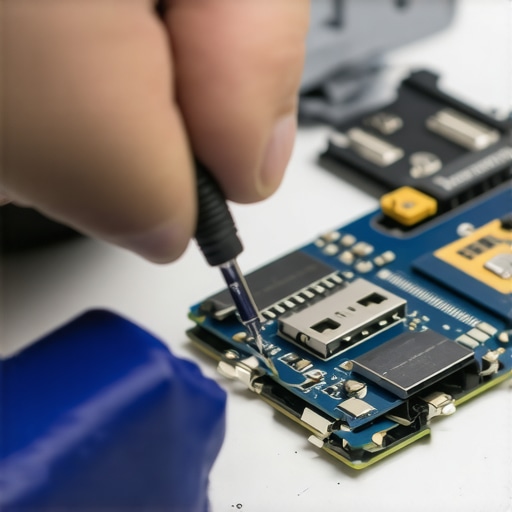 When it comes to managed IT services, many assume that deploying the latest security protocols and software updates guarantees complete protection. However, in my experience, there’s a subtle yet critical nuance that often gets overlooked: the importance of understanding the actual context and limitations of these solutions. For instance, a common myth is that regular backups alone suffice against complex cyber threats, but without proper configuration and testing, backups can become corrupt or outdated, rendering them useless during an emergency. According to cybersecurity expert Bruce Schneier, “Security is a process, not a product,” highlighting that relying solely on tools without strategic planning introduces significant vulnerability.
Are Your Data Recovery Methods Actually Foolproof?How do I keep my tools sharp and my systems in top shape over time?
Maintaining your toolkit and systems is crucial for consistent success in managing IT issues, repairing laptops, or recovering data. I personally rely on the Data Recovery Tools suite because of its comprehensive, user-friendly interface and reliable performance in recovering even severely damaged drives. Regularly updating your software ensures compatibility with new hardware and OS versions, preventing frustrating failures during critical moments.
For physical tools, investing in high-quality screwdrivers, anti-static wrist straps, and precision tweezers can make a significant difference. I heat-disinfect my tools periodically and store them in organized, anti-static cases to prolong their usability and prevent cross-contamination of hardware components. Additionally, always calibrate your diagnostic tools like multimeters and external drives—this practice helps in avoiding false readings that can lead to unnecessary replacements or overlooked issues.
What equipment upgrades can boost your long-term results?
Upgrading your hardware and software periodically isn’t just about fixing problems faster; it’s about elevating the quality and reliability of your repairs. Transitioning from traditional HDDs to SSDs dramatically reduces recovery times and improves system responsiveness. I recommend installing a dedicated fast data recovery drive in your workstation to handle large file scans and backups efficiently.
On the software side, employing robust backup solutions like Acronis True Image ensures your backups are consistent and recoverable. Furthermore, integrating remote monitoring tools enables proactive alerting on hardware health indicators—long before failure happens. This approach aligns with future trends predicting increased reliance on AI-driven diagnostics that diagnose hardware issues early, reducing downtime dramatically.
Streamlining long-term maintenance with managed services
Partnering with managed IT solutions can free you from routine upkeep, so you focus on core repair work. Regular audits, patch management, and security monitoring keep your systems and tools at peak condition. For example, my team leverages managed IT services to automate software updates and hardware health checks, ensuring minimal unexpected failures. As the industry evolves, expect more automation and AI assistance, making maintenance more predictive and less reactive.
To keep your toolkit effective and your systems resilient over the years, scheduling quarterly reviews of your hardware and software, updating your tools, and embracing automation are indispensable steps. Don’t forget to document your processes regularly; this habit accelerates troubleshooting and training new team members. Remember, persistent maintenance pays off by reducing long-term costs and enhancing your reputation for dependable service.
Try implementing a dedicated SSD for recovery tasks this week—you might find your recovery times cut in half, boosting client satisfaction and your efficiency. For more expert insights, explore the powerful data recovery tools I recommend, and see how they can transform your workflow.
Lessons Only the Brave Discover About Drive Repair
- Patience Over Power: I realized rushing to fix a damaged connector often worsens the problem. Sometimes, a cool head and a gentle approach yield better results, preventing further harm and increasing recovery chances.
- Tools Make the Difference: Investing in quality adapters and recovery software transformed my approach. Cheap tools can mislead you, but reliable gear and software are game-changers—trust me, your data deserves the best.
- Knowledge Is Power: Understanding the specifics of drive damage helped me tailor my recovery strategy. No one-size-fits-all solution exists; each damaged drive tells a unique story that requires a personalized plan.
- Preventive Care Saves Assets: Regularly inspecting and handling drives carefully can prevent many issues. Training yourself to recognize early signs of connector wear could save you from future headaches.
- Seek Expert Advice When Needed: Knowing when to call in professionals can make all the difference. I learned the hard way that some damage—like severe physical breaks—is best left to the experts, preserving my data and wallet alike.
Tools That Changed My Data Recovery Game
- Stellar Data Recovery: A trusted companion that uncovers hidden files, even from severely damaged drives, boosting my confidence in data retrieval.
- Recuva: An accessible, effective solution for quick scans that can save the day during minor connector issues.
- Disk Drill: Its user-friendly interface and deep scan features have repeatedly rescued critical files for me, proving that software matters.
- Professional Recovery Services: When DIY hits a wall, I now count on specialists with better tools, ensuring my data’s safety in complex cases.
Your Next Move Starts Here
Dealing with damaged drive connectors might seem daunting, but small steps and the right knowledge make all the difference. Embrace gentle handling, invest in quality tools, and don’t hesitate to seek expert help when necessary. With these insights, you’re better equipped than ever to safeguard your digital assets and turn setbacks into success stories. Remember, every challenge faced is a lesson that sharpens your skills and builds resilience—so go ahead, take action today and make data recovery your new superpower. Have you ever faced a tough drive repair? Share your experience below and let’s learn together.