

I remember the exact moment I realized my office’s network was vulnerable. It was late one evening, tinkering with the company’s Wi-Fi settings, when suddenly everything froze. My heart sank. That eerie realization that a breach could happen at any moment hit me hard. Perhaps you’ve faced a similar panic—wondering if your network defenses are strong enough to keep intruders out. If so, you’re not alone. Many business owners underestimate the importance of patching those sneaky security holes until it’s too late.
Why Ignoring Network Security Can Cost You More Than You Think
In my early days, I made the common mistake of assuming that installing basic firewalls and antivirus software was enough. I overlooked the importance of regularly updating and patching systems. That oversight nearly cost my business its reputation—and a hefty financial hit. According to cybersecurity experts, over 60% of small businesses face cyberattacks that exploit unpatched vulnerabilities, leading to data breaches and operational downtime. The good news? There’s an effective way to patch these security holes without turning your network upside down.
Is Overconfidence in Your Security Measures Justified?
I used to believe that my existing security measures were sufficient—until a targeted phishing attack compromised my network. The lesson? Never ignore the small vulnerabilities that hackers are patiently waiting to exploit. I learned this the hard way, and now I always advocate for proactive patch management. Want to know how to strengthen your defenses effectively? Stay tuned, because I’ll walk you through proven strategies to patch those security holes and safeguard your office network.
Implement Regular System Updates
Start by scheduling automatic updates for all your operating systems and software. I once neglected this step, and a delayed update allowed a hacker to exploit a known vulnerability. Set up notifications to ensure patches are applied promptly, reducing the window of opportunity for intruders. For detailed procedures, refer to this troubleshooting guide.
Use Enterprise-Grade Firewall Configurations
Replace default routers with advanced firewalls that offer granular control. During my initial setup, I manually configured rules to block common attack vectors, like outdated ports and suspicious IP ranges. Think of a firewall as a security guard that checks every visitor before granting access. Regularly review and update these rules; tools like the ones discussed in managed IT solutions can simplify this process.
Segment Your Network for Better Security
Divide your network into smaller, isolated segments—think of it as creating multiple gated communities within your property. I applied this by isolating guest Wi-Fi from internal business systems, which prevented an infected device from spreading malware internally. Proper segmentation minimizes damage if a breach occurs. Use VLANs or separate subnets; resources like managed IT strategies can assist with implementation.
Regularly Test and Refresh Passwords
Enforce strong, unique passwords across all devices and accounts. I once overlooked this, and an employee’s reused password was compromised, giving hackers access to critical data. Use password managers to automate this process, making it easier to maintain strong credentials. Run periodic security audits; detailed testing procedures can be found here.
Monitor Network Activity Continuously
Set up network monitoring tools to detect unusual activity—think of it as having a security camera watching for suspicious movement. I implemented real-time alerts that notified me of unfamiliar IPs attempting to access sensitive areas. Regular logging and analysis help identify threats early, before catastrophic damage occurs. For more on effective monitoring, see this guide.
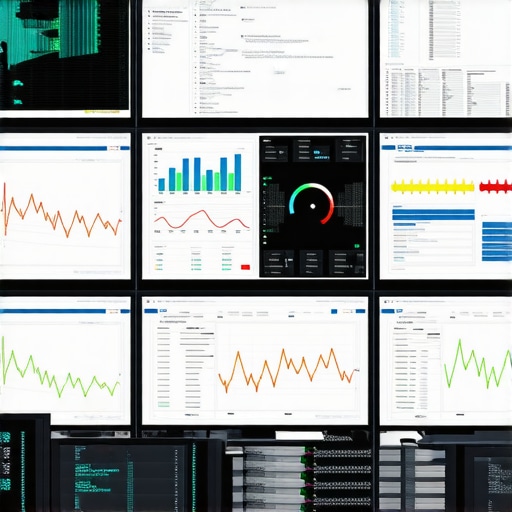 Many assume that opting for managed IT services or quick computer repairs is a surefire way to prevent major issues, but in my experience, that’s only part of the picture. A common misconception is that these solutions are foolproof; however, without understanding their nuanced limitations, businesses risk unanticipated vulnerabilities. For example, some believe that outsourced data recovery guarantees complete restoration, but failures can occur if procedures aren’t meticulously followed. This is especially true in complex recovery scenarios where improper handling can cause permanent data loss. To truly leverage these services, it’s essential to recognize that expert technicians need detailed information about device history and the specific symptoms. Neglecting this can lead to unnecessary repairs or prolonged downtime, with studies showing that misdiagnosis accounts for up to 30% of failed repairs.
What advanced users often overlook in data recovery and device repairs?
They underestimate the importance of proactive diagnostics and environment-specific strategies. For example, common tactics like blindly updating firmware or software without consulting detailed troubleshooting guides, such as the one on troubleshooting, can worsen issues or slow down recovery. Similarly, assuming that a replacement screen or component from generic suppliers will fit perfectly ignores subtle hardware variations, risking further damage. When it comes to managed IT, many focus solely on proactive monitoring but neglect team training or process audits that could uncover deeper systemic vulnerabilities.
Addressing these nuances requires a layered approach—combining precise diagnostics, understanding equipment-specific quirks, and continuous staff education. For instance, in laptop screen replacements, attention to detail—such as checking cable connections and calibration—is crucial for success. Similarly, in data recovery, employing expert techniques detailed in the secrets of data recovery can make the difference between a restored or permanently lost file.
Finally, avoid falling into the trap of complacency by assuming that “technicians will figure it out.” Instead, stay actively involved with your IT and repair processes. Regularly reviewing your service provider’s protocols and understanding their scope can prevent costly mistakes. Interested in how strategic planning elevates data recovery success? Check out managed IT solutions that go beyond basic support.
Have you ever fallen into this trap? Let me know in the comments.
Keep Things Running Smoothly with Precision Tools
Ensuring your systems remain operational over time hinges on using the right tools. Personally, I rely heavily on **Acronis Backup** — not just for simple backups but for its ability to clone entire systems, which is invaluable when upgrading hardware or recovering from crashes. Its incremental backup feature minimizes downtime and storage use, making it perfect for large-scale deployments in managed IT environments. For troubleshooting hardware issues, I turn to **PassMark BurnInTest**; it stress-tests components to detect potential failures before they cause real problems, saving significant repair costs and downtime.
Adopt Routine Maintenance as a Pillar of Reliability
Regularly scheduled maintenance isn’t just a best practice; it’s a necessity. I set bi-weekly routines that include disk cleanup, defragmentation (where applicable), and firmware updates. For example, updating firmware on SSDs and network equipment patches security vulnerabilities and enhances performance. During maintenance, I also verify physical connections — loose cables are a common culprit of intermittent issues. A disciplined maintenance routine extends hardware lifespan and preserves data integrity, especially when combined with automated monitoring solutions.
Anticipate Future Trends with Proactive Monitoring
Looking ahead, I predict the integration of AI-driven predictive analytics will revolutionize maintenance. Tools like **SolarWinds Network Performance Monitor** now incorporate predictive capabilities, flagging potential failures by analyzing usage patterns and temperature fluctuations. This shift from reactive to proactive management empowers businesses to fix issues before they disrupt operations. If you haven’t already, integrating such tools into your managed IT strategy can drastically reduce unplanned downtime.
How do I maintain long-term system stability?
Implementing a layered approach with reliable tools like backup cloning solutions and stress-testing software is crucial. Regularly reviewing hardware health metrics and conducting scheduled maintenance minimizes surprises. I also recommend staying informed about your equipment’s firmware updates—consulting resources like troubleshooting guides ensures you’re applying best practices. Try setting up automated backups coupled with automated system health checks; this combo can dramatically improve your long-term stability and peace of mind. Want to deepen your preventive strategies? Explore managed IT solutions that streamline routine upkeep and enhance security across your entire infrastructure.
Remember, maintaining your tech isn’t a one-and-done task but an ongoing process. With the right mix of tools and disciplined routines, you’ll keep your systems resilient and responsive, no matter how demanding your operations become.
What I Wish I Knew When I Started Fixing Tech
One of the most eye-opening lessons I’ve learned is the importance of thorough diagnostics before jumping into repairs. Often, I would replace components or suggest software fixes without fully understanding the root cause, which sometimes led to recurring issues. Patience in troubleshooting saves time and resources in the long run.
Another realization was that continuous education isn’t optional—it’s essential. The world of technology evolves rapidly, and staying updated with the latest troubleshooting guides and data recovery techniques, like those highlighted in this resource, makes all the difference.
I also learned that managing client expectations upfront can prevent misunderstandings. Clearly communicating what can be achieved with the available tools and highlighting potential risks, especially during complex data recoveries, fosters trust and satisfaction.
Tools That Transformed My Approach to Repair and Security
My trusted toolkit includes **Acronis Backup** for reliable system cloning and backups, ensuring minimal downtime during upgrades or failures. Data recovery tools are invaluable for safely restoring critical files after accidental deletion or hardware crashes.
For hardware stress testing, **PassMark BurnInTest** helps identify failing components before they cause more significant problems—saving my clients from unexpected breakdowns. Staying ahead with these tools has significantly increased my repair success rate and client confidence.
Finally, I rely on management solutions like managed IT strategies that streamline routine tasks, enhance security, and prepare me for future challenges. These resources have become the backbone of my preventive maintenance approach.
Fuel Your Drive with Knowledge and Courage
Embarking on the journey of managed IT and computer repair may seem daunting at first, but I promise—every challenge is an opportunity to learn something new and valuable. By embracing continuous education, investing in the right tools, and sharing your experiences, you contribute to a more secure and resilient digital environment. Remember, your skills can empower businesses to operate smoothly and confidently in an increasingly connected world.
What’s the biggest lesson you’ve learned during your tech repair adventures? Drop your story in the comments—I’d love to hear it!