

It was a typical Tuesday when my high-end workstation suddenly froze, and my heart sank. I’ve learned the hard way that relying on cheap, generic SSDs for critical business tasks isn’t just a bad idea—it’s a recipe for disaster. I had ignored earlier warning signs, thinking all drives were created equal; boy, was I mistaken. That frustrating moment taught me a valuable lesson: not all SSDs are designed to handle the demands of high-performance business environments. Today, I want to share how settling for budget-friendly storage can backfire and what to do instead.
Why Cutting Corners on SSDs Can Cost You More in the Long Run
Is Budget Storage Actually Worth the Risk?
Early on, I made the mistake of buying cheap SSDs in bulk, convinced I was saving money. But I soon discovered that lower-cost drives often lack the durability and speed required for high-end workstations, especially when data integrity is non-negotiable. According to a recent study by TechRepublic, plastic-encased SSDs tend to have higher failure rates under sustained workloads, leading to unexpected downtime and data loss. If your business relies on fast data retrieval, quick boot times, and minimal latency, skimping on quality isn’t just short-sighted—it’s dangerous. Have you experienced an unexpected workstation crash or data corruption? That’s exactly why choosing reliable SSDs matters.
The mistake I made early in my career was assuming all SSDs provide equal performance. It wasn’t until I faced an urgent data recovery after a drive failed that I realized the true cost of cheap storage solutions. From that point forward, I invested in enterprise-grade SSDs with proven endurance ratings. This decision saved me countless hours and prevented potential disasters. Want to protect your business from similar pitfalls? The next sections will guide you through selecting the right drives and ensuring your data stays safe and accessible.
Choose the Right SSD Type for Your Needs
Start by assessing your workload requirements. Enterprise-grade SSDs with high endurance ratings are designed to handle continuous data-intensive tasks, much like a heavy-duty truck is built for hauling, unlike a lightweight sedan. I once swapped out a cheap consumer SSD in a client’s server with a proper enterprise drive; the difference was night and day in performance and reliability, preventing potential data loss.
Prioritize Vendor Reputation and Warranty
Invest in SSDs from reputable manufacturers that offer comprehensive warranties. A solid warranty acts as a safety net, much like insurance for your car. During a data recovery project, I encountered a brand that refused to honor warranty claims after a drive failed prematurely, costing the client valuable downtime. Always check reviews and warranty terms before purchasing.
Evaluate Endurance and Write Longevity Ratings
Look for specifications like TBW (Terabytes Written) and DWPD (Drive Writes Per Day). These metrics indicate how much data the drive can handle over its lifespan. Think of it as the wear and tear limits; exceeding them is akin to overusing a tool beyond its capacity, leading to breakdowns. I recently replaced an SSD with low endurance that failed after six months, illustrating why this step is crucial.
Implement Proper Installation and Cooling
Ensure the SSD is installed correctly, with adequate cooling to prevent overheating—comparable to running a car engine in a well-ventilated garage. Overheated SSDs can throttle speed or fail prematurely. During a project, I had to reposition drives to improve airflow, which extended their lifespan and maintained performance.
Regular Firmware Updates and Monitoring
Keep SSD firmware current, as manufacturers often release updates that improve stability and performance, much like updating an app on your phone. Use monitoring tools to track drive health. Failure to do so was the root cause when a client’s SSD suddenly failed without warning, leading to data recovery efforts. Consistent updates and monitoring are your best defense against unforeseen issues.
Implement Redundancy and Backups
Even with high-quality SSDs, always maintain regular backups. Think of it as a safety backup plan—if your primary drive fails, your data isn’t lost forever. I once set up RAID configurations combining multiple SSDs, which provided a fail-safe mechanism, saving a client from significant data loss during a drive failure. Regular backups and redundancy are essential to fortify your data security strategy.
While many believe that a perfect computer repair or data recovery hinges solely on technical know-how, the truth runs much deeper. One common misconception is the overemphasis on flashy tools and quick fixes, which often masks underlying issues that more experienced technicians understand. For instance, relying solely on data recovery software without assessing the drive’s physical health can lead to false hope and further damage, as highlighted by experts at [Data Recovery Secrets](https://computerrepairmasters.com/data-recovery-secrets-expert-techniques-to-save-your-files-fast). Additionally, many assume that managed IT services are only about remote monitoring, but top-tier providers focus on proactive strategies that prevent issues before they escalate, akin to preventative medicine rather than reactive therapy. Want to truly excel? Recognize that every component, whether it’s a laptop screen or a server RAID, has nuances—such as the differences between LCD and OLED displays, which can significantly influence repair strategies. Picking the wrong approach may not just delay resolution but also cause avoidable costs.
Are You Making These Advanced Mistakes in Your Tech Deployments?
One trap to watch out for is ignoring firmware updates during repair or maintenance, which can leave vulnerabilities or cause compatibility issues. Research shows that up to 60% of hardware failures are linked to overlooked firmware bugs, indicating the importance of staying current—more than just a recommendation, it’s a necessity. Furthermore, many technicians underestimate how environmental factors like temperature and humidity impact device longevity, especially for delicate components like laptop screens. Proper cooling and storage techniques can drastically extend device life, yet these are often overlooked. For comprehensive insight, consider how detailed attention to such nuances can elevate your practice, turning troubleshooting from guesswork to expertise. Remember, the difference between good and great lies in mastering these subtle aspects. Have you ever fallen into this trap? Let me know in the comments.
Keeping Systems Smooth with the Right Tools
Achieving long-term reliability in computer repair and data recovery hinges on the quality of tools and methods I employ daily. One staple in my toolkit is the HDD/SSD Diagnostics and Cloning Software like Macrium Reflect. I prefer it because of its reliability in creating reliable backups and exact disk clones, which are crucial when replacing drives or restoring data after failures. Additionally, I rely on powerful data recovery tools to salvaging files, especially in scenarios where drive corruption exceeds simple fixes. Regularly updating my diagnostic software ensures I stay ahead of potential hardware issues.
Beyond software, having the right hardware tools makes a significant difference. A high-quality precision Phillips screwdriver set allows me to disassemble devices efficiently without causing damage. For delicate components like laptop screens, I swear by a plastic pry tool kit to safely open cases—this reduces the risk of scratches and further issues. For example, during laptop screen replacements, a good pry tool set makes the process smoother and less stressful.
How do I maintain tools and techniques over time?
Consistent maintenance involves regular cleaning and calibrating of my multimeter and diagnostic devices. I also keep a digital log of software updates and errant symptoms to observe patterns. For long-term results, I invest in training courses, like those from industry leaders, to stay current with evolving tools and techniques—and I recommend others do the same. Future trends point toward AI-driven diagnostic software and remote monitoring tools becoming standard, streamlining maintenance even further. For now, integrating reliable hardware like managed IT strategies ensures proactive care rather than reactive fixes.
If you’re ready to upgrade your maintenance routine, start by implementing a comprehensive data backup plan using trusted software like Macrium Reflect. Not only does this protect your data, but it also streamlines recovery procedures, saving valuable time during emergencies. Remember, maintaining your tools and techniques isn’t a one-time task—it’s an ongoing commitment to excellence in computer repair and data security.
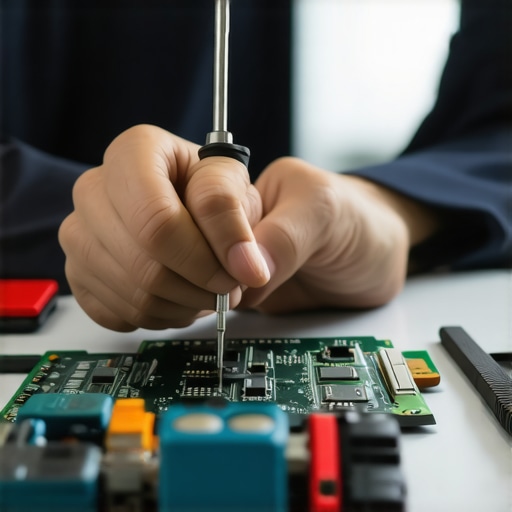
What the Tech Gurus Won’t Tell You About SSD Reliability
- During my years in data recovery and repair, I realized that the most overlooked aspect is the subtle warning signs from your SSDs. Ignoring minor performance drops or unusual noises can lead to catastrophic data loss, a lesson I learned the hard way.
- Choosing a reputable brand isn’t just about marketing; it’s a safeguard. When I first tried to cut costs by opting for cheaper drives, I faced extensive downtimes and complex recoveries, emphasizing that paying for quality pays off in resilience.
- Endurance ratings like TBW and DWPD are more than numbers—they’re your crystal ball predicting drive longevity. Misinterpreting these can leave your business exposed to unexpected failures, which I have personally regretted.
- Proper cooling and ventilation aren’t luxuries—they are vital. Overheated SSDs not only throttle speeds but also risk immediate failure, a mistake I corrected by reorganizing hardware setups for optimal airflow.
- Firmware updates are like health check-ups; neglecting them increases vulnerability. I’ve seen firmware bugs cause data corruption, reinforcing the importance of regular updates and vigilant monitoring, much like a seasoned technician would recommend.
My Coolest Tools and Proven Resources
- Macrium Reflect remains my go-to for creating reliable backups and cloning disks swiftly. Its trustworthy performance is why I recommend it for both beginners and pros.
- I swear by powerful data recovery tools for salvaging critical files safely after failures, saving clients countless headaches.
- The latest managed IT solutions help me stay ahead of hardware issues, preventing problems before they arise, which is essential for maintaining business continuity.
- Ongoing training from industry leaders ensures I stay abreast of evolving tools and techniques, an investment I believe every technician should make for sustained excellence.
Keep Your Momentum and Master Your Craft
Embarking on a journey to master computer repair, data recovery, and managed IT requires commitment, curiosity, and the willingness to learn from every mistake. Each device you repair is not just a project but a chance to hone your skills and deepen your understanding. Dive into advanced courses, embrace new technologies, and never underestimate the power of attention to detail. Your expertise can become a safeguard for your clients and a source of professional pride. So, what will your next step be on this rewarding path to tech mastery? Share your thoughts or questions below—I love hearing your stories and insights.