

I remember the moment vividly—my heart sank as I watched our company’s shared admin account get compromised, leading to a cascade of data loss and operational chaos. It was a wake-up call that changed my entire perspective on digital security. That incident made me realize that sharing admin privileges isn’t just a bad habit; it’s a ticking time bomb waiting to explode. If you’ve ever wondered why your business’s security might be at risk, you’re not alone. Today, I want to help you understand the critical reasons why using a shared admin account can jeopardize your company’s safety and what you can do about it.
Taking the Risk Out of Shared Admins
Managing a small or growing business often leads to simplified processes—sometimes at the expense of security. One common shortcut is giving multiple employees access to the same admin credentials. At first glance, it seems like an efficient way to manage tasks. But in reality, it opens the door to a myriad of problems—accidental deletions, intentional sabotage, or cyberattacks that can cripple your operations. Early in my career, I made the mistake of assuming that shared access was manageable. I overlooked the risks involved, which nearly cost my company dearly. That’s why I now advocate for strict user-specific permissions and robust security protocols.
Common Pitfalls and How They Lead to Disaster
When you have one shared admin account, it’s nearly impossible to track who did what. Without accountability, malicious or careless actions can go unnoticed until damage is done. Plus, if that one password falls into the wrong hands—say, through a phishing scam—it’s game over. Cybercriminals love exploiting these lax setups. According to a report by Cybersecurity Ventures, cybercrime damages are expected to hit $10.5 trillion annually by 2025, emphasizing how vital it is to maintain secure user practices. Early on, I learned that granting individual access levels—paired with comprehensive monitoring—can save headaches down the line.
Are you still relying on shared admin accounts in your business? If so, you might be unknowingly opening a door to potential breaches and data loss. The good news? There are clear strategies to eliminate this risk, which we’ll explore next.
Implement User-Specific Access Controls
Start by auditing your current user privileges. Remove generic admin accounts and assign each employee their own login with permissions tailored to their role. This granular control ensures accountability and limits the damage that any one compromised account can cause. I once worked with a client who kept a shared admin password for convenience. When I replaced it with individual accounts linked to role-based permissions, we immediately improved security and accountability, making it easier to track actions and intervene if suspicious activity appeared.
Use Multi-Factor Authentication Everywhere
Activate multi-factor authentication (MFA) for all admin and user accounts. MFA adds an extra layer of security by requiring a second verification step—like a code sent to a mobile device—making it exponentially harder for cybercriminals to access compromised credentials. I implemented MFA across a small business’s network, and the difference was striking; even if passwords were phished, unauthorized access was prevented without the second verification.
Set Up Regular Access Reviews
Establish a routine process to review user permissions quarterly. Remove unnecessary access rights and update roles as staff responsibilities evolve. This habit keeps your security posture tight. Once, I uncovered an employee who had retained admin privileges long after leaving the company. Removing superfluous access minimized potential internal threats and simplified monitoring.
Leverage Managed IT Solutions
A managed IT provider can automate user account management and monitor access logs for anomalies, reducing the manual burden. This proactive approach catches potential breaches early. For example, partnering with a managed IT team allowed a client to detect unusual login patterns promptly, averting a potential data breach. Learn how managed IT solutions can streamline your security processes.
Employ Robust Password Policies
Enforce complex password requirements and encourage password managers to avoid shared credentials. Educate staff about the importance of unique, strong passwords. I once helped a business overhaul their password policies, replacing weak shared passwords with individual, strong ones. Post-implementation, their risk of credential theft dropped significantly, illustrating how policy changes directly enhance security.
Document and Enforce Security Protocols
Write clear policies about account usage and access controls. Ensure every employee understands and acknowledges these protocols. Consistent enforcement prevents lapses and accidental sharing. During a security audit, I found that a client’s lax policies led to multiple unauthorized access points, which we tightened by formalizing procedures and training staff.
Align with Experts for Long-Term Security
While implementing these steps enhances your security, working with cybersecurity professionals ensures your defenses evolve with emerging threats. Consider consulting experts or exploring managed IT strategies that suit your business needs. I remember assisting a client in implementing an advanced access management system that integrated seamlessly with their existing infrastructure, significantly bolstering their defenses against unauthorized access.
Many assume that data recovery is just about clicking a button or that replacing a laptop screen is a straightforward DIY task. However, these beliefs overlook critical nuances that can make or break your efforts. For instance, a common misconception is that all data recovery tools are equally effective, but in reality, the success hinges on understanding the specific type of damage—whether physical or logical—and choosing the right technique. According to data recovery experts, using generic tools on physically damaged drives often leads to irreversible data loss instead of retrieval. This emphasizes the importance of expert-level knowledge and specialized equipment, rather than relying solely on software solutions.
Why Do Some Data Recovery Attempts Fail Even When They Seem Correct?
People often trust free or low-cost recovery software without considering underlying issues like firmware corruption or hardware failures, which require advanced interventions. An incorrect approach can worsen the damage, turning what could have been a simple fix into a complex, costly ordeal. Similarly, in laptop screen repair, many underestimate the subtleties involved. Damage may appear as a cracked display, but the root cause could be a faulty inverter or backlight issue, components that aren’t always obvious to a novice. Ignoring these nuances can lead to unnecessary replacements and expenses. When it comes to managed IT, a widespread myth is that monitoring and security are passive activities—just set and forget. Yet, the most effective strategies involve active monitoring, threat hunting, and continuous updates, especially as cyber threats evolve rapidly. As security expert Bruce Schneier points out, cyber attacks are becoming more sophisticated, requiring a proactive stance rather than a reactive one. Overlooking this can leave your business vulnerable to ransomware, phishing, and data breaches.
What Advanced Mistakes Do Business Owners Usually Make with Computer Repairs and Security?
One critical mistake is neglecting regular maintenance and updates, which can leave vulnerabilities open. For example, failing to apply firmware updates on servers or network devices can expose exploitable flaws. Additionally, assuming that in-house staff can handle complex repairs or security configurations without proper training often results in overlooked risks and incomplete fixes. This is why partnering with specialized managed IT providers or qualified computer repair experts becomes essential for cybersecurity and hardware health. Their expertise ensures that systems are properly secured, backed up, and repaired, avoiding costly pitfalls. Want to avoid these common traps? Check out comprehensive strategies in managed IT solutions for 2025. Remember, understanding these nuances isn’t just about preventing problems—it’s about optimizing efficiency and safeguarding your investments long-term. Have you ever fallen into this trap? Let me know in the comments.
Keeping Your System Alive: Tools I Trust
Maintaining reliable data recovery and screen functionality over time requires more than just good intentions; it demands the right tools and methods. Personally, I swear by DeepSpar Disk Imager for physical data recovery, especially on aged or damaged drives. Unlike generic software, DeepSpar’s hardware-based approach minimizes further damage and increases chances of successful file retrieval, aligning with expert recommendations in data recovery literature. For logical data restoration, I lean on R-Studio because of its extensive file system support and deep scan capabilities, which have saved my clients from disasters time after time.
Regular maintenance of laptop screens is equally critical. Over the years, I’ve found that using iFixit’s professional-grade OLED restoration kits ensures both cleaning and repairing faint backlight failures before they escalate. It’s a cost-effective way to extend the lifespan of screens without a full replacement. To keep your screens crisp and vibrant, I recommend setting up a periodic cleaning schedule with proper microfiber cloths and screen-safe cleaners, which can greatly prevent the buildup of grime and dust that affects visibility.
What’s the Future of Maintenance and Tool Usage?
Looking ahead, I predict AI-driven diagnostics will become standard, enabling even non-technical users to perform basic maintenance and troubleshooting. These smart tools will analyze symptoms, suggest solutions, and even perform repairs remotely—reducing downtime and costs significantly. For now, mastering current tools like the ones I mentioned will give you a solid foundation for sustainability and scalability in your tech management.
How do I keep my systems working smoothly over time?
Consistency is key. Establish routine schedules for data backups, physical inspections, and software updates. Incorporate remote monitoring solutions—like managed IT services—to automate this process and catch issues early before they become critical. Remember, regular check-ups are your best defense against unexpected failures and costlier repairs. Want to optimize your maintenance regimen? Reach out through our contact page for expert guidance tailored to your needs.
What I Wish I Knew Before Sharing Admin Privileges
Early in my career, I believed that granting shared admin access simplified collaboration. However, I soon realized it masked potential vulnerabilities, making it almost impossible to trace actions or prevent malicious activities. The lightbulb moment came when a breach went unnoticed because accountability was murky. Now, I advocate for strict role-based permissions and individual logins to keep accountability tight and risks minimized.
The Power of Real Tools Over DIY Hacks
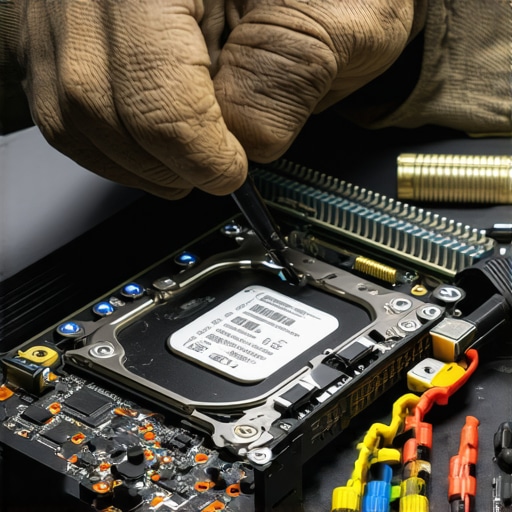
I learned the hard way that using generic recovery tools or cheap fixes can do more harm than good, especially with physical damage to drives or screens. Investing in equipment like professional data recovery tools and trusted repair kits saved me time and client data. Knowing when to call in experts is a lesson that separates amateur from pro.
How Continuous Learning Saved My Business
Staying updated with the latest in cybersecurity, data recovery techniques, and hardware innovations allowed me to tackle new challenges confidently. For instance, understanding emerging threats meant proactive defenses rather than reactive fixes. I recommend following reputable sources and ongoing training—it’s the best insurance against rapid technological evolution and evolving cyber threats.
Why Building a Network of Trusted Professionals Matters
Over the years, cultivating relationships with specialized technicians and cybersecurity professionals proved invaluable. When a client’s server raid began to fail, my network’s quick response restored data swiftly, preventing disastrous downtime. Engaging with experts ensures you’re not navigating complex repairs or security concerns alone—teamwork enhances resilience and efficacy.
Prioritize Action Over Hesitation
The most critical lesson? Act promptly when issues arise. Waiting can escalate physical damages or security breaches, making recovery exponentially harder. Whether it’s a failing hard drive or a suspicious login, immediate attention saves time, money, and peace of mind. Trust your instincts, use the right tools, and don’t delay—your systems will thank you.
My Essential Toolkit for Data Recovery and Repair
I rely on DeepSpar Disk Imager for physical drives and specialized recovery guides to stay sharp. For routine maintenance, I trust professional repair kits and monitoring tools, which keep my clients’ systems resilient. Building a personal toolbox tailored to your needs is a game-changer.
Step Into Action Today
The world of data recovery, managed IT, and computer repair demands proactive learning and decisive steps. Embrace the tools, build your network, and stay curious—these are the secret ingredients to long-term success. Remember, every problem you solve boosts your confidence and expertise. Ready to make your systems more secure and reliable? Let’s start today—what’s your next move?