

I remember the exact moment it hit me—I was staring at my laptop screen, frustration bubbling up. The cursor blinked back at me with that familiar, mocking rhythm, while I desperately tried to piece together where all my IT spending had gone. It was clear: I was in over my head, lost in a maze of invoices, subscriptions, and hardware costs. That lightbulb moment made me realize something crucial—I didn’t need to hire an expensive consultant to get a grip on my business’s tech expenses. What I needed was a straightforward way to audit my own IT spending, understand where the money was going, and make smarter decisions moving forward.
Taking Control of Your IT Budget Without the Costly Support
Today, I want to share how I managed to take charge of my business’s IT expenses without shelling out for expert help. Believe me, if I can do it, so can you. There’s no need to be overwhelmed by tech jargon or complex spreadsheets—you just need to know where to look and what questions to ask. This guide will walk you through simple, practical steps to audit your IT spending, identify unnecessary costs, and optimize your investments for better efficiency and security.
Is It Worth the Effort or Just a Waste of Time?
Early on, I made the mistake of assuming that auditing my IT expenses would be an exhaustive, tiresome process. Turns out, a little effort can save thousands—and even more importantly, help prevent costly security lapses. Skipping this step might seem easier, but it’s like flying blind in the digital landscape. A report by TechRepublic highlights that up to 30% of IT budgets are wasted on redundant or unnecessary services. So, the real question is—are you ready to uncover hidden savings and tighten your security without the premium price tag? If so, let’s dive into how you can get started right now.
Natural progression into the next section will cover tools and techniques for effective internal auditing, setting the stage for actionable steps and resources like data recovery tips and managed IT strategies.
Start with a Clear Inventory of Your Tech Assets
Before diving into numbers, compile a comprehensive list of all hardware, software subscriptions, cloud services, and support contracts your business currently utilizes. I once sketched mine out on a simple spreadsheet, categorizing each item by type and cost. This initial step revealed several outdated software licenses and unused cloud services, highlighting areas for potential savings.
Break Down Expenses by Department or Function
Assign each expense to its respective department or project. Doing this was like organizing messy cables behind my desk—suddenly, everything was visible. I identified that marketing was paying for multiple unnecessary analytics tools, which I later replaced with a single, integrated platform.
Review Subscriptions and Service Agreements
Next, examine recurring expenses like subscriptions, maintenance, and support contracts. Think of these as regular cable or streaming bills—easy to overlook but accumulating over time. I found some contracts that had auto-renewed without review, costing hundreds monthly. Luckily, I canceled unused services and negotiated better rates on others, saving me thousands annually.
Assess Hardware Lifecycle and Usage
Hardware that’s past its prime or underused is a hidden drain. I looked at my laptops and servers, checking their purchase dates and performance logs. Using free tools, I identified machines that were sluggish and over-allocated resources. Replacing or repurposing these assets improved efficiency and reduced maintenance costs.
Identify Overlapping or Redundant Tools
Multiple solutions serving the same purpose? Common in growing businesses. I noticed I had two separate backup solutions, causing unnecessary expense. Consolidating these into a unified platform not only cut costs but also simplified management.
Leverage Data Recovery Insights to Protect Critical Files
I learned the importance of backing up essential data properly. When a mishap left me with lost files, I used specialized data recovery techniques. Implementing reliable backup solutions prevented future disasters and minimized downtime, saving time and money.
Implement Monitoring and Budget Tracking
Set up regular reviews of IT expenses with simple dashboards or accounts. I scheduled quarterly audits, comparing actual spend against budgets. This habit exposed unexpected charges and allowed me to adjust contracts or renegotiate terms proactively.
Utilize Managed IT Solutions to Automate Oversight
If manual tracking feels daunting, explore managed IT services. They offer oversight and optimization, freeing you from micromanagement while ensuring your IT spend aligns with your business needs. A strategic partner can help you identify saving opportunities without sacrificing security or performance.
Optimize Security and Maintenance Costs
Security lapses often stem from overlooked vulnerabilities in existing setups. Regularly updating and patching systems prevents costly breaches. I used a managed approach to streamline maintenance, reducing unexpected expenses.
Review Cloud and Hosting Expenses
Cloud services are convenient but can hide costs if not monitored. I analyzed usage metrics and downgraded plans where feasible, ensuring I paid only for what I needed. Combining this with a structured data backup strategy minimized waste.
Maintain an Actionable IT Budget Plan
Finally, translate your audit findings into a living document—update it after each review, track improvements, and plan for future upgrades. Regular audits foster a culture of cost-awareness, turning financial stewardship into a strategic advantage.
By following these steps, you transform a chaotic spending environment into a controlled, optimized system. Remember, the goal is not just savings but smarter investments—ensuring your technology supports your business growth without draining your resources.
As I experienced firsthand, systematic review and strategic consolidation can lead to significant savings, better security, and more reliable operations. It’s like taking a wrecking ball to inefficiencies and building a leaner, more resilient IT infrastructure.
Many assume that fixing a laptop screen or recovering data is straightforward, but in reality, there are nuanced pitfalls even seasoned professionals often overlook. One common misconception is that attempting a DIY screen repair will always save money; however, without proper diagnostic tools, you risk further damage or voiding warranties. For instance, solid-state drives (SSDs) may seem simple to replace, but without understanding their specific interface and compatibility, you might encounter performance issues or data loss. When it comes to managed IT solutions, businesses often underestimate the importance of strategic planning—mistaking reactive fixes for proactive security measures. Recognizing these subtleties can save time, money, and data integrity.
Another hidden nuance is the false belief that all data recovery tools are equal. In truth, the efficacy of data recovery software varies based on the type of storage failure. For example, recovering files from a raw or formatted drive requires specialized techniques that generic tools may not handle effectively. Moreover, many overlook that a failing hardware component, like a GPU or motherboard, can manifest as software issues, leading to unnecessary replacements or repairs—highlighting the importance of accurate diagnostics. Experts warn that repeatedly attempting software-based recovery on hardware faults can exacerbate damage, making professional intervention essential.
A frequently ignored detail is the importance of firmware updates during repairs. Neglecting this step can leave vulnerabilities or cause incompatibility issues, especially with newer hardware components. For example, laptop screen repair often involves firmware considerations, which, if ignored, could lead to flickering or dimness even after physical fixes.
Now, for the advanced user pondering complex scenarios, consider: How can one differentiate between a failing GPU that mimics software glitches versus actual driver issues? This requires a comprehensive understanding of hardware behaviors under load, thermal dynamics, and diagnostic tools like stress tests and hardware monitors. Recognizing these signs early prevents costly replacements and data loss. Studies from the IEEE Computer Society emphasize that proactive diagnostics and understanding hardware-software interplay are critical for maintaining system longevity.
Have you ever fallen into this trap? Let me know in the comments. Navigating these nuances might seem daunting, but mastering them significantly enhances your troubleshooting efficiency and data security. Whether you’re repairing a laptop screen or recovering critical files, awareness of these hidden factors ensures smarter decisions and better outcomes.
Equip Yourself with Reliable Tools for Long-Term Success
Maintaining healthy laptop screens, seamless data recovery, and efficient managed IT requires more than just basic knowledge—it demands the right tools. I personally rely on CrystalDiskInfo for monitoring drive health, as it provides real-time SMART data, helping me catch potential failures before they escalate. For screen calibration, Calibrize is my go-to; it ensures color accuracy and prevents eye strain, which is invaluable during long troubleshooting sessions.
When it comes to data recovery, I trust Stellar Data Recovery Pro because of its robust file retrieval capabilities, especially for complex scenarios like accidental deletions or corrupt partitions. Regular backups are essential, and leveraging advanced recovery techniques ensures you’re prepared for anything.
What tools do I recommend for sustained computer health?
Beyond hardware monitoring and recovery, I utilize OWASP ZAP during security audits to identify vulnerabilities proactively. Combining these tools with scheduled maintenance helps mitigate risks and prolong the lifespan of your systems.
Stay Prepared to Scale and Adapt
As technology advances, so do the complexities of maintaining optimal performance. Predicting future trends, I foresee integrated AI-driven diagnostics becoming standard, assisting IT professionals and individuals alike. Embracing tools that adapt to evolving landscapes ensures your systems stay resilient over time.
How do I maintain long-term system stability and security?
Implement routine updates, leverage managed solutions like professional IT services, and routinely verify backup/restoration procedures. Practicing these habits keeps the wheels turning smoothly and data safe, no matter what challenges arise.
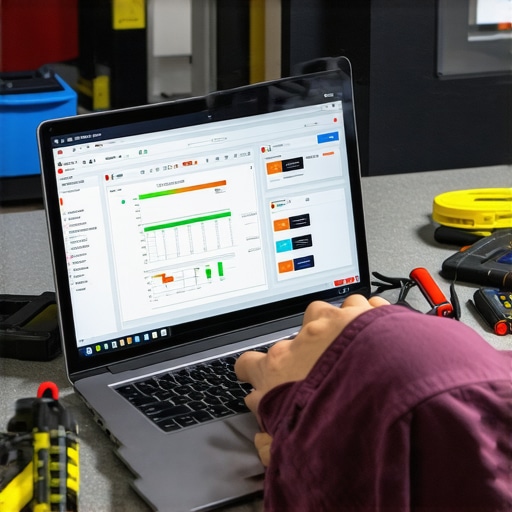
Three Surprising Truths I Didn’t Expect to Learn
- Realizing that many hardware issues are approachable with patience and the right information was a game-changer. I used to think only professionals could handle screen repairs, but now I know a DIY approach can be successful with cautious preparation.
- Understanding that effective data recovery isn’t always about the latest software but about knowing the specific failure mode of your drive. This insight prevented me from wasting time on ineffective tools, saving both money and frustration.
- Learning that proactive management and regular reviews of IT assets can prevent disasters before they happen. It’s not just about fixing things when they break but creating a resilient system that minimizes downtime and data loss.
My Go-To Arsenal for Troubleshooting and Repair
- CrystalDiskInfo — For monitoring drive health, I trust this free tool to catch issues early, helping me make informed decisions about repairs or replacements.
- Stellar Data Recovery — When data is at risk, this software has consistently retrieved important files, offering peace of mind and a safety net during critical moments.
- Calibrize — Proper screen calibration is vital for accurate display, and this simple tool ensures my repairs look as good as new, reducing eye strain and improving productivity.
- Managed IT solutions — Partnering with professionals in this area has allowed me to focus on growth while experts keep my infrastructure secure and optimized. For those managing multiple systems, I recommend exploring managed IT services as a strategic move.
Let Your Confidence Grow—Start Today
Taking control of your laptop screen repairs, data recovery, and IT management might seem daunting at first, but each small step adds up to a more reliable and secure setup. The secret is embracing continuous learning and leveraging the right tools—your future self will thank you for it. Remember, becoming comfortable with these processes isn’t just about fixing devices; it’s about empowering your trust in technology and in yourself. So, why wait? Begin your journey now, experiment safely, and watch your skills and confidence flourish.
Have you ever faced a tricky data recovery or a laptop repair challenge that pushed your limits? Share your experience below—your story might inspire someone else on their tech journey!
,