

I remember the gut-punch feeling of a Tuesday morning back in 2017 when my phone started blowing up with ‘Website Not Found’ errors from a client. I had let a $15 domain renewal slip through the cracks because I thought a simple spreadsheet was enough to track everything. It was a humiliating mistake that cost a local business two days of leads and taught me that domain management isn’t just a chore—it is a mission-critical infrastructure task. Today, I am going to show you exactly why letting your managed IT provider take the wheel on your domain renewals is the best insurance policy you will ever buy for your business continuity. We are moving past the ‘DIY’ phase of business and into a world where your digital address is treated with the same respect as your physical storefront.
Hand Over the Keys to Your Digital Front Door
Most business owners treat domain names like an afterthought, but your domain is the master key to your email, your website, and your security certificates. Early on, I made the classic blunder of using a personal credit card for a company domain; when that card expired, the whole system came crashing down. This is exactly why managed IT is a game-changer for growing companies. When your IT partner handles the renewal, they integrate it into your broader managed IT strategies to keep your business secure in 2025. They don’t just ‘renew’ it; they verify the DNS records, check the SSL status, and ensure the WHOIS information is accurate. Have you ever felt that spike of adrenaline when you realize a vital service is down and you have no idea where the login credentials are kept?
Does Letting Someone Else Manage My Domain Create a Security Risk?
I hear this all the time: ‘If they manage it, do they own it?’ The answer is a firm no. You should always be the registrant, but they should be the technical contact. In fact, a report from ICANN (Internet Corporation for Assigned Names and Numbers) indicates that administrative errors are a leading cause of domain loss, often more frequent than malicious hijacking. Keeping management in-house usually leads to fragmented logins and zero accountability. By rolling this into your unlimited IT support plans, you ensure 24/7 monitoring. If you are still worried about the fine print, you can look into the real danger of letting your managed IT provider handle your domain to understand how to structure the agreement so you maintain 100% legal ownership while they handle the 2:00 AM technical headaches. It is about centralized control, and quite frankly, it is about giving yourself one less thing to worry about when you are trying to run a business.
Stop Hunting for Logins and Centralize Your Access
Transitioning your domain management to a professional partner starts with a clean handoff of credentials. Think of your domain like the engine of a car; if you don’t have the keys, the whole vehicle is just a heavy paperweight. I once worked with a law firm where the managing partner had registered their domain on a personal Yahoo account back in 2004. When he retired, the account was deactivated, and their website vanished overnight. This is why the simplest way to manage remote employee computer passwords and domain logins is through a centralized, encrypted vault that your IT team maintains. They don’t take ownership; they act as the gatekeeper.
The Specific Roles You Need to Assign
Within your domain registrar, there are distinct roles: Registrant, Administrative, and Technical. You—the business owner—must always remain the Registrant. Your managed IT provider should be the Technical Contact. This setup allows them to troubleshoot mail flow issues or update security records without having the legal power to sell the domain out from under you. This level of organization is a core part of why your managed IT service should be tracking your software licenses and digital assets. It ensures that when a server migration happens, the DNS records are updated in minutes, not days. 
Perform a Deep-Dive Audit Before Every Renewal
Every time a domain comes up for renewal, your IT partner should be doing more than just clicking a button. They need to perform a comprehensive audit of your digital footprint. This involves checking if your SSL certificates are expiring, ensuring your SPF and DKIM records are preventing spoofing, and verifying that your WHOIS privacy is active. If you aren’t sure if your current provider is doing this, you can learn how to audit your business IT spending without hiring an expert to see where the gaps are. I remember a case where a client was paying for five different domains they hadn’t used in a decade because nobody had checked the traffic logs.
Protect Yourself Against the Ex-Employee Lockout
Here is a micro-story that still haunts me. A mid-sized marketing agency had their lead developer quit on bad terms. Because he was the only one with the login to the domain’s registrar, he changed the password and held the company’s email hostage for three days. We eventually got it back, but the stress was immense. We now implement the simple setup that prevents former employees from locking you out of company devices and domains by using enterprise-level MFA (Multi-Factor Authentication) that is tied to a company-controlled hardware key.
Verify Your DNS Health to Prevent Cyber Attacks
Your domain’s DNS is essentially the steering wheel of your internet presence. If a hacker gets control of it, they can point your traffic to a malicious replica of your site. This makes it vital to know how to spot a phishing website before entering your business credentials because the most common way domains are lost is through simple login theft. Your IT provider should be monitoring for “shadow DNS” entries—records added by intruders that you might not notice for months. By integrating this into your managed IT strategies to keep your business secure in 2025, you turn a simple renewal into a sophisticated security gate that keeps your brand safe.Most business owners assume that if they have ‘Auto-Renew’ toggled on at their registrar, they are safe. I am here to tell you that this is a dangerous myth. In my years of handling emergency recoveries, I have seen ‘Auto-Renew’ fail more often than a cheap laptop battery because of outdated credit card info, blocked verification emails, or even a simple API glitch on the registrar’s end. This is where the ‘Oops’ factor hits hardest: if you miss an ICANN verification email, your registrar can put your domain into ‘ClientHold’ status, effectively killing your site even if you have paid for the next ten years. It is a sophisticated trap that catches even seasoned pros.
Why Does My Domain Show Offline When I Paid the Bill?
This is the most common advanced headache. Often, it is not a payment issue but a DNSSEC (Domain Name System Security Extensions) mismatch. If your IT provider doesn’t know how to properly handle these cryptographic signatures during a migration, your domain will appear dead to the rest of the internet. A study by the Ponemon Institute found that the average cost of a minute of data center downtime is nearly $9,000, and domain-related outages are a massive, avoidable chunk of that figure. This is why you need to know how to audit your managed IT service providers security standards. You aren’t just paying for them to keep the lights on; you are paying for them to prevent these invisible technical roadblocks.
The Difference Between Syncing and Saving Your Business
Let’s get real about your data. Most people think that because their files are in OneDrive or Dropbox, they are ‘backed up.’ This is a massive mistake. If a ransomware strain hits your local machine, it will sync those encrypted, useless files directly to the cloud, overwriting your good data in seconds. I’ve seen businesses lose everything because why your business backup plan is actually just a sync plan instead of a true immutable backup. This is the mistake that makes your backups completely useless. True managed IT means having an ‘air-gapped’ or versioned backup that a virus cannot touch. 
Don’t Let Hardware Failures Fool You
Sometimes the problem isn’t in the cloud or the domain; it’s right in front of you. I’ve had clients call me frantic about a ‘hacked’ website, only to find out their laptop’s GPU was dying, creating visual artifacts that looked like a corrupted site. You have to learn how to spot a hardware failure masquerading as a software bug before you start rebuilding your entire server. Similarly, when a drive dies, don’t panic and try DIY software immediately. The truth about recovering data from an encrypted SSD that wont mount is that if you try the wrong utility, you could permanently scramble the encryption keys. Have you ever fallen into this trap where a simple hardware glitch made you think your whole digital life was over? Let me know in the comments. By centralizing your domain, security, and hardware monitoring under a managed IT umbrella, you aren’t just delegating tasks—you are building a fortress that accounts for the nuances most people ignore until it is too late.
My Personal Arsenal of Maintenance Tools
I have spent years testing every diagnostic utility under the sun, and if there is one thing I have learned, it is that the best tools are the ones that give you raw data, not a ‘fix-it’ button. I swear by CrystalDiskInfo for monitoring drive health and HWiNFO for real-time thermal tracking. These aren’t just for enthusiasts; they are the early warning systems for your business. When you see your SSD’s ‘Life Remaining’ dip below 20%, that is your cue to act before you need the power of data recovery tools to save your client records. I also keep a physical kit ready: a high-quality screwdriver set and 99% isopropyl alcohol. It is amazing how often how to tell if your laptop fan is actually broken or just dusty comes down to a five-minute cleaning session rather than a costly replacement. If you are managing an office, the hardware swap that gives old office pcs five more years of life is usually just a simple move to an NVMe SSD and a fresh application of thermal paste.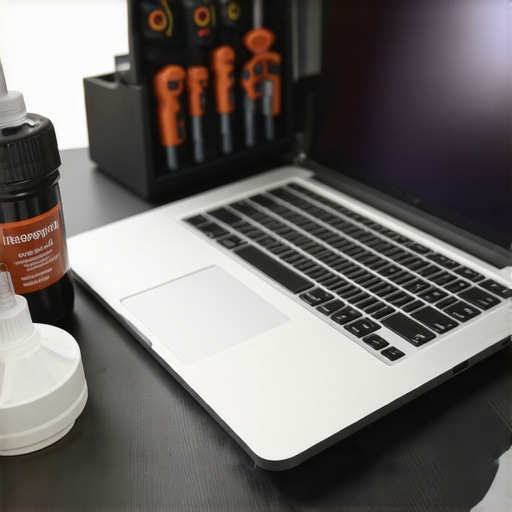
How do I keep my computer hardware from hitting a wall over time?
Consistency beats intensity every single time. You don’t need to rebuild your system every month, but you do need a quarterly check-in. This means blowing out the dust—and please, stop using canned air on your motherboard until you read this warning about static and moisture. Beyond the physical, maintenance involves troubleshooting common computer repair issues effectively by reviewing your system logs for recurring errors. For my managed clients, we use RMM (Remote Monitoring and Management) software that flags these issues before the user even notices a slowdown. This proactive approach is the core of managed IT solutions streamlining operations for small businesses. If you aren’t using a professional service, set a recurring calendar invite to check your laptop’s hinge tension and screen health, especially if you have noticed why your laptop screen has a faint white glow around the edges, which can indicate internal pressure or heat damage.
Predictive Maintenance is No Longer Science Fiction
We are moving into an era where AI-driven diagnostics will tell us exactly when a component is going to fail. According to technical reports from Backblaze, who monitor thousands of hard drives daily, drive failure rates follow a predictable ‘bathtub curve’—high early on, low for years, then spiking at the end of life. In the next few years, I expect managed IT providers to use this data to replace components *before* they fail, based on serial number cohorts and real-time vibration analysis. This means you will never have to worry about data recovery secrets because the data will never be at risk. For now, take one small step today: download a hardware monitor and check your CPU temperature. If it is idling above 60°C, you might need to learn how to fix an overheating laptop with a simple can of compressed air before your motherboard pays the price. Your future self will thank you for the five minutes of effort.
The Hard Truths Learned From Every ‘Site Not Found’ Error
Over the years, I’ve realized that technical failure is rarely about the hardware itself—it’s about the oversight in the systems we fail to put in place. I have learned that you should never assume your domain registrar’s ‘Auto-Renew’ is a guarantee; it is merely a convenience that can fail for a dozen different reasons. Furthermore, a flickering display is usually a whisper from your hardware that a catastrophic failure is coming. By learning how to avoid these costly mistakes, you save more than just money; you save your business’s hard-earned reputation.
Tools I Use to Sleep Better at Night
I don’t just recommend these because they are popular; I use them because they have saved my skin during emergency recoveries. Bitwarden is my preferred choice for managing employee passwords securely without risking a lockout. For hardware health, I constantly monitor the Backblaze Hard Drive Stats to know which drive models are most reliable for our servers. Finally, I always keep a guide handy for effectively troubleshooting repair issues so my team never has to guess when a mission-critical workstation goes dark.
#IMAGE_PLACEHOLDER_E#
Build a Foundation That Does Not Shake
You have worked too hard to let a missed renewal or a dusty cooling fan bring your entire operation to a grinding halt. Transitioning to professional managed IT solutions is not just about outsourcing technical chores; it is about buying yourself the mental bandwidth to focus on growth. Your domain, your data, and your hardware are the pillars of your modern business—treat them with the respect they deserve to ensure your longevity in a digital world. Have you ever had a close call where you almost lost a domain name or vital business files? I would love to hear how you handled it in the comments below.