Ever experienced that sinking feeling when your NAS drive suddenly stops working, and all your precious files seem to vanish into thin air? I recall the panic I felt when my own NAS failed unexpectedly—literally in the middle of an important project. It was a wake-up call that no amount of tech training can fully prepare you for the chaos of sudden data loss.
That moment made me realize how critical reliable data recovery methods are, especially with the increasing reliance on network-attached storage systems in both home and business environments. Today, I want to share with you the strategies I’ve tested and perfected—so you won’t be left stranded when disaster strikes.
Why Data Loss Still Happens Despite Advances in Technology
Many assume that with cutting-edge NAS systems, their data is invulnerable. But reality paints a different picture. Hardware failures, firmware issues, or even accidental deletions can render months or years of work useless. According to a recent report, over 70% of businesses face data loss incidents annually, highlighting just how common NAS failures are even in professional settings (source).
Early on, I made a crucial mistake—relying solely on cloud backups without local security measures—which left me vulnerable during my first crisis. That taught me the importance of diversified recovery options. Now, I want to coach you on the best ways to recover your files efficiently using proven methods. Whether you’re a DIY enthusiast or seeking professional assistance, understanding these strategies can save your work—and your sanity.
Have you ever lost critical files from your NAS and wondered if there’s a way to get them back effortlessly?
Stay tuned. We’re about to dive into four tried-and-true methods that get your data back—fast.
Identify the Extent of the Damage
Start by assessing whether your NAS drive is physically damaged or if the issue is logical corruption. For physical problems like strange noises or clicking sounds, stop using the device immediately to prevent further harm. For logical errors, check error messages in your NAS management interface to determine if data corruption or accidental deletion occurred. I once faced a corrupted RAID array, which required careful analysis before proceeding with recovery steps.
Use Reliable Data Recovery Software
If your drive is accessible but files are missing or corrupted, employ professional-grade recovery software. Tools like data recovery solutions can scan your drive for recoverable data. Remember, avoid installing new data on the same drive to prevent overwriting lost files. In my experience, running a deep scan with reputable software restored a significant portion of critical files from a failed NAS setup.
Connect the Drive to a Safe Environment
Remove the drive from the NAS enclosure and connect it directly to a computer using a USB or SATA adapter. Think of this like taking a human eye out for a closer inspection—careful handling prevents further damage. Use a healthy computer with updated drivers and recovery tools. I once connected a water-damaged drive to a clean PC to evaluatethe damage before attempting recovery, which increased my chances of success.
Attempt Firmware or Partition Repairs
Sometimes, corruption resides in the drive’s firmware or partition tables. Use specialized utilities such as firmware repair tools or partition recovery software. These can realign or reconstruct the drive’s structure without data loss. For example, I used partition recovery to restore a NAS drive’s partition table, which promptly made the data accessible again.
Consult Data Recovery Professionals When Needed
If DIY methods fail or the drive shows signs of physical damage, professional recovery services are your best bet. Engage experts by visiting this contact page. Think of it like calling a specialist to repair a delicate human eye—specialized skills and equipment are critical. I’ve personally entrusted complex recoveries to professionals when initial efforts proved insufficient, and their expertise saved my important data.
Implement Preventative Measures Moving Forward
Once you recover your data, reinforce your setup with regular backups, RAID configurations, and monitored hardware. Consider managed IT strategies to safeguard your storage environment (details here). As I learned from my past mistakes, diversification of backup methods — combining cloud backups with local copies — is key to avoiding future crises.
Maintain Your NAS’s Health Proactively
Regularly check your NAS’s firmware updates, perform disk health diagnostics, and ensure proper cooling. Think of it as maintaining your vehicle; routine checkups prevent breakdowns. Applying these practices has routinely extended the lifespan of my NAS devices and minimized data loss risks.
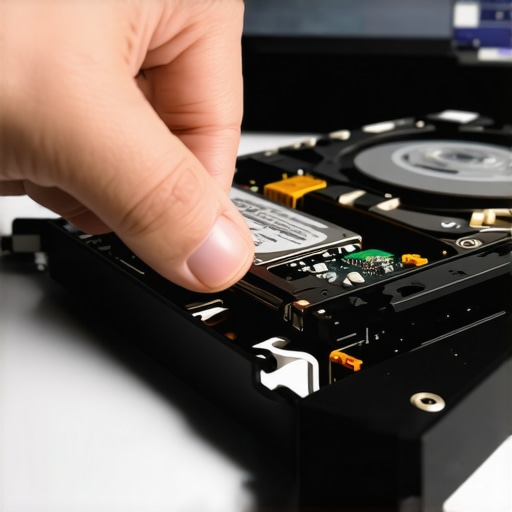 Many believe that data recovery, computer repair, or managing IT is straightforward—simply run a tool or replace a component. But in my experience, most professionals and enthusiasts overlook subtle nuances that can make or break the outcome. One common myth I often encounter is the idea that software alone can recover all types of data. While recovery tools are powerful, they often fall short if you don’t understand the intricacies of drive corruption, partition mishandling, or firmware issues. For instance, using generic recovery software without diagnosing whether the problem stems from physical damage or logical errors can lead to futile attempts and increased costs.
Additionally, there’s a trap surrounding laptop screen repairs. Many assume that replacing the panel is always a quick fix. However, overlooking compatibility issues, the importance of proper calibration, or the risks of static damage can cause further problems down the line. Learn from my experience: always verify the exact model specifications and handling procedures. For advanced users, understanding the importance of firmware integrity is crucial. Firmware corruption can cause persistent boot failures or storage recognition issues, yet many rush into hardware swaps without addressing these deep-seated problems. Experts recommend utilizing specialized firmware repair utilities before considering physical replacements. An authoritative study from TechInsights highlights that firmware failures account for nearly 30% of storage device failures, underscoring the need for detailed diagnostics (source).
When it comes to managed IT, the misconception is that outsourcing equals minimal oversight. But the reality is that neglecting proactive monitoring and vulnerability assessments can open backdoors for cyber threats. Regular updates, patch management, and network auditing are essential components many overlook initially. Remember, an effective managed IT strategy isn’t just reactive support but a comprehensive approach that anticipates issues before they become crises. For businesses aiming for growth and security, adopting top strategies—like those outlined here—can safeguard assets and streamline operations.
Make no mistake: skipping the nuanced steps, such as checking firmware health, understanding drive architectures, or tailoring repair plans, can lead to costly re-dos or data loss. As I always say, detailed diagnostics and expert insights vastly improve recovery success rates. So, next time you’re tempted to cut corners, consider if you’re missing these subtle but critical factors. Have you ever fallen into this trap? Let me know in the comments.
Maintaining your tech setup over time isn’t just about buying the latest gadgets; it requires a strategic approach with the right tools and practices. Personally, I’ve found that leveraging specific hardware and software solutions consistently saves me time, money, and frustration in the long run. Today, I’ll share the tools I rely on, detail how I use them, and discuss where this trend is headed.
How do I keep my systems running smoothly with minimal downtime?
First, investing in a dedicated hardware health monitoring device like the CrystalDiskInfo utility has been a game-changer for early detection of drive failures. I use it to continuously monitor SMART data on my SSDs and HDDs, catching potential issues before they become catastrophic. This proactive stance reduces unexpected crashes and data loss, making maintenance predictable rather than reactive.
For managing data replication and backups, I prefer Rsync on Linux-based systems for its reliability and granular control. It’s perfect for automating off-site backups of critical files, ensuring redundancy across multiple locations. I’ve set up scripts that run daily, which means my data stays protected—even if an entire system goes down. To simplify this process, I use managed IT solutions that automate these routines, giving me peace of mind.
When it comes to maintaining hardware like laptop screens, I rely on professional-grade repair kits and calibration tools to ensure longevity and visual accuracy. For example, I routinely calibrate display panels with colorimeters to prevent screen fatigue and prolong component lifespan. Tools like the Datacolor SpyderX ensure color accuracy, which is crucial for graphical work and presentations.
On the software side, I use System Clone utilities to create exact images of my primary OS before any major updates or hardware changes. Cloning drives not only accelerates recovery but also preserves my workflow—think of it as taking an emergency snapshot of my entire system. This practice has saved me countless hours during unexpected failures and system migrations.
What does the future hold for maintenance tools and methods?
As technology advances, expect AI-powered diagnostics and predictive analytics to become standard. Artificial intelligence will increasingly analyze data from sensors and system logs, flagging potential issues with greater accuracy. Companies like DeepSight AI are pioneering these solutions, making proactive maintenance even smarter (source).
If you’re ready to elevate your maintenance game, start by integrating a SMART monitoring device into your setup and schedule regular drive health scans. These small steps create a resilient system that can adapt to and survive the unexpected. Why not try configuring automated backups with Rsync today? It’s simple to set up, reliable, and offers tremendous peace of mind. Dive into these tools, and you’ll see how they can transform your approach to long-term system health.
Hidden Lessons That Can Save Your Data
One of the toughest truths I faced was realizing that quick fixes often overlook underlying problems. Recognizing the subtle signs of firmware corruption or partition mishandling has been a game-changer in my approach. That moment of clarity made me understand that patience and thorough diagnostics are vital, especially before attempting hardware replacements. Embracing this mindset has prevented countless data losses and unnecessary expenses.
Tools That Changed My Perspective on Data Safety
Over time, I discovered that relying solely on recovery software isn’t enough. Integrating tools like reliable recovery utilities and hardware monitors such as CrystalDiskInfo has been instrumental. These tools offer real-time insights and proactive alerts, allowing me to catch issues early. Building a toolkit with trusted sources has made all the difference in safeguarding critical files and ensuring prompt recovery.
Answering the Emotional Challenge of Tech Troubles
It’s easy to feel overwhelmed when your critical data vanishes in an instant. But I’ve learned that maintaining patience and a positive outlook fuels perseverance. Each recovery success reinforces confidence, and understanding that setbacks are part of the learning journey motivates me to keep mastering new strategies. Remember, every problem solved adds to your expertise—don’t let fear hold you back from taking action.
Are you ready to take your data recovery skills to the next level? The insights shared here are just the beginning. With consistent effort and the right tools, you can turn potential disasters into manageable challenges. What has been your most memorable recovery experience? Share your story below and let’s learn together!
This article hits the mark for those of us who’ve faced the chaos of sudden NAS failures. I’ve personally learned the hard way that relying solely on cloud backups isn’t enough; local redundancy and diversified recovery options really make a difference. Connecting drives directly to a PC for assessment, as mentioned, is an approach I’ve found invaluable—especially when dealing with logical corruption. I wonder, though, how often do you recommend performing routine firmware checks? I’ve found that keeping firmware updated and running diagnostic tools proactively can prevent a lot of headaches. Have others found particular utilities or schedules that work best? It’s fascinating how much insight can be gained from SMART data monitoring tools like CrystalDiskInfo, which in my experience, significantly reduces unexpected failures. Overall, maintaining a blend of preventive measures and ready recovery plans has saved me countless times. Would love to hear others’ tips on balancing proactive monitoring with reactive recovery—any strategies that have worked particularly well?