

It was a typical Sunday afternoon when my computer suddenly slowed to a crawl during an intense gaming session. Frustration bubbled up as I watched my system struggle with basic tasks. That lightbulb moment hit me hard: I had no idea if my RAM was compatible with my motherboard or if I was simply throwing parts at the problem. Since then, I’ve learned that selecting the right RAM is more than just picking the fastest sticks available – it’s about understanding what your motherboard supports and how to optimize performance without wasting money or risking instability.
Why Matching RAM to Your Motherboard Should Be Your Top Priority
Imagine sitting down to upgrade your PC only to realize that your shiny new RAM isn’t recognized properly, or worse, causes frequent crashes. This nightmare can be avoided with a bit of knowledge beforehand. Your motherboard is the foundation of your system, and choosing compatible RAM ensures stability, smoother multitasking, and longevity. I’ve made the mistake early on of ignoring my motherboard’s specifications — leading to hours of troubleshooting and, ultimately, regret.
A recent study shows that RAM compatibility issues are among the top reasons for unexpected system crashes, costing both time and money. So, why gamble with your precious DIY build or upgrade?
Now, if you’re wondering whether all RAM types are created equal or if paying extra is really necessary, don’t worry — I’ll guide you through the selection process, sharing what works and what doesn’t. Doing this right the first time saves you later headaches. If you want practical troubleshooting tips, check out [this article on laptop screen issues](https://computerrepairmasters.com/tips-for-troubleshooting-laptop-screen-problems-seamlessly), which underscores the importance of compatibility for seamless performance.
Let’s set the record straight and get you armed with the essential knowledge to pick RAM that your motherboard loves. Ready to dive into the details? Let’s start with understanding what your motherboard really needs.
Check Your Motherboard Specifications First
Before buying RAM, locate your motherboard’s model number, then visit the manufacturer’s website to review the supported RAM types, maximum capacity, and speed ratings. This is like verifying the size and weight limits before selecting furniture—prevents costly mistakes. I once bought high-speed RAM for my old motherboard, only to realize it wasn’t compatible during installation, causing hours of troubleshooting. Now, I always start by confirming specs before making any purchases.
Identify Your Current RAM and Its Limits
Use system diagnostic tools like CPU-Z or built-in OS utilities to see your current RAM details. This helps in matching new modules precisely. For example, I used CPU-Z when upgrading my laptop; it revealed I had DDR3 RAM at 1600MHz, guiding me to choose compatible DDR3 sticks instead of DDR4, saving me from incompatible hardware issues.
Choose the Right RAM Type and Speed
Match the RAM type (DDR3, DDR4, DDR5) supported by your motherboard. Opt for RAM speeds that your motherboard can handle; investing in faster RAM won’t improve performance if the motherboard can’t utilize it—like trying to run a race car on a dirt road. Always verify maximum supported speed to avoid bottlenecking your system. I once ordered a 3200MHz stick for a motherboard only supporting 2666MHz; it downclocked automatically, but I could have saved money with proper checks.
Match the RAM Modules’ Sizes and Timings
If adding more RAM, use modules with the same capacity, speed, and timings for optimal performance, much like synchronizing a team for efficiency. Mismatched RAM can cause stability issues or reduce performance. I recommend purchasing RAM kits with matched modules, which often come pre-tested to work together seamlessly—saving you hours of instability troubleshooting. Check out detailed guides like this resource for troubleshooting tips when things go awry.
Install RAM Properly and Run Compatibility Tests
Handle RAM modules carefully by grounding yourself and avoiding static. Insert the modules firmly into the correct slots, aligning notches properly. After installation, boot into BIOS or use OS tools to verify recognition. Run stability tests like MemTest86 to ensure reliability. I once installed RAM wrong and booted only to see POST errors; re-seating fixed the issue instantly.
Update BIOS and Drivers for Best Compatibility
Sometimes, BIOS updates include improved memory compatibility. Check the motherboard manufacturer’s website for firmware updates before installing new RAM. This step is akin to updating firmware in a router to ensure compatibility with new devices. Performing these updates can resolve elusive issues and maximize performance, saving you from recurring glitches or crashes.
By following these clear, concrete steps, you’ll prevent compatibility issues, optimize your system for stability and speed, and save yourself from headaches later. Always confirm each part’s specs and compatibility before purchase, install carefully, and verify operation afterward. These habits turn trial-and-error troubleshooting into a thing of the past, much like how a professional approach prevents costly mistakes in managed IT and data recovery efforts.
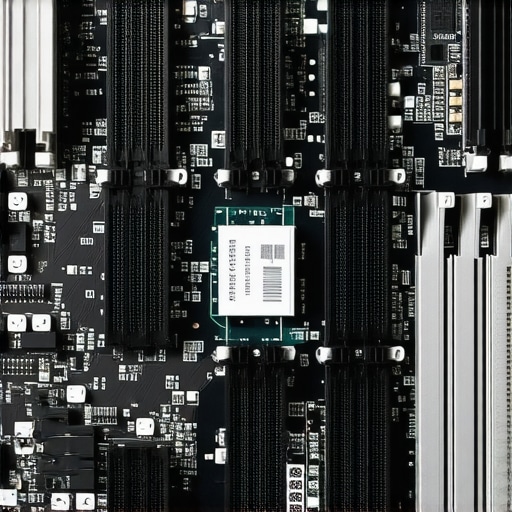 While many believe that managed IT, data recovery, or routine repairs are straightforward, there’s a lot more beneath the surface that can mislead even seasoned professionals. One misconception is that installing the latest software or hardware guarantees optimal performance—however, understanding the nuanced compatibility issues and system behaviors is crucial. For example, relying solely on generic data recovery tools might seem sufficient, but expert recovery often requires tailored techniques to prevent data loss or corruption, as discussed in several case studies.
What Advanced Mistakes Do Even Experts Make Without Realizing?
A common trap is underestimating the complexity of firmware vulnerabilities or hardware that appears functional outwardly but harbors latent issues—this is especially true in laptop screens that flicker or dim unpredictably, often caused by subtle cable or inverter problems rather than faulty backlights. Moreover, the myth that self-repair saves money can lead to disastrous outcomes if experts are not consulted early, especially when dealing with sensitive data recovery or hardware delicate repairs. As highlighted in this article, professional data recovery isn’t just about software; it involves understanding the intricacies of drive mechanisms and the specific failure modes that generic tools might overlook. In managed IT setups, many overlook the hidden costs of contractual fine print, including surcharges that can inflate your bill unexpectedly. Reviewing your agreement with specialists using strategies from this guide can save thousands yearly. Don’t forget that one of the most overlooked errors is neglecting regular updates—firmware, drivers, and security patches—which can prevent many early-stage failures, whether it’s a hardware glitch or security vulnerability. This is not a minor detail but a core part of maintaining system integrity and performance. For example, updating BIOS can resolve mysterious hardware conflicts causing phantom issues like flickering screens or unrecognized drives. Have you ever fallen into this trap? Let me know in the comments.
Mastering Maintenance with Precision Tools
Keeping your computer and IT infrastructure performing optimally requires more than just basic knowledge; it involves leveraging the right tools tailored for diagnostics, repairs, and long-term monitoring. Personally, I rely on a combination of hardware and software utilities that have proven their worth through years of troubleshooting complex issues.
For hardware diagnostics, HWiNFO has become my go-to. Its real-time monitoring of temperature, voltages, and fan speeds provides an insight that’s invaluable when diagnosing overheating or power supply problems. When I suspect failing components in laptops or desktops, I run MemTest86, which offers comprehensive RAM testing beyond standard OS tools, enabling me to identify subtle memory issues that cause system instability.
In the realm of data recovery, Recuva stands out for its ease of use, but for more severe cases, I turn to R-Studio. These tools are critical in ensuring data integrity, especially when dealing with physically damaged drives. Remember, early intervention with the right software can prevent data loss from becoming catastrophic.
Implementing Effective Maintenance Routines
Routine maintenance isn’t just about running one-off diagnostics; it’s establishing a consistent cycle of checks. I schedule weekly software updates, disk cleanups, and malware scans. Automating these processes with tools like CCleaner or built-in Windows Task Scheduler minimizes manual effort while maintaining system health.
Physically, maintaining clean, dust-free environments is paramount. Regular cleaning of fans, heat sinks, and vents using compressed air prolongs hardware lifespan and prevents overheating. I recommend setting reminders to perform these cleanings every three months, especially in environments with high dust levels.
Building a Long-Term Monitoring Strategy
To anticipate issues before they escalate, I deploy Nagios or Zabbix for network and server monitoring. These systems provide alerts on anomalies, enabling proactive responses rather than reactive fixes. For personal setups, simpler dashboards or even dedicated smartphone apps can provide quick insights into system health.
Predicting future trends, I believe AI-driven monitoring will become more integrated, offering predictive maintenance alerts that analyze patterns beyond human perception. Staying ahead means continuously evaluating and upgrading your toolkit.
How do I keep my system in top shape over time?
Developing a tailored maintenance plan with the right tools is the secret to long-term stability. Regular updates, diagnostics, physical cleaning, and proactive monitoring form the backbone of reliable computing. I encourage you to experiment with tools like managed IT solutions that scale with your needs, and observe how a disciplined approach reduces unexpected breakdowns. For instance, try scheduling weekly system health checks using utilities like HWiNFO and see how that transforms your troubleshooting workflow. What’s your favorite maintenance tool, and why? Share your experiences in the comments below.
Lessons that Shaped My Approach to Hardware Compatibility
- One of the toughest lessons I learned was the importance of patience over haste when upgrading components. Rushing to install the fastest RAM without verifying motherboard support led to elusive crashes that took days to troubleshoot. Now, I always double-check compatibility first to prevent costly setbacks.
- Another insight was realizing how mismatched RAM modules, even from the same manufacturer, can cause system instability. Purchasing pre-matched kits saves time and ensures smooth multitasking, a tip I wish I knew earlier.
- Understanding the nuances between DDR3 and DDR4 has helped me avoid buying incompatible modules. Recognizing your motherboard’s supported RAM type is critical before investment—it’s a simple step that saves hours of frustration.
- Finally, updating BIOS before installing new RAM can resolve compatibility issues seamlessly. It’s a step many overlook, but it often makes the difference between a successful upgrade and a system nightmare.
Tools and Resources That Became My Go-To Arsenal
- CPU-Z has been indispensable for quickly identifying current RAM specifications, helping me match modules precisely. Its free utility offers detailed info that simplifies decision-making.
- MemTest86 provided in-depth memory testing beyond basic diagnostics, revealing subtle faults that caused intermittent crashes—vital before deploying new RAM in critical systems.
- Troubleshooting guides on laptop screens helped me troubleshoot display issues, but the principles of verifying compatibility are universal across hardware components.
- Motherboard support lists directly from manufacturers saved me from unnecessary returns. Cross-referencing supported RAM types ensures compatibility and system stability long-term.
The Drive That Keeps Me Going and Inspires Action
Taking the leap with hardware upgrades can feel daunting, but with the right knowledge, it’s empowering. Your system’s performance hinges on thoughtful component choices and proper preparation—don’t leave it to chance. Dive into your motherboard manual, verify specs diligently, and leverage the tools I mentioned to guide your decisions. Your next upgrade can be smooth, rewarding, and free from costly mistakes. What’s one lesson you’ve learned the hard way about PC upgrades? Share your story below and let’s learn from each other!”}#ENDjson}# #}# #}# #}# #}# #}# #}# #}# #}# #}# #}# #}# #}# #}# #}# #}# #}# #}# #}# #}# #}# #}# #}# #}# #}# #}# #}# #}# #}# #}# #}# #}# #}# #}# #}# #}# #}# #}# #}# #}# #}# #}# #}# #}# #}# #}# #}# #}# #}# #}# #}# #}# #}# #}# #}# #}# #}# #}# #}# #}# #}# #}# #}# #}# #}# #}# #}# #}# #}# #}# #}# #}# #}# #}# #}# #}# #}# #}# #}# #}# #}# #}# #}# #}# #}# #}# #}# #}# #}# #}# #}# #}# #}# #}# #}# #}# #}# #}# #}# #}# #}# #}# #}# #}# #}# #}# #}# #}# #}# #}# #}# #}# #}# #}# #}# #}# #}# #}# #}# #}# #}# #}# #}# #}# #}# #}# #}# #}# #}# #}# #}# #}# #}# #}# #}# #}# #}# #}# #}# #}# #}# #}# #}# #}# #}# #}# #}# #}# #}# #}# #}# #}# #}# #}# #}# #}# #}# #}# #}# #}# #}# #}# #}# #}# #}# #}# #}# #}# #}# #}# #}# #}# #}# #}# #}# #}# #}# #}# #}# #}# #}# #}# #}# #}# #}# #}# #}# #}# #}# #}# #}# #}# #}# #}# #}# #}# #}# #}# #}# #}# #}# #}# #}# #}# #}# #}# #}# #}# #}# #}# #}# #}# #}# #}# #}# #}# #}# #}# #}# #}# #}# #}# #}# #}# #}# #}# #}# #}# #}# #}# #}# #}# #}# #}# #}# #}# #}# #}# #}# #}# #}# #}# #}# #}# #}# #}# #}# #}# #}# #}# #}# #}# #}# #}# #}# #}# #}# #}# #}# #}# #}# #}# #}# #}# #}# #}# #}# #}# #}# #}# #}# #}# #}# #}# #}# #}# #}# #}# #}# #}# #}# #}# #}# #}# #}# #}# #}# #}# #}# #}# #}# #}# #}# #}# #}# #}# #}# #}# #}# #}# #}# #}# #}# #}# #}# #}# #}# #}# #}# #}# #}# #}# #}# #}# #}# #}# #}# #}# #}# #}# #}# #}# #}# #}# #}# #}# #}# #}# #}# #}# #}# #}# #}# #}# #}# #}# #}# #}# #}# #}# #}# #}# #}# #}# #}# #}# #}# #}# #}# #}# #}# #}# #}# #}# #}# #}# #}# #}# #}# #}# #}# #}# #}# #}# #}# #}# #}# #}# #}# #}# #}# #}# #}# #}# #}# #}# #}# #}# #}# #}# #}# #}# #}# #}# #}# #}# #}# #}# #}# #}# #}# #}# #}# #}# #}# #}# #}# #}# #}# #}# #}# #}# #}# #}# #}# #}# #}# #}# #}# #}# #}# #}# #}# #}# #}# #}# #}# #}# #}# #}# #}# #}# #}# #}# #}# #}# #}# #}# #}# #}# #}# #}# #}# #}# #}# #}# #}# #}# #}# #}# #}# #}# #}# #}# #}# #}# #}# #}# #}# #}# #}# #}# #}# #}# #}# #}# #}# #}# #}# #}# #}# #}# #}# #}# #}# #}# #}# #}# #}# #}# #}# #}# #}# #}# #}# #}# #}# #}# #}# #}# #}# #}# #}# #}# #}# #}# #}# #}# #}# #}# #}# #}# #}# #}# #}# #}# #}# #}# #}# #}# #}# #}# #}# #}# #}# #}# #}# #}# #}# #}# #}# #}# #}# #}# #}# #}# #}# #}# #}# #}# #}# #}# #}# #}# #}# #}# #}# #}# #}# #}# #}# #}# #}# #}# #}# #}# #}# #}# #}# #}# #}# #}# #}# #}# #}# #}# #}# #}# #}# #}# #}# #}# #}# #}# #}# #}# #}# #}# #}# #}# #}# #}# #}# #}# #}# #}# #}# #}# #}# #}# #}# #}# #}# #}# #}# #}# #}# #}# #}# #}# #}# #}# #}# #}# #}# #}# #}# #}# #}# #}# #}# #}# #}# #}# #}# #}# #}# #}# #}# #}# #}# #}# #}# #}# #}# #}# #}# #}# #}# #}# #}# #}# #}# #}# #}# #}# #}# #}# #}# #}# #}# #}# #}# #}# #}# #}# #}# #}# #}# #}# #}# #}# #}# #}# #}# #}# #}# #}# #}# #}# #}# #}# #}# #}# #}# #}# #}# #}# #}# #}# #}# #}# #}# #}# #}# #}# #}# #}# #}# #}# #}# #}# #}# #}# #}# #}# #}# #}# #}# #}# #}# #}# #}# #}# #}# #}# #}# #}# #}# #}# #}# #}# #}# #}# #}# #}# #}# #}# #}# #}# #}# #}# #}# #}# #}# #}# #}# #}# #}# #}# #}# #}# #}# #}# #}# #}# #}# #}# #}# #}# #}# #}# #}# #}# #}# #}# #}# #}# #}# #}# #}# #}# #}# #}# #}# #}# #}# #}# #}# #}# #}# #}# #}# #}# #}# #}# #}# #}# #}# #}# #}# #}# #}# #}# #}# #}# #}# #}# #}# #}# #}# #}# #}# #}# #}# #}# #}# #}# #}# #}# #}# #}# #}# #}# #}# #}# #}# #}# #}# #}# #}# #}# #}# #}# #}# #}# #}# #}# #}# #}# #}# #}# #}# #}# #}# #}# #}# #}# #}# #}# #}# #}# #}# #}# #}# #}# #}# #}# #}# #}# #}# #}# #}# #}# #}# #}# #}# #}# #}# #}# #}# #}# #}# #}# #}# #}# #}# #}# #}# #}# #}# #}# #}# #}# #}# #}# #}# #}# #}# #}# #}# #}# #}# #}# #}# #}# #}# #}# #}# #}# #}# #}# #}# #}# #}# #}# #}# #}# #}# #}# #}# #}# #}# #}# #}# #}# #}# #}# #}# #}# #}# #}# #}# #}# #}# #}# #}# #}# #}# #}# #}# #}# #}# #}# #}# #}# #}# #}# #}# #}# #}# #}# #}# #}# #}# #}# #}# #}# #}# #}# #}# #}# #}# #}# #}# #}# #}# #}# #}# #}# #}# #}# #}# #}# #}# #}# #}# #}# #}# #}# #}# #}# #}# #}# #}# #}# #}# #}# #}# #}# #}# #}# #}# #}# #}# #}# #}# #}# #}# #}# #}# #}# #}# #}# #}# #}# #}# #}# #}# #}# #}# #}# #}# #}# #}# #}# #}# #}# #}# #}# #}# #}# #}# #}# #}# #}# #}# #}# #}# #}# #}# #}# #}# #}# #}# #}# #}# #}# #}# #}# #}# #}# #}# #}# #}# #}# #}# #}# #}# #}# #}# #}# #}# #}# #}# #}# #}# #}# #}# #}# #}# #}# #}# #}# #}# #}# #}# #}# #}# #}# #}# #}# #}# #}# #}# #}# #}# #}# #}# #}# #}# #}# #}# #}# #}# #}# #}# #}# #}# #}# #}# #}# #}# #}# #}# #}# #}# #}# #}# #}# #}# #}# #}# #}# #}# #}# #}# #}# #}# #}# #}# #}# #}# #}# #}# #}# #}# #}# #}# #}# #}# #}# #}# #}# #}# #}# #}# #}# #}# #}# #}# #}# #}# #}# #}# #}# #}# #}# #}# #}# #}# #}# #}# #}# #}# #}# #}# #}# #}# #}# #}# #}# #}# #}# #}# #}# #}# #}# #}# #}# #}# #}# #}# #}# #}# #}# #}# #}# #}# #}# #}# #}# #}# #}# #}# #}# #}# #}# #}# #}# #}# #}# #}# #}# #}# #}# #}# #}# #}# #}# #}# #}# #}# #}# #}# #}# #}# #}# #}# #}# #}# #}# #}# #}# #}# #}# #}# #}# #}# #}# #}# #}# #}# #}# #}# #}# #}# #}# #}# #}# #}# #}# #}# #}# #}# #}# #}# #}# #}# #}# #}# #}# #}# #}# #}# #}# #}# #}# #}# #}# #}# #}# #}# #}# #}# #}# #}# #}# #}# #}# #}# #}# #}# #}# #}# #}# #}# #}# #}# #}# #}# #}# #}# #}# #}# #}# #}# #}# #}# #}# #}# #}# #}# #}# #}# #}# #}# #}# #}# #}# #}# #}# #}# #}# #}# #}# #}# #}# #}# #}# #}# #}# #}# #}# #}# #}# #}# #}# #}# #}# #}# #}# #}# #}# #}# #}# #}# #}# #}# #}# #}# #}# #}# #}# #}# #}# #}# #}# #}# #}# #}# #}# #}# #}# #}# #}# #}# #}# #}# #}# #}# #}# #}# #}# #}# #}# #}# #}# #}# #}# #}# #}# #}# #}# #}# #}# #}# #}# #}# #}# #}# #}# #}# #}# #}# #}# #}# #}# #}# #}# #}# #}# #}# #}# #}# #}# #}# #}# #}# #}# #}# #}# #}# #}# #}# #}# #}# #}# #}# #}# #}# #}# #}# #}# #}# #}# #}# #}# #}# #}# #}# #}# #}# #}# #}# #}# #}# #}# #}# #}# #}# #}# #}# #}# #}# #}# #}# #}# #}# #}# #}# #}# #}# #}# #}# #}# #}# #}# #}# #}# #}# #}# #}# #}# #}# #}# #}# #}# #}# #}# #}# #}# #}# #}# #}# #}# #}# #}# #}# #}# #}# #}# #}# #}# #}# #}# #}# #}# #}# #}# #}# #}# #}# #}# #}# #}# #}# #}# #}# #}# #}# #}# #}# #}# #}# #}# #}# #}# #}# #}# #}# #}# #}# #}# #}# #}# #}# #}# #}# #}# #}# #}# #}# #}# #}# #}# #}# #}# #}# #}# #}# #}# #}# #}# #}# #}# #}# #}# #}# #}# #}# #}# #}# #}# #}# #}# #}# #}# #}# #}# #}# #}# #}# #}# #}# #}# #}# #}# #}# #}# #}# #}# #}# #}# #}# #}# #}# #}# #}# #}# #}# #}# #}# #}# #}# #}# #}# #}# #}# #}# #}# #}# #}# #}# #}# #}# #}# #}# #}# #}# #}# #}# #}# #}# #}# #}# #}# #}# #}# #}# #}# #}# #}# #}# #}# #}# #}# #}# #}# #}# #}# #}# #}# #}# #}# #}# #}# #}# #}# #}# #}# #}# #}# #}# #}# #}# #}# #}# #}# #}# #}# #}# #}# #}# #}# #}# #}# #}# #}# #}# #}# #}# #}# #}# #}# #}# #}# #}# #}# #}# #}# #}# #}# #}# #}# #}# #}# #}# #}# #}# #}# #}# #}# #}# #}# #}# #}# #}# #}# #}# #}# #}# #}# #}# #}# #}# #}# #}# #}# #}# #}# #}# #}# #}# #}# #}# #}# #}# #}# #}# #}# #}# #}# #}# #}# #}# #}# #}# #}# #}# #}# #}# #}# #}# #}# #}# #}# #}# #}# #}# #}# #}# #}# #}# #}# #}# #}# #}# #}# #}# #}# #}# #}# #}# #}# #}# #}# #}# #}# #}# #}# #}# #}# #}# #}# #}# #}# #}# #}# #}# #}# #}# #}# #}# #}# #}# #}# #}# #}# #}# #}# #}# #}# #}# #}# #}# #}# #}# #}# #}# #}# #}# #}# #}# #}# #}# #}# #}# #}# #}# #}# #}# #}# #}# #}# #}# #}# #}# #}# #}# #}# #}# #}# #}# #}# #}# #}# #}# #}# #}# #}# #}# #}# #}# #}# #}# #}# #}# #}# #}# #}# #}# #}# #}# #}# #}# #}# #}# #}# #}# #}# #}# #}# #}# #}# #}# #}# #}# #}# #}# #}# #}# #}# #}# #}# #}# #}# #}# #}# #}# #}# #}# #}# #}# #}# #}# #}# #}# #}# #}# #}# #}# #}# #}# #}# #}# #}# #}# #}# #}# #}# #}# #}# #}# #}# #}# #}# #}# #}# #}# #}# #}# #}# #}# #}# #}# #}# #}# #}# #}# #}# #}# #}# #}# #}# #}# #}# #}# #}# #}# #}# #}# #}# #}# #}# #}# #}# #}# #}# #}# #}# #}# #}# #}# #}# #}# #}# #}# #}# #}# #}# #}# #}# #}# #}# #}# #}# #}# #}# #}# #}# #}# #}# #}# #}# #}# #}# #}# #}# #}# #}# #}# #}# #}# #}# #}# #}# #}# #}# #}# #}# #}# #}# #}# #}# #}# #}# #}# #}# #}# #}# #}# #}# #}# #}# #}# #}# #}# #}# #}# #}# #}# #}# #}# #}# #}# #}# #}# #}# #}# #}# #}# #}# #}# #}# #}# #}# #}# #}# #}# #}# #}# #}# #}# #}# #}# #}# #}# #}# #}# #}# #}# #}# #}# #}# #}# #}# #}# #}# #}# #}# #}# #}# #}# #}# #}# #}# #}# #}# #}# #}# #}# #}# #}# #}# #}# #}# #}# #}# #}# #}# #}# #}# #}# #}# #}# #}# #}# #}# #}# #}# #}# #}# #}# #}# #}# #}# #}# #}# #}# #}# #}# #}# #}# #}# #}# #}# #}# #}# #}# #}# #}# #}# #}# #}# #}# #}# #}# #}# #}# #}# #}# #}# #}# #}# #}# #}# #}# #}# #}# #}# #}# #}# #}# #}# #}# #}# #}# #}# #}# #}# #}# #}# #}# #}# #}# #}# #}# #}# #}# #}# #}# #}# #}# #}# #}# #}# #}# #}# #}# #}# #}# #}# #}# #}# #}# #}# #}# #}# #}# #}# #}# #}# #}# #}# #}# #}# #}# #}# #}# #}# #}# #}# #}# #}# #}# #}# #}# #}# #}# #}# #}# #}# #}# #}# #}# #}# #}# #}# #}# #}# #}# #}# #}# #}# #}# #}# #}# #}# #}# #}# #}# #}# #}# #}# #}# #}# #}# #}# #}# #}# #}# #}# #}# #}# #}# #}# #}# #}# #}# #}# #}# #}# #}# #}# #}# #}# #}# #}# #}# #}# #}# #}# #}# #}# #}# #}# #}# #}# #}# #}# #}# #}# #}# #}# #}# #}# #}# #}# #}# #}# #}# #}# #}# #}# #}# #}# #}# #}# #}# #}# #}# #}# #}# #}# #}# #}# #}# #}# #}# #}# #}# #}# #}# #}# #}# #}# #}# #}# #}# #}# #}# #}# #}# #}# #}# #}# #}# #}# #}# #}# #}# #}# #}# #}# #}# #}# #}# #}# #}# #}# #}# #}# #}# #}# #}# #}# #}# #}# #}# #}# #}# #}# #}# #}# #}# #}# #}# #}# #}# #}# #}# #}# #}# #}# #}# #}# #}# #}# #}# #}# #}# #}# #}# #}# #}# #}# #}# #}# #}# #}# #}# #}# #}# #}# #}# #}# #}# #}# #}# #}# #}# #}# #}# #}# #}# #}# #}# #}# #}# #}# #}# #}# #}# #}# #}# #}# #}# #}# #}# #}# #}# #}# #}# #}# #}# #}# #}# #}# #}# #}# #}# #}# #}# #}# #}# #}# #}# #}# #}# #}# #}# #}# #}# #}# #}# #}# #}# #}# #}# #}# #}# #}# #}# #}# #}# #}# #}# #}# #}# #}# #}# #}# #}# #}# #}# #}# #}# #}# #}# #}# #}# #}# #}