

I was sitting at my desk, minding my own business with a lukewarm coffee, when I noticed something weird. A file on my desktop changed its icon to a white blank page. Then another. And another. I tried to right-click and delete, but my cursor lagged like it was moving through molasses. That cold pit in my stomach? That was the realization that I was watching a ransomware attack eat my life’s work in real-time. I made the classic rookie error—I tried to diagnose it. I opened my antivirus and waited for a scan. Big mistake. By the time the scan reached 5%, my taxes, family photos, and client projects were scrambled eggs.
The Panic is Real But Your Files Don’t Have to Die
Most people think that once malware hits, it is game over. You see that Your files are encrypted screen and you think you need a miracle or a crypto wallet. But there is a window—a tiny, precious gap of time—between the moment the malicious code runs and the moment it finishes locking your drive. I have spent years in computer repair for beginners coaching folks through this, and the secret isn’t a fancy software tool. It is speed. If you can disrupt the process while it is still in the discovery phase, you win. The statistics are honestly terrifying. According to Cybersecurity Ventures, ransomware is expected to attack a business or individual every 2 seconds by 2031. It is a relentless tide, but you aren’t helpless. Today, I am going to walk you through the immediate physical and digital moves you need to make to freeze that infection. We are going to talk about the simple move that stops malware from replicating across your office before it jumps from your laptop to your server.
Is it really possible to outrun an automated encryption script?
You might be skeptical. After all, computers are faster than humans, right? True. But encryption is a heavy-lifting process for a CPU. It takes time to read a file, scramble it, and write it back to the disk. If you have a massive hard drive, the malware has to work for its dinner. By knowing the first steps to take when your business data is held for ransom, you can cut the power or kill the network before the lock command reaches your most important folders. I once saw a guy save 90% of his data just because his laptop battery died in the middle of an attack. Luck is great, but a plan is better. Have you ever seen your computer start acting possessed and wondered if you should just yank the power cord? To really protect yourself, you need to understand the difference between a slow PC and a malicious process. Sometimes what looks like a bug is actually a fake antivirus that is actually malware trying to trick you into giving it permission to start the encryption. We are going to dive into how to spot these red flags and exactly what to do when you realize you are under fire. If you have already been hit and a simple reboot didn’t work, do not lose hope; there are ways to clear a stubborn virus that reinstalling windows didn’t fix, but stopping it now is much easier than cleaning up later.I’ve spent a decade fixing machines, and if there is one thing I’ve learned, it’s that software is slow and humans are slower, but physics is final. When you pull a plug, the flow of electricity and data stops instantly. This isn’t the time for a graceful exit. If you see your files changing or a strange window popping up, you need to act like your house is on fire. Your goal isn’t to save the data yet; it is to stop the fire from moving into the next room.
Kill the Connection Before It Spreads
The absolute first thing you must do is sever the link between your computer and the rest of the world. Malware often needs to talk to a command-and-control server to get the ‘keys’ to lock your files. Even if it is already running locally, it is likely trying to crawl through your network to find your backups or your coworker’s laptop. I remember a small accounting firm I helped last year. The office manager saw a weird file extension on her desktop and, instead of calling IT, she physically pulled the power cord on the router. It was messy, and everyone lost their unsaved work for five minutes, but she saved 40 workstations from a wipeout because the infection couldn’t find its next target. This is the simple move that stops malware from replicating across your office by removing the bridge it walks on. 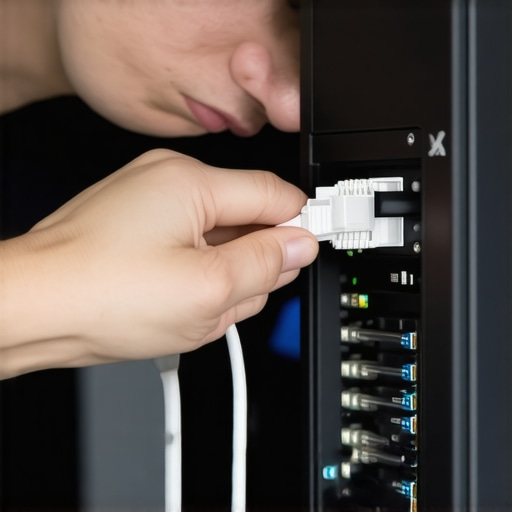
Don’t Trust the Shutdown Button
You might be tempted to go to the Start menu and click ‘Shut Down.’ Don’t. Modern operating systems go through a series of closing procedures that can actually give the malware a few extra seconds to finish encrypting a critical folder. If you are on a desktop, pull the plug from the wall. If you are on a laptop, hold the power button down until the screen goes black. This hard stop is a ‘brute force’ save. Yes, you might lose the document you were working on, but that is a tiny price to pay compared to losing every photo you’ve taken since 2010. By cutting the power, you are freezing the malicious code in its tracks.
Isolate the Infected Machine Immediately
Once the machine is off, do not turn it back on to ‘check’ if it is okay. This is where people get into trouble. They want to see if the files are still there, but booting up just restarts the encryption process. Instead, focus on the move that stops lateral movement after a network breach: unplugging every other device on the network. If one PC is sick, assume the network jack it was plugged into is ‘hot.’ I once saw a virus wait for two hours after the initial infection just to wait for a user to log into a server, at which point it jumped across. This is why managed IT strategies to keep your business secure in 2025 emphasize zero-trust isolation.
Prepare for the Clean Up
Only after the machine is physically isolated should you begin looking into recovery. If you have an external hard drive that was plugged in during the attack, consider it compromised until proven otherwise. You’ll need to use data-recovery secrets expert techniques to save your files fast from a clean, secondary environment. If the malware is particularly nasty, you might find that even a fresh install of Windows isn’t enough, requiring you to learn how to clear a stubborn virus that reinstalling windows didn’t fix. The key is to never let the infected drive talk to your good data again until it has been scrubbed at the bit level.
Let’s dig deeper into why the standard advice often fails when the stakes are high. Everyone tells you that as long as you have a cloud sync running, your data is safe. That is one of the most dangerous myths in modern computing. In my years of handling data recovery secrets every business should know today, I have seen dozens of owners realize too late that why your business backup plan is actually just a sync plan matters more than the brand of software you use. When ransomware hits your local files, your cloud client happily syncs those encrypted, ‘scrambled’ versions right over your good copies. You aren’t backing up; you’re just mirroring the disaster in real-time.
Stop Assuming Your Shadow Copies Are Still There
Advanced ransomware isn’t just about encryption anymore; it is about total sabotage. A common ‘oops’ factor I see is users relying on Windows Shadow Copies for a quick fix. Modern variants specifically target and delete these snapshots before they even start on your documents. This is where managed IT strategies to keep your business secure in 2025 move beyond basic antivirus. You need an ‘air-gapped’ solution where the backup doesn’t even have a drive letter visible to the operating system. If the malware can see the drive, it can kill the drive. According to the IBM Cost of a Data Breach Report, the average time to identify and contain a breach is over 270 days. This means the malware might have been sitting on your server for months, quietly mapping your network and identifying your backup paths before the first file was ever locked.
How Do You Stop an Infection That Has Already Hit Your BIOS?
This is a nightmare scenario, but it is becoming increasingly common. If you find yourself dealing with persistent issues that survive a drive wipe, you might need to learn how to remove a rootkit that survives a standard windows reset. Most people think a drive format is the ‘nuclear option.’ It’s not. Real experts know that the mistake that makes your backups completely useless is failing to verify the integrity of the firmware itself. If the malicious code lives in the UEFI, it will just reinfect your clean Windows install the moment you boot up. This level of depth requires more than just a retail antivirus; it requires hardware-level verification. Have you ever fallen into this trap where you thought you were safe only to find the virus came back a week later? Let me know in the comments.
Another nuance often overlooked is lateral movement. A single infected workstation is rarely the end goal; it is just a foothold. By understanding the move that stops lateral movement after a network breach, you can prevent a single compromised laptop from becoming a company-wide catastrophe. This involves micro-segmentation and strict credential management, ensuring that even if one door is kicked in, the rest of the house remains locked tight. Don’t wait for the ‘Your files are encrypted’ screen to start thinking about these advanced layers.
If you’ve followed my advice so far, you’ve already pulled the plug and isolated the infection. But once the smoke clears, you need a long-term strategy that doesn’t involve you hovering over the power outlet every day. In my shop, I don’t rely on ‘magic’ fix-it buttons. I rely on specific, hardened tools that give me total control over the environment. For instance, I always keep a copy of the Sysinternals Suite by Microsoft on a write-protected USB. This allows me to see every single process, network connection, and registry change in real-time. It is the only way to catch the sneaky stuff that stop buying expensive antivirus when these free settings do more would miss. If you want to really know what is happening under the hood, you have to look at the kernel level.
How do I make my hardware last through the next decade?
Maintenance isn’t just about software; it is about the physical health of your silicon. People often ask me if they should just buy a new machine when things get sluggish. My answer? Usually no. You can often how to extend the life of your office pcs by three years by doing a deep cleaning and swapping out the thermal paste. Heat is the number one killer of motherboards. If your machine is constantly running hot, you are literally cooking the components. Beyond that, you should be checking for the sign your ssd is reaching its write limit and about to die. I personally use CrystalDiskInfo to monitor S.M.A.R.T. data. It gives you a ‘Health Status’ percentage. If that number drops below 80%, I don’t wait for a crash; I clone the drive immediately.

As we scale our businesses, the ‘DIY’ approach starts to break. This is where why your managed it service plan should include employee training becomes your biggest asset. You can have the best firewall in the world, but if Bob in accounting clicks a link because he thinks he won a gift card, you’re back to square one. According to Backblaze’s 2023 Hard Drive Reliability Report, the annualized failure rate for boot drives is roughly 1.47%, but that spikes significantly as drives hit the four-year mark. This is why I predict that by 2026, we will see more ‘predictive failure’ AI built directly into BIOS firmwares. We won’t just guess when a part is dying; the motherboard will send an alert to your phone before the hardware actually fails.
Scaling your protection also means looking at your network topology. I always recommend that why your business needs a separate vlan for guest wi-fi immediately is your first priority. It keeps your sensitive data on one ‘pipe’ and your visitors on another, making it nearly impossible for a random phone to spread a virus to your server. If you really want to be proactive, download CrystalDiskInfo today and check your drive’s health percentage. If you are in the yellow or red, consider it a ticking time bomb and get your backups ready now.
What Ten Years in the Repair Trenches Taught Me About Cyber Attacks
One thing I realized after fixing hundreds of compromised machines is that the biggest vulnerability isn’t the software; it’s the assumptions we make about our safety nets. First, never trust a ‘clean’ scan on a machine that was just acting weird—malware is designed to hide from the very tools meant to find it. Second, the cost of a high-quality, air-gapped backup drive is nothing compared to the high-stakes ransom demand for your life’s work. Finally, most people who make computer repair for beginners mistakes do so because they panic instead of following a logical checklist. If you can stay calm and cut the power for five minutes, you’ve already won half the battle against automated scripts.
My Personal Safety Vault for Zero-Trust Networking
I don’t just rely on luck; I use a specific stack of tools to keep my digital environment sterile and resilient. I highly recommend keeping a physical, write-protected USB drive with the Microsoft Sysinternals Suite for deep-level diagnosis when things go south. For those running a small shop or a home office, look into Veeam or Macrium Reflect for actual disk imaging, as these handle the logic that explains why your business backup plan is actually just a sync plan if you aren’t careful. Lastly, I always suggest reading up on managed IT strategies to keep your business secure in 2025 to understand how the landscape is shifting toward AI-driven threats that bypass traditional firewalls.
#IMAGE_PLACEHOLDER_E#
Taking the Power Back from the Scammers
The digital world can feel like the Wild West sometimes, but you have more control than you think the moment you stop being a passive user. By setting up a proper guest network and investing in why your managed IT service plan should include employee training, you build a human firewall that is significantly harder to crack than any encryption. You don’t need to be a technical genius to stay safe; you just need to be more prepared than the average target. Don’t let a bad experience stop you from enjoying what modern technology offers. Instead, use this as the moment you finally mastered your own computer repair and security standards. Have you ever had a moment where your computer started acting ‘possessed’ and you didn’t know whether to pull the plug or wait it out? Let me know your story in the comments below.