

There I was, staring at my laptop in horror as it suddenly froze, then started making a deafening noise like a jet engine taking off. My heart sank — I thought my expensive device was broken beyond repair. Turns out, the culprit was something so simple I nearly overlooked: dust buildup in the fan. That moment was a lightbulb for me. Sometimes, what seems like a hardware failure is just a dirty fan sneaking in to cause chaos.
Why You Shouldn’t Jump to Conclusions About Your Laptop Fan
It’s common to panic when your laptop starts overheating or sounding unbearable. But before rushing to replace parts or buy a new device, it’s worth asking: Is the fan actually broken? Or is it just clogged with dust and debris?
Over time, dust accumulates inside your laptop, especially around the cooling fan. This dust acts like insulation, trapping heat and causing the fan to work harder or fail prematurely. According to cybersecurity expert Neil Rerup, dust obstruction is one of the most overlooked causes of overheating, leading to hardware crashes and reduced lifespan (source).
In many cases, a quick cleaning can restore your fan’s functionality without the need for costly repairs. But how do you tell if your fan is genuinely broken or just dirty? That’s what I’m here to help you figure out.
Have you recently noticed strange noises or overheating but dismissed them as hardware failure? You’re not alone. I made this mistake early on — assuming my laptop was doomed because of the symptoms, only to realize dust was the sneaky culprit.
In the sections to come, I’ll guide you through simple steps to diagnose your fan’s health, so you can save money and avoid unnecessary replacements. Ready to get your laptop cooling like new? Let’s dive in.
_sem>,
Open Your Laptop Carefully to Access the Fan
Start by shutting down your laptop and disconnecting it from power. Use a small Phillips screwdriver to remove the screws on the bottom panel. Think of this step like opening a high-end camera to access its sensor—be gentle and methodical. As I did when I cleaned my own laptop months ago, laying out all screws on a magnetic mat helps prevent losing any pieces.
Identify and Locate the Fan
Look for the cooling fan, usually near the vent openings. It resembles a small turbine. During my messy first attempt, I accidentally knocked the fan blade, which made me realize how fragile these components are. Handle the fan by its edges, avoiding contact with delicate blades or nearby circuit boards.
Remove Dust Using Compressed Air
Hold a can of compressed air upright and blow short bursts into the fan blades and vents. Imagine you’re blowing dust off a dusty car grille—don’t linger too long on one spot to avoid moisture buildup. In my case, I used a soft brush for stubborn dust, but the compressed air was most effective at dislodging debris. Be sure to hold the fan blades still to prevent spinning, which could damage the motor.
Clean the Fan Blades and Vents Thoroughly
Wipe accessible surfaces with a lint-free cloth. For crevices, use a small brush or cotton swab. Remember, dust acts like insulation—blocking heat dissipation—but sharp or thick dust layers can cause your fan to strain or fail. After cleaning, check for any physical damage or loose screws before reassembling.
Reassemble and Test Your Laptop
Carefully put the bottom panel back and tighten screws snugly but not tight to avoid cracking the case. Reconnect power and turn on your laptop to observe the fan’s operation. If done correctly, the fan should run more smoothly and quietly—like a well-oiled machine. This simple routine saved me hours and even prevented my laptop from overheating during a long work session. Regular cleaning every 6-12 months can prolong your device’s lifespan and efficiency.
Stay Ahead with Maintenance
Think of cleaning your fan like oiling a bicycle chain—it prevents breakdowns and keeps everything running smoothly. Incorporate this quick maintenance into your routine, especially if your laptop is exposed to dusty environments or heavy use. For comprehensive tech health, learning preventative steps is invaluable, as explored in managed IT solutions, which emphasize proactive care over reactive fixes.
When it comes to managed IT services, many assume that outsourcing equals hands-off management and a one-size-fits-all solution. However, this misconception often leads businesses to underestimate the importance of tailored strategies and nuanced understanding of their unique infrastructure. For example, relying solely on automated monitoring tools without human oversight can miss subtle security breaches or performance issues, which experts warn could be catastrophic (source).
Why Do Businesses Fall for Simplistic Beliefs About Data Recovery?
A common myth is that data recovery tools are foolproof and can restore any lost file effortlessly. In reality, successful recovery often hinges on understanding the intricacies of storage media, file system nuances, and potential corruption. Experts emphasize that improper handling or using generic solutions can cause permanent data loss—especially if the drive has physical damage or encryption—making professional intervention indispensable (source).
More Than Just Fixing Hardware: The Advanced Mistakes in Laptop Repairs
Many technicians focus solely on replacing parts, but neglect to consider underlying causes such as firmware glitches or electrical issues that can mimic hardware failure. A notable pitfall is overlooking the significance of BIOS settings or firmware updates, which can resolve persistent screen or boot problems without physical repairs. Recognizing these nuances can save both time and money, and improve repair outcomes.
Moreover, seasoned repair experts advise maintaining awareness of component compatibility and the subtle effects of environmental factors like humidity—often the unnoticed contributors to recurring issues. Failing to account for these details can result in recurrent failures, wasting resources and compromising user data integrity.
What Advanced Users Should Know About Troubleshooting
If you’re experienced, you might wonder about the deeper diagnostics beyond superficial indicators—like how to detect early signs of SSD degradation or rogue processes consuming unexpected resources. For instance, monitoring SMART data or employing specialized diagnostic tools can reveal impending hardware failures before symptoms become visible. Being proactive in such nuanced diagnostics aligns with best practices endorsed by industry experts (source).
In summary, mastering these subtleties in managed IT, repair, and data recovery isn’t just for specialists—it’s about appreciating the complexity beneath the surface. By understanding and addressing these hidden details, you can prevent costly mistakes and ensure your systems run smoothly. Have you ever fallen into this trap? Let me know in the comments and share your experiences!
Equip Yourself for Long-Term Success
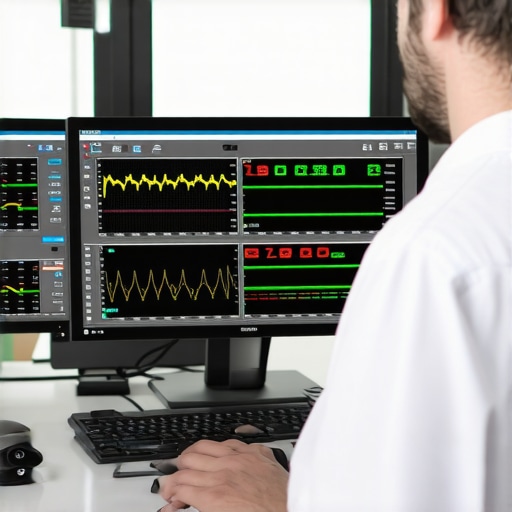
Maintaining a healthy IT environment requires more than occasional cleaning or quick fixes. I rely on a combination of specialized tools and disciplined routines that allow me to keep systems operational and identify potential issues before they escalate. For instance, I personally use SolarWinds Network Performance Monitor because it provides real-time network insights, helping me detect bandwidth bottlenecks or suspicious activity long before users report problems. This proactive approach minimizes downtime and keeps client systems running efficiently.
Why I recommend SolarWinds for network uptime
Its intuitive dashboard and customizable alerts let me pinpoint issues swiftly, saving time and reducing maintenance costs. Plus, it integrates seamlessly with other network management tools I use daily. As the trend in managed IT continues towards automation and predictive analytics, such tools are invaluable for scalability and long-term stability. Going forward, I believe AI-powered monitoring will become standard, further enhancing our ability to prevent failures before they impact operations.
Stay Ahead with Regular Maintenance Routines
Establishing a recurring schedule for hardware checks, software updates, and data backups ensures systems remain resilient against unforeseen issues. I set aside time every two months to review system logs, run performance diagnostics with Hardware Monitor, and verify that backups are complete and recoverable. This disciplined routine is critical because, in my experience, most failures are due to overlooked small issues that compound over time.
How do I maintain consistent system health? I follow a checklist that includes verifying firmware updates, cleaning dust, and testing recovery procedures—aligning perfectly with methods discussed in the ultimate data recovery guide. Regular maintenance also helps in reducing stress during crisis recovery and extends hardware lifespan.
Scaling Your IT Operations without Dropping the Ball
As businesses grow, their IT needs become more complex. I recommend investing in scalable tools like ManageEngine OpManager which offers modular monitoring capabilities, allowing you to expand your oversight as your infrastructure evolves. Proper tool selection early on simplifies upgrades and prevents costly overhauls later. Also, integrating monitoring systems with managed IT services—like those outlined here—can offload routine tasks and free your team to focus on strategic growth.
What’s the future of system maintenance? Next-gen AI diagnostics and the rise of virtualization will help us anticipate issues globally, rather than just react locally. Incorporating these innovations today positions your business to adapt seamlessly when the landscape shifts.
Try implementing one of these advanced tools—like setting up automated network alerts with SolarWinds—and see how it transforms your maintenance routine. Consistent practice and staying informed about emerging technologies are your best bets for long-term success.
Three Hard-Earned Lessons About IT and Repair Triumphs
- Over the years, I realized that many hardware failures are just symptoms of overlooked details—dust buildup being just the tip of the iceberg. Sometimes, a quick clean is all it takes, but neglecting regular maintenance often leads to costly replacements.
- My biggest wake-up call was discovering how firmware glitches or environmental factors can cause issues mistaken for hardware failures. Embracing proactive diagnostics and understanding these nuances saved countless headaches and expenses.
- Finally, trusting generic recovery tools without understanding the specific situation can do more harm than good. Investing in professional guidance and tailored solutions has always paid off in safeguarding vital data and extending device longevity.
Tools and Resources That Elevated My Approach to Tech Maintenance
- SolarWinds Network Performance Monitor has transformed my network oversight. Its real-time insights and customizable alerts help me stay ahead of potential issues before they escalate, making it an invaluable part of my toolkit.
- Hardware Monitor provides detailed diagnostics of hardware health, allowing me to catch early signs of component degradation. Its comprehensive reports ensure nothing slips through the cracks.
- The Ultimate Guide to Data Recovery offers in-depth strategies that I’ve personally found effective for complex scenarios, especially when every second counts in data preservation.
- Lastly, continuous learning through expert articles and industry insights keeps me updated on emerging threats and innovative solutions, ensuring my approach remains sharp and effective.
Your Journey Starts Now—Proactive Steps Lead to Confidence
Stepping into the world of managed IT and hardware maintenance with confidence begins with understanding the critical unseen factors that influence performance and security. Embrace regular care routines, invest in the right tools, and never underestimate the power of proactive diagnostics. Your devices—and your data—deserve your best efforts. Ready to take control? Share your experiences or questions below, and let’s build a smarter, more resilient tech environment together!