

It was a typical Tuesday morning when my office Wi-Fi suddenly slowed to a crawl, and our vital file server was lagging behind. Frustration mounted as I realized that the problem wasn’t just a minor glitch; it was a wake-up call. That’s when I uncovered something unsettling—our trusted old router, which had been humming along for years, was actually putting our entire business at risk.
When Old Technology Becomes an Invisible Threat
Many small business owners and office managers overlook the significance of their networking equipment, especially aging routers. They assume that if the device still powers on, it’s good to go. But as I learned the hard way, the truth is far more complex. Outdated routers can be security vulnerabilities waiting to be exploited, not to mention major bottlenecks that hamper productivity.
This experience pushed me to investigate the real perils of clinging to old tech in a professional environment. Today, I want to share what I’ve discovered—so you don’t have to learn the hard way—and provide you with practical steps to safeguard your small office network.
Could Your Router Be the Weakest Link?
In early days, I made a mistake that many others do: I replaced my computer but kept the same old router. The result? Slower data transfer, more dropped connections, and, ultimately, a security gap. According to recent studies, more than 50% of small businesses continue to operate with outdated routers, risking security breaches and data loss. It’s a mistake that can cost thousands and even threaten your reputation.
Thinking about your own setup—have you noticed frequent disconnects, sluggish internet, or unexplained network errors? If so, your router might be the culprit. Upgrading to newer, more secure models isn’t just about faster Wi-Fi; it’s about protecting your business data and keeping operations smooth.
What’s Next?
Fortunately, replacing and properly configuring your network devices is easier than you think—and it can lead to significant improvements. In the upcoming sections, I’ll walk you through the signs of outdated routers, how to identify vulnerabilities, and the best practices for choosing the right equipment for your needs.
Assessing Your Current Network Setup
Start by mapping out your existing network components. Connect to your router’s admin panel—usually accessed through a browser by entering its IP address—and review the firmware version and connected devices. This provides a snapshot of your network’s health and reveals outdated hardware or firmware that pose security risks.
Identifying Signs of Obsolete Hardware
Look for indicators like frequent disconnections, sluggish internet, or unexplained network errors. Physically inspect your router—does it have a faded label or no current model number? If it’s over five years old, it’s likely time for an upgrade. Remember, old routers can be vulnerable to exploits and slow down your connection, affecting productivity.
Choosing the Right Replacement
Prioritize routers that support the latest standards—like Wi-Fi 6 (802.11ax)—and offer robust security features such as WPA3 encryption. Consider your office size and the number of devices. For small offices, a dual-band router with gigabit speeds suffices; larger setups may need mesh networking or enterprise-grade equipment. Don’t forget to verify compatibility with your existing network infrastructure.
Preparation Before Installation
Backup your current router settings—most admin panels allow exporting configurations. This saves you time during setup. Also, inform your team about planned network downtime to prevent productivity hiccups. Gather necessary tools and ensure your workspace is ready for hardware replacement.
Performing the Physical Replacement
Power down your existing device and disconnect all cables. Remove it carefully—think of it as replacing a vital component in a machine. Install the new router in a central location, elevate it for better coverage, and connect it to your modem. Secure the device properly to prevent physical damage.
Configuring Your New Router
Connect to the router’s admin interface—typically via a web browser—and run the setup wizard. Change default passwords—using a strong, unique password—to prevent unauthorized access. Enable the latest security protocols like WPA3. Set up your Wi-Fi network name (SSID) and password, and configure guest networks if needed.
Optimizing Network Performance
Adjust settings such as QoS (Quality of Service) to prioritize bandwidth for critical applications. Place the router away from thick walls, metal objects, and electronic interference—like microwaves—to maximize coverage. Run tests to ensure optimal speeds and stability, addressing dead zones with extenders if necessary.
Securing Your Network Against Threats
Enable firewalls and update firmware regularly—think of it as installing security patches in a building. Disable WPS (Wi-Fi Protected Setup) as it can be a security vulnerability. Consider setting up a VLAN for sensitive data traffic, isolating it from general network activity. Regularly audit connected devices and monitor network activity for unusual patterns.
Documenting and Maintaining Your Network
Keep a record of your new hardware configurations, passwords, and firmware versions. Schedule periodic reviews and updates—like routine maintenance—to prevent vulnerabilities. Educate staff on best practices, such as avoiding suspicious links, to fortify your network’s security.
Applying these steps was crucial when I replaced our office router last year after noticing frequent disconnects and security alerts. The process was messy at first—cables tangled, settings forgotten—but ultimately, it restored our internet speed and secured our data. Regular maintenance and staying updated with the latest hardware have kept our network running smoothly since then.
For more about securing your network and blocking common vulnerabilities, check out managed IT solutions to streamline operations and enhance security, or explore troubleshooting common network issues to keep your office connected.
Many assume that upgrading hardware or software will automatically solve underlying issues, but this oversimplification can lead to costly mistakes and overlooked vulnerabilities. For example, a common myth is that a higher-priced laptop guarantees better durability and security, yet neglecting firmware updates or proper maintenance can still expose your data and performance to risks.
Why do so many overlook the nuances of data recovery and cybersecurity?
Because they focus on surface-level fixes rather than understanding the core challenges—like hardware wear, malware persistence, or data corruption—that require advanced techniques and strategic planning. Relying solely on generic solutions without expert guidance can trap users into ineffective repairs, making problems worse. Experts emphasize the importance of tailored strategies; for instance, skilled data recovery techniques involve nuanced processes like sector analysis and firmware intervention, which are often misunderstood by amateurs. According to industry insights, nearly 70% of failed recovery attempts stem from misdiagnosing the real issue or using inappropriate tools, highlighting the need for professional evaluation. Similarly, many think that managed IT services are only about outsourced support, but in reality, they encompass proactive security measures, routine audits, and strategic infrastructure upgrades—elements often ignored by small businesses until crises occur. This oversight leaves systems vulnerable and diminishes the value of these services. When it comes to laptop screens, misconceptions abound about DIY repairs; many believe they can fix complex issues like backlight failure or bleeding pixels without proper tools or knowledge. Without understanding the intricate hardware components or proper calibration techniques, attempts can cause further damage. For example, attempting a screen replacement without adequate electrostatic precautions or correct part matching can end up costing more than professional repair. External experts stress the importance of recognizing signs like inconsistent display areas or flickering, which demand precise diagnostics. On the data recovery front, many underestimate how critical timely intervention and avoiding overwriting data are—failures here can make files unrecoverable. Advanced data recovery involves nuanced understanding, such as handling encrypted drives or dealing with physical damages—a process best left to specialists. Moreover, the misunderstood role of backup strategies often leads users to think that cloud backups alone suffice, ignoring the importance of local copies or offsite storage that safeguard against physical disasters, like fire or theft. According to recent studies, over 60% of small companies that suffer data loss didn’t have comprehensive backup plans, illustrating a pervasive oversight. So, the takeaway is clear: superficial fixes and misconceptions can expose vulnerabilities and lead to avoidable expenses. Let’s dig deeper: understanding the complexities behind hardware, data, and cybersecurity issues can save you time and money, and protect your critical assets. Have you ever fallen into this trap? Let me know in the comments.
Investing in Quality Equipment for the Long Haul
Choosing the right tools isn’t just about immediate fixes; it’s about ensuring your business stays resilient over time. I personally rely on enterprise-grade routers supporting Wi-Fi 6, such as the ASUS RT-AX88U, because they offer advanced security features and superior coverage that scale with my growing needs. Additionally, I make sure to use a network switch with high port density and Gigabit speeds to prevent bottlenecks in data flow.
Leverage Reliable Software for Maintenance and Monitoring
One tool I can’t recommend enough is SolarWinds Network Performance Monitor. It provides real-time insights into your network health, detects anomalies early, and helps in spot-checking slowdowns before they escalate. Regular firmware updates via a centralized management platform like Ubiquiti UniFi Controller streamline the process, saving time and reducing errors. Incorporating automated backups ensures data safety without manual intervention, as detailed in our data recovery article.
Establish a Routine for Hardware and Firmware Checks
I schedule monthly audits to verify firmware versions and physical conditions of critical hardware. Keeping firmware up-to-date is crucial—manufacturers like Cisco release patches that protect against emerging vulnerabilities. Use tools like PuTTY or SecureCRT for SSH sessions to remotely manage equipment when physical access isn’t possible, which I find invaluable for scaling operations efficiently.
Document Everything and Implement Change Controls
Maintaining detailed records of configurations, updates, and hardware inventories helps identify patterns and avoid repeating mistakes. Utilizing documentation templates and version control systems like Git, adapted for infrastructure, can prevent configuration drifts. This strategic approach ensures consistency, especially when multiple team members handle maintenance tasks.
Prepare for Future Growth with Modular Solutions
As your business expands, your network needs evolve. Modular hardware like mesh Wi-Fi systems—from brands like Netgear Orbi—scale seamlessly and prevent dead zones. Cloud-managed solutions simplify oversight; I use them to monitor multiple sites from a single dashboard. Anticipate future demands by investing in scalable solutions now, which mitigates costly overhauls later.
How do I keep my network functioning without constant hands-on oversight?
Automation and proactive monitoring are essential. Setting up alerts for firmware expiry, device downtime, or unusual traffic flow enables early intervention. My strategy includes scripting routine checks with PowerShell or Bash, integrated with alert systems like Slack or email, to maintain high uptime. For an example of effective automation, check industry best practices outlined in managed IT strategies.
Thinking ahead, I predict that AI-powered network management tools will become standard, automating fault detection and resolution even more efficiently. Incorporating these into your routine will be a game-changer. Try configuring your network devices to send automatic status reports and alerts—it’s a simple yet powerful step towards sustainable maintenance.
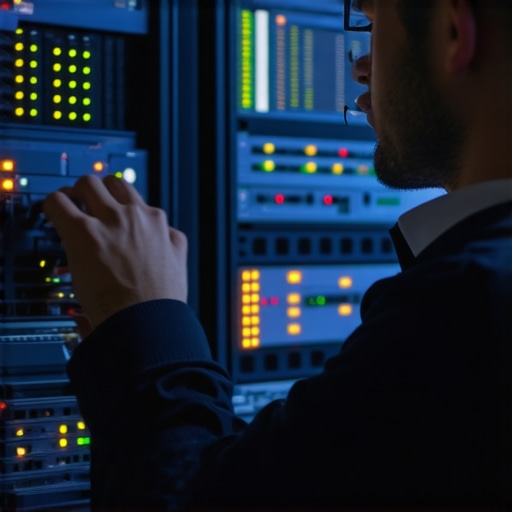
Lessons Whispered by a Cracked Screen
One profound insight I gained was that neglecting small signs like persistent lag or flickering can lead to bigger vulnerabilities—similar to ignoring tiny cracks that eventually spiderweb across a screen. Being attentive to these details has saved me from costly repairs and data losses.
Another lesson was the importance of not just upgrading hardware but also managing firmware and settings proactively. Every time I rushed to replace a router without proper configuration, I faced security gaps. Patience and thoroughness have been my best allies in network health.
Moreover, I realized that choosing scalable, future-proof equipment ensures resilience. Investing in modular solutions like mesh Wi-Fi prevents obsolescence and keeps my office connected seamlessly. It’s a mindset shift from quick fixes to long-term stability.
Tools and Wisdom That Keep Me Ahead
For me, SolarWinds Network Performance Monitor has been invaluable—it offers real-time insights that help me foresee issues before they escalate. Additionally, Ubiquiti’s UniFi Controller streamlines firmware updates, making management effortless. I trust these tools because they empower me to stay in control, rather than reacting to crises.
Books like “The Art of Network Security” by Neil H. Raritan have deepened my understanding of vulnerabilities and defenses. They challenge me to think strategically about my network’s architecture, reminding me that technology is only as secure as the mindset behind it.
Lastly, I rely on detailed documentation and regular audits. Keeping records like configuration backups and firmware versions helps me track changes and prevent mistakes. This disciplined approach transforms a chaotic setup into a resilient infrastructure.
Empower Your Network — Take the Next Step Now
Remember, your office network is the backbone of your business. Investing time to recognize hidden risks, choosing the right tools, and maintaining disciplined practices will pay dividends in security and efficiency. Don’t let outdated hardware become your Achilles’ heel—scale and secure your network today to match your growth ambitions.
What’s your biggest challenge when upgrading or maintaining your office network? Share your experience below, and let’s learn from each other’s journeys.