

I remember sitting in my home office, sweat on my brow, as my screen froze during a high-stakes client pitch. I checked my router, and my heart sank—a tiny, unfamiliar light was blinking aggressively on an Ethernet port I knew for a fact was empty five minutes ago. Someone had physically plugged into a wall jack in my waiting area and was siphoning my bandwidth. It was a visceral, punch-in-the-gut moment that changed how I view network safety forever. I realized then that a strong password is just a fancy lock on a door that’s actually standing wide open. Today, I am going to show you exactly how to stop unauthorized devices from ever hitching a ride on your connection again, using the same tactics that keep professional server rooms locked tight.
The Night I Realized My Network Was Basically a Public Park
Early in my career, I made the classic mistake of thinking that physical access didn’t matter. I was so focused on why your office wi-fi is slow even with a gigabit connection that I completely ignored the open Ethernet ports in my lobby. I thought, ‘Who would actually bring a cable and plug in?’ The answer is: anyone with bad intentions and a spare thirty seconds. By the time I noticed the intruder, they had already accessed my local files. If you are wondering how to tell if your office wi-fi is being tapped by outsiders, you are already asking the right questions, but we need to go a step further. We are going to implement MAC filtering and port security—the digital equivalent of a bouncer with a very strict guest list. This isn’t just about speed; it’s about making sure your sensitive data stays behind the velvet rope. Have you ever checked your router’s ‘connected devices’ list and seen a name like ‘UNKNOWN-PC’ staring back at you?
Is This Level of Security Overkill for a Small Team?
I get it; you have a business to run and don’t want to spend your afternoon playing IT detective. You might think a long Wi-Fi password is enough. However, the Cybersecurity & Infrastructure Security Agency (CISA) notes that unauthorized device access remains a primary vector for lateral movement during a data breach. Once they are on the network, they are in the house. This is exactly why your business needs a separate vlan for guest wi-fi immediately, so your customers can browse the web without ever touching your payroll server. Implementing these managed IT strategies to keep your business secure in 2025 doesn’t have to be a headache, but it does require a shift in mindset. You wouldn’t leave your office keys under the doormat, so why leave your network ports wide open?
Turn Off the Jacks You Don’t Use Right Now
The simplest way to secure your network is also the one most people overlook: physical port management. If you have an Ethernet jack in your breakroom or waiting area that isn’t currently connected to a workstation, disable it in your switch settings. Leaving a live port in a public area is like leaving a spare key in the lock of your front door. I remember a specific instance where a client of mine—a small law firm—found a “mystery” router plugged into a floor jack under a decorative fern. An enterprising neighbor was using their fiber connection for months. By simply logging into your managed switch and setting those unused ports to ‘Admin Down,’ you eliminate the threat entirely. This is the simple move that stops malware from replicating across your office by limiting the entry points for any rogue hardware.
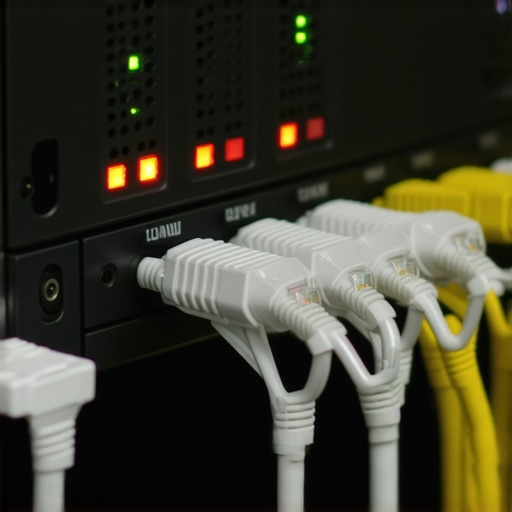
Make Your Router Act Like a Bouncer with MAC Filtering
Every network card has a unique fingerprint called a Media Access Control (MAC) address. Think of MAC filtering as a VIP guest list for your router. Even if someone knows your Wi-Fi password or plugs into a live jack, the router will look at their device’s “ID card” and deny them access if they aren’t on the list. I once spent three hours helping a business owner with troubleshooting common computer repair issues effectively, only to realize the “slowdown” was actually four unauthorized devices hogging the bandwidth. We implemented a “Whitelist” only policy. It was a bit of a headache for the first hour as we added every laptop and printer, but since then, not a single unknown device has been able to handshake with the server.
Why One MAC Address per Port is Your Best Friend
If you use managed switches, you can take security a step further with ‘Sticky MAC’ addresses. This feature tells the switch to learn the first device that plugs into a port and then “lock” that port to that specific device. If someone unplugs your office printer and tries to plug in their laptop, the switch will detect the change and immediately shut the port down. It’s a brutal but effective way to ensure the move that stops lateral movement after a network breach. I once saw this in action when a temp worker tried to bypass web filters by using their own router; the switch killed the connection in milliseconds, and my phone buzzed with an alert before they could even open a browser.
Don’t Ignore Your Network’s Physical Heartbeat
While we focus on software, the hardware needs to stay alive to keep these rules active. If your main switch loses power and reboots to factory defaults, all your custom security might vanish. This is why your office network needs a battery backup for the main switch. Without it, a simple brownout could leave your ports wide open until you realize the settings have cleared. It’s also vital to distinguish between a connection drop and an actual hardware issue; sometimes how to spot a hardware failure masquerading as a software bug is the difference between a quick fix and a week of downtime. Keep your firmware updated and your physical ports locked down, and you’ll be miles ahead of the average small business.
I see it every week: a business owner walks in with a dead laptop, looking stressed but confident because they have ‘everything in the cloud.’ Then the realization hits like a ton of bricks. They weren’t using a backup; they were using a sync service. This is the biggest misconception in modern IT. People think Dropbox or OneDrive is a safety net, but if a ransomware strain hits your local files, those encrypted versions sync to the cloud in seconds. This is precisely why your business backup plan is actually just a sync plan, and it is a distinction that costs companies thousands in lost man-hours.
Stop Treating Your SSD Like an Old Hard Drive
There is a dangerous myth that if your laptop dies, you can just ‘pull the drive’ and grab the files. On an old mechanical HDD, that was often true. But with modern NVMe drives, the ‘TRIM’ command is your worst enemy during a crisis. TRIM is designed to keep your SSD fast by wiping ‘deleted’ data blocks immediately. If you accidentally delete a folder and keep the machine running, that data is physically gone from the NAND chips before you even finish saying ‘Oops.’ I have had to break the news to many clients that the mistake that makes your backups completely useless is often just waiting too long to power down the machine after a data loss event.
According to research by the data recovery experts at Kroll Ontrack, SSD recovery success rates are significantly lower than traditional drives because of how aggressively modern controllers manage background garbage collection. If you are dealing with a drive that won’t mount, you shouldn’t be running ‘free’ recovery software you found on Google. Those tools put immense stress on the controller. Instead, you need to understand the truth about recovering data from an encrypted SSD that won’t mount: every second the drive has power, the controller might be overwriting the very data you are trying to save.
Can You Actually Get Files Back from a Dead SSD?
The short answer is maybe, but it is not a DIY job. When I talk about data recovery secrets every business should know today, the number one secret is ‘Stop.’ Don’t try to reboot. Don’t try to ‘fix’ the partition. If you hear a click or see a ‘No Bootable Device’ error, the hardware is screaming for help. This is where managed IT strategies to keep your business secure in 2025 really pay off—by having a true, versioned backup that exists entirely outside of your sync folders. Have you ever fallen into this trap of thinking sync was the same as backup? Let me know in the comments; I would love to hear how you handled the recovery process.
Stop Waiting for Your Hardware to Smoke Before Taking Action
I have spent years watching business owners ignore the faint clicking of a hard drive or the slight flicker of a laptop screen until the machine simply refuses to turn on. Maintenance isn’t just about cleaning fans; it is about extending the lifecycle of your investments. If you want to know how to extend the life of your office pcs by three years, you have to start with heat management. Dust is the silent killer of silicon. While many reach for a spray, you should know stop using canned air on your motherboard until you read this warning because moisture and static can actually do more harm than good if used improperly. I always recommend a high-quality electric duster for internal cleanings, paired with a schedule that checks every machine at least once a quarter.
The Gear That Separates Pro IT from Amateurs
People often ask me what I carry in my bag when I go to a client site. It isn’t just a screwdriver; it is about having the right bridge tools. I never travel without a dedicated NVMe to USB-C enclosure and a copy of Macrium Reflect. This combination is the easiest way to clone a failing hard drive to a new ssd before the drive completely gives up the ghost. If your workstation feels sluggish, sometimes the hardware swap that gives old office pcs five more years of life is as simple as moving from a SATA SSD to a modern NVMe drive, provided your motherboard supports it. This is the kind of specific, tactical upgrade that saves thousands over a full hardware refresh.
How Do I Keep My Network and Screens Healthy Over Time?
Maintenance is a marathon, not a sprint. For your displays, you need to understand tips for troubleshooting laptop screen problems seamlessly before you assume the panel is dead. Often, a ‘broken’ screen is just a loose EDP cable or a driver conflict. Regarding your network, the future is moving toward AI-driven predictive failure. According to the Backblaze Drive Stats reports, which analyze failure rates across hundreds of thousands of drives, proactive replacement at the 4-5 year mark is the sweet spot to avoid catastrophic data loss. I predict that within three years, your router will tell you which device is about to fail before the user even notices a lag spike. Until then, you need to be the one watching the metrics. This is why your managed IT service plan should include employee training, so your staff knows how to report the ‘little’ glitches before they become ‘big’ outages. I challenge you to go into your server room today and check the manufacture date on your primary switch—if it’s older than five years, it is time to plan your exit strategy.
The Hard Truth About Digital Safety I Learned the Hard Way
Over the last decade, I have seen brilliant business owners lose everything because they confused “convenience” with “security.” My biggest lightbulb moment came when I realized that syncing is just a mirror; if the mirror breaks, the reflection is gone too. This is why I always insist on a secondary, cold-storage backup. Another lesson: physical ports are invisible doors. You can have the best firewall in the world, but if someone can plug a device into an open jack in your breakroom, your defenses are already bypassed. Finally, remember that SSDs are like marathon runners; they are fast, but they don’t give much warning before they hit the wall. If your drive starts acting up, power it down immediately.
#IMAGE_PLACEHOLDER_E#
My Personal Tech Survival Kit
I don’t go anywhere without a few specific tools that have saved my clients thousands of dollars. First, I always keep a copy of Macrium Reflect handy because it is the easiest way to clone a failing hard drive to a new ssd without losing your OS configuration. For physical protection, I never set up a server rack without a high-quality UPS, which is why your office network needs a battery backup for the main switch to prevent setting resets during power surges. I also recommend following the Backblaze Drive Stats blog; their real-world data on hardware failure is the gold standard for knowing when to swap out your equipment before it dies. Integrating data recovery secrets every business should know today into your workflow is the ultimate insurance policy.
Stepping Toward a Bulletproof Business
Security isn’t a destination you reach and then forget about; it’s a constant state of awareness. By implementing these managed IT strategies to keep your business secure in 2025, you aren’t just protecting files—you are protecting your peace of mind and your team’s hard work. Start small: disable one unused port today, or check your backup logs. Those small wins add up to a resilient network that can withstand almost anything. Have you ever had a moment where you realized your “backup” wasn’t actually working when you needed it most? Let me know in the comments—I’d love to help you bridge that gap.