

I remember standing in the middle of my office three years ago, watching my lead developer stare blankly at a frozen screen while our sales team started wandering toward the coffee machine in defeat. It was 2:00 PM on a Tuesday—our absolute peak—and the network had just folded like a cheap lawn chair. I felt that familiar pit in my stomach because I knew exactly what was happening. I had made the classic mistake of thinking that as long as I paid for a ‘fast’ internet package, everything would just work. I was throwing money at the problem without fixing the actual plumbing. [IMAGE_PLACEHOLDER]
Your High Speed Connection is Hiding a Messy Secret
Believe me, I’ve been there. In my early days, I assumed that if the speed test looked good, our network was healthy. But speed is just a vanity metric if your data packets are tripping over each other. I spent months [troubleshooting common computer repair issues effectively](https://computerrepairmasters.com/troubleshooting-common-computer-repair-issues-effectively) only to realize that my guest Wi-Fi, my VoIP phones, and our heavy database transfers were all screaming for attention in the same digital lane. It was a mess. The move that changed everything wasn’t buying a bigger pipe; it was learning how to partition my network so the critical stuff always had the right of way. According to a report by Gartner, network downtime can cost businesses an average of $5,600 per minute, a number that still makes me wince when I think about how much productivity we leaked back then. I had to stop looking at my IT as a utility and start looking at [effective managed IT solutions for growing companies](https://computerrepairmasters.com/effective-managed-it-solutions-for-growing-companies) that actually prioritize traffic.
Is This Move Actually Worth the Headache?
I know what you’re thinking because I thought it too: ‘Do I really need to get this technical just to keep the lights on?’ You might be worried that messing with your network settings will somehow make things more fragile or that you’ll end up [overpaying for basic software licenses](https://computerrepairmasters.com/why-your-business-is-overpaying-for-basic-software-licenses) you don’t need. The truth is, the most ‘stable’ networks aren’t the ones with the most expensive hardware; they are the ones that are logically separated. If you don’t take this step, you’re essentially letting a guest’s Netflix stream compete with your payroll processing. Have you ever had your entire operation grind to a halt just because the office was ‘too busy’ for its own good?
The One Configuration Change That Saves Your Sanity
The ‘move’ we are talking about is network segmentation. It sounds fancy, but it’s really just building walls so that a fire in one room doesn’t burn down the whole house. I finally realized [why your business needs a separate VLAN for guest Wi-Fi immediately](https://computerrepairmasters.com/why-your-business-needs-a-separate-vlan-for-guest-wi-fi-immediately) after a particularly embarrassing client meeting where our demo crashed because someone in the lobby was downloading a massive update. By isolating your business-critical traffic from the ‘noise’ of everyday office life, you ensure that even during peak hours, your most important tasks have a clear path to the finish line. This is a core part of [managed IT strategies to keep your business secure in 2025](https://computerrepairmasters.com/managed-it-strategies-to-keep-your-business-secure-in-2025), and it’s the exact blueprint I followed to stop the crashes for good. Wait until you see how simple the actual execution can be once you stop overcomplicating the hardware.
Stop Guessing and Map Your Digital Floor Plan
Before you touch a single setting, you need to know what you’re actually protecting. I remember the first time I tried to do this without a plan. I logged into my router, saw a list of 45 devices with names like ‘Android-72834’ and ‘Unknown,’ and almost closed my laptop in frustration. I spent three hours walking around the office with a clipboard, physically checking MAC addresses on the back of printers and smart TVs just to figure out what was what. It was tedious, but it was the only way to realize that a smart lightbulb in the breakroom was somehow communicating more data than our CRM. You cannot prioritize traffic if you don’t know what it is. Start by identifying your ‘High Stakes’ hardware—your servers, workstations, and VoIP phones—and separate them from the ‘Noise’ like guest phones and IoT gadgets. This is also when I realized why your office printers are a massive security risk to your data; they are often the easiest entry point for a breach if they are sitting on the same lane as your payroll files.

Sort Your Devices into High and Low Stakes Buckets
Once you have your list, the execution involves creating Virtual Local Area Networks, or VLANs. Think of your network like a hotel. In the old days, every guest had a master key to every room. Now, we are giving everyone a keycard that only opens their door. You want one VLAN for your staff, one for your guests, and one specifically for your ‘dumb’ devices like smart fridges or thermostats. This logical separation is the simple move that stops malware from replicating across your office. If a guest’s infected phone connects to your Wi-Fi, it stays trapped in the ‘Guest’ bucket and can’t jump over to your secure server. It’s the digital equivalent of a fire door.
Build Internal Dams to Prevent a Data Flood
Security is the primary driver, but performance is the immediate reward. By isolating traffic, you stop ‘broadcast storms’—those moments when one device starts shouting to every other device on the network for no reason, clogging up the works. I used to wonder why your business server keeps rebooting at 3 am and how to stop it, only to find out it was struggling to process a barrage of unnecessary pings from unmanaged devices. Setting up these boundaries is the move that stops lateral movement after a network breach, ensuring that even if one sector is compromised, the rest of your business remains operational and invisible to the attacker.
Giving the Fast Lane to What Actually Makes Money
After the walls are up, it’s time to implement Quality of Service (QoS) rules. This is where you tell the router exactly who gets the most ‘oxygen’ when things get crowded. In my office, we set the VoIP system and our video conferencing tools to the highest priority. This meant that even if the marketing team was uploading a 4K video to YouTube, my client calls wouldn’t jitter or drop. It’s about managed IT solutions streamlining operations for small businesses by making the technology invisible so you can focus on the work. When your network is properly segmented, you aren’t just faster; you are more resilient. You stop fighting fires and start managing a system that finally understands its own priorities.
The Dangerous Myth of the All-In-One Cloud
Here is a pill that’s hard to swallow: just because your files are in the cloud doesn’t mean they are backed up. I’ve watched countless business owners lose sleep because they thought a sync service was a safety net. In reality, why your business backup plan is actually just a sync plan becomes painfully clear the moment a user accidentally deletes a folder and that deletion instantly propagates across every device. According to a study by IDC, nearly 80% of data loss incidents are actually caused by human error rather than hardware failure. If you aren’t using an immutable backup solution, you aren’t protected; you’re just mirrored. This is why I always tell my clients that managed IT strategies to keep your business secure in 2025 must include off-site, versioned backups that can’t be touched by a stray click or a ransomware script.
Stop Burning Cash on Unused Software Licenses
Another “trap” I see growing companies fall into is the subscription creep. It’s so easy to keep adding seats to your SaaS tools without ever looking back. I once audited a firm that was overpaying for basic software licenses to the tune of $1,200 a month simply because they never off-boarded former employees. This is where why your managed it service should be tracking your software licenses pays for itself. If your IT provider isn’t giving you a quarterly “kill list” of unused accounts, they aren’t managing your environment; they’re just billing you for it. 
Can You Really Recover Data from a Physically Damaged SSD?
People often assume that since an SSD has no moving parts, it’s invincible. That is a massive misconception. While you might know why you should never open a clicking hard drive in a normal room, the logic for SSDs is even more complex. When a controller chip on an SSD fails, the data is still there, but it’s encrypted and fragmented in a way that makes standard recovery tools useless. The truth about recovering data from an encrypted ssd that wont mount is that it requires specialized hardware to bypass the controller. Don’t fall for the “Oven Trick” or other DIY myths you see on YouTube; you’ll likely just melt the solder and turn a recoverable situation into a paperweight.
The Hardware Swap That Everyone Gets Wrong
I frequently see people dumping thousands into new workstations because their current ones feel “slow.” Usually, they are just treating the symptom. Most of the time, the real reason your laptop keeps throttling its performance isn’t age—it’s heat or a bloated OS. Before you buy new, consider the hardware swap that gives old office pcs five more years of life. A simple switch to a modern NVMe drive and a fresh thermal paste application can do more for productivity than a shiny new chassis with the same internal bottlenecks. Have you ever fallen into the trap of buying new gear when a simple fix was all you needed? Let me know in the comments, I’d love to hear your “buyer’s remorse” stories or your biggest tech wins!
Stop Guessing and Let Automation Handle the Boring Stuff
I stopped relying on my memory to maintain my servers years ago. In my personal setup, I use Remote Monitoring and Management (RMM) tools that act like a digital heartbeat monitor for every machine in the office. This is the cornerstone of managed IT strategies to keep your business secure in 2025 because it catches the small stuff before it becomes a disaster. For example, I have alerts set to trigger if a processor stays above 80 degrees for more than five minutes or if a hard drive starts reporting S.M.A.R.T. errors. If you aren’t watching these metrics, you are essentially waiting for a failure to tell you there’s a problem. According to the 2023 Backblaze Drive Stats report, drive failure rates can jump significantly after the four-year mark, which is exactly when I start looking for the sign your ssd is reaching its write limit and about to die. Automating this oversight is the only way to scale a business without hiring a full-time tech for every ten employees.
Keep Your Physical Gear Healthy Without Overthinking It
While software handles the logic, physical hygiene is what keeps the hardware alive. I make it a point to do a quarterly physical audit of our laptops. Most people ignore the small things, but I’ve found that taking five minutes to learn how to tell if your laptop fan is actually broken or just dusty can save you a $300 motherboard replacement later. It isn’t just about the internals, either. Keeping a clear view is vital, so I always keep a specific kit for laptop screen repair diy tips for clearer displays nearby. It sounds trivial, but visual clarity reduces eye strain and helps staff spot computer repair for beginners avoid costly mistakes like ignoring a dead pixel or a flickering backlight. I’ve seen enough workstations ruined by ‘canned air’ accidents to know that a gentle touch and the right tools are non-negotiable for long-term reliability.
How can I maintain a massive tech stack without losing my mind?
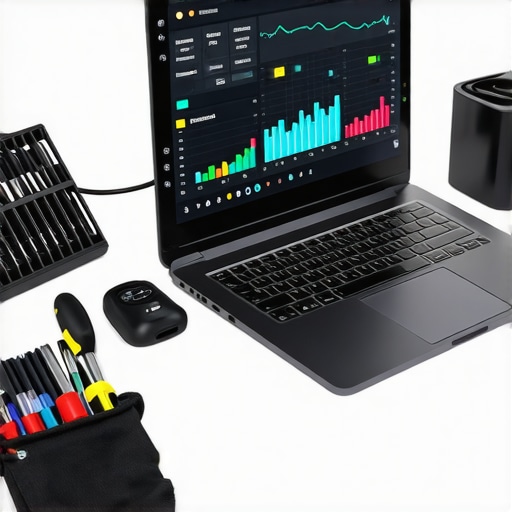
The secret is consistency and the right utility belt. I rely heavily on the power of data recovery tools what you need to know for those ‘just in case’ moments when a user realizes they need to recover a deleted folder when the recycle bin is empty. I recommend keeping a dedicated ‘maintenance day’ once a month—not to fix things, but to verify they are working. Check your backups, run a test restore, and clear out the temp files that Windows updates inevitably leave behind. Looking ahead, I predict that AI-driven proactive maintenance will soon be the standard; we’ll have systems that don’t just alert us to a failing drive but actually move the data to a healthy partition and order the replacement part before we even log in for the day. For now, take ten minutes today to download a tool like CrystalDiskInfo and check your SSD health—it’s the easiest way to prevent a Monday morning meltdown.
What I Wish Someone Told Me Before My First Major Server Crash
Looking back, I realize that the biggest mistake wasn’t the hardware I bought, but the mindset I had. I treated my office tech like a toaster—something you just plug in and forget until it stops working. The reality is that your network is more like an engine; it needs regular oil changes and tuning. I learned the hard way that speed is a vanity metric if your latency is through the roof. I also discovered that a proactive approach is much cheaper than an emergency repair. If I had followed managed IT strategies to keep your business secure in 2025 from the start, I would have saved thousands in lost productivity.
Another lightbulb moment was realizing that simple is usually safer. We often overcomplicate our setups with expensive gear we don’t know how to use. Focus on the basics first: clean power, good ventilation, and a solid backup plan. If you’re just starting out, checking computer repair for beginners avoid costly mistakes is a great place to begin.
The Essential Toolkit That Keeps My Office Running
You don’t need a massive budget to keep your machines healthy, but you do need the right tools. Here are the things I never go without. Tools like CrystalDiskInfo are vital; I use them to spot the sign your ssd is reaching its write limit and about to die before the blue screen of death appears. When a drive starts acting up, I use the easiest way to clone a failing hard drive to a new ssd 2 to swap it out without reinstalling everything. Also, skip the generic chemicals and stop using canned air on your motherboard until you read this warning to avoid static damage. Finally, I keep the checklist for vetting a new it consultant for your law firm handy for when it’s time to bring in outside help.
Take the First Step Toward a Stress-Free Office
Your business deserves a foundation that doesn’t crumble during peak hours. By shifting your focus from “fixing things” to “preventing failures,” you reclaim your time and your sanity. Whether it’s mastering managed IT, staying on top of computer repair, or ensuring your data recovery plans are airtight, every small step you take today builds a more resilient company for tomorrow. Remember, managed IT solutions streamlining operations for small businesses are meant to make your life easier, not more complicated.
Have you ever experienced a sudden data loss that changed how you handle your backups? Let me know in the comments below—I’d love to hear how you handled it!