

I remember the moment vividly. A client walks into my office, eager to check her email. She whips out her laptop and within seconds, I see it—the spinning wheel of doom. Her connection? Slow, unreliable, and frustrating enough to make anyone consider a complete tech overhaul. That’s when it hit me: I had overlooked a simple yet crucial component—setting up guest Wi-Fi. It’s amazing how a small detail like this can turn into a game-changer for business efficiency and security.
Protect Your Main Network While Offering Convenience
Every savvy business owner knows that offering Wi-Fi to visitors, clients, or even remote workers isn’t just about convenience; it’s about security. When you neglect to segregate your network, you risk exposing sensitive data to anyone connecting. That’s a mistake I made early in my career—thinking a single Wi-Fi network was enough—and it almost cost me dearly. Since then, I’ve seen how creating a dedicated guest Wi-Fi can safeguard vital systems while keeping your visitors happy.
Is Guest Wi-Fi Just a Nice-to-Have or Truly Necessary?
Initially, I believed that handing out the same Wi-Fi password to everyone was acceptable. But that misguided approach left my network vulnerable to malware, hacking, and accidental data leaks. The truth is, a separate guest network acts like a digital firewall—protecting your core business systems from accidental or malicious threats. If you’ve ever experienced a data breach or slow network due to guest devices, you know how disruptive it can be. Trust me, investing in a robust guest Wi-Fi setup is among the smartest decisions you’ll make for your company’s security.
To see how managed IT solutions can transform your business infrastructure, check out this insightful read on [why managed IT is a game-changer](https://computerrepairmasters.com/why-managed-it-is-a-game-changer-for-growing-companies). It highlights how proper network segmentation fits into a broader security strategy.
Have you faced issues with unauthorized access or sluggish network performance? If yes, you’re not alone. The good news? There’s a straightforward way to fix this—and it starts with understanding the importance of guest Wi-Fi.
Get Your Router Ready for a Separate Network
First, access your router’s admin panel by typing its IP address into your browser; usually, it’s 192.168.1.1 or 192.168.0.1. Login with your credentials—if you haven’t changed them, default info is often on the device label. Once inside, locate the wireless settings. Think of this step as opening a new lane on a highway—you’re preparing it for dedicated traffic.
Create a New SSID Specifically for Guests
Navigate to the wireless or Wi-Fi settings and select the option to add a new network or SSID. Name it something recognizable like “Guest_WiFi”—avoiding your primary network name prevents confusion. This is your designated guest lane—fast, open, but separate from your main road.
Set Up a Strong, Unique Password
For the guest network, assign a password that’s easy enough for visitors but hard for outsiders to guess—think of it as a secure passcode to a VIP lounge. Use a password manager or generate one using reputable tools. Remember, this is your front door—keep it protected from unwanted visitors.
Configure Network Segmentation and Security Settings
Now, enable network isolation or client separation—this prevents connected devices from communicating with each other or accessing your main network. Disable file sharing and network discovery for the guest network. In effect, you’re building a fence around the guest area—ensuring they can enjoy Wi-Fi without compromising your core systems.
Limit Bandwidth and Access Duration
If your router allows, set bandwidth limits to prevent heavy usage from bogging down your network. Some routers also enable you to create guest access with expiration times—like giving out a temporary ticket. This adds a layer of control, ensuring your business resources stay available and secure.
Test and Finalize Your Setup
Before opening the floodgates, connect a device to the new guest Wi-Fi. Verify it connects smoothly, can browse the internet, and cannot access your main network resources. Think of this as a dress rehearsal—making sure everything runs seamlessly before real visitors arrive.
During my own office overhaul, I once forgot to disable device-to-device communication on a new guest network. The result? A visitor accidentally accessed a shared folder containing sensitive data. Learning from that mistake, I revisited the router settings and applied strict segmentation—saving myself future headaches. For additional insights into comprehensive managed IT strategies, visit this resource.
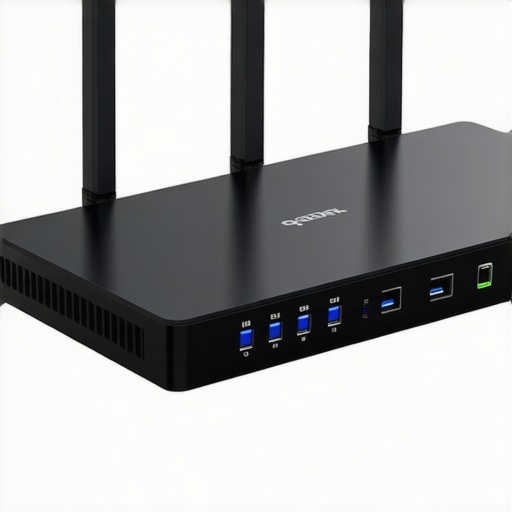 While many assume that managed IT services are simply about outsourcing tech support, the real nuance lies in understanding what most people overlook—like the advanced security layers and proactive monitoring that can prevent disasters before they happen. A common myth is that managed IT is only necessary for large corporations, but recent studies show small businesses benefit immensely from tailored solutions that grow with them, as highlighted in [this detailed guide](https://computerrepairmasters.com/why-managed-it-is-a-game-changer-for-growing-companies). Many believe that switching providers will cause chaos, but with proper planning, the transition can be seamless and even enhance your security posture. An advanced mistake I often see is underestimating the importance of regular data recovery drills—think of these as fire drills for your digital assets. These practices can save your business from catastrophic data loss caused by ransomware or hardware failures. The ‘oops’ factor is real: neglecting proper backups and testing recovery procedures can turn a minor glitch into a data apocalypse, which is why understanding the latest data recovery techniques, like those explained [here](https://computerrepairmasters.com/data-recovery-secrets-expert-techniques-to-save-your-files-fast), is essential. So, what’s the most overlooked aspect of managed IT? It’s the proactive threat detection that identifies vulnerabilities before exploits occur, saving money and reputation. Curious about fortifying your defenses? Check out insights on [business security strategies](https://computerrepairmasters.com/how-managed-it-can-elevate-your-business-security-in-2025), which emphasize preventive measures over reactive fixes. Do you think your current managed IT setup anticipates risks effectively? Many businesses only react after an incident—don’t be one of them. Investing in advanced monitoring tools and staff training can make a significant difference. Remember, a small oversight today could lead to a security breach tomorrow, so stay vigilant and proactive. Finally, don’t forget that the best IT support is visible and integrated into your business growth plan. For comprehensive strategies that align with your company’s objectives, explore this [integrated approach to managed IT](https://computerrepairmasters.com/managed-it-solutions-streamlining-operations-for-small-businesses). Have you ever fallen into this trap? Let me know in the comments.
Keeping Your Tech in Peak Condition
Maintaining a reliable and secure IT environment requires more than just initial setup; it demands ongoing attention and the right tools. Personally, I rely on a combination of automated monitoring software and hardware diagnostics to catch issues before they escalate. For instance, I use SolarWinds Network Performance Monitor to proactively identify network bottlenecks and prevent slowdowns that could impact your business operations. Its real-time alerts and comprehensive dashboards make it invaluable for sustained performance.
When it comes to hardware health, I swear by CrystalDiskInfo. This tool provides an at-a-glance health report of your drives, warning you of impending failures—crucial for planning data recovery or hardware replacements. Regularly scheduled hardware diagnostics help avoid costly downtime and data loss, especially in a small business setting.
For laptop screen health, I recommend this troubleshooting guide. It walks you through testing and calibrating your displays, but the key is routine cleaning and UV protection to prevent damage. If your screens are showing signs of wear or flickering, addressing these issues early can save you from more extensive repairs down the line.
How do I maintain data recovery over time?
Consistent data backups are your best defense against unexpected hardware failures, ransomware, or accidental deletion. I advocate for using a 3-2-1 backup strategy: three copies of your data, stored on two different media types, with one offsite. Implementing automated backups with tools like Veeam Backup & Replication or using cloud solutions ensures that data recovery remains seamless even when disasters strike. Regularly testing your backups by performing restore drills validates their integrity and keeps your recovery plans sharp.
As technology evolves, so do the threats and challenges. Predictions point toward AI-driven cyberattacks and smarter hardware diagnostics becoming the norm, making proactive maintenance more essential than ever. Staying ahead means integrating advanced monitoring tools and adopting a mindset of continuous vigilance.
What’s the best way to keep it working consistently?
In my experience, regular maintenance routines, coupled with state-of-the-art tools, form the backbone of reliable IT operations. Schedule monthly hardware checks, software updates, and security audits. Don’t overlook the importance of firmware upgrades for routers and servers—these often include critical security patches. For comprehensive security, I recommend integrating managed IT strategies into your routine, as they provide ongoing oversight and threat detection.
Ready to try an advanced tip? Set up automated alerts for hardware health indicators like temperature, disk health, and memory errors. This proactive approach saves you time and reduces the risk of unexpected failures. Investing in the right tools now ensures your systems stay resilient well into the future.
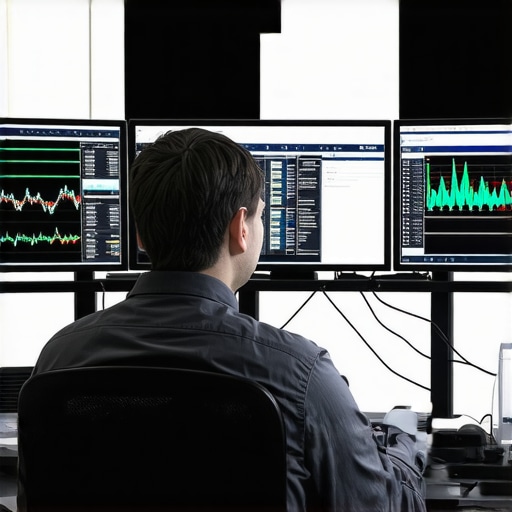
Image prompt: A technician monitoring multiple screens showing network performance graphs and hardware diagnostics, illustrating proactive IT maintenance.
Many entrepreneurs overlook the subtle lessons learned from troubleshooting and maintaining their IT infrastructure, yet these insights often hold the key to avoiding costly mistakes. For example, I realized early on that neglecting routine hardware diagnostics can silently sabotage productivity, much like ignoring a small leak that eventually floods your business. Another revelation was how integrating proactive security measures prevented potential breaches, saving me from heart-stopping emergencies and hefty fines. Finally, I discovered that investing in comprehensive data recovery solutions provides peace of mind, transforming what seemed a complex labyrinth into a manageable safety net, ensuring your business resilience is unshakable. To deepen your understanding, explore [the power of data recovery tools](https://computerrepairmasters.com/the-power-of-data-recovery-tools-what-you-need-to-know), which I now consider essential in my toolkit.