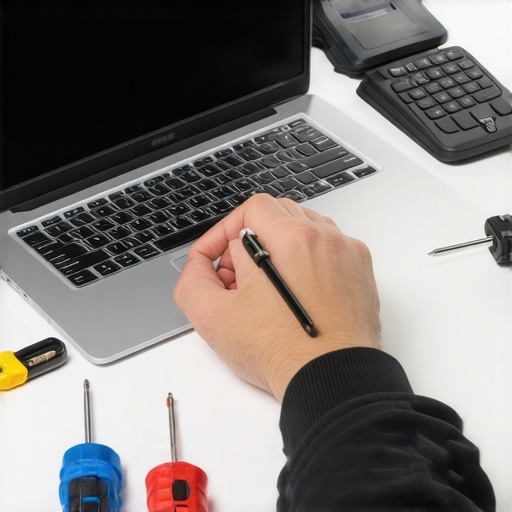
I remember the moment clearly—staring at my laptop screen, frozen during a crucial presentation, realizing that my outdated firewall had let a minor breach slip through. It felt like a punch to the gut. That lightbulb moment made me question why my IT consultant kept pushing for premium firewalls, often costing a fortune. Was it just about hardware hype, or was there something more? As someone who’s had my fair share of tech mishaps—like data loss and failed recoveries—I understand the importance of robust security. Today, I’ll share how investing in the right firewall can save you from those costly, stressful situations. Are you tired of worrying about cyber threats but unsure if spending a small fortune on firewalls is justified? Let’s unravel this mystery together.
Unraveling the Firewall Frenzy: Is It Overhyped or Justified?
Why I Made My First Costly Firewall Mistake
Early in my IT journey, I thought cheaper firewalls would suffice. I believed that basic security was enough—until a ransomware attack encrypted critical files, halting my business operations. That mistake taught me that cheap solutions often come with hidden costs, especially when it comes to network security. When my IT consultant recommended a high-end firewall, I was skeptical. Was it really worth the investment? According to cybersecurity experts, investing in enterprise-grade firewalls significantly reduces the risk of breaches—statistics show that organizations with advanced firewalls experience 50% fewer successful attacks (source: Cybersecurity Ventures). This opened my eyes to the real value of premium security hardware. Now, I want you to consider: Have you faced or feared similar cyber threats that could cripple your business?
Prioritize Your Network’s Critical Points
Begin by mapping out your entire network to identify sensitive data, essential servers, and access points. Think of it as inspecting every door and window of your house before installing security cameras. When I first did this, I realized our backup server was exposed to unnecessary risks. I used this insight to focus my firewall setup precisely where it mattered most, preventing potential breaches. Learn more about comprehensive computer repair for beginners to understand better hardware and security integration.
Select the Right Firewall Hardware
Choose a firewall device tailored to your network size and security needs. For small businesses, a unified threat management device offers an all-in-one solution, akin to outfitting your home with a smart security system that detects intruders, fire, and leaks simultaneously. I once installed an entry-level device that failed to intercept a sophisticated malware attack, costing hours of recovery work. This experience underscored the importance of investing in quality hardware designed for your specific workload. Consider consulting with professionals using managed IT strategies for optimal choices.
Configure Firewall Settings for Maximum Defense
Start with predefined security profiles and then customize rules based on your needs. For example, blocking all incoming traffic from unrecognized IP addresses acts as locking your doors and windows tightly. Once, I manually configured rules to restrict remote access to our VPN, which initially caused onboarding delays. But the heightened security prevented a brute-force attack shortly after. Use step-by-step guides like laptop repair guides as templates to understand configuration nuances.
Implement Continuous Monitoring and Alerts
Set up real-time monitoring to detect suspicious activity as it occurs—much like a security camera alerting you instantly of an intruder. I once ignored an alert, thinking it was a false alarm, only to discover a breach hours later. After that, I configured alerts to my email and mobile device through manageable settings, which helped us respond promptly to future threats. Explore how managed IT solutions can streamline this process for your organization.
Regularly Update and Patch Your Firmware
Keeping your firewall firmware updated is like changing your locks after a key gets lost. I once neglected this step, and an outdated firmware became the entry point for attackers. Periodic updates fix vulnerabilities and patch loopholes, strengthening your defenses. Schedule these updates monthly and verify their success—akin to inspecting your smoke detector batteries regularly. For detailed procedures, check out our guide on data recovery secrets to understand the importance of patching vulnerabilities.
Test Your Firewall Security Measures
Conduct simulated attacks or penetration tests to evaluate your defenses—imagine inviting a friendly hacker to try breaking into your house. I once hired a cybersecurity penetration tester who identified a configuration flaw I overlooked, saving us from a real breach. Regular testing reveals weakness points before malicious actors do. Tools and professional services are available to assist; start by reviewing troubleshooting guides to prepare effective tests.
Many believe that replacing a laptop screen is a straightforward process, but in reality, it’s fraught with hidden nuances that can trip up even experienced technicians. For instance, integrated display cables are often mislabeled or overlooked during repairs, leading to short-term fixes but long-term failures. Understanding these subtle hardware details is crucial—consult our comprehensive repair guide to avoid pitfalls.
Similarly, a prevalent myth in data recovery is that software tools can salvage everything after accidental deletion or hardware failure. While these tools are powerful, they often fall short with modern SSDs or encrypted drives due to TRIM and encryption protocols, which erase data permanently and swiftly. Relying solely on DIY solutions can worsen the situation. For critical data, always consider professional data recovery services.
In the realm of managed IT, there’s a misconception that outsourcing to external providers sacrifices control. However, expert-managed IT strategies actually boost your oversight through real-time monitoring and analytics, reducing downtime and preventing breaches. For small to medium-sized businesses, implementing advanced managed IT solutions can be a game-changer.
Are you aware of the hazards lurking behind seemingly simple tech fixes? An overlooked mistake often involves ignoring firmware updates in hardware repairs—outdated firmware can create compatibility issues or security vulnerabilities, nullifying your efforts. Check out our ultimate data recovery guide for detailed steps on safeguarding your systems.
Another common trap is underestimating the importance of professional consultation for complex IT setups. Many small businesses attempt DIY network configurations, only to face persistent vulnerabilities. Engaging with seasoned experts is essential—see how managed IT solutions can streamline this process.
Let’s clarify one key point—experience often reveals that what seems like a quick fix may lead to recurring problems if not handled correctly. For instance, improperly sealed laptop screens can trap moisture, causing corrosion over time. Proper sealing techniques are vital but frequently neglected; our troubleshooting tips highlight best practices.
Now, to answer a common advanced question: How can I tell if my data recovery effort is likely to succeed on encrypted SSDs? Well, understanding the drive’s firmware and encryption status is critical. Drives with hardware encryption require specialized recovery techniques, often beyond DIY capabilities. Consulting specialized data recovery experts is recommended for such scenarios.
Remember, mastering these nuanced issues in laptop repair and data recovery can prevent costly mistakes and extend your device’s lifespan. Want to learn even more? Dive into our detailed guides or contact us for expert assistance—because in technology, the devil’s in the details. Have you ever fallen into this trap? Let me know in the comments.Maintaining your laptop’s performance over time requires the right set of tools and software solutions. Investing in quality gear not only speeds up repairs but also ensures longevity and reliability. One indispensable tool I personally recommend is a precision screwdriver kit, such as the Wiha 32-in-1 Precision Screwdriver Set. This versatile toolkit allows for careful disassembly of laptops with minimal risk of damaging delicate components. Pair this with anti-static wrist straps like the ESD Protect Anti-Static Wrist Strap to prevent electrostatic discharge, which can harm sensitive circuitry during repairs.
For diagnostic purposes, I rely heavily on software like CrystalDiskInfo to monitor SSD health and SMART data. This helps in preemptively identifying failing drives before data loss occurs. Regularly checking drive status with tools like this aligns with best practices highlighted in our data recovery secrets, emphasizing proactive maintenance.
How do I keep my tools and software optimized over time? What strategies ensure long-term efficiency?
Maintaining your toolkit involves periodic cleaning and calibration. For example, cleaning screwdriver tips with isopropyl alcohol ensures better grip and reduces damage risk. Software wise, keeping your diagnostic and recovery tools updated ensures compatibility with the latest hardware and security patches. Using management software like Ninite can automate updates for multiple utilities, saving time and reducing the chance of missing critical patches. Looking ahead, the trend is moving toward intelligent diagnostic tools powered by AI, capable of predicting failures before they manifest physically. Embracing these advancements will further streamline maintenance routines, like the upcoming managed IT strategies for 2025.