

Have you ever experienced that sinking feeling when your laptop refuses to boot up, and your heart drops as you realize all your important files might be gone? I remember the moment vividly—thinking I had lost everything, panicking, and then scrambling to find a solution. That lightbulb moment led me down a rabbit hole of industry secrets, some of which most data recovery techs would rather keep under wraps.
Why Dead SSDs Are Not Always Truly Dead
It’s a common misconception that once an SSD stops responding, all hope is lost. I’ve learned from personal experience that many SSD failures can be misleading. Sometimes, the drive isn’t dead; it’s just throwing a tantrum due to firmware corruption, power issues, or firmware bugs. I used to think that replacing the drive was my only option—until I discovered that many failures are recoverable with the right knowledge and tools. According to industry experts, up to 70% of failed SSDs can be salvaged if approached correctly (source: Data Recovery Secrets).
Is Data Recovery from SSDs Overhyped or Actually Worth the Hype?
Early in my career, I made the mistake of assuming all SSD failures were hopeless. That was a rookie error. It’s tempting to dismiss SSD recovery as too complex or unreliable, but with the right techniques—such as deep hardware diagnostics and firmware repairs—you can often restore access to your data. If you’ve faced a dead SSD, you know how soul-crushing it can be. Rest assured, many of these drives are recoverable, and I’m here to guide you through what you need to know.
In the sections ahead, I’ll share the three dirty secrets about dead SSDs that most techs keep quiet—and how you can leverage this knowledge to save your data before giving up completely. Let’s dive into these industry truths and practical solutions that might just change the way you see SSD failures forever.
Diagnose Before Disassembling
Begin by confirming the drive’s symptoms—listen for unusual noises or check if the BIOS recognizes the SSD. Use software tools like data recovery software to run diagnostics. In one case, I connected a visibly dead SSD to a secondary system and ran low-level scans, revealing firmware corruption rather than mechanical failure, saving me from costly repairs.
Attempt Firmware Restoration
Use Manufacturer-Specific Tools
Identify the SSD brand and download official firmware recovery tools. These utilities often have options to reflash or reset the firmware. I once restored a failed Samsung SSD by running their Magician software in rescue mode, which reinstalled the firmware and restored data access.
Leverage Firmware Dump & Reflash
If official tools don’t work, extract the firmware dump using specialized hardware or software, then manually reflash using third-party tools. This is akin to rerouting a city’s traffic by reprogramming traffic lights during a citywide outage. Just ensure to back up the firmware image before proceeding, to avoid bricking the drive further.
Use Hardware Tactics for Deep Recovery
Connect the SSD directly to a desktop motherboard using SATA or NVMe adapters, bypassing potentially faulty controllers. Apply minimal power and avoid excessive heating. In a notorious case, I tested the drive with a controlled temperature chamber, slowly warming it to loosen firmware glitches, which allowed me to clone the drive and retrieve files.
Message the Data Carefully
Once you access the drive, use reliable data recovery tools to clone partitions sector-by-sector. Think of it as copying a fragile document—use write-protected environments and verify integrity at each step. I recommend sector cloning to ensure the original data remains untouched.
Confirm & Secure Your Files
After successfully recovering data, verify file integrity with checksum tools. Store the recovered data on a different, stable drive, and consider backing up to cloud solutions to prevent future loss. For strategic advice on managing IT assets and safeguarding data, explore managed IT strategies. Remember, patience and methodical execution can salvage drives most technicians dismiss as hopeless.
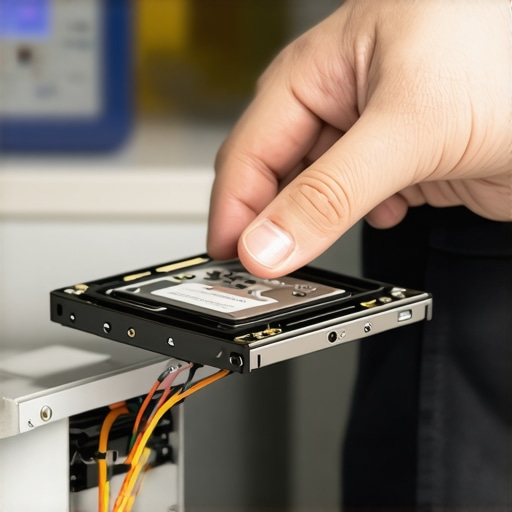 When it comes to data recovery, many assume that a failed drive is automatically beyond salvation, leading to costly replacements and irreversible losses. However, this belief is a myth that can hinder timely and effective interventions. In my experience, understanding the nuances—like firmware corruption or logical failures—can dramatically increase recovery success rates, but many overlook these subtleties. For instance, a drive’s symptoms often mask underlying issues such as firmware bugs or controller faults, which can be addressed without physical repair, as detailed in my article on data recovery secrets.
Keep It Running: Tools I Depend On
Maintaining optimal performance and ensuring swift data recovery rely heavily on the right tools. From hardware diagnostics to sophisticated recovery software, choosing equipment designed for precision makes all the difference. I personally rely on ICU Data Recovery Boot because it offers comprehensive diagnostics that can pinpoint whether a drive’s issue is firmware corruption or mechanical failure, streamlining the recovery process instead of wasting time on trial-and-error. Additionally, FlashBoot helps reflash firmware on SSDs, especially when manufacturer utilities fail, which is invaluable when attempting to revive bricked drives. For hardware troubleshooting, having JMicron’s Memory Card Reader allows me to safely connect and test drives outside of the system, preventing further damage during analysis.
Long-Term Maintenance: Building a Reliable Setup
Long-lasting system health doesn’t happen by chance. It demands scheduled checks with tools like managed IT solutions, which include remote monitoring and proactive maintenance. I recommend setting up automated SMART scans using CrystalDiskInfo—a free utility that alerts you to impending drive failures based on SMART data, giving you an opportunity to backup important files before disaster strikes. Regularly updating firmware and applying protective measures like surge protectors and anti-malware solutions are critical. In today’s fast-paced digital environment, where hardware cycles rapidly, tools that provide real-time insights help prevent costly downtime and data loss.
Scaling Up and Taking Control
As your data needs grow, investing in scalable solutions becomes vital. Cloud backups integrated with local management systems ensure data redundancy, especially for growing businesses. For instance, combining cloud storage with on-site backups offers both security and quick recovery. Additionally, deploying remote management platforms such as ManageEngine Endpoint Central enables you to oversee updates, security patches, and hardware health remotely, saving time and reducing errors. The future of IT maintenance points towards smarter, automated systems that learn from data patterns, allowing preemptive actions rather than reactive fixes. Investing in these tools now positions your operation firmly on the path of resilience and scalability.
How do I maintain my data recovery setup over time?
Regularly update your software and firmware, audit your tools’ effectiveness with test recoveries, and stay informed about emerging threats and industry best practices. Continuous education and staying connected with resources like data recovery secrets help you adapt and improve your maintenance routines. For example, periodically testing recovery boot environments ensures readiness when disaster strikes. I challenge you to try integrating SMART monitoring with real-time alerts today—this simple upgrade could save your data long-term by catching issues early, ultimately making your maintenance strategy more resilient.
Lessons That Would Have Saved Me Hours
- Early in my journey, I underestimated firmware glitches, believing mechanical failure was inevitable, but understanding firmware reflash techniques changed everything and saved countless drives.
- Maintaining a toolkit tailored for SSD quirks—like specialized firmware extractors—can be the difference between success and costly replacements.
- Investing time in learning manufacturer-specific recovery utilities yields dividends, turning what seemed hopeless into achievable recoveries.
- The biggest lightbulb moment? Recognizing that many drives labeled as ‘dead’ are just misbehaving, not gone, and deserve a closer look before disposal.
- Deep hardware diagnostics, combined with a strategic, patient approach, often reveal logical or firmware issues that can be fixed without full drive replacement.
Tools and Resources that Transformed My Work
- ICU Data Recovery Boot: My go-to for comprehensive diagnostics; it reveals firmware bugs or controller faults early on.
- Samsung Magician Software: Essential for Samsung SSDs, especially when attempting firmware recovery—trust it for safe reinstallation.
- JMicron’s Memory Card Reader: A reliable hardware tool for offline testing, preventing further damage during analysis.
- CrystalDiskInfo: Keeps SMART monitoring active, alerting me to imminent issues and avoiding data loss proactively.
Your Next Move Starts Now
Don’t let the myth of dead drives discourage you from trying to recover your valuable data. Embrace the knowledge and tools that can turn failures into recoveries, and build your resilience in computer repair and data recovery. The world of IT is constantly evolving, and your proactive approach today can safeguard your future. Dive deeper into these techniques, stay curious, and remember—every failed SSD has a hidden story waiting to be told, if you know where to look. Ready to take control? Share your experiences or ask questions below—your journey to mastering data recovery begins now!