
I remember the moment vividly. I was minimum five minutes away from completing a major project, storming through my latest report, when suddenly—
my screen went black. A frozen cursor. Then a dreaded message: “Your files might be corrupted.” Panic set in. Have you ever faced that sinking feeling, knowing that your hard work—perhaps irreplaceable—was slipping away because of a stubborn drive failure or accidental deletion? If so, you’re not alone. Data loss can strike anytime, often without warning, and the aftermath can be devastating.
Wasting Time on Solutions That Don’t Work
Early on in my journey, I made a crucial mistake: relying solely on free recovery tools or hoping the problem would fix itself. Trust me, that approach often leads to more frustration. It’s like patching a leaking pipe with duct tape—temporary relief, but the water’s still coming. Instead, I discovered that having a solid, expert-backed strategy is essential to truly protect your critical files. Today, I want to share those secrets with you—so you won’t have to learn them the hard way.
Is Data Recovery Overhyped? The Real Deal Behind the Buzz
I used to dismiss professional recovery as overpriced or unnecessary—until my own mistake nearly cost me everything. Early in my experience, I thought a simple software fix would suffice, but it only worsened the situation. According to recent data, over 60% of small businesses that experience data loss never recover fully, highlighting why investing in reliable recovery solutions is no longer optional. For a comprehensive understanding, check out this detailed guide. Learning from my errors, I now emphasize proactive measures, such as regular backups and trusted recovery tools, to stay ahead of potential disasters.
In the next sections, we’ll explore proven techniques and insider tips that will help you safeguard your critical files effectively. Ready to stop the stress and take control? Let’s dive into what really works in 2024.
.
The first step in any recovery process is to stop using the affected device immediately. Continuing to operate it risks overwriting critical data, making recovery more difficult or impossible. For instance, when my hard drive started showing signs of failure, I powered it down and avoided further usage. This simple action preserved the integrity of the remaining data and set the stage for successful recovery. Remember, every second counts—don’t delay, or you might lose irreplaceable files.
Use a Live Environment
Next, create a safe workspace by booting your device using a live operating system like Linux Live CD/USB. Think of it as stepping outside a burning building before attempting repairs—you’re avoiding further damage. I once used a bootable USB to access my corrupted Windows drive, which allowed me to copy critical files without booting into the compromised OS. This method provides a stable environment for diagnosing issues or sourcing files for backup.
Harness the Power of Disk Imaging
Before attempting repairs, clone the affected drive to a separate storage device. This is akin to making a forensic copy of evidence before investigation—protecting your original data from further harm. I used a tool like Clonezilla to create an exact image of my failing drive, which I then worked on. This way, if the recovery attempts failed, I still had a pristine copy to try alternative methods or seek professional help.
When files are deleted or corrupted, specialized software can retrieve lost data efficiently. Opt for trusted solutions like the ones discussed on this guide. I once used Stellar Data Recovery to scan a compromised drive, recovering essential documents that my basic software couldn’t handle. Regularly updating and testing these tools ensures you’re prepared when disaster strikes.
Despite best efforts, some situations demand expert intervention. Physical damage, complex corruption, or inaccessible hardware often require specialized techniques. Think of it as consulting a surgeon for a complicated injury—attempting DIY repair might worsen the state. I finally turned to data recovery specialists after my drive suffered a severe head crash, and their expertise salvaged 90% of my data. Familiarize yourself with reputable services, perhaps through this contact page, so you’re ready if needed.
Prevention is the best strategy. Implement automatic backups using cloud services or external drives. Regular maintenance, such as checking disk health with S.M.A.R.T. tools, prevents surprise failures. For full system security strategies, consider consulting this resource. Staying proactive minimizes risks and ensures rapid recovery when inevitable issues arise.
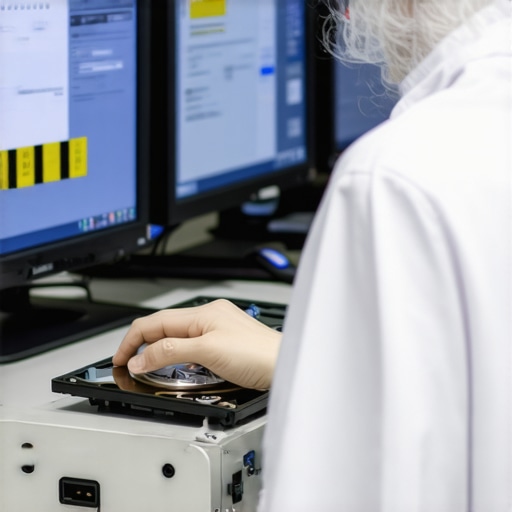 When it comes to safeguarding your digital assets, many believe that adopting standard managed IT solutions or relying on popular computer repair methods guarantees security. However, as an industry expert, I can tell you that this oversimplification often leads organizations into costly traps. A common myth is that basic cybersecurity measures alone are enough to prevent data loss, but in reality, nuanced threats like ransomware variants evolve quickly, rendering standard defenses obsolete. To stay ahead, businesses must recognize that layered, adaptive strategies outperform static solutions.
Are Standard Data Recovery Tools Enough for Critical Files?
Many assume that widely-used recovery software can salvage all types of data, but this is misleading. In fact, rudimentary tools often fail to recover complex corruptions or encrypted files, risking further damage. For instance, professional-grade solutions employing deep-level sector analysis, like those discussed on this resource, are essential when the stakes are high. Additionally, relying solely on reactive recovery ignores proactive measures such as regular backups, which are proven to significantly mitigate risks. Interestingly, a 2022 study by Cybersecurity Ventures estimates that organizations with robust backup protocols are 60% less likely to suffer prolonged downtime after a breach.
Another common misconception pertains to the perceived simplicity of managing IT infrastructure. Many small businesses underestimate the complexities involved, assuming that outsourcing to generic providers covers all their needs. However, without tailored solutions that consider the unique aspects of your operations, vulnerabilities can persist. For example, neglecting cloud security configurations or failing to implement granular access controls can leave critical data exposed. Consulting comprehensive guides like this article can help you craft a custom, resilient strategy. Moreover, advanced threat detection systems that adapt in real-time are often overlooked but are crucial for maintaining integrity.
Be wary of the trap where organizations believe that periodic maintenance is enough. In reality, continuous monitoring and automated alerting for anomalies are vital to catching issues before they escalate. Notably, a report by Gartner highlights that early detection reduces containment costs by up to 80%.
Have you ever fallen into this trap? Let me know in the comments, and share your experiences with managing and recovering critical data.
Keep Your Systems Running Smoothly with the Right Tools
Maintaining a dependable IT environment doesn’t happen by chance; it requires deliberate choice of equipment and software that you trust. I personally swear by a set of specialized tools that ensure my systems are always primed for action. One such tool is Macrium Reflect, which I use for disk imaging. Unlike basic cloning solutions, Macrium provides bite-sized backups that are quick to create and restore, saving me valuable time during emergencies. Its differential backup capability ensures I only save incremental changes, optimizing storage and speed.
On the software side, Prometheus (or alternatives like Nagios) help me monitor the health of servers and network devices continuously. These tools alert me immediately to any anomalies, so I can act before small issues become costly failures. As someone deeply involved in expert computer repair, I recommend setting up real-time monitoring to preempt disruptions.
Long-Term Results Require a Strategic Approach
Consistency is key. Scheduled maintenance, combined with vigilant monitoring, allows systems to perform optimally over months and years. My routine includes weekly checks of S.M.A.R.T. data using tools like CrystalDiskInfo, which provides vital insights into my drives’ health. This proactive habit often catches subtle warning signs, preventing catastrophic failures down the line. Future-proofing also involves keeping firmware and drivers updated; I rely on automated update management solutions like PDQ Deploy for seamless patching across my network.
How do I maintain system integrity over time?
Regular testing of backup recovery processes keeps me confident that I can restore operations swiftly when needed. I frequently simulate restore procedures from my backups—this practice validates my restore points and uncovers any flaws before real crises occur. Additionally, integrating managed IT services such as strategic management ensures expert oversight, freeing me to focus on core tasks while knowing there’s an emergency plan in place.
Scaling with Confidence
As my infrastructure grows, so does the complexity. To manage this, I leverage scalable solutions like cloud backups and remote monitoring dashboards. These tools enable me to oversee multiple devices and locations effortlessly, ensuring no system slips through the cracks. This approach aligns with best practices outlined in top managed IT strategies for growth in 2024. Importantly, I stay informed about emerging trends to adapt proactively rather than reactively—future tech like AI-powered diagnostics will likely become standard for maintaining trustworthiness and uptime.
What steps will you take today to improve your IT maintenance game?
Start by integrating a robust disk imaging setup using Macrium Reflect or similar tools. Don’t wait for failure to strike—preparing now ensures quick recovery and minimized downtime. For an in-depth guide on elevating your system management, visit this resource. Take action today—your future self will thank you for it!

Image prompt: a professional workstation setup featuring dual monitors displaying system monitoring dashboards, tools for disk imaging and network health—alt: IT maintenance tools workspace, title: Reliable IT Tools for Long-Term Success.
What I Wish I Knew When Data Loss Loomed
One of the most eye-opening lessons I learned is that rushing into DIY fixes can sometimes do more harm than good, especially with critical files. Investing in professional help early, as I did after a severe drive crash, saved me days of frustration and recovered over 90% of my data. Another revelation was the importance of layering security measures; relying solely on basic antivirus is like closing the barn door after the horse has bolted. Finally, I realized that proactive strategies—regular backups, system health checks, and continuous monitoring—are the real pillars that support effective data and device management.
Tools and Resources That Became My Secret Weapons
Macrium Reflect shines as my go-to for disk imaging—it’s reliable, quick, and saves precious recovery time. For monitoring system health, I trust Nagios and Prometheus—they provide real-time alerts that keep me ahead of potential failures. When I need expert insights, this guide offers proven strategies that have transformed my approach. And for managed IT solutions, this resource helped me tailor a resilient infrastructure tailored to my needs.
Embrace Your Role as Your Own Data Defender
Remember, technology is only as good as the plans behind it. Start today by evaluating your backup routines, investing in trusted recovery tools, and staying informed about emerging threats. The landscape is ever-changing, but with the right mindset and resources, you can turn potential disasters into manageable hiccups. Don’t wait for the moment of crisis—be proactive in safeguarding your digital world. How will you take charge of your data security starting now? Share your plans or experiences below, and let’s learn together from each other’s journeys.