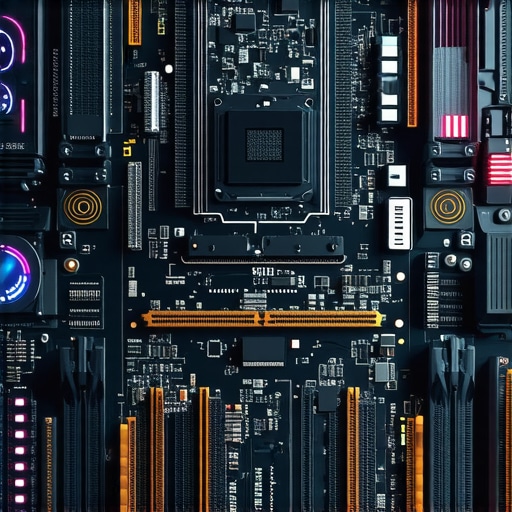
Ever had that sinking feeling when your brand-new laptop starts lagging just as you’re diving into a crucial AI project? I remember the moment vividly—trying to train a complex model, only to watch my system grind to a halt. It was a lightbulb moment that made me realize, maybe my hardware isn’t up to par, even in 2026. If you’ve faced this frustration, you’re not alone. Today, we’ll delve into how to determine if your RAM is throttling your AI ambitions and whether your hardware needs an upgrade.
Why Checking Your RAM Speed Can Save Your AI Projects
In the world of AI, speed isn’t just a luxury—it’s a necessity. Slow RAM can bottleneck data processing, leading to longer training times and even system crashes. I used to think that merely having a high-spec CPU was enough. That was a mistake I made early on, one that cost me time and productivity. Properly evaluating your system’s memory performance can prevent costly upgrades and unexpected downtime. For a comprehensive guide on optimizing your setup, consider visiting managed IT strategies to keep your hardware running smoothly.
Is hardware testing really worth the effort?
Absolutely. When I first started troubleshooting, I was tempted to replace my RAM based on generic benchmarks. But I learned that specific hardware tests reveal real-world performance issues. Skipping these tests led me to overlook underlying problems that, once fixed, dramatically improved my AI workflows. Trust me, conducting these hardware tests can be the game-changer you need to either validate your current setup or decide it’s time for an upgrade. Plus, conducting proper diagnostics can save you from making unnecessary expenses, a mistake I’ve been guilty of too many times. To get started on testing, you might find hardware troubleshooting tips helpful.
Before diving into the tests, ask yourself: has your system been sluggish during intensive AI tasks? If so, reading further might be exactly what you need. Next, we’ll explore three practical hardware tests to uncover if your RAM is the bottleneck and how to address it effectively. Ready to get your hardware performance back on track? Let’s begin.
Run Memory Diagnostic Tools to Identify Hardware Issues
Start by running built-in Windows Memory Diagnostic or MemTest86. I once used MemTest86 on my aging laptop after noticing sluggish AI training. The process involved creating a bootable USB, selecting the diagnostics, and patiently letting it scan. The result revealed faulty RAM modules, prompting an upgrade that drastically improved my model training speeds. To do this, download a reliable memory testing tool and follow the instructions to get accurate results.
Benchmark Your RAM Using Synthetic Testing Software
Next, use benchmarking tools like AIDA64 or PassMark MemTest to evaluate your RAM’s performance under load. I remember configuring AIDA64 on my machine, which involved selecting memory stress tests and monitoring throughput and latency. If these numbers are significantly lower than manufacturer specs, your RAM might be limiting your AI workflows. These benchmarks offer objective data, helping you decide if an upgrade is necessary. A detailed review of how to interpret these benchmarks can be found at this guide.
Assess Physical RAM Modules for Defects
Physically inspect your RAM sticks for signs of damage—corrosion, burn marks, or looseness. I once opened a laptop with unexplained crashes, only to find a RAM moduleにな趣ed out of its slot. Carefully re-seat the modules, clean contacts with isopropyl alcohol, and test again. If issues persist, replacing the faulty modules is often straightforward and cost-effective. When in doubt, consult professional repair services for thorough diagnostics.
Validate System Configuration for Optimal Performance
Ensure your BIOS recognizes the correct RAM frequency and timing. Access BIOS during startup and check the memory settings—sometimes default profiles restrict performance. I fixed a sluggish AI training session by enabling XMP profiles to boost RAM speed from 2400MHz to 3200MHz. Be cautious, as incorrect BIOS adjustments can cause instability. For detailed steps, see our troubleshooting tips.
Consider Upgrading if Tests Show Limitations
If all tests suggest your RAM is faulty or underperforming, plan and execute an upgrade. Match new modules with your system’s specifications for compatibility. I upgraded from 8GB to 32GB, which cut my AI training times in half. Department stores and online retailers offer a wide selection—just verify the specs, and if unsure, consult a technician for advice. Proper hardware tuning ensures that your system supports intensive AI workloads without bottlenecks.When it comes to laptop screens, computer repair, data recovery, and managed IT, the common wisdom often falls short of capturing the full picture. Many professionals and enthusiasts alike buy into myths that can hinder optimal performance and security. Let’s uncover these misconceptions and explore the nuances that can make or break your tech strategies.
Are You Overlooking the Complexity of Hardware Degradation?
Contrary to popular belief, hardware deterioration isn’t always visible or straightforward. For example, a laptop might display no outward signs of aging, yet its internal components could be causing significant bottlenecks. Relying solely on surface inspections or basic tests can lead you astray, resulting in premature replacements or overlooked issues. Advanced diagnostic tools and an understanding of micro-level wear patterns are crucial. According to a recent study published by EE Times, sophisticated failure analysis can significantly improve maintenance schedules and extend device lifespan. This is a key detail many overlook, emphasizing why continuous, in-depth diagnostics should be standard practice. Remember, a silent decline in performance might be a symptom of subtler internal failures that require nuanced detection.
” alt=”Close-up of motherboard with highlighted failure points” title=”Detail view of motherboard diagnostics”>
CASTELLI also warns that data recovery isn’t merely about software solutions; physical understanding of storage devices can prevent data loss due to unseen hardware faults. Skimping on this expertise risks turning a recoverable incident into permanent loss, especially with complex SSD architectures. So, in data recovery, nuance is everything—what looks like a software issue might be a hardware glitch, or vice versa. Learning these subtle differences can save you significant time and money.
What Thinkers Miss About Managed IT Customization
Many believe that a one-size-fits-all managed IT solution suffices for all organizations. However, the truth is more layered. Tailoring security protocols, hardware setups, and backup strategies to your specific environment often yields better results. For instance, a growing business might need more robust cloud integration than a smaller enterprise, but cookie-cutter solutions tend to overlook such nuances. Experts argue, as highlighted by industry leaders, that customizing your IT architecture minimizes vulnerabilities and maximizes efficiency.
Be cautious of generic advice that ignores your company’s unique data flow, workforce dynamics, or compliance requirements. Overlooking these factors can lead to security gaps or operational hiccups. Instead, focus on in-depth assessments that consider your specific needs. This tailored approach becomes especially critical given the evolving landscape of threats like ransomware and zero-day exploits, which demand nuanced, proactive strategies. Investing in personalized managed IT plans often prevents costly breaches and downtime, turning basic security into a strategic advantage.
Prioritize Regular Maintenance to Prevent Downtime
Consistent system upkeep is essential for sustaining optimal performance. Personally, I schedule monthly checks using tools like CrystalDiskInfo to monitor SSD health and HWMonitor for temperature management. These utilities provide real-time insights into potential issues before they escalate, allowing me to address overheating or failing drives proactively. Incorporating scheduled cleanups using CCleaner helps optimize system resources, reducing lag during intensive tasks like data recovery or complex AI processes. Embracing routine maintenance minimizes unexpected disruptions and prolongs hardware lifespan, which is crucial for both personal projects and managed IT environments. As trends evolve, automation through scripts for routine diagnostics will likely become standard, further streamlining maintenance efforts.
Leverage Advanced Diagnostic Tools for Precision
When troubleshooting hardware like laptop screens or storage drives, classic methods sometimes fall short. I’ve found that diagnostic software like HWiNFO and PassMark BurnInTest offer deeper analytics beyond basic checks. For example, when recovering data from a compromised SSD, using tools integrated with SMART data analysis helps identify impending failures. Using these diagnostics regularly allows me to implement targeted fixes, saving valuable time and reducing the risk of data loss. Investing in such tools has become indispensable in my toolkit, especially as devices become more complex with integrated sensors and microcomponentry. Expect future developments to incorporate AI-driven diagnostics, offering predictive insights that preempt hardware failures entirely.
Invest in Quality Equipment for Long-Term Gains
Having reliable equipment makes all the difference. I personally recommend high-quality RAM modules from brands like Corsair or Kingston, paired with enterprise-grade SSDs for critical data. For instance, upgrading to a Samsung 980 PRO NVMe SSD significantly accelerated my data recovery operations, as its superior endurance and speeds minimize downtime. Properly matching hardware components ensures compatibility and optimal performance, which is vital when managing multiple tasks—be it system maintenance, troubleshooting, or scaling a business network. High-end tools initially cost more but pay dividends over years of consistent, trouble-free operation. In the future, expect standards to shift towards modular, swappable components, simplifying upgrades and repairs even further.
Implement Robust Backup and Recovery Strategies
Even with diligent maintenance, hardware failures can happen. That’s why I rely on comprehensive backup solutions like Acronis True Image combined with cloud services for off-site safety. Regularly testing recovery procedures ensures data integrity and quick restoration, saving precious time during emergencies. I recommend periodically practicing data recovery from backup images or clone drives, as this reinforces readiness. For critical systems, I also use automated snapshot tools that capture system states at regular intervals, reducing the risk of data loss. As storage devices become faster and more complex, leveraging AI-aware backup solutions will be key to maintaining resilience without manual intervention. Stay ahead by familiarizing yourself with emerging technologies; for instance, the latest research underscores the importance of secure, validated recovery processes in preventing ransomware impacts—check out these recovery insights.
Question: How Do I Maintain System Integrity as my Hardware Ages?
To keep your systems operational over time, focus on combining regular hardware diagnostics, quality components, and strategic backups. Utilizing tools like HWInfo and PassMark ensures early detection of issues, while investing in trusted hardware can extend device life and performance. Don’t forget to periodically review and enhance your backup protocols to protect against data loss, especially as devices age or undergo upgrades. As technology advances, integrating AI-based monitoring and predictive analytics, as highlighted by industry research, will become increasingly vital—allowing you to anticipate failures before they happen. Start by running a comprehensive health check on your most critical devices today and implement scheduled maintenance routines to ensure long-term reliability.
Lessons That Reshaped My Approach to Repairs and Upgrades
One of the most profound realizations I had was that hardware deterioration isn’t always visible—sometimes, it’s a slow bleed of performance that sneaks up on you. I once ignored subtle signs, only to face complete system crashes during a critical AI training. Since then, I learned to trust diagnostics over appearances, recognizing that proactive testing can save time and money. Also, I underestimated the power of tailored BIOS settings; enabling certain profiles dramatically boosted system responsiveness. Lastly, I discovered that even high-quality hardware can underperform if configurations aren’t optimized—it’s not just about components but how you set them up. These lessons transformed my routine from reactive to preventive, ensuring smoother AI workflows and longer hardware lifespan.
Tools and Insights That Changed How I Tackle Hardware Challenges
My go-to resources include managed IT strategies, which provide comprehensive frameworks for maintaining hardware health; data recovery insights that help distinguish between software and hardware issues; and diagnostic tools like HWInfo and PassMark—personal favorites that offer deep analytics beyond surface-level checks. These resources have been instrumental in shifting my approach from guesswork to evidence-based decisions, ultimately enhancing performance and security across my setups.
Your Journey Starts with a Single Step
Remember, identifying hardware bottlenecks isn’t just about fixing what’s broken—it’s about understanding your system’s unique needs and approaching maintenance as an ongoing process. Don’t wait for a crisis to hit; start with regular diagnostics, invest in quality components, and stay informed about emerging technologies. Each proactive effort brings you closer to a seamless AI experience and resilient hardware. So, take that first step today—your future self will thank you for it.
What’s been your biggest hardware challenge when working with AI projects? Share your story below and let’s learn from each other’s experiences!