

I remember that Tuesday morning like it was yesterday. I was finishing up a client report, my favorite ceramic mug brimming with hazelnut roast sitting dangerously close to my MacBook. One clumsy reach for my phone and—*slosh*. A wave of hot coffee surged across the keyboard. My heart stopped. I’d seen this movie before, and it usually ends with a ‘dead on arrival’ diagnosis at the repair shop and a very expensive bill for computer repair for beginners. But this time, I didn’t panic. I made one specific move that saved my data, my hardware, and my sanity. It wasn’t magic, it was physics, and most people get it completely wrong because they are too busy reaching for the paper towels while the liquid is already doing its worst work.
Flip Your Laptop Before the Liquid Reaches the Motherboard
The absolute first thing you must do—even before you wipe away a single drop—is to flip the machine over into a ‘tent’ shape. Most people’s first instinct is to grab a towel and start dabbing the keys. Don’t do that. By dabbing, you are often literally pushing the liquid deeper into the crevices of the keyboard and onto the sensitive motherboard beneath. The moment that liquid hits, gravity is your enemy unless you invert the device. In my early days as a tech enthusiast, I made the mistake of trying to ‘dry it out’ with a hairdryer—a massive failure that actually melted internal plastic components and didn’t stop the corrosion. Modern laptops are incredibly dense, and according to research published by the International Journal of Engineering Research and Applications, liquid entry can cause catastrophic short circuits within seconds of contact with active power rails. That’s why the ‘move’ isn’t just about cleaning; it’s about cutting the power and letting gravity pull the moisture away from the internal circuits. If you don’t act fast, you might end up needing the power of data recovery tools just to see your files again.
Does the rice trick actually work?
Let’s be real here—rice is for sushi, not for tech emergencies. I’ve seen dozens of people bring in devices caked in white starch, and it breaks my heart every time. Rice doesn’t pull moisture out of the deep, microscopic crevices of a logic board; it just gets dust and particles stuck in your USB ports and charging jack. If you want to know how to salvage a laptop after a coffee spill properly, you have to prioritize the ‘Power-Off, Flip-Over’ method immediately. Have you ever stared at a black screen after a spill, feeling that sinking realization that your entire digital life might be gone? I’ve been there, and I promise that knowing this one move is the best insurance policy you can have. Beyond just the hardware, think about the long-term impact; liquid can even seep into the display layers, leading to issues like a cracked laptop screen damaging your motherboard over time if the hinges or connectors corrode. We are going to walk through exactly how to handle these first sixty seconds to ensure your device survives.Kill the power instantly. If you are waiting for the ‘Shutting Down’ screen to finish its animation, you are losing the battle. I once watched a friend try to save a complex spreadsheet while his MacBook was actively sizzling; by the time the progress bar finished, his logic board was toast. You can try how to recover work from a word document that didn’t save later, but right now, you must hold that power button until the screen goes pitch black. This is the electronic equivalent of cutting the oxygen to a fire.
Force the System Down Before it Shorts
The Hard Shut Down is Your Only Real Move
Most modern laptops have internal batteries that you cannot simply pop out with a latch. This makes the long-press on the power button your primary weapon. Hold it for a full ten seconds. You are looking for a complete cessation of all fan noise and LED lights. Every millisecond that electricity flows through wet circuits, it facilitates electrolysis—a process that literally eats away at the copper traces on your motherboard. If your machine was plugged in, yank the cord from the laptop side first, then the wall. If you find later that the machine won’t turn on, you might need to investigate how to fix a laptop that wont charge even when plugged in to see if the charging port itself was the point of failure. 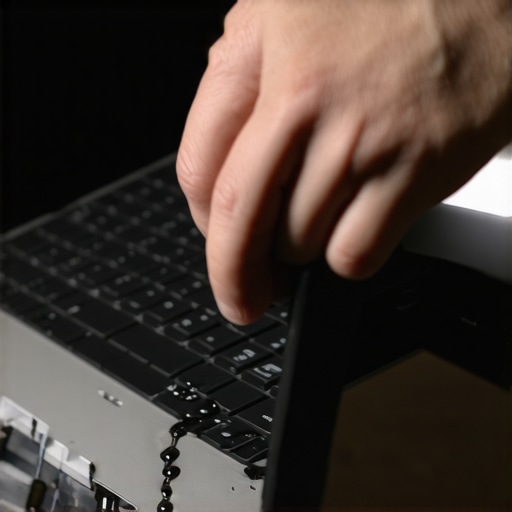
Strip Every Accessory and Peripheral Immediately
Once the power is killed, disconnect everything. This includes your mouse, any external hard drives, and especially that tiny USB receiver for your wireless keyboard. These peripherals provide additional pathways for liquid to travel and can cause secondary shorts in the IO ports. I learned this the hard way when a spilled soda traveled through a USB hub and killed a $200 external backup drive. If your business relies on these machines, this is where a robust disaster recovery plan proves its worth, as hardware is replaceable but the data on those peripherals often is not.
Crack the Case Only if You Have the Right Tools
Stop the Corrosion Before it Becomes Permanent
If you are comfortable with a screwdriver, the next step is removing the bottom panel. This isn’t just about ‘airing it out’; it is about stopping the sticky residue. Coffee and soda contain sugars and acids that don’t just dry up—they turn into a conductive film. Using a lint-free cloth and 99% isopropyl alcohol is the standard for cleaning the internal components. If you see white or green crusty spots, that is active corrosion. If the spill was massive, you might be looking at the truth about recovering data from a water damaged SSD because the storage controller is often the most sensitive to voltage spikes.
Evaluate the Damage to Your Display
Liquid can easily wick into the backlight layers of your screen, creating ugly splotches that never go away. If you notice the screen flickering or displaying weird colors after the incident, you should check for tips for troubleshooting laptop screen problems. Often, the liquid isn’t in the panel itself but in the LVDS cable connector, which can be cleaned if caught early enough. If you ignore it, you risk a situation where a cracked laptop screen eventually damages your motherboard due to constant electrical arcing in the hinge area. Acting with surgical precision in these first few minutes determines whether your laptop becomes a functional tool again or a very expensive paperweight.The most common mistake I see isn’t the spill itself—it’s the false sense of security that follows forty-eight hours of drying. Everyone tells you to wait two days and then try to power it on. I disagree. In my experience, if you haven’t physically cleaned the board with high-grade alcohol, you are just waiting for a delayed catastrophe. This is where the ‘Oops’ factor kicks in: that surge of electricity when you finally ‘test’ the machine often acts as a catalyst for electrochemical migration. You might get a week of perfect use, then suddenly, the machine dies for good. Have you ever fallen into this trap? Let me know in the comments. I’ve encountered countless users who thought they were safe because the device booted, only to lose everything a month later when the internal traces finally snapped.
The False Security of a Dry Keyboard
When you spill liquid, you aren’t just dealing with H2O; you are dealing with minerals and residues that remain long after the wetness evaporates. According to the IPC-CH-65B Guidelines for Cleaning of Printed Boards, even invisible ionic residues can lead to ‘dendrite’ growth, which are microscopic metallic whiskers that cause short circuits over time. This is the hidden nuance of computer repair that many beginners miss. If you don’t address the microscopic level, your hardware is on borrowed time. If your machine starts acting up after a ‘successful’ recovery, like if you notice how to fix a laptop screen that is flickering only on battery power, it might not be a screen issue at all—it could be the power delivery circuit on the board failing due to residual corrosion. 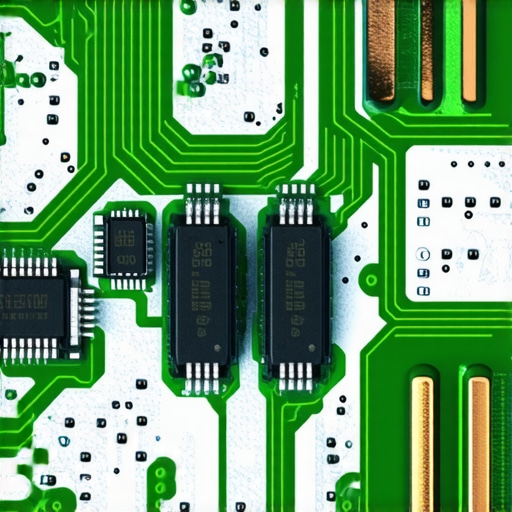
Stop the Slow Burn Before the Logic Board Dies
For businesses, this uncertainty is why why your business needs a disaster recovery plan before the storm hits is so vital. You can’t rely on luck when the the sign your ssd is reaching its write limit and about to die might coincide with spill damage you thought you fixed. Using data recovery secrets expert techniques to save your files fast is your last line of defense before the hardware fully gives out. Most people think ‘data recovery’ is for deleted files, but in the world of liquid damage, it’s a race against the oxidation of your storage controller.
Why do some liquids kill laptops faster than others?
It’s not just the moisture; it’s the solutes. Plain water is bad, but coffee with sugar or soda is a nightmare because those substances are both acidic and hygroscopic, meaning they actually pull more moisture from the air even after they ‘dry.’ This sticky residue creates a bridge between circuits that shouldn’t be connected. This is when you’ll need the move that saves your data when a partition table is corrupted because the file system structure is often the first thing to get scrambled by a dying voltage regulator. Don’t just dry it—clean it thoroughly or seek professional help before the corrosion becomes permanent.The secret weapon on my workbench isn’t a fancy high-end screwdriver or a laser-guided heat gun; it’s a simple bottle of 99% isopropyl alcohol. When you are dealing with the aftermath of a spill, you have to understand that ‘clean’ doesn’t mean what you think it means. I’ve had people tell me they wiped their board with a damp cloth, which is effectively like trying to put out a fire with gasoline. The high-purity alcohol is non-conductive and evaporates almost instantly, taking the moisture with it. If the damage is extensive, I personally use an ultrasonic cleaner filled with a specialized Branson solution to vibrate the grime out from under those tiny SMD components where a brush can’t reach. This level of precision is why the power of data recovery tools is so effective when combined with physical decontamination.
Reach for the Isopropyl and Skip the Cheap Stuff
You cannot settle for the 70% stuff from the grocery store—that extra 30% is mostly water, and it will finish the job the coffee started. Professional grade chemicals are essential for stopping the oxidation process in its tracks. I’ve seen boards that looked like they were beyond hope, covered in green fuzz, come back to life after a proper bath and a session in the drying oven. According to the NASA Workmanship Standard (NASA-STD-8739), even microscopic residues left after cleaning can lead to dendritic growth, which are tiny metallic ‘whiskers’ that cause unexpected shorts weeks or months later. This is why you need to be thorough. If you find your display is still looking murky after a cleanup, you might want to look into laptop screen repair DIY tips for clearer displays to see if the liquid reached the internal diffusers. 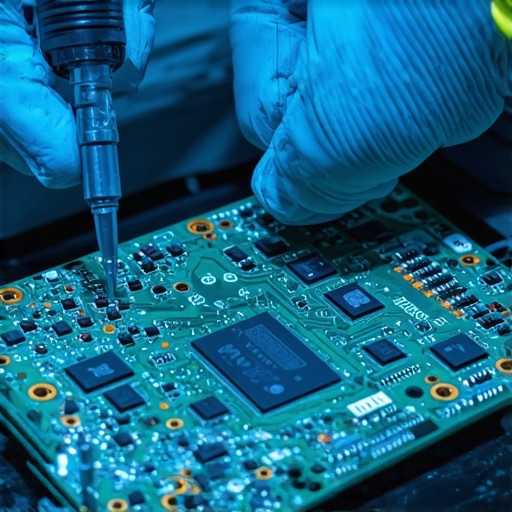
Run These Pro Diagnostics Every Month
Once the hardware is physically stabilized, you have to monitor the internal health of your components. I make it a habit to check the telemetry of every drive that passes through my shop. Learning how to check if your hard drive is about to fail using S.M.A.R.T. data is the difference between a minor inconvenience and a total business shutdown. I look specifically at the ‘Reallocated Sector Count’ and ‘Wear Leveling Count’ on SSDs. If those numbers are climbing, your drive is dying, period. This is especially true if you suspect the sign your ssd is reaching its write limit and about to die is being accelerated by previous electrical spikes.
How do I maintain my hardware for peak performance over years?
Maintenance isn’t a one-time event; it’s a strategy. For my business clients, I always suggest moving toward effective managed IT solutions for growing companies because they automate this entire monitoring process. Instead of you checking a dashboard, an automated system flags a potential failure before you even notice a slowdown. I predict that in the next few years, we will see ‘self-healing’ motherboards that can programmatically isolate damaged circuits, but until then, professional oversight is your best bet. If your screen is physically damaged beyond cleaning, you might need a laptop screen replacement step-by-step repair guide to get the machine back into rotation. Understanding that why managed IT is a game changer for growing companies often comes down to preventing these small hardware failures from becoming $10,000 data loss events. I strongly encourage you to download a free S.M.A.R.T. utility today and check your drive’s health—don’t wait for the clicking sound to start.
The Hard Truths About Living with Sensitive Tech
After years of opening up machines that have been drowned in everything from green tea to energy drinks, I’ve realized that the most expensive part of a spill isn’t the motherboard—it’s the time you lose. I once saw a designer lose three weeks of work because he chose a bag of rice over a screwdriver. Real computer repair isn’t about hope; it’s about physics and prompt action. Here are three things I’ve learned the hard way:
- Corrosion is a slow burn: Just because it turns on today doesn’t mean it will turn on next Tuesday. Always clean the logic board physically to remove ionic residues.
- Software can’t fix hardware: If the liquid hit the board, no amount of ‘system resets’ will stop a short circuit.
- Preparation beats luck: Having a backup means a spill is a temporary inconvenience rather than a career-altering catastrophe.
Mastering troubleshooting common computer repair issues effectively starts with accepting that hardware is fragile. It is significantly cheaper to be proactive and equipped than to react under the pressure of a dying machine.
My Pro Toolkit for Hardware Survival
I don’t leave my data’s safety to chance, and neither should you. If you want to handle these situations like a seasoned technician, you need specific supplies on hand before the disaster strikes. These are the items I personally keep in my emergency drawer:
- 99% Isopropyl Alcohol: This is the gold standard for decontamination. Anything less (like the 70% variety) contains enough water to cause the very oxidation you are trying to prevent.
- Magnetic Project Mat: When you are diving into computer repair for beginners, losing a single microscopic screw can be the difference between a successful fix and a damaged chassis.
- S.M.A.R.T. Monitoring Software: I use tools to monitor drive telemetry constantly. Knowing how to check if your hard drive is about to fail using S.M.A.R.T. data serves as your digital early warning system.
#IMAGE_PLACEHOLDER_E#
Take Command of Your Technology
Accidents are inevitable, but total data loss is optional. By understanding how to react in those critical first sixty seconds and maintaining a clean, corrosion-free environment, you are already miles ahead of the average user. Whether you are a solo freelancer or a business owner evaluating why managed IT is a game changer for growing companies, the ultimate goal remains the same: resilience. Don’t be afraid to learn the internals of your machine; that knowledge is the best insurance policy you can own. What was the most stressful tech emergency you’ve ever survived, and did you manage to save your data? Let me know your stories in the comments below!