

I will never forget the Tuesday my laptop nearly melted through my desk. I was mid-render on a project for a big client when the cursor began to jump across the screen like a caffeinated flea. The bottom of the chassis was hot enough to fry an egg, and then it happened—the dreaded total system freeze. I used to think I just needed a faster machine, but the truth was much simpler and much more annoying: my CPU was gasping for air and slowing itself down just to stay alive. If you have ever felt your laptop keyboard getting uncomfortably warm during a long work session, you are likely experiencing the same thing. Today, I am going to show you exactly how to spot those sneaky signs of thermal throttling so you can get back to full speed without spending a fortune on a new rig. We will look at why your hardware is hitting the brakes and how [troubleshooting common computer repair issues effectively](https://computerrepairmasters.com/troubleshooting-common-computer-repair-issues-effectively) starts with managing your thermals.
Your PC is begging for a break
Early in my career, I made the expensive mistake of replacing a perfectly good motherboard because I thought the sudden slowdowns were a sign of hardware failure. I felt like a total amateur when I realized later it was just a five-dollar tube of dried-out thermal paste and a bit of dust causing the mess. Thermal throttling is your computer’s built-in survival instinct; it intentionally lowers the clock speed to reduce heat output. Sometimes this manifests as a [noisy laptop fan that sounds like a jet engine](https://computerrepairmasters.com/the-fix-for-a-noisy-laptop-fan-that-sounds-like-a-jet-engine) as the system tries desperately to move air. If you do not catch it early, you might even notice that [your computer smells like burnt plastic](https://computerrepairmasters.com/why-your-computer-smells-like-burnt-plastic-and-what-to-check-first), which is a major red flag that things are getting way too toasty. According to official Intel technical documentation, modern processors utilize ‘Digital Thermal Sensors’ to trigger a ‘PROCHOT’ signal once they hit a specific junction temperature (usually around 100°C), which immediately slashes performance to prevent permanent silicon damage.
Is thermal throttling really that big of a deal?
You might think a little heat is harmless, but consistently running at the limit can shorten the lifespan of every component inside that case. It is not just about the frustration of a slow Excel sheet; it is about protecting your investment. Before you assume your hardware is dying, you need to [tell if your laptop fan is actually broken or just dusty](https://computerrepairmasters.com/how-to-tell-if-your-laptop-fan-is-actually-broken-or-just-dusty). Have you noticed your performance dropping off after only twenty minutes of use? Let me know if your machine feels like a space heater, because we are about to dive into the fixes that actually work.
Watch the numbers before the crash happens
You cannot fix what you cannot measure. I always start by installing a monitoring tool like HWInfo. It feels like looking under the hood of a car while it is running. You are looking for the ‘Thermal Throttling’ flag to flip from ‘No’ to ‘Yes.’ I remember working on a client’s workstation that was sluggish during video calls. They thought it was a virus, but the sensor showed the CPU hitting 98°C within seconds. If you are a novice, computer repair for beginners avoid costly mistakes usually starts with checking these free software diagnostics before you start buying parts. Using software to track your temps is like checking the weather before a hike; it tells you exactly what gear you need to pack for the repair.
Clear the path for airflow
If your software says you are running hot, the next step is the most satisfying: the deep clean. Grab a can of compressed air, but be careful. My micro-story: I once blasted air into a running laptop and heard a sickening crack. A fan blade had snapped because the air spun it way past its rated RPM. Now, I always use a toothpick or a plastic spudger to hold the fan blades still while I spray. If you hear a grinding noise after cleaning, you need to tell if your laptop fan is actually broken or just dusty before the heat cooks your motherboard. Use short bursts of air rather than one long blast to prevent condensation from forming on your delicate circuits.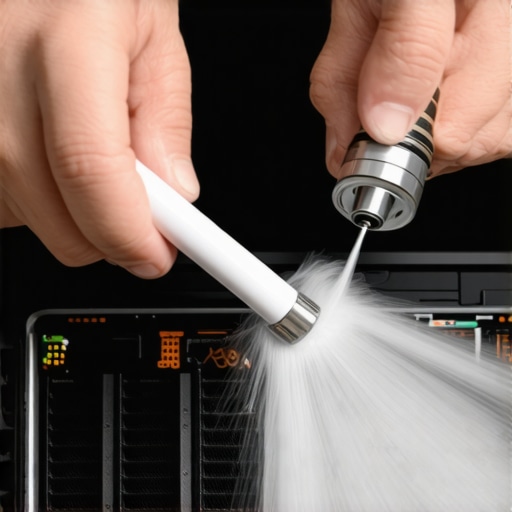
Refresh that crusty thermal paste
When cleaning the dust does not work, you have to go deeper. Thermal paste is the bridge that carries heat from the chip to the heatsink. Over three or four years, that bridge turns into dry, cracked mud. This is where most people get nervous. I have seen people use way too much paste, thinking more is better—it is not. It actually acts as an insulator if you glob it on. You want a small pea-sized amount right in the center. While you have the machine open, keep an eye out for other issues. For instance, if you see a battery that looks like a small pillow, you must safely remove a bulging laptop battery before it explodes. It is also a good time to check if your laptop keyboard works in BIOS but not Windows, which can sometimes be a loose ribbon cable caused by heat expansion.
Tweaking settings to keep things cool
Sometimes the hardware is fine, but the software is demanding too much. You can go into your Windows Power Options and set the ‘Maximum processor state’ to 99% instead of 100%. This tiny change prevents the CPU from entering ‘Turbo’ mode, which often generates 30% more heat for only 5% more performance. It is like driving your car at 65 mph instead of 90 mph; you will get there almost as fast, but your engine won’t scream the whole way. For businesses, this kind of proactive maintenance is why managed IT solutions streamlining operations for small businesses is so vital. They handle these tweaks across a hundred machines so you do not have to worry about a fleet-wide thermal failure.Most people assume that if their computer is crawling, it’s time for a memory upgrade or a new processor. In my years of bench work, I’ve found that a staggering amount of performance issues aren’t hardware limitations—they are software bloat and thermal mismanagement masquerading as obsolescence. People spend hundreds on new components while ignoring the fact that [your IT support costs are higher than they should be](https://computerrepairmasters.com/why-your-it-support-costs-are-higher-than-they-should-be) because of unoptimized background processes and poor airflow. Everyone says you need more RAM, but in my experience, a clean operating system and a fresh application of thermal paste work better than any 16GB stick ever could.
Can your IT strategy actually predict a hardware meltdown?
It is a common misconception that hardware simply ‘dies’ without warning. Expert data from studies like the Backblaze Drive Stats reports consistently show that environmental factors and heat cycles are the primary silent killers of storage and processing units. This is why [managed IT solutions streamlining operations for small businesses](https://computerrepairmasters.com/managed-it-solutions-streamlining-operations-for-small-businesses) prioritize proactive monitoring over reactive fixes. If you are not tracking the health of your components, you are essentially waiting for a disaster. Have you ever fallen into the trap of buying a new machine only to find the same slowness returning a month later? Let me know in the comments because I see this ‘ghost in the machine’ scenario every single week.
The fatal mistake of the DIY data recovery hero
There is a specific ‘oops’ factor I see with DIY enthusiasts: trying to use software to fix a clicking hard drive. If you hear a physical noise, software is your enemy. Every second that platter spins, the read/write head is potentially gouging your data into oblivion. I’ve seen people lose decades of family photos because they thought a free download could fix a mechanical failure. In these cases, you need to understand [the power of data recovery tools](https://computerrepairmasters.com/the-power-of-data-recovery-tools-what-you-need-to-know) and when to step away from the screwdriver. Similarly, before you tear apart your display, make sure you know [how to fix a blurry laptop screen after a driver update](https://computerrepairmasters.com/how-to-fix-a-blurry-laptop-screen-after-a-driver-update), as many visual issues are purely digital.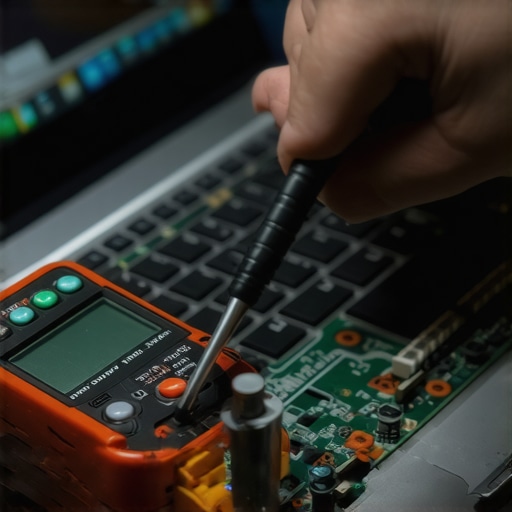
Don’t let a simple software bug trick you into a screen replacement
Another advanced nuance involves the display. I have had clients walk in ready to pay for a [laptop screen replacement](https://computerrepairmasters.com/laptop-screen-replacement-step-by-step-repair-guide) because their monitor was flickering. After five minutes of diagnostics, we found it was just a conflicting refresh rate setting from a recent game installation. It is vital to [spot a hardware failure masquerading as a software bug](https://computerrepairmasters.com/how-to-spot-a-hardware-failure-masquerading-as-a-software-bug) before you start spending money. Whether it is [managed IT strategies to keep your business secure](https://computerrepairmasters.com/managed-it-strategies-to-keep-your-business-secure-in-2025) or a simple home repair, the secret is always in the telemetry. Check your logs, watch your temps, and never assume the most expensive solution is the right one.
The toolkit that saves me hours of headache
When I am out in the field, I do not carry a magic wand; I carry a very specific USB drive loaded with Ventoy. This tool allows me to boot into a dozen different ISOs—from Linux live distros for data recovery to specialized memory testers—without reformatting the drive every single time. If you suspect your storage is acting up, I personally rely on CrystalDiskInfo to read the S.M.A.R.T. data. It is the only way to check if your hard drive is about to fail using s-m-a-r-t-data before that dreaded physical clicking starts. For deeper issues, R-Studio is my heavy hitter for recovery because it can reconstruct file systems that Windows simply refuses to recognize. In the world of professional repair, the difference between success and a total loss is often the choice of file system imaging. Most free tools try to copy files, but R-Studio clones the entire byte-for-byte structure, which is critical when dealing with ‘ghost’ partitions. It is these specialized tools that differentiate a ‘guy who knows computers’ from a professional who understands the power of data recovery tools. 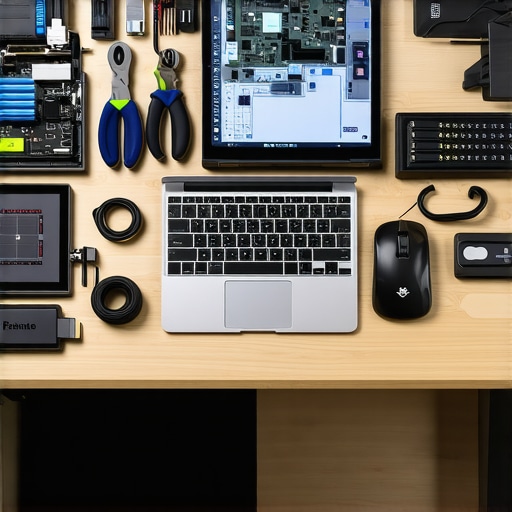
Repairability is about to get a lot harder
Looking ahead toward 2025 and the coming years, we are seeing a shift where manufacturers are soldering everything from RAM to storage directly onto the logic board. This makes traditional upgrades nearly impossible for the average user and turns simple fixes into complex micro-soldering projects. You need to know how to upgrade the ssd in a laptop that has a soldered primary drive because it is no longer just about popping out a module; it is about delicate heat management and precision. This trend is exactly why I advocate for modular hardware whenever possible. According to the Backblaze Drive Stats report for Q1 2024, while SSDs are remarkably reliable, their ‘failure tail’ is much sharper than traditional drives, meaning they work perfectly until the exact second they do not. As highlighted in OWC technical teardowns, the thermal density of modern NVMe drives is now so high that they can actually throttle themselves within seconds of a heavy sustained write, regardless of the CPU temperature.
How do I maintain my computer’s health over several years?
Long-term reliability is not an accident; it is the result of a consistent maintenance schedule. For my business clients, this is where managed it solutions streamlining operations for small businesses becomes a literal lifesaver. You should be blowing out your chassis with compressed air every six months and checking your background processes for ‘resource vampires’ at least once a month. If you are trying to extend the life of your office pcs by three years, you cannot afford to ignore the health of your power supply or the integrity of your cooling system. Remember, why choosing the cheapest managed it plan always leads to more downtime—it is because the budget options skip the proactive telemetry that prevents the fire in the first place. As we scale these solutions for larger offices, the complexity grows, and managed it strategies to keep your business secure in 2025 must include real-time hardware health tracking. I strongly suggest you download a hardware monitor today and check your drive’s ‘Power On Hours’—it is the quickest way to see if your machine is a ticking time bomb before you lose your precious data.
What a Melted Motherboard Taught Me About Tech Longevity
After years of seeing thousands of devices on my bench, I have realized that thermal management is the most ignored aspect of personal computing. One major lightbulb moment for me was discovering that even the most expensive rigs are just paperweights if they cannot breathe. I used to think I needed to be an electrical engineer to fix these things, but computer repair for beginners avoid costly mistakes often just means having the patience to look at a sensor readout before reaching for a screwdriver. Another hard truth: software bugs are much more common than hardware failures. You must learn to spot a hardware failure masquerading as a software bug before you commit to an expensive replacement. Finally, proactive maintenance is not a chore; it is an insurance policy for your digital life.
My Personal Survival Kit for Tech Disasters
I do not go anywhere without these four specific tools. First is HWInfo64; it is the gold standard for real-time telemetry, allowing you to see exactly when thermal throttling kicks in. Second, Ventoy is a game-changer for booting multiple diagnostic ISOs from a single USB drive without reformatting. Third, I always keep Arctic MX-6 on hand because it is reliable, non-conductive, and survives high-heat cycles better than generic pastes. Lastly, I regularly check the Backblaze Drive Stats because they provide real-world failure data that helps me decide which components to trust for my clients. For larger setups, seeing how managed it solutions streamlining operations for small businesses utilize these metrics can save a company thousands in downtime.
Stop Waiting for the Blue Screen
You have the power to keep your machine running like new for years if you just pay attention to the signs. Don’t let a little dust or some old thermal paste be the reason you lose a weekend of work or precious family photos. When in doubt, the power of data recovery tools is there to catch you, but prevention is always the smarter play. Proper computer repair is as much about the mindset of care as it is about the tools you use. If you are feeling stuck or your machine is still acting like a furnace, do not hesitate to contact us for a professional look. Have you ever checked your CPU temperatures only to find they were hitting triple digits? Let me know in the comments below!