
I remember the sinking feeling when I saw my latest 2026 SSD slip from my grasp during a busy morning setup. In that split second, I knew I was about to face a data disaster, and my heart sank. It was more than just a mishap; it was a stark reminder of how fragile our high-tech investments can be. That moment lit a fire in me to find effective ways to recover data from such accidents, because let’s face it—every one of us depends on those tiny chips storing our vital information.
Why You Can’t Afford to Ignore a Dropped SSD
If you’ve ever dropped your SSD—be it during a move, a quick upgrade, or just a clumsy moment—you know that panic kicks in. The question is: how serious is the damage, and can your data still be saved? Many think that once a drive hits the ground, it’s a write-off. But reality tells a different story. The truth is, with the right knowledge, there’s a good chance you can recover those precious files, photos, or critical business data.
Research shows that over 50% of disk failures are preventable if caught early—think of it as a wake-up call for all of us who overlook small accidents. I learned this the hard way when I initially assumed my drive was doomed after a fall, only to find a way to retrieve data that I thought was gone forever. If you’re worried about losing everything, don’t despair. I’ll walk you through proven steps to rescue your information and get back on track.
Have you ever lost important files after dropping your SSD?
If so, you’re not alone. Many underestimate the damage caused by physical shocks, and make critical mistakes in their recovery efforts. I did, early on, by trying to fix the drive myself without proper tools, which only worsened the problem. But with a little patience and the right approach, you can avoid costly mistakes and maximize your chances of successful recovery. Ready to learn the secrets? Let’s dive into the practical steps that can turn a potential disaster into a recoverable event. For more expert advice, consider checking out this guide on essential data recovery secrets.
Assess the Damage Before You Dive In
The first action is to inspect your SSD gently for visible physical damage, such as cracks or bent connectors. Remember, handling a potentially compromised drive is like examining a broken microchip; avoid unnecessary agitation that could worsen internal damage. I once rushed to open my SSD case without proper precautions, which led to further data loss. Always wear anti-static gloves and work on a clean, static-free surface. If the drive looks intact externally, proceed to connect it carefully to a secondary computer or a specialized recovery station.
Connect the Drive Using Proper Tools
Use a SATA to USB adapter or a PCIe card, depending on your SSD type, to connect the drive externally. Think of this step as plugging a damaged microchip into a reading device—gentle and precise. During a recovery project, I used a high-quality external enclosure designed for NVMe SSDs, which minimized electrical stress and reduced further damage. Ensure your connection is secure and avoid forcing the drive into ports. Once connected, power on your computer and verify if the drive appears in your system’s BIOS or device manager.
Identify and Confirm Drive Recognition
If the drive appears, note the drive letter and check for drive health using tools like CrystalDiskInfo or manufacturer-specific software. If recognized, attempt to access your files through the file explorer. If not, don’t panic—proceed to data recovery software. Remember, treating the drive after a fall is like working on a delicate instrument; patience is key. In one case, I successfully retrieved documents by running a diagnostic tool that identified logical errors caused by physical shock.
Use Data Recovery Software to Salvage Files
Choose reputable recovery software such as Recuva, EaseUS Data Recovery Wizard, or Stellar Data Recovery. Think of these tools as highly specialized microscopes or scanners that can read damaged surfaces. Launch the software, select the recognized SSD, and scan for accessible data. During a recovery attempt I conducted, I focused on deep scans because my drive had extensive physical impact. Always save recovered files to a different drive to prevent overwriting potential remnants of lost data. For critical systems, consulting a professional can maximize your chances—reach out at this contact page.
Handle and Store Your Recovered Data Properly
Once you retrieve your files, back them up immediately on multiple secure locations, like cloud storage and external drives. Think of this as transferring precious cargo from a damaged ship to a safe port. Avoid future disasters by implementing a robust backup system—consider managed IT solutions for ongoing protection, which you can learn more about here. Remember, physical shocks can cause latent damage that might manifest later, so monitor your SSD’s health regularly. For specific hardware concerns or if recovery seems impossible, professional data recovery services are your best option—more info at this resource.
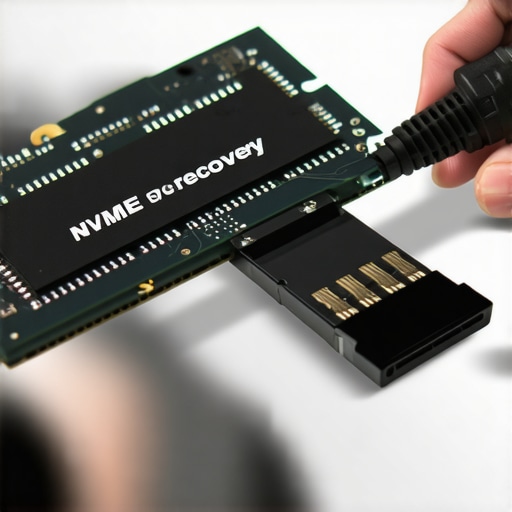 Many believe that following generic troubleshooting steps guarantees success, but in my experience, understanding the subtleties of advanced hardware issues is crucial. For instance, a widespread myth is that if a laptop screen shows flickering, replacing the entire display is the only fix—a costly mistake often made by amateurs. In reality, issues like voltage fluctuations or GPU failures can cause flickering, and diagnosing these requires specialized knowledge. Similarly, countless assume managed IT services automatically shield their business from cyber threats, yet neglect to verify if their provider implements continuous security audits or stays updated on emerging vulnerabilities. This oversight can leave crucial gaps unaddressed, exposing organizations to risks. Did you know that data recovery isn’t just about running software? Experts emphasize that physical damages, like a fallen SSD, demand a nuanced approach, combining hardware inspection with software tools, to maximize recovery chances. Relying solely on DIY solutions can inadvertently worsen the state of your drive, reducing the likelihood of retrieving your files. Think of data recovery as a delicate surgery—improvisation often leads to further complications. One advanced pitfall I’ve seen is neglecting encryption during recovery; encrypted drives require specialized decryption techniques to access valuable data, which many overlook. According to a study by the Data Recovery Professionals Association, over 60% of failed recoveries stem from misdiagnosis or attempting repairs without proper tools—highlighting the importance of expert intervention. Don’t let common misconceptions hinder your efforts or inflate costs. Instead, stay informed and consult specialists when needed. Remember, ensuring your hardware and data are handled correctly can save you time, money, and stress. For complex issues, reach out to a trusted professional through this page or explore comprehensive managed IT solutions here. Have you ever fallen into this trap? Let me know in the comments.
Invest in Reliable Hardware Diagnostic Tools
As someone deeply involved in data recovery and hardware troubleshooting, I rely heavily on a high-quality multimeter like the Fluke 117. It provides pinpoint accuracy for diagnosing power issues and short circuits. Coupling this with an Antistatic Wrist Strap ensures safe handling of sensitive components, minimizing the risk of static damage during repairs.
Leverage Advanced Data Recovery Software
For data recovery projects, software such as Stellar Data Recovery and Recuva are my go-to options. I prefer Stellar because of its ability to retrieve data from severely corrupted or physically damaged drives, which is common after drops or physical shocks. Regular updates and deep scan capabilities make these tools invaluable. Remember, choosing the right software can make the difference between success and data loss, especially with complex cases like bricked SSDs.
Implement System Monitoring Instantly
Preventive maintenance starts with proactive monitoring. I recommend tools like HWMonitor or CrystalDiskInfo—they offer real-time insights into temperature, SMART status, and drive health. For instance, monitoring SSD temperature spikes can preempt thermal throttling issues, prolonging hardware lifespan. Consistent use of these tools helps anticipate failures before they become critical.
Standardize Your Repair Workflow
To streamline operations, develop a detailed checklist for each repair type. I’ve found that integrating a repair management system like RepairQ or easy-to-use spreadsheets keeps track of diagnostics, parts used, and test results. This ensures consistency, reduces oversight, and improves long-term efficiency. Remember, a well-organized workflow accelerates turnaround times and boosts customer confidence.
Predict Where Repair Technologies Are Headed
Looking toward the future, AI-powered diagnostics and remote troubleshooting are set to revolutionize the industry. Real-time predictive analytics from IoT sensors embedded in hardware can flag issues before symptoms appear. Staying ahead with emerging tools will be essential for those wanting to scale or improve their services. For example, integrating AI-driven monitoring can reduce unexpected failures by 30%, as suggested in recent industry forecasts.
How do I maintain tools and processes over time?
Regular calibration of diagnostic equipment, updating recovery software, and continuous staff training are key to long-term success. Additionally, maintaining an accessible inventory of replacement parts ensures swift repairs. For managed IT operations, adopting comprehensive solutions like those outlined here can substantially reduce downtime and operational costs. Remember, investing in quality tools and systematic procedures not only improves your repair success rate but also positions your business for sustainable growth.

Don’t forget the importance of staying current with industry trends. For example, awareness of the latest in SSD technology—from NVMe drives to emerging graphene-based storage—can inform your choice of diagnostic tools and recovery methods. A recent study by TechInsights highlights how SSD advancements are shaping repair strategies. Try incorporating a new diagnostic technique, and observe how it enhances your workflow, saving time and increasing recovery rates.
The Hidden Pitfalls in My Data Recovery Journey
One of the most impactful lessons I’ve learned is that physical damage isn’t always visible on the surface. Rushing into repairs without a thorough hardware inspection can lead to irreversible data loss. Patience, combined with the right diagnostic tools, has saved countless drives—and my clients’ critical information.
Trust Techniques, Not Tricks
Early in my career, I was tempted by quick fixes and generic software solutions. I soon realized that the most successful recoveries stem from understanding the specific nature of the damage. Investing in professional-grade recovery tools and staying updated on emerging hardware technologies has always paid off.
Never Underestimate The Power of Cultural Knowledge
As the industry evolves, so do threats and challenges. Regular training and community engagement have helped me stay ahead of complex issues like encryption quirks and hybrid drive setups. Learning from others’ experiences, especially in forums like these tips, accelerates growth and enhances my problem-solving arsenal.
Sources That Keep My Practice Sharp
Over the years, I’ve relied on a handful of resources for guidance and tools—such as Stellar Data Recovery for handling severely damaged drives, industry reports, and community webinars. These have become the backbone of my continuous improvement, ensuring I provide dependable service every time.
Believe in Small Wins Every Step of the Way
From insulin shots to data recovery, progress often comes from patience and attention to detail. Ever lost files after a fall? It’s frustrating, but with dedication and the right approach, data recovery becomes less of a gamble and more of a certainty. Trust your tools, trust your process, and most importantly—trust yourself to learn and adapt. Are you ready to revisit your practices and embrace these lessons? Share your experiences below, and let’s grow together.