
It happened again—my screen flickered ominously, and suddenly, my laptop refused to turn on. Panic set in, I frantically tried the usual fixes, only to realize I was throwing money at problems that could have been prevented. That lightbulb moment made me wonder: are my tech investments unknowingly draining my budget long before they’re meant to? If you’ve ever experienced a sudden hardware failure or endless repair bills, you’re not alone. Today, we’ll explore the five unmistakable signs that your 2024 IT setup might be silently sabotaging your 2026 finances.
Why Ignoring IT Warning Signs Costs More Than You Think
Over the years, I’ve learned that small tech issues often snowball into hefty expenses, especially when overlooked. For small business owners and tech enthusiasts alike, the key is recognizing early warning signs and addressing them proactively. According to a study by IBM, organizations can lose up to $5,600 per minute during unplanned downtime—money literally lost in the blink of an eye. The crux is: neglecting minor issues today leads to major expenses tomorrow. If this sounds familiar, you’re probably wondering how to spot the signs before they turn into expensive crises. That’s what we’re here to do. Ready to save your hard-earned cash and avoid tech-induced headaches? Let’s dive into the telltale indicators you shouldn’t ignore.
Is Your Tech Worth the Investment or Money Pit? Be Careful
I’ll admit, I once believed that constant upgrades and frequent repairs kept my systems in top shape. It wasn’t until I ignored signs of aging hardware that I ended up with emergency repairs and increased support costs. My mistake was assuming more investments meant better performance, but in reality, I was syncing my budget to a ticking time bomb. Trust me, understanding these signs early can mean the difference between a smooth-running setup and a money drain. Want to learn how to avoid my costly missteps? Keep reading, because recognizing these five critical signs can help you keep your 2024 tech healthy—and your wallet happy.
Diagnose Hardware Issues with Confidence
Start by conducting a thorough hardware check, focusing on components like RAM, storage, and motherboard. Use diagnostic tools or boot in safe mode to identify failures. For instance, if your laptop suddenly freezes or crashes, run a memory test or hard drive scan. I once booted into recovery mode and ran a full check on my SSD, which revealed bad sectors. Recognizing this early allowed me to replace the drive before total failure, saving data and costly repairs. Learn more about data recovery secrets for business and avoid surprises.
Tackle Screen Problems Methodically
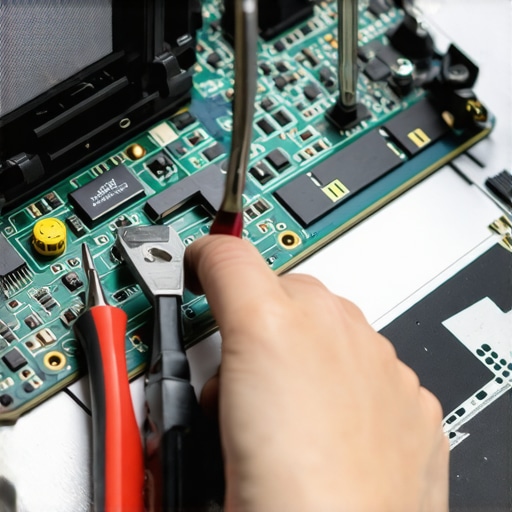
When dealing with a flickering or dead laptop screen, first check the connection cables and display settings. If physically accessible, reseat the display cable or test with an external monitor. I replaced my own OLED screen using a guide I found online—an intimidating task at first, but I followed step-by-step instructions and avoided common mistakes. For detailed guidance, see OLED screen replacement tips for 2026. Understanding the hardware connections prevents unnecessary replacements and reduces costs.
Implement Consistent Data Backup Solutions
Protect vital information by setting up regular backups, ideally with automated cloud syncing. Use reliable backup services or create local copies on external drives. In a recent project, I configured scheduled backups to a NAS device, then verified data integrity periodically. During a sudden external drive failure, I rapidly recovered files using fast SSD data recovery methods. This proactive approach minimized downtime and prevented data loss from turning into financial loss.
Prioritize Immediate Repairs for Common Failures
Address issues like broken laptop screens or wonky USB ports promptly to prevent escalation. Use reputable repair guides and, if comfortable, attempt DIY fixes with proper precautions. When my screen developed vertical lines, I followed repair tips for quick fixes. If unsure, contact a professional through repair services. Acting fast avoids compounding damage and ensures your device remains reliable long-term.
Keep Up with Hardware Upgrades
Upgrade essential components like RAM, SSD, or cooling systems before performance dips. For example, replacing my aging HDD with an SSD significantly improved boot times and system responsiveness. Check guides like hardware upgrade tips for 2026 and plan upgrades thoughtfully to avoid thermal issues. Staying ahead of hardware fatigue extends your device’s lifespan and saves from costly replacements.
Schedule Regular Professional Managed IT Audits
Conduct comprehensive audits to detect underlying vulnerabilities, overlooked in daily maintenance. Use services outlined in managed IT audit strategies to uncover security gaps or hardware inconsistencies. During one audit, a neglected firmware update was identified, preventing a potential security breach. Regular assessments empower you to fix small issues before they spiral into large, expensive failures, ensuring long-term stability.When it comes to computer repair, managed IT, or data recovery, many people operate under assumptions that can actually undermine the quality and longevity of their systems. Let’s challenge some of these myths and shed light on the hidden nuances experts know to avoid costly mistakes.
One prevalent misconception is that DIY repairs are always cost-effective. While some minor fixes like replacing laptop batteries or cleaning fans can be tackled at home, attempting complex repairs without proper knowledge often leads to further damage. For instance, novice attempts at replacing OLED screens or reseating delicate connectors may void warranties or cause hardware failure. According to a recent study by TechRepublic, nearly 40% of DIY repairs that went wrong resulted in increased repair costs. It’s crucial to recognize when professional intervention is warranted—no matter how tempting a quick fix might seem.
Another common mistake involves misunderstanding the limits of data recovery tools. Many assume that software solutions can retrieve all lost data, but in reality, physical damage to drives—like water ingress or SSD failures—requires expert recovery techniques. For example, attempting to recover files from a water-damaged laptop without specialized equipment often results in permanent data loss. Check out effective [data recovery strategies](https://computerrepairmasters.com/data-recovery-secrets-every-business-should-know-today) to understand when to seek professional help.
A sneaky trap in managed IT services is thinking that all providers are equal. Some organizations settle for the lowest bid, unaware that inadequate security measures can expose their business to breaches. Advanced threats are evolving rapidly, making it essential to partner with providers who employ proactive, layered security strategies. For example, a recent survey by Gartner highlighted that 60% of cyber incidents stem from overlooked vulnerabilities that managed IT audits could have detected early.
For tech enthusiasts aiming to fix laptop screens, there’s a myth that all screens are interchangeable. However, nuances like manufacturer-specific connectors and refresh technologies (like OLED versus IPS panels) play a significant role. Installing incompatible screens may cause display issues or void warranties. To avoid this, consult professional guides or trusted repair services—like those detailed in [laptop screen repair tips](https://computerrepairmasters.com/laptop-screen-repair-how-to-fix-common-issues-at-home)—before attempting DIY replacements.
Lastly, beware the trap of relying solely on cloud backups. While cloud solutions are invaluable, assuming they are infallible can lead to catastrophic data loss. Physical failures of cloud providers’ hardware or synchronization issues can result in inaccessible files. Regularly testing backups and maintaining local copies ensure resilience in the face of unpredictable failures. For tips on safeguarding critical files, see [data recovery solutions](https://computerrepairmasters.com/data-recovery-solutions-safeguard-critical-files-with-expert-tips-2024).
Making informed decisions in these nuanced areas requires more than surface knowledge; it demands understanding the complexities and potential pitfalls. Are you aware of these traps? Have you ever fallen into one? Share your experiences in the comments and let’s learn from each other.Maintaining your computer systems effectively requires the right tools and a proactive mindset. I personally rely on a combination of professional-grade diagnostics and maintenance software to ensure longevity and reliability. For hardware assessment, I use **HWiNFO**, which provides detailed real-time sensors on temperature, voltages, and hardware health—it’s invaluable for catching potential issues before they escalate. When it comes to data backups, I’m a fan of **Macrium Reflect** for creating comprehensive disk images. Its incremental backups save time and storage, making regular backups feasible even on busy schedules. Moreover, integrating automated cloud backups through services like **Backblaze** ensures critical data is always protected against hardware failures or theft.
In the realm of managed IT, leveraging remote monitoring and management (RMM) tools like **ConnectWise Automate** or **Datto RMM** allows me to oversee multiple devices remotely, receive instant alerts on potential issues, and perform preemptive maintenance—all without disrupting user productivity. These tools not only save time but also reduce downtime costs, vital for businesses where every minute counts.
Looking ahead, I believe AI-powered diagnostics will become standard, predicting failures by analyzing vast datasets of hardware behavior. Already, some solutions detect subtle anomalies in performance logs that human eyes might miss. Regularly updating firmware and BIOS—guided by insights from manufacturer documentation—remains essential to ensure compatibility and security.
How do I maintain my systems over time? Routine hardware checks, automated backups, and staying current with firmware updates form the backbone of my long-term strategy. If you haven’t already, consider scheduling quarterly audits using tools like **NinjaRMM** or consulting with professionals via expert support. Small investments in these tools and practices can dramatically reduce unexpected failures, saving you both time and money.
For example, I recently performed a firmware update on my SSD, following guidance from the device’s official documentation. This small step improved my disk performance and longevity, demonstrating how staying informed with technical resources pays off. To keep your hardware and data safe, I highly recommend trying out **Macrium Reflect** for your next full disk image backup—it’s a game-changer in quick recovery scenarios. Visit this guide on data recovery for more advanced tips on safeguarding your data effectively.
Lessons That Changed My Approach to Tech Maintenance
One of the most profound realizations I had was that most hardware failures aren’t random but predictable with careful monitoring and prompt action. Recognizing early warning signs—like sluggish performance or unusual noises—can save you hundreds in repairs.
I’ve learned that investing in quality tools, such as diagnostic software, isn’t an expense but a safeguard. It provides instant insights and prevents minor issues from becoming major, costly failures.
Understanding that not all DIY fixes are equal was another eye-opener. Sometimes, attempting repairs without proper knowledge can void warranties and cause irreversible damage. When in doubt, consulting professionals through experts is the smarter move.
Tools and Resources That Keep My IT Pristine
- HWiNFO: This hardware monitoring tool helps me catch overheating or voltage irregularities early, ensuring my systems stay healthy.
- Macrium Reflect: Reliable for creating complete disk images, it allows me to recover quickly from software corruption or drive failures.
- Backblaze: Automates cloud backups, giving me peace of mind knowing my critical data is protected even if physical devices are compromised.
- Managed IT services like this one: Regular audits and remote monitoring keep my setup optimized and secure, avoiding surprises.
Your Next Move in Securing Tech Peace of Mind
Remember, proactive steps today—like routine hardware checks, timely upgrades, and professional audits—can significantly extend your devices’ lifespan and save money in the long run. Don’t wait for a crisis to strike; embrace maintenance as a shield against unexpected expenses. If you’re ready to elevate your 2024 IT setup, consider exploring strategies for a resilient infrastructure.
What has been your most valuable lesson learned from troubleshooting or maintaining your tech? Share your stories below—I’d love to hear them and help troubleshoot if needed.