

I was sitting at my desk, coffee in hand, when the digital equivalent of a fire alarm went off. A well-meaning junior staffer had found a stray USB stick in the breakroom and, out of pure curiosity, plugged it in to see who it belonged to. Within ten minutes, our local server was behaving like it had been hit with a sledgehammer. It’s a gut-wrenching feeling. I’ve been there, and honestly, I once made the rookie mistake of thinking a simple office policy memo would be enough to stop people from plugging in random hardware. It wasn’t. We live in a world where the reason your computer freezes when you plug in a usb device might not just be a driver error—it could be a deliberate attack. Today, I’m going to show you the exact move that keeps your network clean by physically and digitally slamming the door on infected drives before they can even say hello.
The Day a Single Thumb Drive Almost Cost Me My Business
We often focus on fancy firewalls and complex passwords, but we forget about the tiny plastic sticks sitting in our pockets. That morning back in 2018 taught me that human curiosity is the biggest security hole in any building. According to a study by the University of Illinois, nearly 50% of people who find a lost USB drive will plug it into a computer. That is a terrifying statistic for any business owner. If you aren’t implementing managed IT strategies to keep your business secure in 2025, you are essentially leaving your front door wide open while you double-lock the back windows. I learned the hard way that relying on “common sense” is a recipe for disaster. My mistake was assuming everyone knew the risks; now, I assume nobody does, and I build the defenses to match that reality. Have you ever had that moment of panic where a screen goes black the second an employee connects an external device? I’d love to hear your stories in the comments.
Is Blocking USB Ports Actually Worth the Hassle?
You might be thinking that locking down every port feels a bit like overkill, especially in a small office where you trust your team. I used to feel the same way until I realized that trust doesn’t stop a virus. It’s not about lack of faith in your employees; it’s about acknowledging that mistakes happen in the heat of a busy workday. If you don’t have a plan, you’ll eventually end up looking for the power of data recovery tools because a single infected stick encrypted your entire database. Beyond just malware, uncontrolled USB usage is the mistake that makes your backups completely useless if the infection spreads to your cloud sync before you even notice it. Locking down these ports is the most cost-effective insurance policy you will ever “buy” for your hardware. It’s time to move past the polite requests and start using the technical tools that actually prevent the unauthorized movement of data in and out of your workstations.
Lock the Digital Door with Group Policy
I remember pushing my first Group Policy (GPO) to block mass storage devices across our twenty-person office. I thought I was being a paranoid tech guy until an intern brought in a ‘USB-powered desktop fan’ she’d bought from a shady site. It wasn’t just a fan; it was trying to register as a keyboard to run scripts and harvest credentials. Because we had the right settings in place, Windows just sat there and did nothing. That is the beauty of a well-configured network. If you are running a Windows-based office, the move that prevents unauthorized devices from joining your network starts right inside the Group Policy Management Editor.
Stop Mass Storage Devices in Their Tracks
To do this right, you need to navigate to Computer Configuration, then Administrative Templates, System, and finally Removable Storage Access. Here, you’ll find the ‘All Removable Storage classes: Deny all access’ setting. Enabling this is like putting a deadbolt on every single port in the building. It doesn’t care if the drive is brand new or belongs to the CEO; if it’s a storage device, it’s not getting in. For those just learning the ropes, reading up on computer repair for beginners to avoid costly mistakes can help you feel more comfortable navigating these system-level changes without the fear of breaking the OS or locking yourself out of essential peripherals like mice and keyboards.
Create Exceptions for the Devices You Actually Need
The biggest pushback you’ll get from your team is that they ‘need’ their USB drives for specific client tasks or presentations. Instead of folding and turning the ports back on for everyone, use the ‘Allow installation of devices that match any of these device IDs’ policy. This allows you to whitelist specific, company-issued encrypted drives while keeping the generic junk out. I once had a manager insist her ‘lucky’ thumb drive from a conference was safe, only for our scan to find a dormant Trojan. That’s why managed IT strategies to keep your business secure in 2025 emphasize zero-trust policies over convenience every single time. It’s much easier to explain a minor inconvenience to a staff member than it is to explain why you’re reaching for the power of data recovery tools because the entire server was held for ransom.
Add a Layer of Physical Security
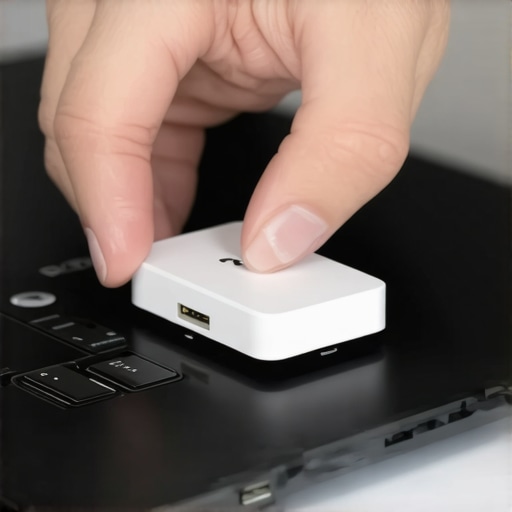
Sometimes, the software isn’t enough, especially in public-facing areas like a lobby or a shared conference room. This is where I go old-school. I use physical USB port blockers—tiny plastic inserts that snap into the port and require a special key to remove. They are incredibly cheap and act as a visual deterrent that says ‘don’t even try it.’ If an attacker or a curious visitor sees a blocked port, they’re less likely to try a quick ‘plug and run’ attack. It also helps you differentiate between a real threat and a technical glitch. Sometimes, people think they’ve been hacked when it’s actually a simple hardware issue; knowing how to spot a hardware failure masquerading as a software bug will save you hours of unnecessary troubleshooting when someone complains their ‘port isn’t working’ after you’ve physically locked it for their own protection.
While blocking ports and physical security are great first steps, there is a nuance to managed IT that most business owners miss until it is far too late. Most people believe that if their files are ‘in the cloud,’ they are safe. I’m here to tell you that this is a dangerous half-truth. In my years of fixing systems, I’ve seen entire companies wiped out because they mistook a sync service for a backup solution. Why your business backup plan is actually just a sync plan is a distinction that determines whether you recover in an hour or go out of business in a week. If a virus encrypts a file on your workstation, your cloud sync will faithfully and instantly encrypt the version in the cloud too. Real protection requires versioned, immutable backups that don’t just ‘copy’ what you have, but protect it from being overwritten by a malicious process.
Your Cloud Sync is Not a Safety Net
I’ve had clients argue with me, saying their current setup is fine because they use a popular consumer cloud drive. This is where the contrarian in me has to speak up: consumer-grade tools are often the biggest liability in a professional environment. According to a 2023 report from Sophos, ransomware attackers now actively target cloud synchronization tools to ensure their encryption reaches every corner of your network. If you aren’t using managed IT strategies to keep your business secure in 2025, you are basically helping the hackers do their job faster. Have you ever fallen into this trap of thinking sync is enough? Let me know in the comments.
Why Do Pro Tools Fail on Encrypted SSDs?
Here is the ‘oops’ factor that even some IT pros forget: modern Solid State Drives (SSDs) behave very differently from the old spinning hard drives we grew up with. When an SSD is encrypted and then fails, the chance of recovery drops significantly due to a function called TRIM. Once a controller thinks data is deleted or corrupted, it physically clears that space to keep the drive fast. This makes the truth about recovering data from an encrypted ssd that wont mount a harsh reality for many. If you wait until the drive is clicking or dead to think about recovery, you’ve already lost the game. Learning how to check if your hard drive is about to fail using s.m.a.r.t. data is the only way to get ahead of a hardware-level disaster before the encryption makes the drive a paperweight.

The Hidden Cost of Discount Support
One of the most common mistakes I see is businesses shopping for IT support based on the lowest monthly price. I call this the ‘break-fix’ trap. Why choosing the cheapest managed it plan always leads to more downtime is simple: discount providers make money when you have problems, not when your system is running smoothly. A true partner focuses on proactive maintenance, like why your managed it service should be providing quarterly security audits. They should be looking for the the sign your office switch is failing and dropping connections before your staff starts complaining. If your IT guy is only there when things are broken, he isn’t managing your IT—he’s just a digital janitor cleaning up avoidable messes. Investing in quality oversight might feel expensive upfront, but it is nothing compared to the invoice you’ll get for expert techniques to save your files fast after a total system collapse.
I personally swear by a toolset that prioritizes visibility. If I can’t see a heartbeat from every workstation on my dashboard, I can’t sleep. In my toolkit, a solid Remote Monitoring and Management (RMM) agent is the MVP. It’s how we identify the sign your office switch is failing and dropping connections before the Wi-Fi drops mid-Zoom call. But beyond monitoring, the real secret sauce is immutable backups. I use professional-grade software like Veeam because it follows the 3-2-1-1-0 rule—three copies of data, two different media, one offsite, one offline, and zero errors. If you aren’t doing this, you are skipping the most important part of how to stop a malware infection before it encrypts your data because even if they get your primary files, they can’t touch the offline immutable copy.
How do I keep this complex engine running every month?
Maintaining a network isn’t a “one-and-done” project. It’s like a garden; if you don’t weed it, the chaos takes over. Every month, I run a deep-dive audit. I’m not just looking for viruses; I’m looking for how to audit your business it spending without hiring an expert by checking for zombie software licenses and hardware that is nearing its end of life. I pay close attention to S.M.A.R.T data on every server drive. If a drive shows a reallocated sector count increase of even one, I pull it immediately. Understanding how to check if your hard drive is about to fail using s.m.a.r.t. data is the difference between a planned fifteen-minute swap and a three-day nightmare involving expert techniques to save your files fast.
#IMAGE_PLACE_HOLDER_D#
I predict that within the next three years, the concept of local computer repair will shift almost entirely toward predictive hardware replacement. We are already seeing AI-driven telemetry that can predict a capacitor failure on a motherboard weeks before the first glitch occurs. If you want to scale your business, you need to stop reacting. Use tools like Windows Autopilot to ship a laptop to a new hire and have it auto-configure itself the moment they log in. As noted in the official Microsoft documentation for Modern Endpoint Management, this zero-touch deployment reduces setup time by nearly 80%. This is the core of managed it solutions streamlining operations for small businesses. It allows you to focus on growth instead of troubleshooting common computer repair issues effectively every Monday morning. The best move you can make today? Don’t wait for a crash. Download a free health-check tool and scan your main drive. If that health bar isn’t a bright, happy green, you need to move your data now.
Securing a network isn’t just about software; it’s about the physical reality of the devices sitting in your office. I’ve learned that the most expensive firewall in the world can’t stop a curious human with a thumb drive. By combining digital policy with physical barriers, you create a fortress that respects the human element while guarding against it.
Hard-Won Lessons from the Server Room Floor
In my two decades of fixing systems, I have seen every possible way a network can fail. One of the biggest realizations I had was that curiosity always beats training. You can have a two-hour seminar on security, but that one stray USB stick in the parking lot will still find its way into a workstation. It is simply human nature to want to help or explore. That is why I stopped relying on education alone and started using hard technical blocks.
Another lightbulb moment occurred when I realized that the power of data recovery tools is a safety net, not a primary strategy. I used to think I could just ‘fix it later’ if a virus hit. But the downtime, the lost client trust, and the sheer stress of a recovery operation taught me that prevention is infinitely cheaper. I also learned that if you see the reason your computer freezes when you plug in a usb device, you shouldn’t ignore it—it is your system’s final warning before a total hardware or security collapse.
The Tools I Use to Sleep Better at Night
I don’t just recommend these tools because they are popular; I recommend them because they have saved my skin during 2:00 AM server emergencies. For anyone serious about hardware health, I suggest CrystalDiskInfo. It is a simple, lightweight way to keep an eye on S.M.A.R.T data. If you aren’t sure how to check if your hard drive is about to fail using s.m.a.r.t. data, this tool makes the process visual and easy to understand with green, yellow, and red status lights.
For backups, I strictly use Veeam for its immutability features. It ensures that once a backup is written, a virus cannot change or delete it. This is the gold standard for managed IT strategies to keep your business secure in 2025. Lastly, I keep a stash of Lindy USB Port Blockers in my bag. They are low-tech, but they are the only thing that works when software policies fail or when dealing with legacy machines that don’t support modern GPOs.
Take Back Control of Your Infrastructure
It is easy to feel overwhelmed by the sheer number of threats out there, but you don’t have to fix everything today. Start with one move. Block the unused ports in your lobby. Run a health check on your main server. Review why choosing the cheapest managed it plan always leads to more downtime to ensure you have the right partners in your corner. Building a secure environment is a marathon, not a sprint, and every single step you take makes you a harder target for the bad guys. Your data is your business’s lifeblood—treat it with the respect it deserves by implementing proper managed IT safeguards today. Have you ever found a mysterious USB drive in your office and felt that split-second urge to see what was on it? Let me know about your close calls in the comments below!