

I will never forget the sound of my phone hitting the pavement outside the grocery store. It wasn’t a loud crash, just a dull thud that somehow felt incredibly expensive. I picked it up, hoping for a minor scratch, but the screen was an unyielding void of black. My first thought wasn’t about the cost of the device; it was about the three hundred photos of my newborn niece that I had not moved to the cloud yet. I felt like I had just locked a treasure chest and thrown the key into the ocean. If you are staring at a dark display right now, I know that hollow feeling in your gut. But here is the good news: the brain of your phone is likely still alive, even if its eyes are wide shut. Today, I am going to show you how to navigate this darkness and pull those precious files back into the light.
The Screen is Just a Window Not the House
Most people assume that if the screen is black, the phone is dead. That is the first hurdle we have to clear. Your data lives on a tiny flash memory chip deep inside the hardware, and unless you have literally snapped the motherboard in half, those bits and bytes are still sitting there waiting for you. It is a lot like a laptop screen repair scenario where the backlight fails but the computer keeps humming along. I once made the massive mistake of thinking a black screen meant the internal storage was corrupted, and I almost threw the whole unit in the recycling bin. I am glad I did not. Understanding that the display is a separate component is the first step toward successful expert data recovery techniques that actually work.
Can you really trust software to fix a hardware blackout?
According to a study by SquareTrade, roughly 66% of smartphone owners damaged their phones in the past year, with cracked screens being the most common issue. While many of those screens still work, a total blackout requires a specific set of tools and a bit of patience. You might be worried that you will need to be a software engineer to figure out how to get data off a phone with a screen that wont turn on, but I promise it is more about having the right cables than writing code. Have you ever felt that panic of losing years of memories in a single second? It is a common nightmare, but we are going to wake up from it today. [image_placeholder_1]
Before we dive into the nitty-gritty, we need to determine if your phone is actually responding to touch or power, even if you can’t see it. This is where many people give up too soon. If you’ve ever dealt with troubleshooting common computer repair issues, you know that the simplest signs of life are often the most important. We’ll be looking for vibrations, notification sounds, or even a slight heat from the processor to confirm we have a patient worth saving.
Force your phone to talk to a monitor
The most effective way to handle a blacked-out screen is to treat your phone like a desktop computer. If your device supports MHL (Mobile High-Definition Link) or DisplayPort over USB-C, you can bypass the broken display entirely. I remember a frantic Tuesday when a client brought in a flagship phone that had been run over. The screen was a spiderweb of glass, but by using a USB-C to HDMI adapter, we projected his entire Android interface onto a 24-inch office monitor. It was like magic watching the lock screen appear on a different device. This approach is very similar to laptop screen repair how to fix common issues at home where you use an external monitor to verify the graphics card is still functional. Once you can see the interface, you are halfway to safety.
Use a mouse when your fingers are useless
A black screen often goes hand-in-hand with a dead touch digitizer. Even if you manage to mirror the screen to a TV, you still need a way to input your PIN or pattern. This is where an OTG (On-The-Go) cable becomes your best friend. This small adapter lets you plug a standard computer mouse directly into your phone’s charging port. You will see a traditional cursor appear on the screen (or the monitor you’ve connected). I once spent three hours helping a neighbor who had locked himself out of his shattered S8. We taped a piece of transparent paper over his broken screen and drew a grid based on my own phone just to figure out where to click. It was messy, but we got his wedding photos back. Learning how to get data off a phone with a screen that wont turn on is often just a game of hardware workarounds. 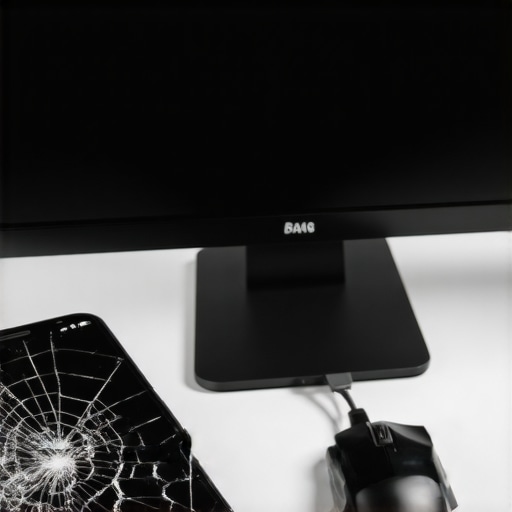
Pull files directly with professional recovery software
If the HDMI trick fails because your phone’s port is strictly for charging, you need to look at the software layer. This is where the power of data recovery tools what you need to know comes into play. Programs designed for broken devices can often communicate with the phone’s internal storage via ADB (Android Debug Bridge) commands, even if the screen is dead. However, this usually requires that you had ‘USB Debugging’ enabled before the accident. If you didn’t, don’t panic yet. Some high-end expert data recovery techniques involve putting the phone into ‘Download Mode’ or ‘Recovery Mode’ to extract partition images. It sounds technical, but it’s basically like taking the hard drive out of a broken laptop to read it on a different machine.
Why local backups save you from future heartaches
While we are fighting to save your current data, this experience should be a wake-up call about your backup habits. Many of my clients realize too late that they turned off their auto-sync to save battery or data. This is exactly why your business needs a local backup even if you use the cloud; physical hardware fails, and software can glitch. For those of you just starting to learn the ropes, computer repair for beginners avoid costly mistakes by always having a secondary physical copy of your most important files. Whether it’s a thumb drive or a dedicated hard drive, having that physical ‘key’ to your memories means a broken screen is just a nuisance, not a tragedy.
One thing I’ve learned after years in the trenches is that the ‘turn it off and on again’ advice is actually dangerous when your hardware is physically failing. We’ve all done it, hoping that one more reboot will magically bring the screen back to life. But if your phone or computer is suffering from a dying internal component, every power cycle is a gamble. In my experience, most people underestimate the risk of a ‘click of death’ or a thermal runaway. Instead of blindly rebooting, you should be checking for the risk of ignoring that smart status bad warning on your pc. That warning is your hardware screaming for help before the final curtain falls.
The clean room myth that costs you a fortune
A common belief in the tech world is that any serious data loss requires a $2,000 trip to a forensic clean room. While those facilities are vital for physical platter damage, many ‘dead’ devices are actually suffering from logical corruption or simple power delivery failures. I’ve seen businesses panic and spend thousands when they could have used effective managed IT solutions for growing companies to maintain proper backups in the first place. Before you assume your data is vaporized, look for subtle signs like how to identify a dying backlight before your screen goes dark. Often, the data is perfectly safe; it’s just the ‘messenger’—the screen—that has quit the job.
The real trap to avoid is the siren song of ‘free’ recovery software found on the third page of Google. These tools often perform aggressive scans that can push a failing drive over the edge. According to a study by Backblaze, hardware failure rates follow a ‘bathtub curve,’ and if you are in that late-life failure stage, intensive software scans can be the final nail in the coffin. This is why I always advocate for the danger of using free file recovery tools on a failing mechanical drive. Professional grade tools handle data extraction in a way that prioritizes the health of the hardware, something a free app simply isn’t designed to do.
What happens when encryption locks you out of your own hardware?
Here is the nuance that catches even the ‘tech-savvy’ off guard: File-Based Encryption (FBE). On modern Android and iOS devices, your data isn’t just sitting there in plain text; it is scrambled. If your screen is black and you cannot enter your passcode, the ‘keys’ to your data remain locked in a secure enclave. This makes expert data recovery techniques much more difficult than they were five years ago. Without that initial unlock, the phone won’t even talk to your computer. This is a massive reason why your business needs a local backup even if you use the cloud. If the hardware dies and the encryption keys are lost with the motherboard, no amount of software magic will bring those files back. Have you ever fallen into this trap where a simple password stood between you and your life’s work? Let me know in the comments.
pStaying ahead of a hardware failure is vastly cheaper than reacting to one. In my personal toolkit, I never go anywhere without a high-quality USB-C to HDMI adapter and a powered OTG hub. I’ve found that cheap, unbranded adapters often fail to initiate the ‘handshake’ required to trigger screen mirroring on modern devices. When you are dealing with a black screen, you need tools that just work. This is why I always emphasize the power of data recovery tools what you need to know before the crisis hits. Beyond the cables, I rely on software that can read raw disk images. If you can get your device to mount, using something like R-Studio or even a deep-scan utility can be the difference between a total loss and a full recovery.h2Why a dedicated hardware toolkit is your best insurance/h2pFor those who deal with more than just a single phone, the scale of the problem changes. If you are managing a family’s devices or a small office, you should be looking into managed IT solutions streamlining operations for small businesses. It isn’t just about fixing things; it is about having a system that alerts you before the hardware dies. I’ve seen too many people try to save a few dollars by using consumer-grade equipment for professional work, only to lose everything. For instance, knowing how to identify a failing motherboard before it stops working can save you weeks of downtime and thousands in forensic recovery fees. Success in this field is about 10% luck and 90% having the right interface at the right time.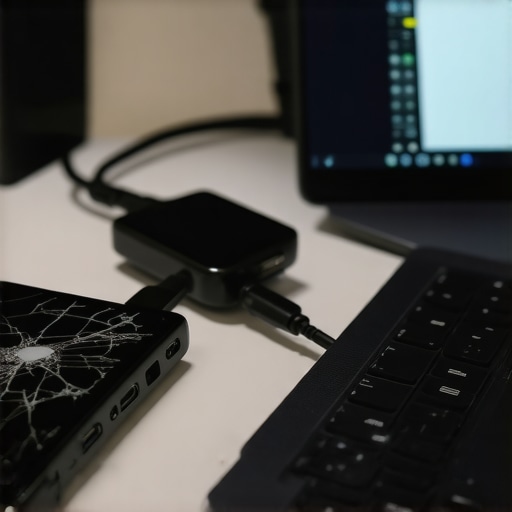 pI’ve learned the hard way that ‘hope’ is not a backup strategy. When I transitioned my own workflow to a more robust setup, I started obsessing over S.M.A.R.T. data. According to the technical documentation provided by the a href=”https://t13.org/”T13 Technical Committee/a, which maintains the ATA storage standards, monitoring ‘Attribute 05’—the Reallocated Sectors Count—is one of the most critical steps in predicting a drive’s demise. If that number starts climbing, your data is in immediate danger. This is exactly how to check if your hard drive is about to fail using s m a r t data, and it is a skill every device owner should have. It is much easier to move files from a ‘tired’ drive than from a ‘dead’ one.h3How do I maintain data integrity over time?/h3pMaintenance isn’t a one-time event; it is a habit. For laptops, this means regularly checking the physical health of the unit. I always tell people that why a cracked laptop screen can eventually damage your motherboard is due to the stress it puts on the hinges and internal ribbon cables. Over time, those tiny fractures can lead to shorts that kill the entire logic board. If you see even a small hairline crack, treat it as a ticking time bomb. On the software side, ensure your managed IT strategies to keep your business secure in 2025 include automated, off-site, and on-site redundancy. This ‘3-2-1’ backup rule is the gold standard for a reason.pThe future of data recovery is moving toward more aggressive hardware-level encryption, which means the window for DIY ‘hacks’ is closing. Soon, if the screen and the security chip aren’t talking, the data will be permanently inaccessible to anyone without specialized forensic equipment. That is why you need to act now. My challenge to you: Go into your phone settings right now and verify that your ‘Device Backup’—not just your photo sync—was completed within the last 24 hours. If it wasn’t, trigger it manually. This simple move is the ultimate expert data recovery techniques strategy because it bypasses the need for recovery entirely./p
What Years of Rescuing Dead Phones Taught Me
One of the most persistent myths I encounter is that a black screen equals a dead device. In reality, modern smartphones are incredibly resilient; the screen is often the first thing to fail while the processor and storage remain perfectly healthy. I’ve learned that the cheapest tool—a simple OTG adapter—is frequently more effective than professional software costing hundreds of dollars. It’s also vital to realize that time is your enemy when a battery is involved. If the device is drawing power but can’t vent heat properly through the screen, internal damage can occur. Always prioritize computer repair for beginners avoid costly mistakes by staying calm and trying the least invasive hardware methods first before attempting any software resets.
Tools That Belong in Your Emergency Kit
If you want to be prepared for the next hardware failure, I personally recommend keeping a few items in your desk drawer. First, a high-quality USB-C to HDMI adapter is non-negotiable for mirroring your display to a TV. Second, a powered OTG hub allows you to connect a mouse and a flash drive simultaneously, which is a lifesaver when the touch function is gone. For businesses, I suggest looking into managed IT solutions streamlining operations for small businesses to ensure all mobile data is mirrored to a central server in real-time. Finally, bookmark the Backblaze annual drive stats; it’s an eye-opener for anyone who values their digital history and wants to understand when hardware typically fails.
Reclaim Your Memories Today
Losing access to your photos and documents feels like losing a piece of your past, but with the right approach, it doesn’t have to be permanent. Whether you are using a DIY adapter or seeking expert data recovery techniques, the goal is to act with precision and patience. You now have the roadmap for how to get data off a phone with a screen that wont turn on, so don’t let a bit of broken glass or a dark display stand in your way. If the situation feels too complex or you’re worried about making it worse, don’t hesitate to reach out to a professional through our contact us page for specialized help. Your data is waiting to be found.
Have you ever successfully recovered files from a device you thought was totally gone? Let me know in the comments below!